sorry for late reply,
1st u need to disable out those bloatware that is on your laptop,
you can do this by:
on the start menu, on the textbox, or, you can just press the
windows + r button (on ur keyboard), and type in msconfig.
then, go to the startup tab, & disabled any non-useful application (untick those selected application)
NOTE: just make sure that the you didnt disabled out the important one (wireless, bluetooth, intel, ati, ur antivirus)
by doing this, less processes that involved, & less heat that will be produced,
you also need to set out ur power plan setting to power saver mode, and make sure that ur power play is set to
maximize performance:
Previous Post regarding on power play settingand use cooler pad

just now i've use the OKR disc, yes, after i use the OKR, it reverted back to the factory setting
(just like 1st time when we switch on the laptop), all the previous data that stored on the HD will be erased.
bloatware also pre-installed LoL

nevermind, can disabled those bloatware...
hey guys,
great news, i've managed to install MAC OS Snow Leopard OSX86 on my laptop,i've made it by creating a new partition (that new partition is for MAC OS)
windows 7 still can be loaded (on drive C:)

i just use the OKR, then install & use the EASUS partition manager for creating the new partition,
insert the Chameleon + install MAC OS Snow Leo OSX86,
and then, on startup, u can choose between OSX86 + Windows 7 (but need the chameleon to boot up both OS)
i've tested it out on the MAC OS Snow Leo OSX86, things that can be used so far:
sound, keyboard, touchpad...
but still need tweaking on the touchpad part (there's bug where my cursor sometimes, move randomly on the MAC Screen..)
i've also tested it out by watching video's on that OS, so far so good..


 May 23 2010, 11:09 AM


 Quote
Quote




 . One thing for sure, Sony hardly does bad designs on cooling.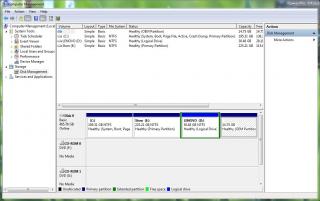


 0.0353sec
 0.48
0.48
 7 queries
 GZIP Disabled