Welcome Guest ( Log In | Register )

Outline · [ Standard ] · Linear+

 HTPC V2, Home Theater PC Setup, HOWTO and Guides

views
     
cougar richard
post May 12 2010, 02:43 PM

I want money
******
Senior Member
1,007 posts

Joined: May 2007


QUOTE(accs_centre @ May 11 2010, 02:43 PM)
My mobo in HTPC just got burnt.. Now Downgrading my spec to Core i5 + H55 Based Mobo. Sound and Graphic will be on its Intel HD Graphic and Bitstream to AVR..


*
bro, mind telling me wat H55 based mobo u are using?

coz i read the gigabyte H55 mobo, it cant bitstream 3rd generation audio thru HDMI
only DTS, AC3, and LPCM-2Ch cry.gif
another thing, it cant dual output DVI and HDMI simultaneously... cry.gif cry.gif

do u know which mobo can bitstream and dual output FULL HD via DVI and FULL HD+Bitstream 3rd gen audio thru HDMI simultaneously?

thank you

cougar richard
post May 12 2010, 03:54 PM

I want money
******
Senior Member
1,007 posts

Joined: May 2007


QUOTE(accs_centre @ May 12 2010, 02:58 PM)
As i know, it only cannot output both DVI n HDMI in BIOS setup.. No problem in windows..Anyway, let me try 1st only confirm
*
thank you in advance

but which mobo brand and model u using?

is it all H55-based chipset can bitstream HD audio regardless of wat brand the mobo is?

i searched thru google, it says any H55-based mobo can bitstream

but when i go read the Gigabyte H55-based mobo user manual, it says only support DTS, AC3, and LPCM-2Ch
cougar richard
post May 12 2010, 04:34 PM

I want money
******
Senior Member
1,007 posts

Joined: May 2007


QUOTE(accs_centre @ May 12 2010, 04:03 PM)
Yes.. H55 Based Mobo can do bitstream when use together with its built-in Intel HD Graphics.. AV receiver will do the decoding job on DTS-MA/True-HD

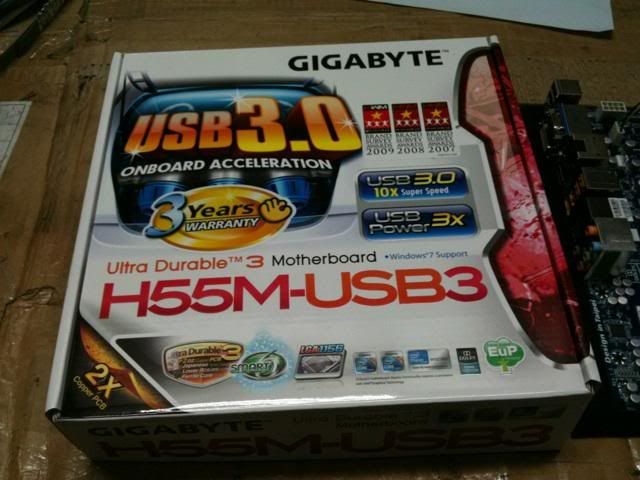
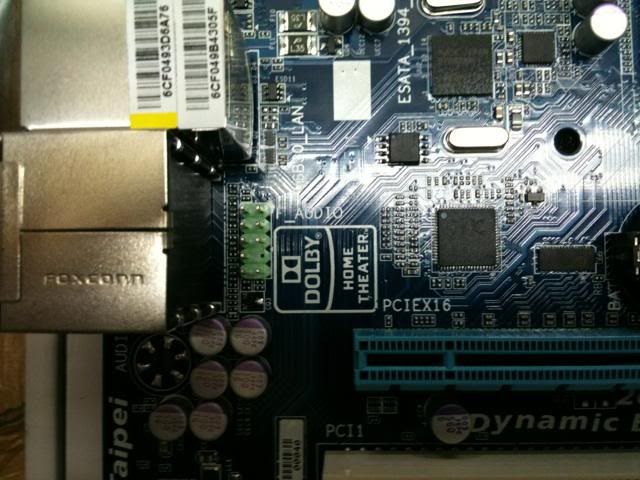
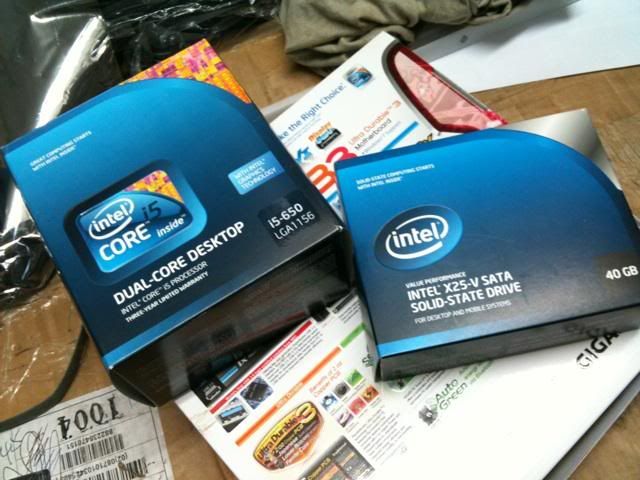
My Mobo is as followed..

user posted image
» Click to show Spoiler - click again to hide... «

*
wow! SSD!!!

so can dual output DVI and HDMI simultaneously?

anyway, the dolby home theater useful?
if using optical or HDMI audio, i think no use rite?

cougar richard
post May 12 2010, 07:12 PM

I want money
******
Senior Member
1,007 posts

Joined: May 2007


QUOTE(accs_centre @ May 12 2010, 04:50 PM)
Dolby HT not really useful since we bitstream to AVR but SYOK to see.. haha

DVI n HDMI works as dual display..
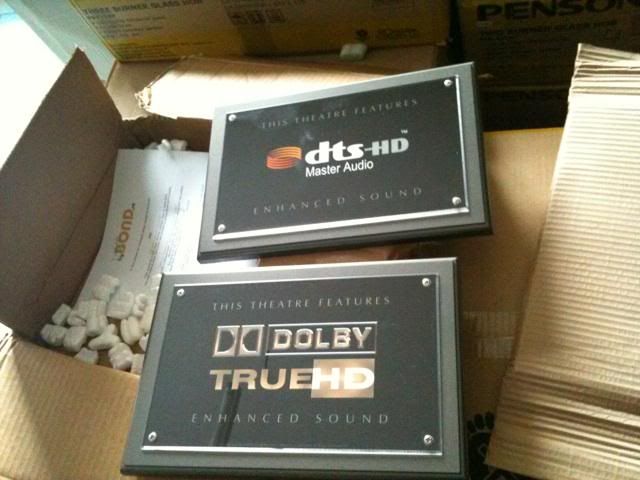
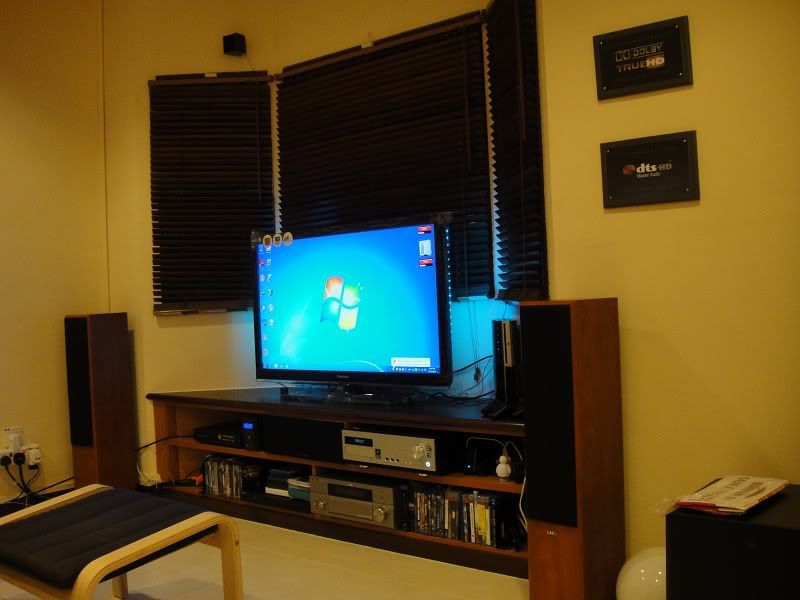
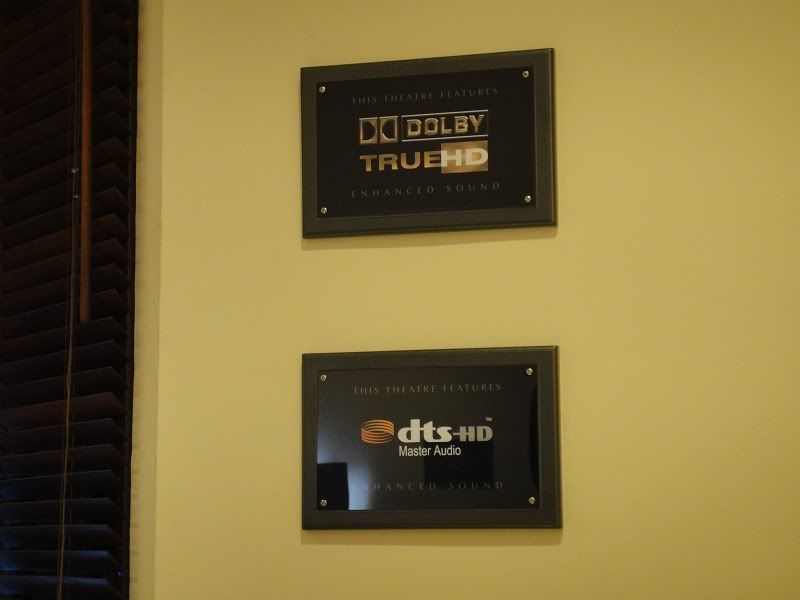
Just received these plaques as wall decoration for my Room Theater & HTPC..  blush.gif

user posted image
*
dual display! all right baby. thank you so much


tat plate i searching for long time already!
been thinking wanna custom made by local shop

how much u got them??
i mean deliver to door step


btw, mmu should be in exam season now rite?
or u hv graduated??
cougar richard
post May 13 2010, 11:06 AM

I want money
******
Senior Member
1,007 posts

Joined: May 2007


QUOTE(accs_centre @ May 13 2010, 10:02 AM)
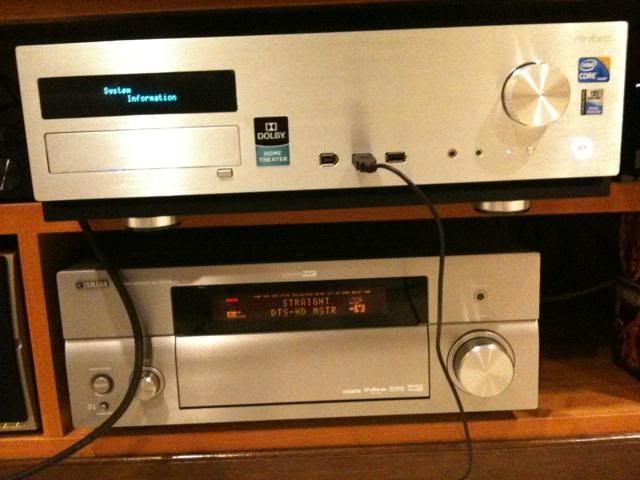
Initial Testing...

Bitstream via TMT 3

user posted image

No issue to bitstream after selected default playback via Intel Display

user posted image

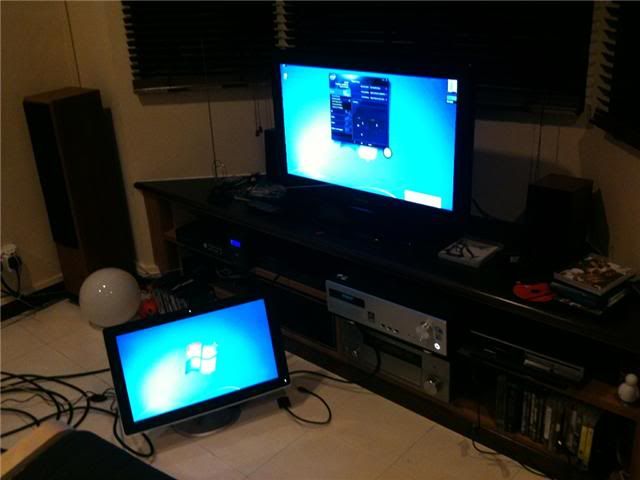
Dual Display via DVI & HDMI

user posted image

No issue to extend desktop or clone..
But Initial testing fail to bitstream when clone the 2 display even selected AVR as primary display [PC's HDMI > AVR > TV]
*
cool cool...

or perhaps can only bitstream when in extended desktop setting?


cougar richard
post May 13 2010, 01:55 PM

I want money
******
Senior Member
1,007 posts

Joined: May 2007


QUOTE(accs_centre @ May 13 2010, 01:34 PM)
Think to get LED one but once see the price..scare scare!
*
u got it from that swedish website given above?


Added on May 13, 2010, 2:03 pm
QUOTE(qwerty79 @ May 13 2010, 09:43 AM)
Why need to laugh, you have good setup there but my suggestion, get a better PSU.
Last time, I use the same PSU as yours with my old setup (E8400+HD4650) and my electric bill was so high for 24/7 torrent/htpc. At first I thought it is normal but after a few months, I bought CM 550w real power, somehow my bill decrease a lots. Like from RM80-90 to RM60-RM70.

Also planning to buy SSD but the price still too expensive. Waiting for 80Gb to drop below RM500.
*
but itsn't the real power psu suppose to consume more power than non real power type?

This post has been edited by cougar richard: May 13 2010, 02:03 PM
cougar richard
post Jun 12 2010, 08:43 AM

I want money
******
Senior Member
1,007 posts

Joined: May 2007


QUOTE(accs_centre @ Jun 12 2010, 12:37 AM)
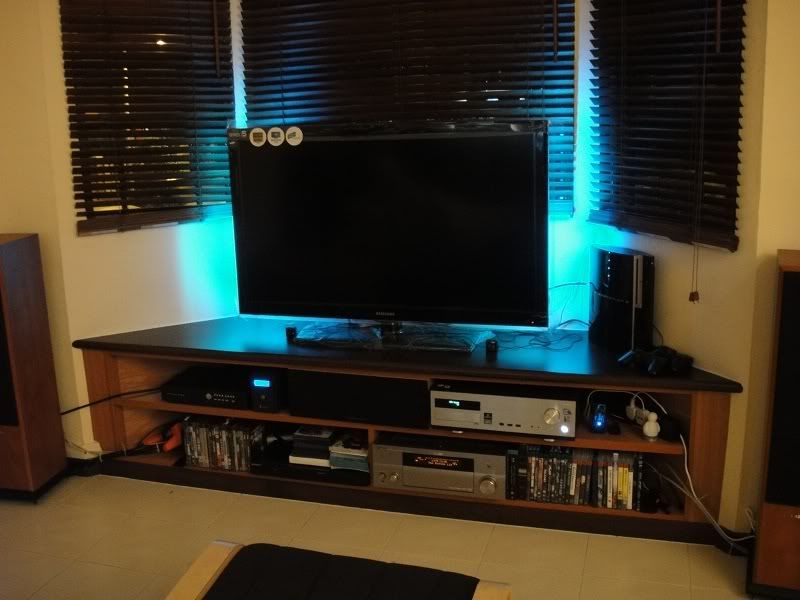
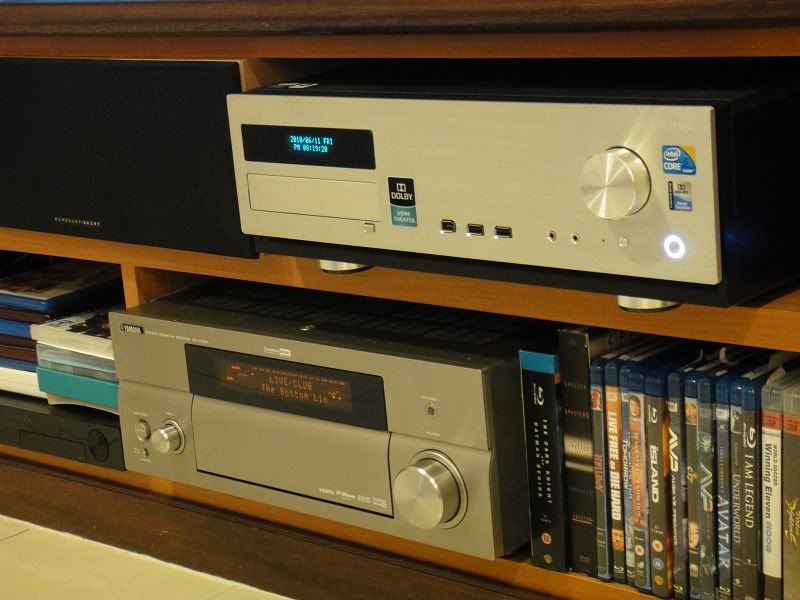
Today finally managed to finish my HTPC setup on icore5..  laugh.gif
Overall ...
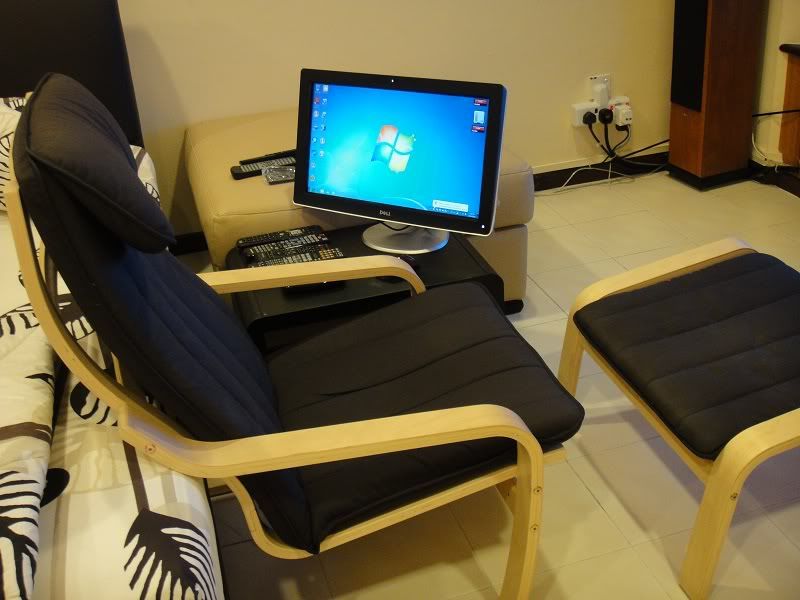
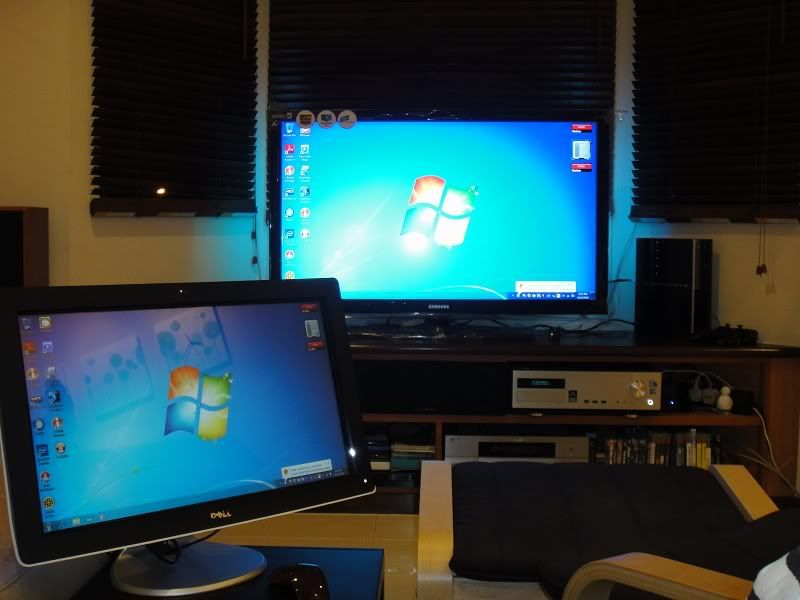
user posted image

» Click to show Spoiler - click again to hide... «

*
nice touch screen set up, cheaper solution than a dedicated media server system rclxms.gif

btw, if the plaque can put a small spot light focus on it would be better
cougar richard
post Jun 12 2010, 08:57 PM

I want money
******
Senior Member
1,007 posts

Joined: May 2007


QUOTE(accs_centre @ Jun 12 2010, 08:04 PM)
Im using RGB/VGA cable for the seconday 21.5" Dell LCD.. Having issue when using DVI Cable and HDMI output to clone both screen 1080P..
5 metres cable i used but still not long enough ...
*
wat's the prob with dvi and hdmi dual screen?
cannot run both 1080p at the same time?


cougar richard
post Nov 17 2010, 02:07 PM

I want money
******
Senior Member
1,007 posts

Joined: May 2007


Guys, I have important questions which need the answer from you all.

I am thinking of building an core i3 system.
so my question are:

1. Is there any lagging when play back High Bit Rate Full HD video with i3? like cpu utilisation max out...

2. Is there any problem so far with the picture quality, audio quality, and HD audio bitstream with i3 Integrated GPU?

3. Is it ALL Video can do DXVA on i3 IGP SMOOTHLY?

Thank you guys..

This post has been edited by cougar richard: Nov 17 2010, 02:08 PM
cougar richard
post Nov 18 2010, 07:36 AM

I want money
******
Senior Member
1,007 posts

Joined: May 2007


QUOTE(twtang @ Nov 17 2010, 04:00 PM)
Hi,

I am using i3 540 and
1. Is there any lagging when play back High Bit Rate Full HD video with i3? like cpu utilisation max out... : Won't, everything works perfect.

2. Is there any problem so far with the picture quality, audio quality, and HD audio bitstream with i3 Integrated GPU? - No problem at all

3. Is it ALL Video can do DXVA on i3 IGP SMOOTHLY? - Never try

So far, playing 1080p mkv file no issue at all.
*
1. so mind to tell me how's the cpu utilisation when playing back? got artifact o not? as i saw some other forum said got artifact like rainbow effect or pixelization....

2. glad to hear that...

3. so meaning to say all using decoding power from cpu itself only?


Added on November 18, 2010, 7:42 am
QUOTE(calvin_ng @ Nov 17 2010, 07:24 PM)
Well here is the answer

1. Usually i3 can handle with 2 core + 2 thread but for good HD video performance it is preferred to use a GPU which support h264 codec hardware acceleration you can look at Nvidia Ion or Ion 2 chipset alternatively you can look at Nvidio 210m or 310m but the gaming performance is so.. so..

2. Picture Quality should have no issue if you take Ion chipset Audio another hand it depends on your needs if you look for DTS-MA or Dolby TrueHD then... sadly NO as Ion only can take 5.1 perhaps Ion2 (I have not confirm this)

3. YES!!!
*
1. would you mind to clarify the difference of video performance between i3 and standalone GPU? i3 has performance issue with h.264 decoding?

2. but i think bitstream HD audio with i3 should be no prob rite?

3. if ALL the HD Video can do DXVA, then i think the cpu utilisation of cpu should be very low... initially i was afraid of only CERTAIN HD Video can do DXVA only. Then if some HD video cannot do DXVA decoding then the cpu utilisation should be very high...


Added on November 18, 2010, 7:45 am
QUOTE(paskal @ Nov 17 2010, 08:16 PM)
1. i3 does support dxva acceleration. if it's any important. else the i3 have enough processing power to software decode. and ati currently have the cheapest card that supports hardware acceleration and hd bitstream. forget about nvidia ion.

2. picture quality should have no issue if the cpu is capable enough to software decode. nvidia ion which are usually paired with atom cpu are rubbish in this sense. if should in any way hardware decoding are compromised, then ion gonna have a problem. IMO go with ion only if you want an absolutely lowest power consumption. core i3 with its 32nm architecture have a good compromise with power usage.
*
2. so any chance of i3 cannot support DXVA hardware decoding for some HD video?


Added on November 18, 2010, 7:49 am
QUOTE(echoesian @ Nov 17 2010, 11:44 PM)
Actually got problem especially on high bit rate + HD audio m2ts file, it plays but not very smooth and has tearing...

..and it has resync problem too which I'm trying hard to solve it using ReClock now...
*
mind to clarify further? is it the IGP issue when running DXVA or the raw power of software decoding from CPU itself?

This post has been edited by cougar richard: Nov 18 2010, 07:49 AM
cougar richard
post Nov 18 2010, 10:33 AM

I want money
******
Senior Member
1,007 posts

Joined: May 2007


QUOTE(pierreye @ Nov 18 2010, 08:24 AM)
Biggest problem for i3 with H55/H57 board is no true 23.976 framerate support. You will see a slight jitter when the movie is panning.

Problem with ATI 5xxx is the RGB 4:4:4 Full Range is screw as it output at wrong level. If you go for YCbCr 4:4:4 there is a slight greenish tint but not so serious.

Nvidia GTX460 I had no idea if it is perfect for HTPC. But one advantage is it support 3DVision if you have 120hz display.
*
is it noticeable for 24p playback jitter on most movie? i mean those available to dl one.
so ATI 5000 series wont hv such a problem rite?

i heard of sandy bridge is still having prob with 24p framerate. well, tat is rumour...


Added on November 18, 2010, 10:37 am
QUOTE(calvin_ng @ Nov 18 2010, 08:31 AM)
Look it is pure simple, you cant rely on processor alone to do all the work on a computer... if you want to build a good HTPC or a gaming computer you need to take account on the sound and graphics

YES i3 can decode virtually everything but at what expense Higher CPU power and laggy pc performance... for a good HTPC you need to get a graphic card that support hardware HD acceleration which greatly reduce the weight of the cpu and with lither cpu your cpu can decode HD audio and the rest which make your HTPC experience GREAT!!!

Sound yes even a Atom can decode HD audio but it is useless if your sound card or HDMI cant output HD audio... you need optical out and HDMI pass through inorder to get DTS MA and Dolby True HD and your sound+graphics would need to work together with the processor...

just a processor alone will not give you a good experience imagine you have a ferrari driving in KL city peak hour... hahaha wasting petrol!!!
*
tat is why i am asking all sifus here.
if the i3's IGP can handle HD audio and HD video using DXVA properly, then i dont need to buy another GPU already.
so i can save money, save electricity, and also less heat dissippation...

This post has been edited by cougar richard: Nov 18 2010, 10:37 AM
cougar richard
post Nov 18 2010, 01:16 PM

I want money
******
Senior Member
1,007 posts

Joined: May 2007


QUOTE(calvin_ng @ Nov 18 2010, 11:00 AM)
My advise get a Discreet graphics

Or

Get a build in unit with ion chipsets which support hardware acceleration
*
i3 no hardware acceleration?


Added on November 18, 2010, 1:22 pm
QUOTE(jchue73 @ Nov 18 2010, 11:19 AM)
I was just about to add... Yeah, it depends on what type of 1080p file. Decoding real Bluray m2ts files on raw CPU power alone is very taxing. I hit about 70 to 80% CPU utilization on a 3.2GHz Q6600. Using DXVA on my lowly ATI 2600, it's less than 5% CPU utilization.

I'm also in the category of a non-believer when it comes to built-in graphics card. I would prefer a discreet one. Does not mean you have the i3 you must use the built-in graphics card right? I would rather build a proper HTPC that works than building a half-cook one that supposedly saves electricity.
*
even a quad cores is also hitting such a high usage rate when decoding m2ts. hmmm....i tot 4 cores should hv no prob....

if i were to get a discrete GPU, i probably wont opt for i3
i would rather go for Athlon II + GPU or C2D + GPU since the cost would probably lower than i3.

if i3 is proven have no issue on HD video and audio by using DXVA decoding, then i will stick to it.


Added on November 18, 2010, 1:24 pm
QUOTE(echoesian @ Nov 18 2010, 11:59 AM)
Strange.. I'll only notice jittering on MPC-HC but not TMT 3, TMT3 is a lot smoother...
*
meaning to say it is somehow related to player itself?
is tat 24p playback wont hv jitter on TMT 3?


Added on November 18, 2010, 1:27 pm
QUOTE(calvin_ng @ Nov 18 2010, 11:35 AM)
I would agree with jchue73

if you are looking at a half bake i3 might as well get a decent pre build htpc say Dell Zino or Acer Aspire 1 / Asus Eepc

Although there are running atom but with Ion and Ion 2 chipset as GPU it really perform expecially on HTPC environment

but I take Dell Zino which is AMD as it is the best for the size is great!!
*
actually i prefer DIY RIG as it is not solely use for HTPC only.
i will use it to run some application, word processing those...

then it also allows me to hv the flexibility to upgrade if in the future i found the power is not enough to handle anymore..


This post has been edited by cougar richard: Nov 18 2010, 01:27 PM
cougar richard
post Nov 18 2010, 05:14 PM

I want money
******
Senior Member
1,007 posts

Joined: May 2007


QUOTE(calvin_ng @ Nov 18 2010, 03:21 PM)
i3 can decode your movie but you are looking at high cpu ultilization and if your antivirus is running background you may face some lag...

since you said you prefer a DIY rig cause you need the upgrades option I would to suggest you to take a non all in 1 board as all in 1 board has limited upgrades...

get a motherboard which support alot of pci express for upgrade and preferred a non all in 1 card...

else it is quite defeat the purpose if you build your own system and your cards has all sorts of limitation and you will end up spending more...
*
as bro paskal says, if using DXVA then cpu utilisation should be adequate.
but in rare case certain encoding doesnt allow the use of DXVA then it has prob.
since certain movie cannot use DXVA, then i think by getting a discrete GPU wont help either in this case.

I dont understand wat do u mean by all in one board and all in one card bro. mind clarify?

actually i dont need many pci express. if i were to buy graphic card, then most probably i will buy is only one card. it is hardly possible for me to CF/SLI as i dont need it. i hardly game actually. juz need a durable, quiet, and serve my needs as stated b4 will do.


cougar richard
post Nov 18 2010, 05:33 PM

I want money
******
Senior Member
1,007 posts

Joined: May 2007


QUOTE(paskal @ Nov 18 2010, 04:11 PM)
wow lots and lots of opinions. this is good, that is no good. that one have this advantage, this one have that advantage. sure gonna make possible adopters turn away from the whole htpc idea.

1. if you want an absolutely fuss free playback platform, GET A DUNE. a htpc ain't for everyone.

2. if you're concerned about 23.976Hz playback and jitter on a htpc, GET A DUNE. no matter what type of graphics card you use, THERE WILL BE JITTER. yes ATi 5XXX card included (not only i3 IGP). and quite possibly any nVidia GC too. a PC uses multiple clock reference unlike a media player that could lock all its clock to a single clock generator. a PC have different clock reference for audio, video, cpu, northbrigde, southbridge and all that crap. and the OS manage everything, usually trying to sync everything to the CPU clock. an impossible feat at best for a software to sync a hardware clock to one another. YOU NEED TO USE RECLOCK.

3. some people won't notice motion jitter. a lot won't. i never noticed it when i was running on my LCD. because LCD just don't have that fast of a response rate. jitter is a dead giveaway after i installed my 50" full hd plasma. and mind you, ATi have a perfect 24p (23.976Hz) refresh rate. even then motion jitter is hugely noticeable on the new screen. refer above for reason.

4. AMD CPU generally have lots more heat dissipation compared to Intel CPU.

5. multicore CPU have even more heat.

6. most decoder can't properly make use of multiple core to decode video. ffdshow used to be one of it. no idea whether it has trickled down to the stable releases. only nightly builds used to have such capability. want low CPU usage (and make use of multiple core to decode) ? use CoreAVC.

7. if core i3 internal graphics processor sucks for you, you could always plug in another GC into it. why yes it's possible. the internal GPU will be disabled.

8. there's no non-IGP equipped core i3 because the IGP is integrated inside the CPU. so there's no i3 mainboard that don't have internal graphics because it's inside the CPU. wait i already said that.

9. DXVA hardware acceleration is implemented in most new GPU architecture. intel IGP, ATI, nVidia all have them. if hardware acc is hugely important for you, it'd be good to know that your choice aren't only limited to nvidia ion.

10. do forget the atom platform if you could pay the electric bill. because not all movies are encoded to allow for DXVA acceleration. you still need pure CPU processing power for some rare occasion. atom don't have that.

can't remember other questions.
but for someone that wants an absolute fuss free playback, i would seriously suggest the DUNE.

and echohesian, the motion deblocking problem with core i3 during DXVA acceleration could be cured by simply using the Microsoft DTD decoder that came with Windows 7. or maybe you could try CoreAVC. not free though. ffdshow still have this deblocking problem on i3. probably have to wait till either ffdshow new version or intel fix it with a new driver. try the ffdshow nightly builds just in case.

p/s: just drove for 6 hours so do forgive the crankiness tongue.gif


Added on November 18, 2010, 4:14 pmshi* i just messed up jitter with judder. not motion jitter, motion judder.
*
easy bro, dont get pissed...

wat a good reply u hv there..

1. perhaps will get a DUNE or other media player in future. but i cannot foresee when yet.
so now i will use PC as a HTPC also. where it allows me to perform paperwork, BT, entertainment, some light softwares usage those stuff...

2. since ATI do hv jitter, i think i might juz stick to IGP will do.

3. i do attach to FULL HD LCD TV sometime. that is one of the reason i build tis PC. but not always. most of the time i will be using it with a FULL HD monitor..probably in the future i will get another FULL HD TV to connect to it.

4. i heard some other forumer says nowadays AMD can be running cooler than an INTEL proc. well...i never tested.

5. based on previous comment, i3's IGP should hv no prob on handling FULL HD video. if it does, the i might need to opt for an discrete GPU. of course, i would prefer not to spending money again on decoding HD video.

6. i think if need to utilise the IGP, need to pair with either H55/H57 board only rite? as other boards if paired up then the IGP cannot be used and need to get a discrete GPU instead.

7. for that rare occasion of cannot use DXVA, i think it has no choice as discrete GPU also wont help either too.

so from all the conclusion, i think i3 still suits me for my need.

but now another dilemma arised...

to buy i3 or wait for sandy bridge? sweat.gif

one thing i afraid is when sandy bridge is released, then the current cpu line up might increase their prices....
like DDR2 is more expensive than DDR3...


Added on November 18, 2010, 5:36 pm
QUOTE(calvin_ng @ Nov 18 2010, 05:20 PM)
in that case... why not just get a DUNE it is way better and much more flexible...

but since you wanted a htpc... and since you wanted to customize 1...

I would advise you to take a discreet graphics get a Nvidia 210 or 310
or Ati 5450 it is cheap and made for HTPC...
*
yeah, but with DUNE i cannot do word processing, light software usage like photoshop those....which i need also...

so as per bro paskal said, if IGP really disappoint me. then ATI 5000 series is the way.
Nvidia still cannot bitstream rite?

This post has been edited by cougar richard: Nov 18 2010, 05:36 PM

cougar richard
post Nov 18 2010, 11:37 PM

I want money
******
Senior Member
1,007 posts

Joined: May 2007


QUOTE(calvin_ng @ Nov 18 2010, 06:53 PM)
Bro Intel Integrated graphics is the worst and dont tell me on stability if you are referring to processor YES but graphics just stick to ATi or nvidia... intel somehow sux at graphics...
*
i think gaming yes, but HD playback still fine rite? sweat.gif


Added on November 18, 2010, 11:38 pm
QUOTE(echoesian @ Nov 18 2010, 07:45 PM)
Bear in mind, if using ffdshow DXVA... subtitles will not work properly it has artifacts surrounding the wordings...
*
so any fix for it?

This post has been edited by cougar richard: Nov 18 2010, 11:38 PM
cougar richard
post Nov 19 2010, 09:32 AM

I want money
******
Senior Member
1,007 posts

Joined: May 2007


QUOTE(calvin_ng @ Nov 19 2010, 08:15 AM)
Intel Graphics I  assume you are using the HD intel GMA, they some how still do a pretty bad job in de-interlacing so my advise just spend fer hundred more and get a nvidia 210 or Ati 5450 this 2 card is very cheap on the market...
*
i am not using yet. it is on my plan, soon to get in 2 weeks time
i3 in on my plan currently.

not sure hows the comparison for progressive scan btw intel and discrete GPU.
u faced bad experience with intel's progressive scan?


Change to:
| Lo-Fi Version
0.0471sec    0.55    7 queries    GZIP Disabled
Time is now: 10th December 2025 - 06:29 AM