Outline ·
[ Standard ] ·
Linear+
HTPC V2, Home Theater PC Setup, HOWTO and Guides
|
bad2928
|
 Jan 31 2014, 01:25 PM Jan 31 2014, 01:25 PM
|

|
QUOTE(andru @ Jan 29 2014, 06:59 PM) Anybody know how to get 5.1 sound from XBMC when playing AAC 5.1 format. For DTS I can get 5.1 but AAC 5.1 I only get 2.0 sound from my HT. set your speakers configuration in XBMC in 5.1 ch.but if doesn't work download wasapi plug in and used that as audio device output. |
|
|
|
|
|
bad2928
|
Feb 11 2014, 10:21 AM
|
|
|
QUOTE(Mikeyz @ Feb 11 2014, 12:10 AM) hi guys,i need some advice here.Recently i am starting to keep some untouched bluray BD-ISO but sadly to say my AC Ryan HD Mini2 does not seems to be able to play the ISO image file,so as for my Sony S380 BDP. I however do have a PC which i want to use for my HT which is not the best performance but is an AMD dual core 3.2GHZ CPU,4 GB DDR RAM & Gigabyte HD5670 GPU with HDMI out. So what software or player do i need to playback the BD-ISO which can bypass the HD Audio and let me Denon 4311 AVR do the decoding of the DTA-HDMA/Dolby True HD to my 5.1 system? I am planning to hunt for an Oppo BDP93 but currently this is all i have,please help.Thanks xbmc,media player classic,splash pro,total media theater and many more most of then can bitsteam to your avr..  |
|
|
|
|
|
bad2928
|
Feb 12 2014, 08:30 PM
|
|
|
QUOTE(Mikeyz @ Feb 11 2014, 10:57 PM) I just plug in my Apple Mac Mini using XBMC to run BD-ISO on my HT system and for those who are new,here is some settings you need to do on the OS X settings. 1. Go to system preference -> sounds ( there will pop up a window box and first setting is sound effects,choose the ' play sound effect through' to your AVR name 2. Go to Output and select your AVR name 3. Go to XBMC and in the audio settings choose Audio Output to HDMI Then we are all set to enjoy decoded DD 5.1 from AVR. One thing I am not sure is why it can't decode DTS-HDMA as my ISO has the audio imbedded on it? Can anyone explain what I am missing? I encounter this problem before,in my solution i used wasapi plugin(plug in foobar 2000 player)and its really work  ,maybe others have another solution  |
|
|
|
|
|
bad2928
|
Aug 19 2015, 03:20 PM
|
|
|
QUOTE(barjoyai @ Aug 19 2015, 12:26 AM) I connect my PC via hdmi to my avr(yamaha aventage series). I used mpchc + madvr setting & LAV. My graphic card is nvidia 550ti. In LAV, I checked to bitstream all audio options. Let's say I play a video with 2 audio channel, then my avr will decode the audio to 5.1 channel. But I can just play the original audio in 2 channel too. Just pass thru(bitstream) the audio and play with your avr settings. Hope this help. just choose the surround mode in your avr example dolby pro logic,dts neo or others |
|
|
|
|
|
bad2928
|
Nov 17 2015, 07:29 PM
|
|
|
QUOTE(Shoot@M3 @ Oct 29 2015, 01:18 PM) hmm bit quiet here eh, i've been visiting time to time see if got ppl create new discussion hehe btw my current setup is very simple, my player is vlc on my laptop laptop > wolfson 8501 DAC > Powered Edifier M3300 + Edifier P3080M (only sats from my M3300 attached to the P3080M to increase the mid range) > another out on Wolfson goes to my Wharfedale PMX500 Powered mixer/amp > Robertson Audio silver 25 tower speakers For movies i only use the edifiers, for music i use all the speakers Thinking in future will upgrade to the X-LS Encore series by fx20, by a forumner here Forgot mention i also have a dedicated active wharfedale sub really old one for the bass side during watching movies, it also acts as a passthru to my wharfedale pmx500 just get an av receiver all your problem and question will solved Attached thumbnail(s)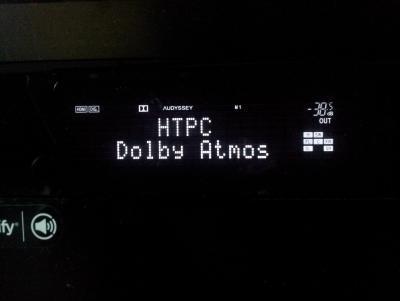
|
|
|
|
|



 Quote
Quote
 0.0427sec
 0.53
0.53
 7 queries
 GZIP Disabled