

 Jan 30 2012, 04:00 PM


ok, this is step-by-step procedures:-
1.just follow the earlier instructions on pairing the mac and bb.
2.once paired, click "Advance" button in Bluetooth setting and make sure both services are present.
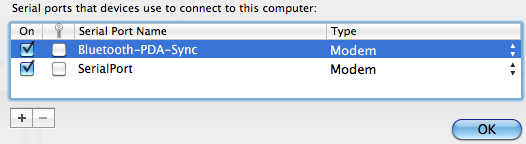
(if there is no SerialPort, simply click the "+" button)
3.Open Network Preferences by navigating to System Preferences -> Network.
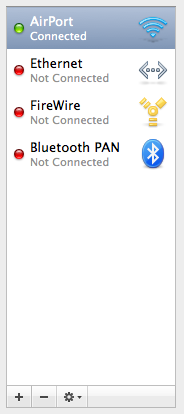

4.In Network Preferences, Select Bluetooth DUN and click "Add Configuration".
5.Name the configuration Blackberry.
Telephone Number: *99#
Account Name: guest
Password: guest
6.Click "Apply" then click "Advance" button.
7.In the Modem tab, select and enter the following:
Vendor: Research in Motion
Model: Blackberry IP Modem (GSM)
APN: diginet
CID: 1
8.Click "OK" and then click "Connect"
p/s: enjoy your tethering!
 Quote
Quote
 0.0211sec
 0.75
0.75
 7 queries
 GZIP Disabled