Welcome Guest ( Log In | Register )

Outline · [ Standard ] · Linear+

 [OC REPORT] MSI P55-GD65 & GSKILL F3-17600CL7D

views
     
TSdblooi
post Jan 24 2010, 12:52 AM, updated 16y ago

......
******
Senior Member
1,404 posts

Joined: Apr 2006
From: ......


OC Report: MSI P55 GD65 & Gskill F3-17600CL7D-4GBPIS

Lately got myself a few new hardware. Here's a quick OverClocking Overview. Cut the crap, let the pictures do the talking.

Hardware Information

MSI P55-GD65 Product Info: Click here!
  • Intel® Core™i7/i5/i3 Processor Ready
  • Intel® P55
  • Dual-channel, DDR3 1066/1333/1600*/2000*/2133* (OC) Support
  • OC Genie
  • SuperPipe
  • DrMOS
  • APS (Acive Phase Switching)
  • SLI™ / CrossFireX™ Support
Gskill F3-17600CL7D-4GBPIS: Click here!
  • DDR3-2200 (PC3 17600) at 7-10-10-28-2N with 1.65 volts
  • 4GB (2GB x2)
  • Engineered Specifically For Intel Core i7 860/870 CPUs
  • Turbulence Fan
  • Life Time Warranty


Unboxing Gskill F3-17600CL7D-4GBPIS

user posted image
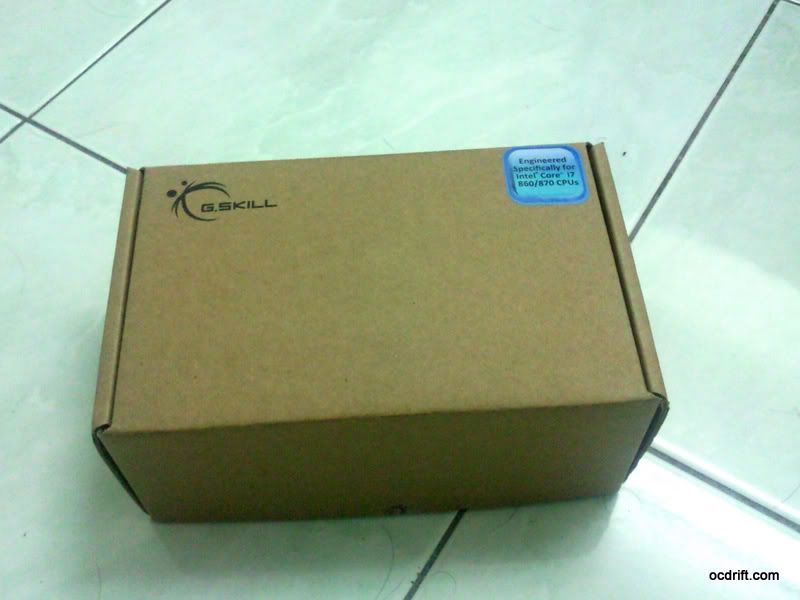
The RAM is packed in a small box with simple & environmental friendly design .
user posted image
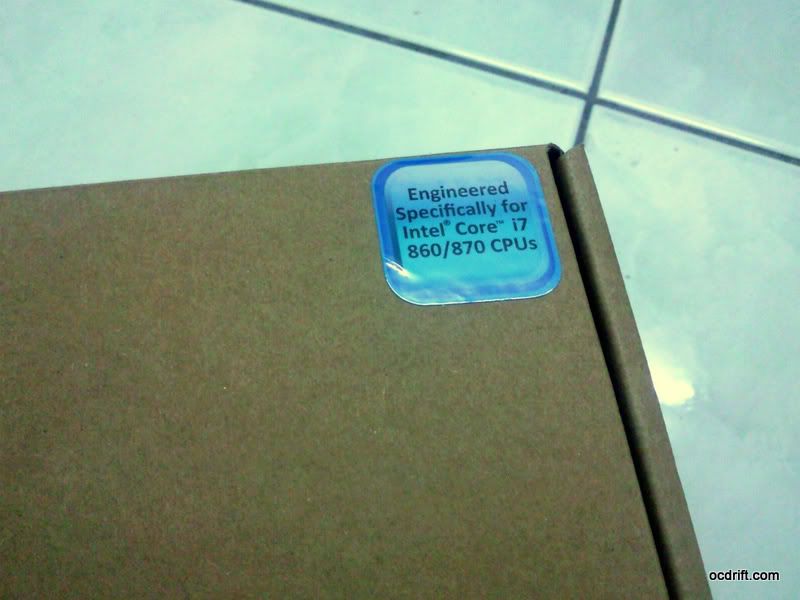
Engineered Specifically For Intel Core i7 860/870 CPUs.
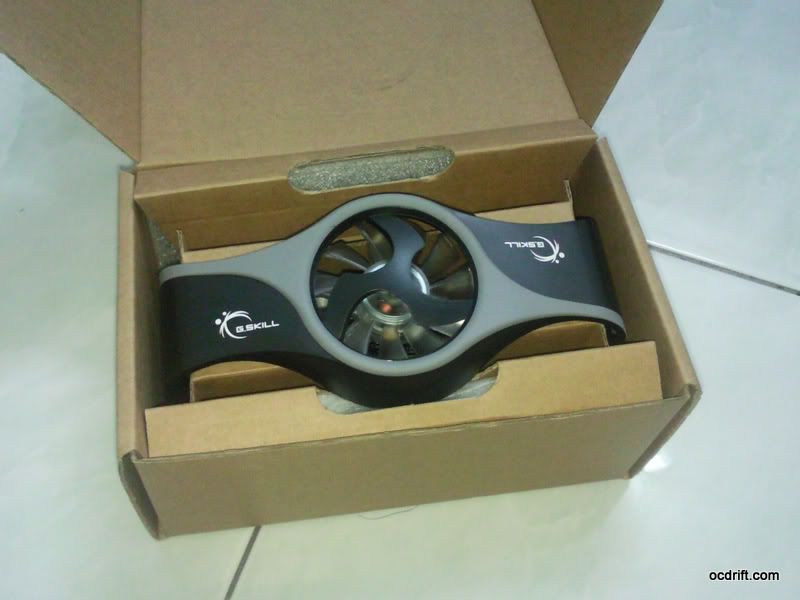
user posted image
Spotted the turbulence fan at first sight. RAM modules are wrapped & sitted nicely at the side.
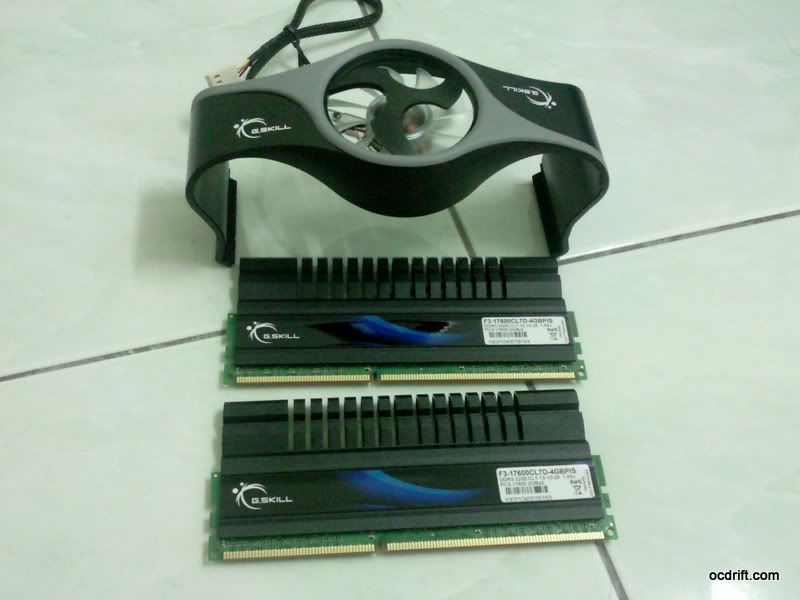
user posted image
Turbulence fan & the RAM modules.

user posted image
Details/ Specification of the RAM modules.
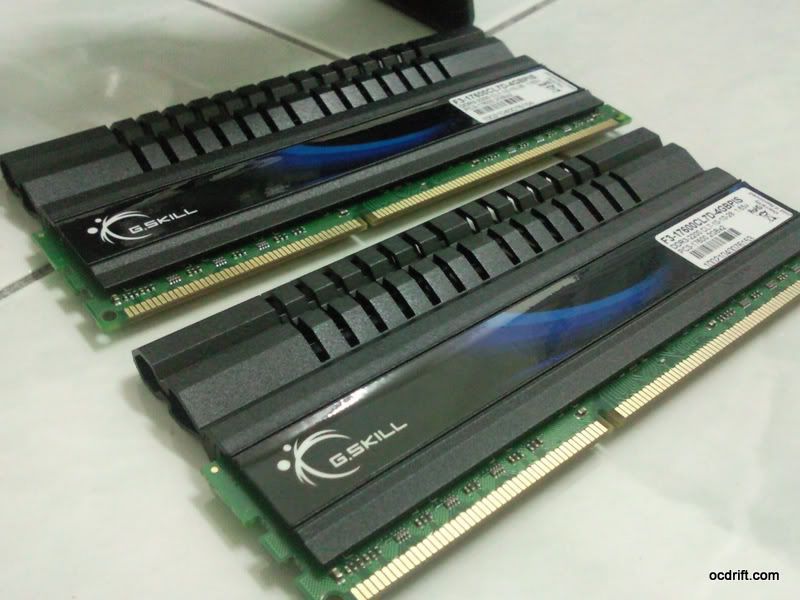
user posted image
Closer look. Ouch, the heatsink is sooo sexy!


Unboxing MSI P55-GD65
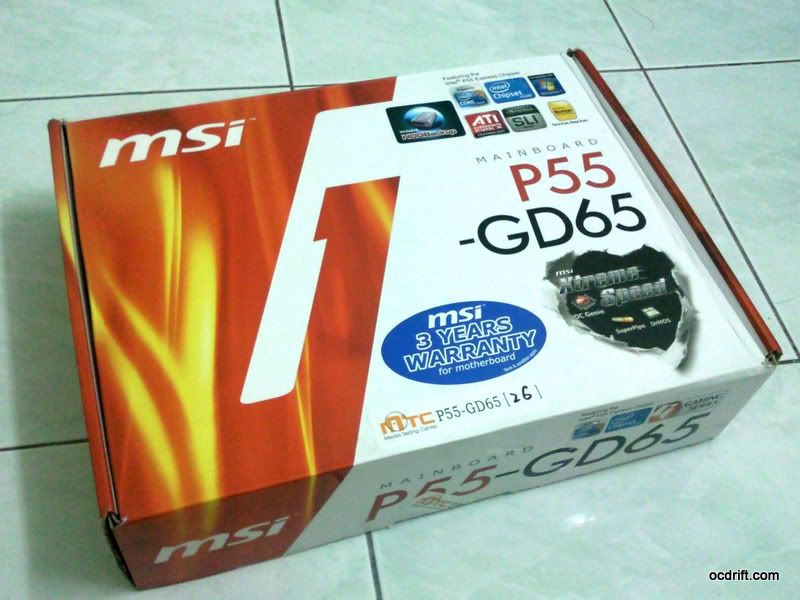
user posted image
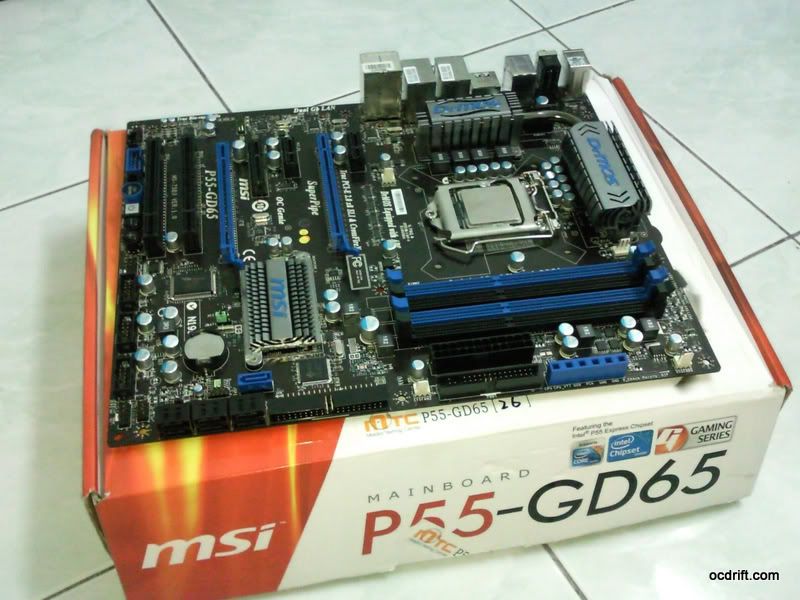
The GD65 is packed in a rather colourful box. From the box, it's clearly shown that the board comes with 3 years warranty.
user posted image
MSI P55-GD65 is designed with black & blue themes. =)
user posted image
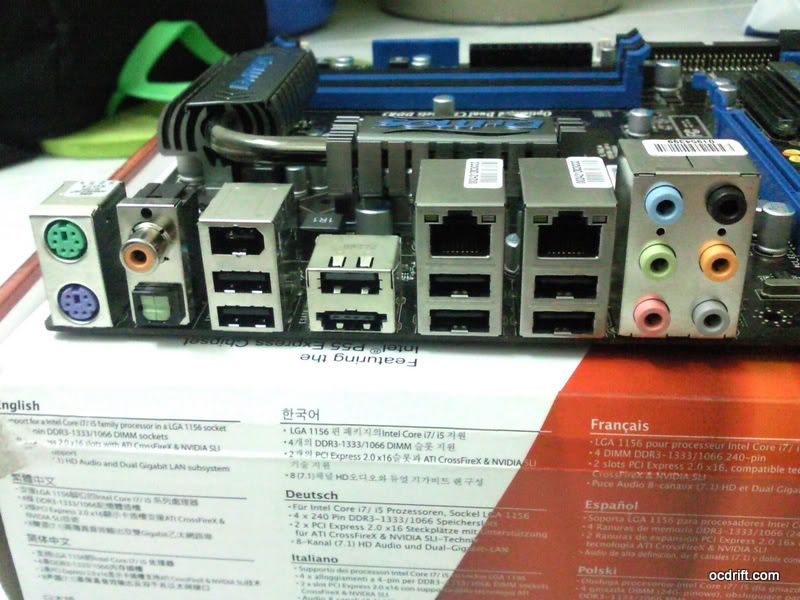
Rear Panel view

user posted image
6 Phase PWM design for CPU. The heatpipe looks huge. o.O

This post has been edited by dblooi: Jan 24 2010, 01:10 AM
TSdblooi
post Jan 24 2010, 12:53 AM

......
******
Senior Member
1,404 posts

Joined: Apr 2006
From: ......


user posted image
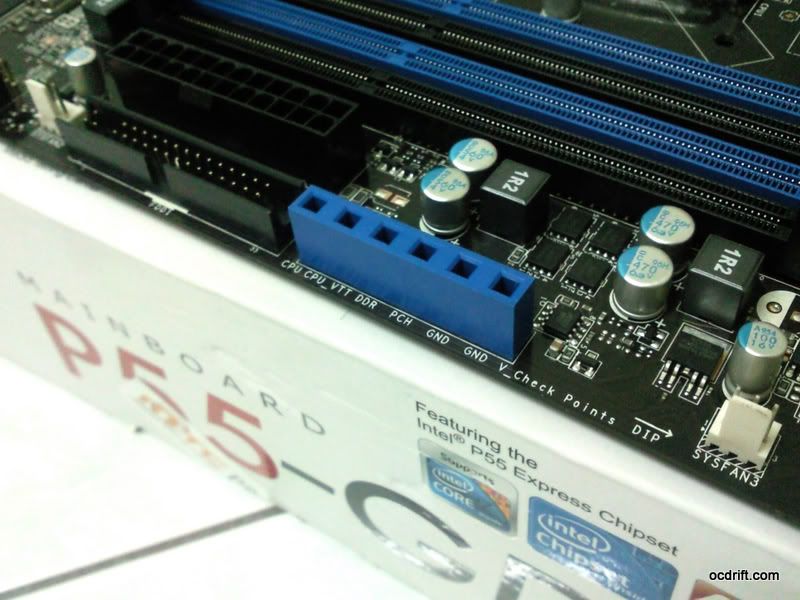
Voltage check point, now it's much easier to read the voltages with multimeter.

user posted image
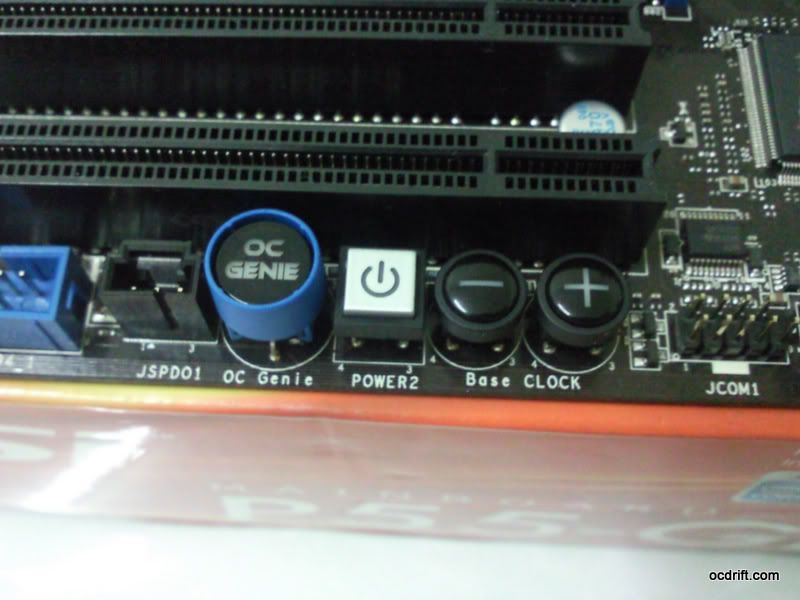
OC Genie button, Power button, and BCLK buttons. Good bye SETfsb =)


Testbed


user posted image
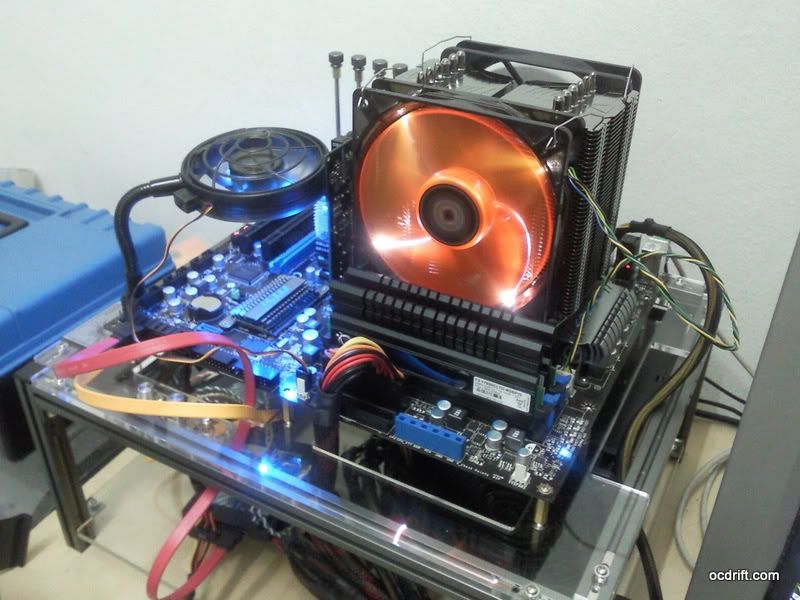
  • CPU: Intel® Core™ i5 750@2.56GHz, cooled by Prolimatech Megashadow deluxe edition.
  • Motherboard: MSI P55-GD65 (Bios v1.2)
  • RAM: Gskill F3-17600CL7D-4GBPIS 4GB kit
  • VGA: Galaxy Geforce 7300GT
  • HDD: Patriot Warp V2.0 30GB SSD X 2 (RAID 0 mode)
  • PSU: Antec CP850 Watt Modular PSU
  • OS: Windows 7 Ultimate 64 bit
A little note before we start:
It's clearly stated by Gskill that the ram modules are designed specifically for Intel® Core™ i7 860/870 CPUs.
The reason behind this is because only Intel® Core™ i7 860/870 CPUs offering the 2:12 memory ratio.
If you're using an i5/i3 which lacks of 2:12 memory ratio, you'll need to OverClock your CPU to 220MHz blck for better utilisation of this ram, and it ain't easy to do so. Later part i'll carry out more details on the memory ratios together with relevant screenshots.

user posted image
Oh ya, this is an additional picture for hardware introductory part.
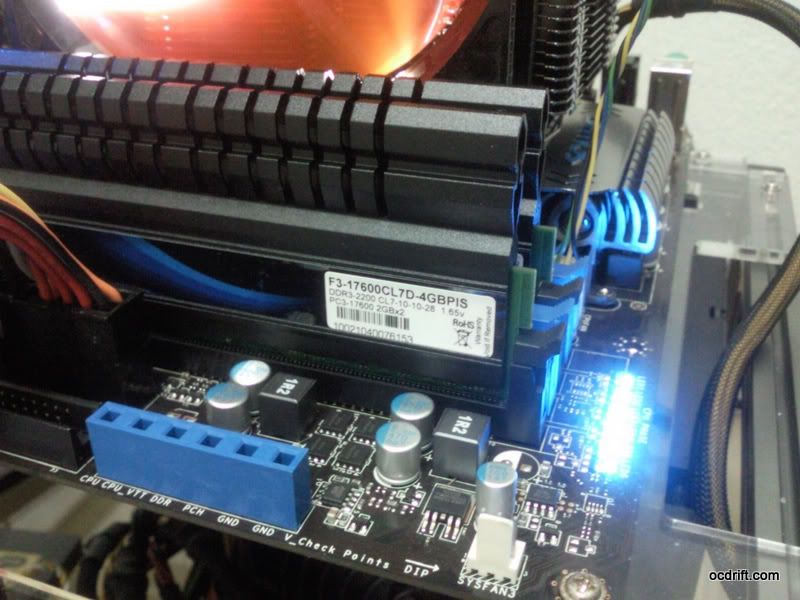
There's a row of blue LED indicators beside the CPU, showing that the Active Phase Switching is doing the job.
They looked cool when they're moving rhythmically. =)


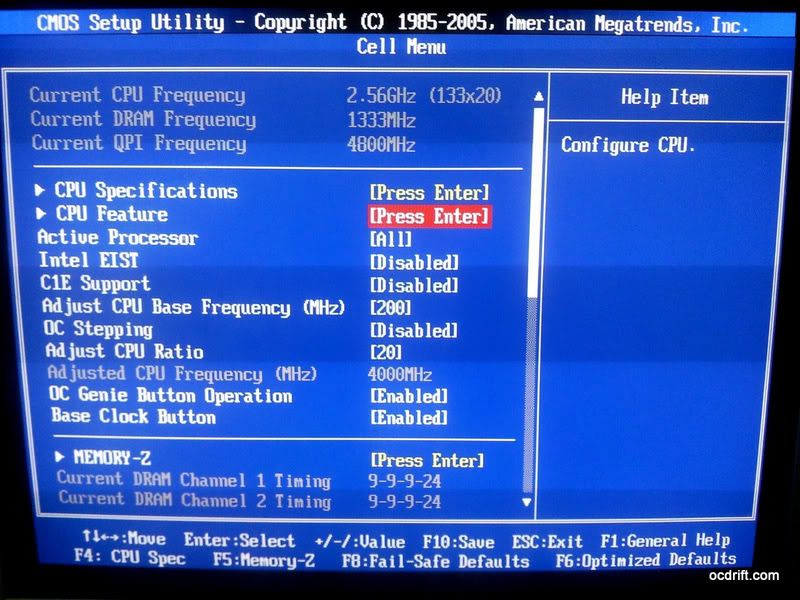
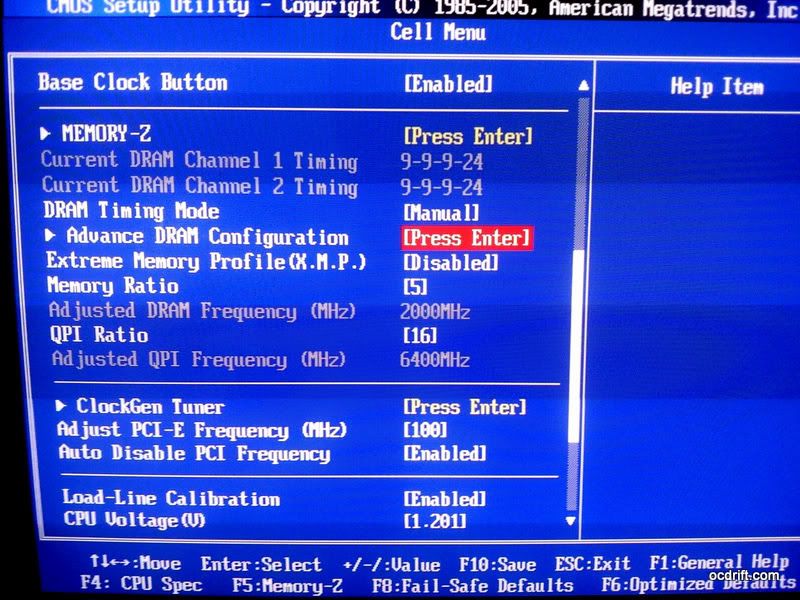
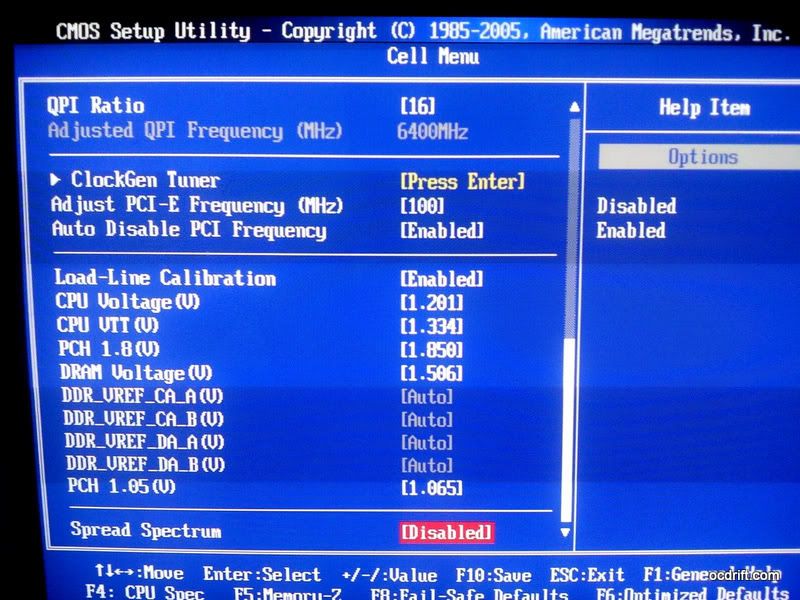
BIOS Settings

Dedicated to those who intend to peep on the settings. =)
Do take note that voltages settings might vary for different systems.

user posted image

user posted image

user posted image
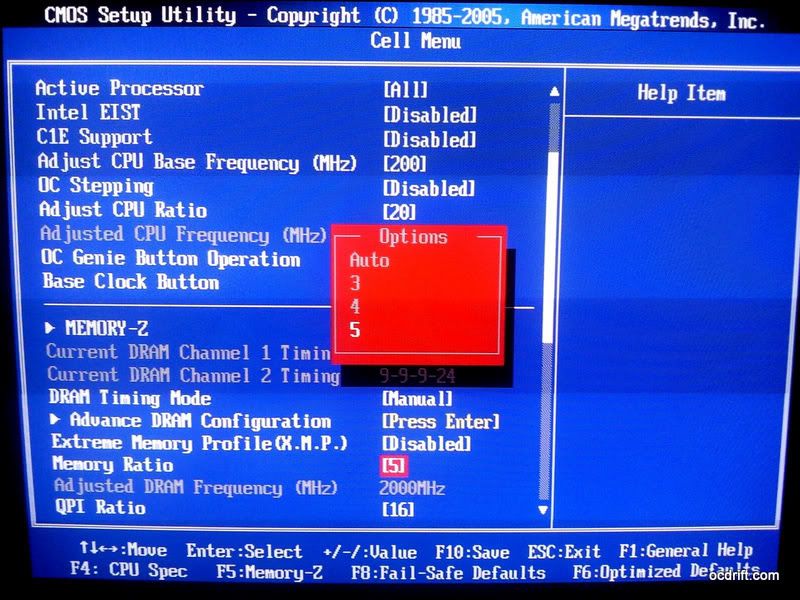
Memory ratio setting. The system has an Intel® Core™ i5 750 installed hence the maximum figure can be choosed is 5 (2:10 ratio)

user posted image

user posted image

This post has been edited by dblooi: Jan 24 2010, 12:56 AM
TSdblooi
post Jan 24 2010, 12:53 AM

......
******
Senior Member
1,404 posts

Joined: Apr 2006
From: ......


Overclocking Test


2000MHz CL7 @ 1.53v

user posted image
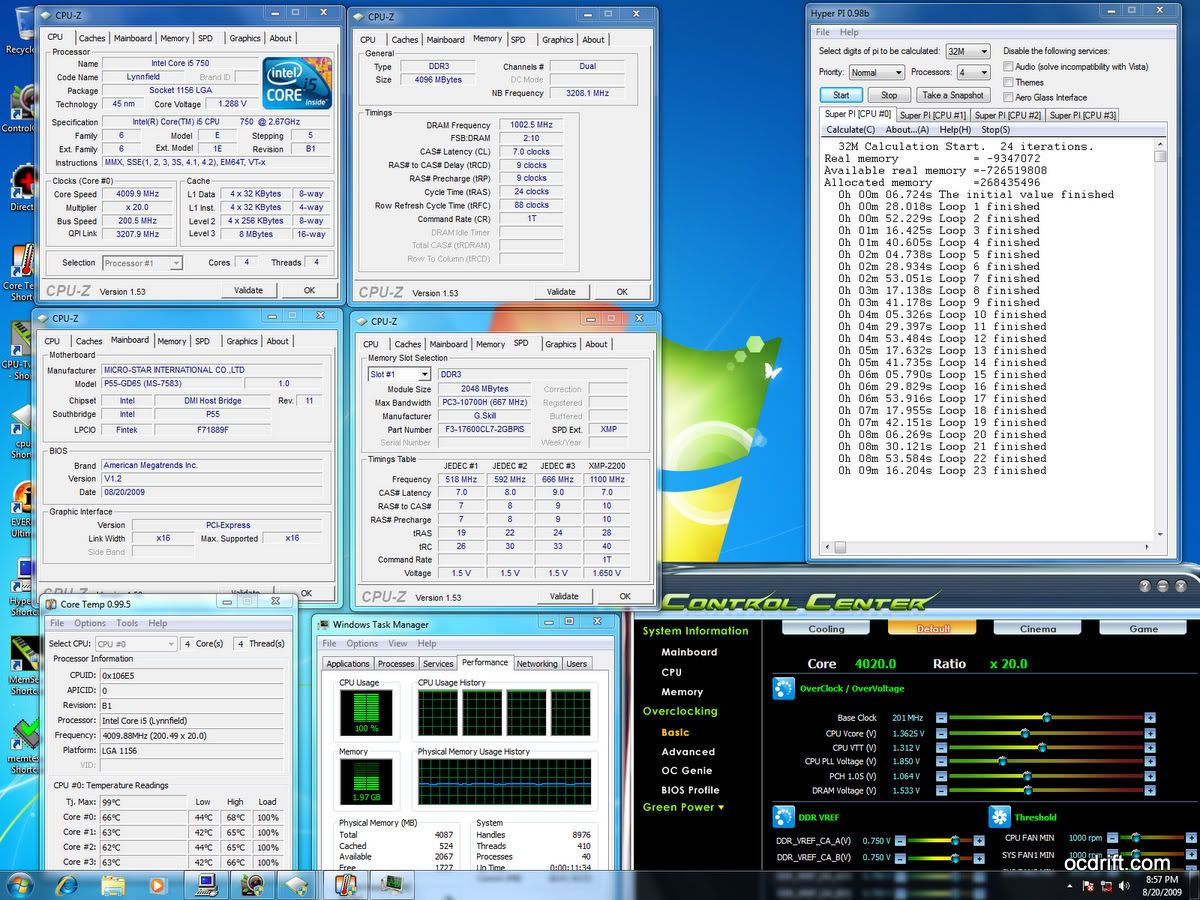
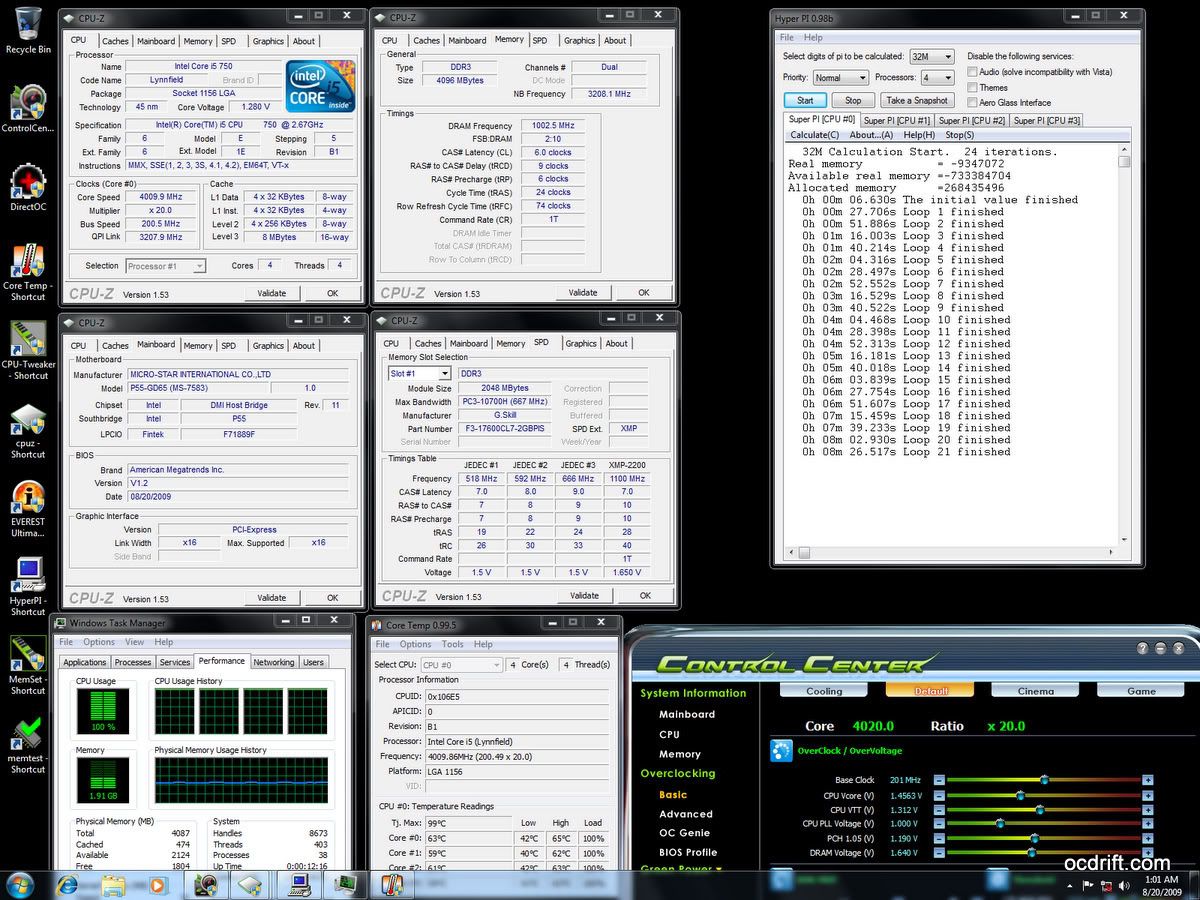
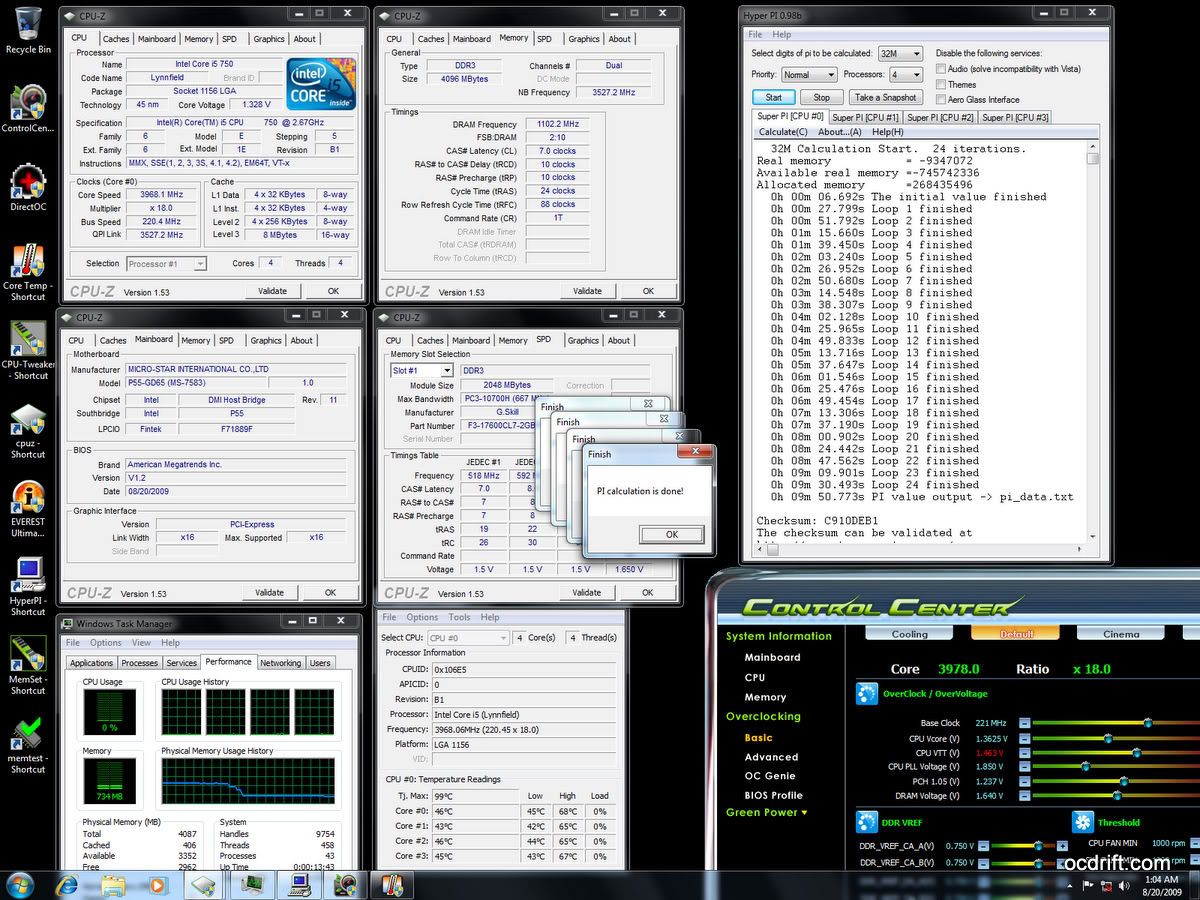
Let's start with Hyper Pi 32M 4 threads mode. Screenshot captured during CPU full load.

user posted image
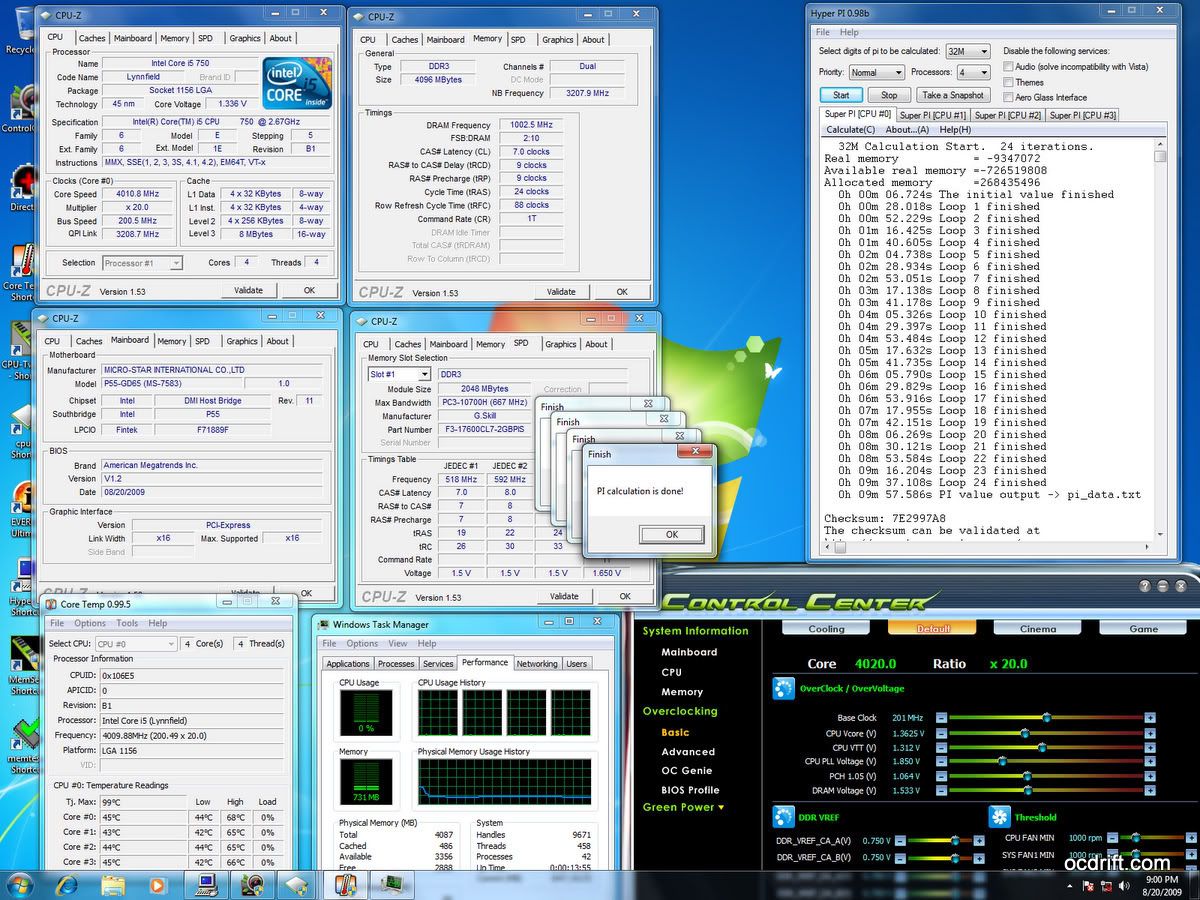
Hyper Pi 32M 4 threads mode completed successfully. =)

user posted image
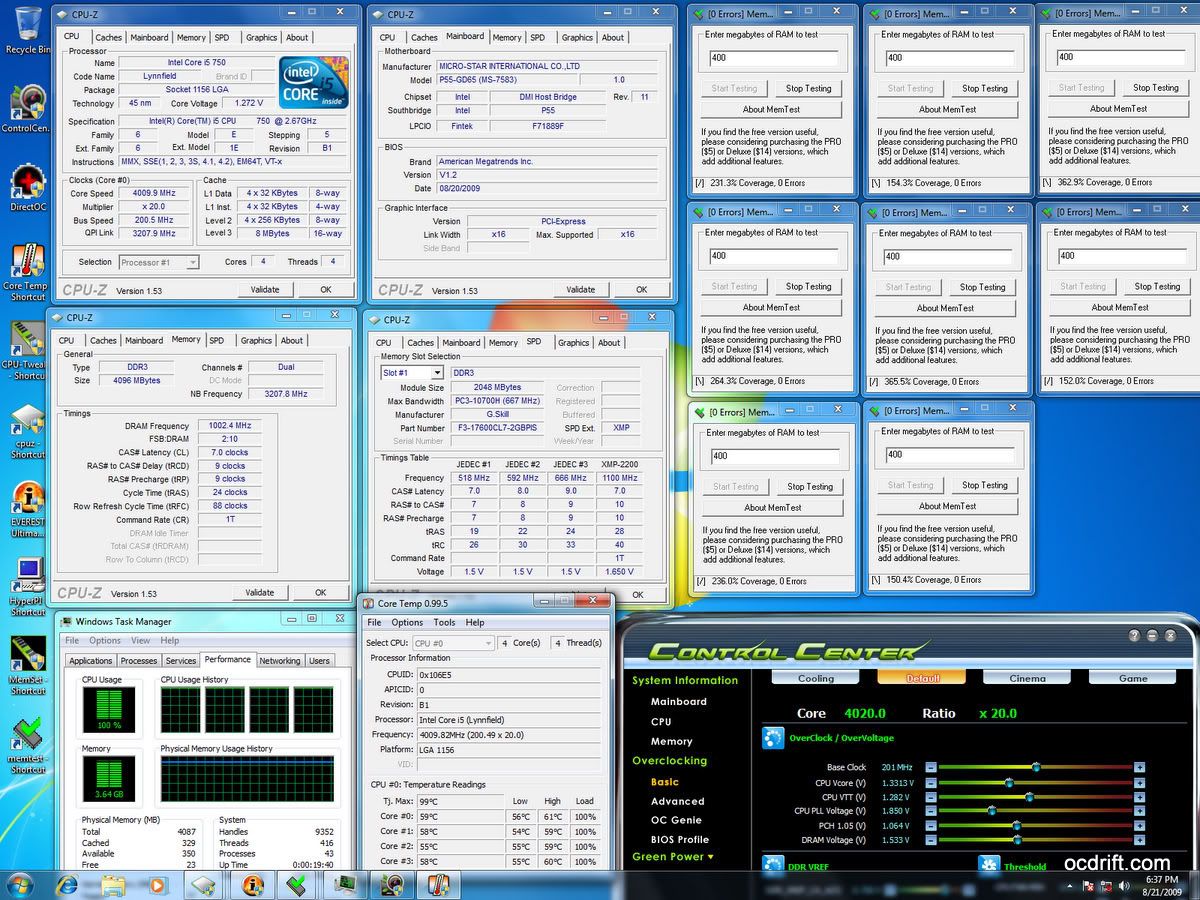
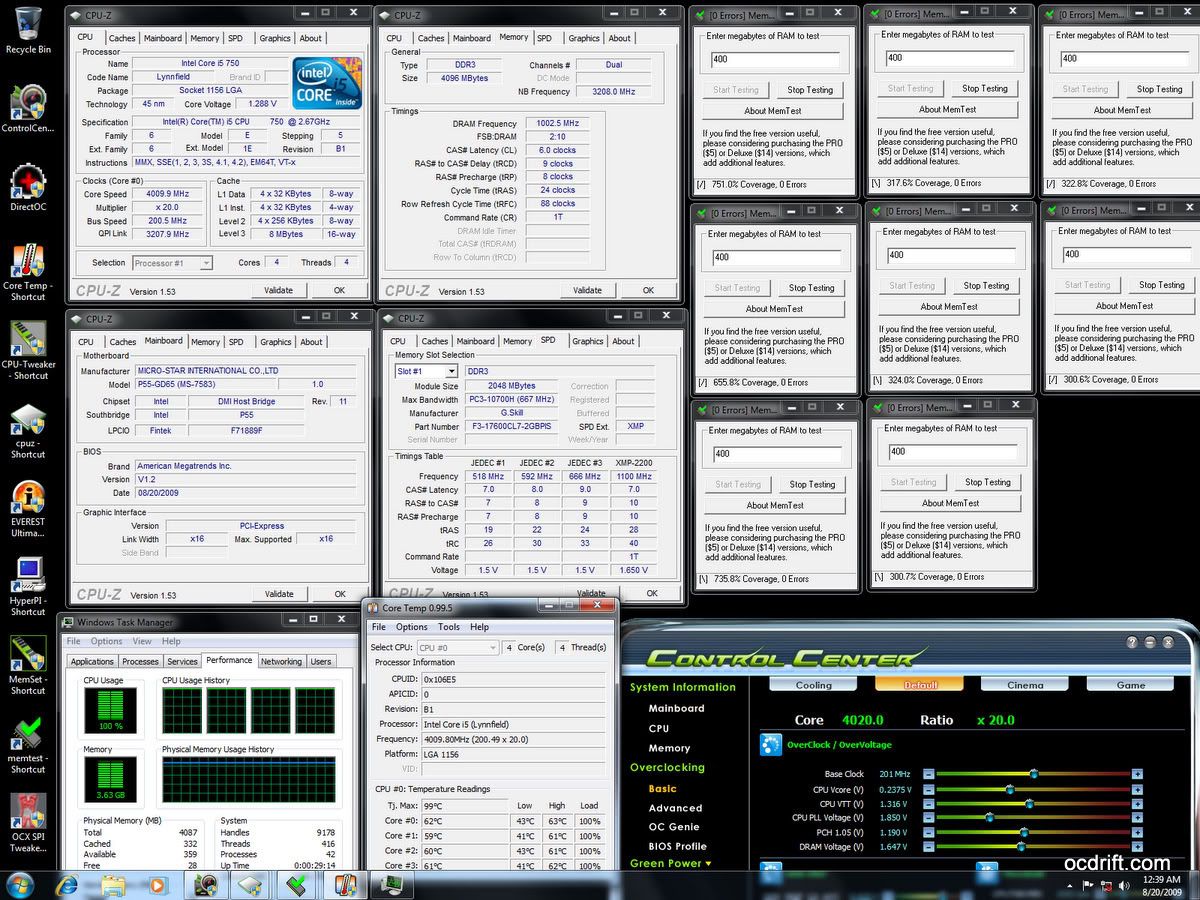
Hyper Pi is not stressful enough? Let's try 8 threads of Memtest to further confirm the stability of the OverClocked memory speed. Screenshot captured after running 8 threads of memtest for 10 mins.

user posted image
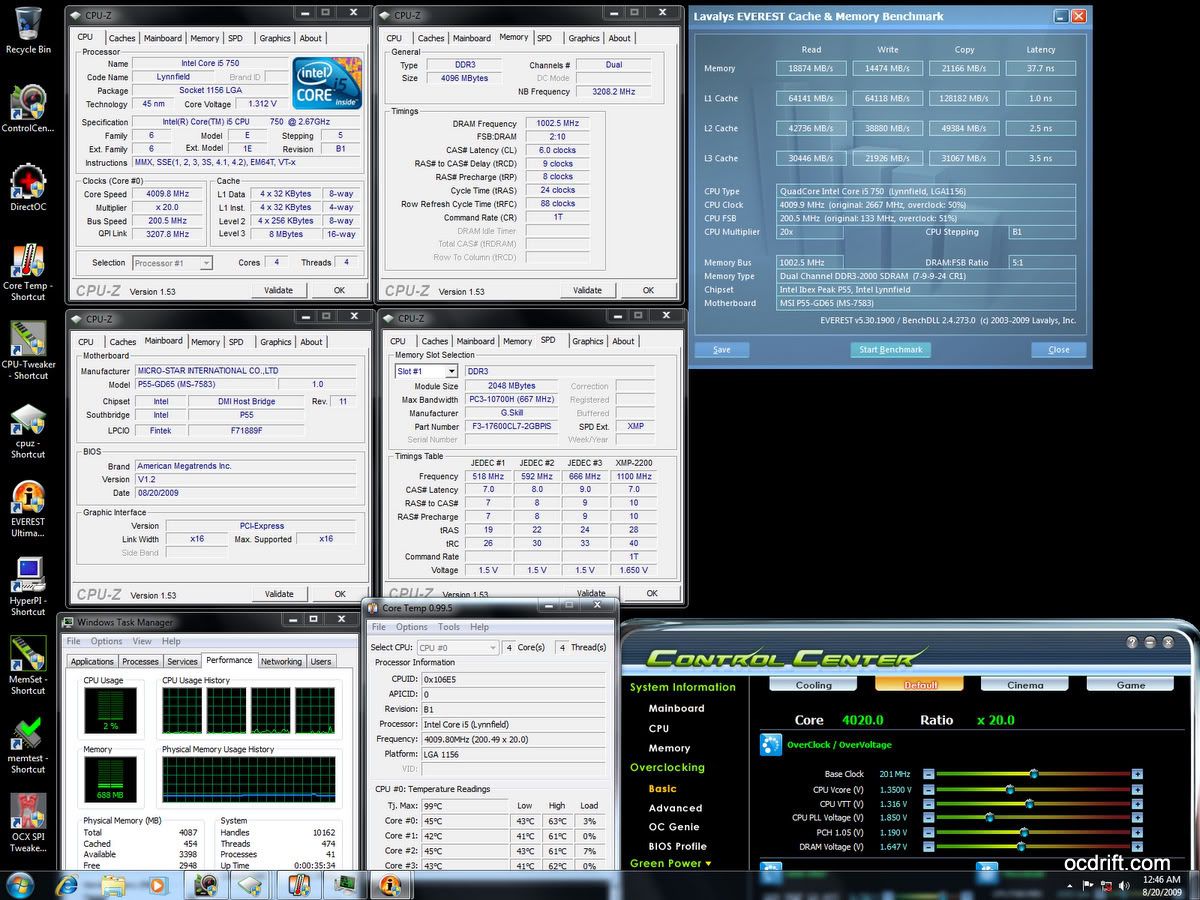
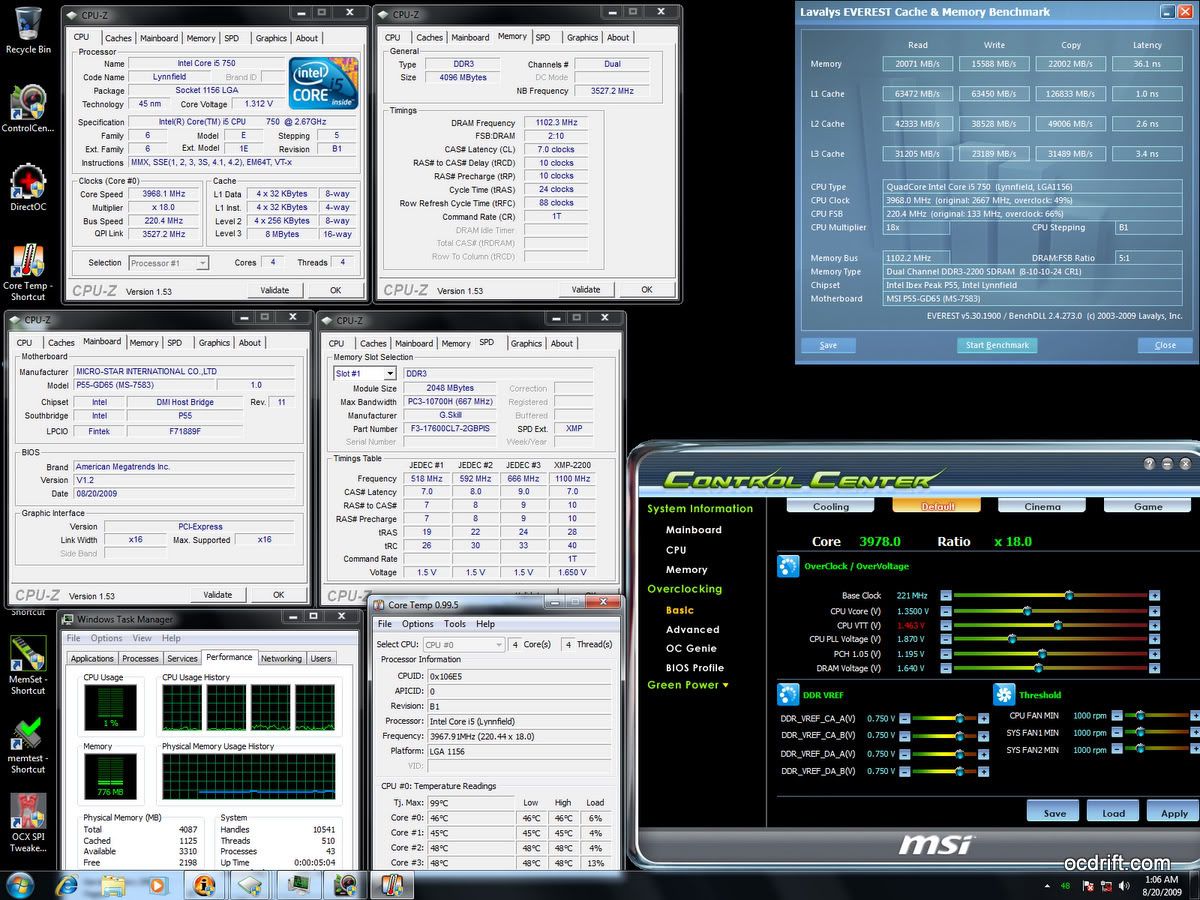
Memory performance check with Everest Cache & Memory Benchmark.

2000MHz CL6 @ 1.65v

user posted image
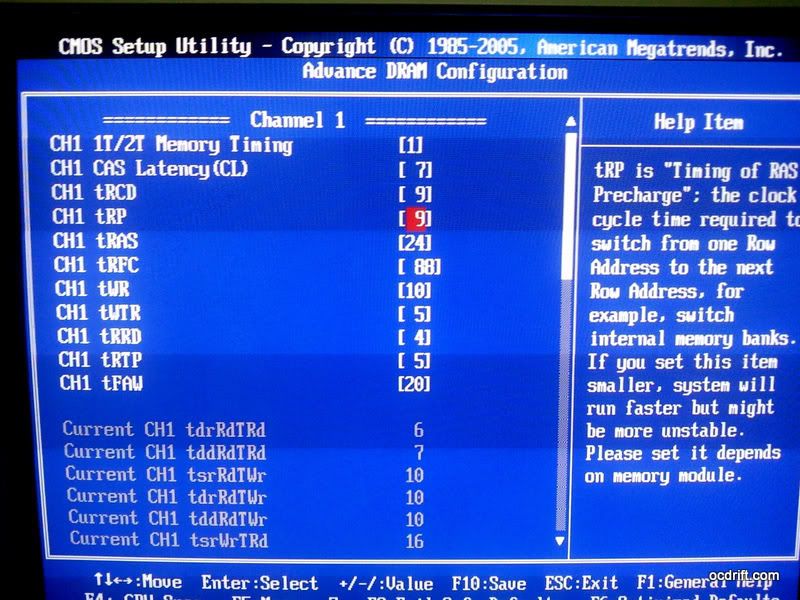
Same thing again. 2000MHz with memory timings 6-9-6-24-1T @ 1.65v.

user posted image
Completed!

user posted image
Slightly loosen the memory timings to 6-9-8-24-1T. tRFC changed to 88 instead of 74.
Passed 8 threads of memtest for 20 mins.

user posted image
Memory performance check.


2200MHz CL7 @ 1.65v

user posted image
Now come to the main course, 2200MHz 7-10-10-28-1T with 1.65v tongue.gif
Under no choice, I have to stick to 2:10 memory ratio (BLCK OverClocked to 220MHz).
Memory timings is set according to manufacturer's recommendation.
Running HyperPi 32M

user posted image
Completed!
However, I'd failed to run 8 threads of Memtest for at least 10 mins :'(
The system blackout after running 8 threads of Memtest for few mins.
After think twice, I have decided to abort this suicide mission before any part of my hardware get ruined. >.<
However, it doesn't mean that the ram module is overrated by Gskill or whatsoever.
You can use it comfortably at 2200MHz cl7, if pair it with an Intel® Core™i7 860/870 & select the 2:12 memory ratio.
Of course, you'll need to raise the BCLK to 200MHz.

This post has been edited by dblooi: Jan 24 2010, 12:57 AM
TSdblooi
post Jan 24 2010, 12:54 AM

......
******
Senior Member
1,404 posts

Joined: Apr 2006
From: ......


user posted image
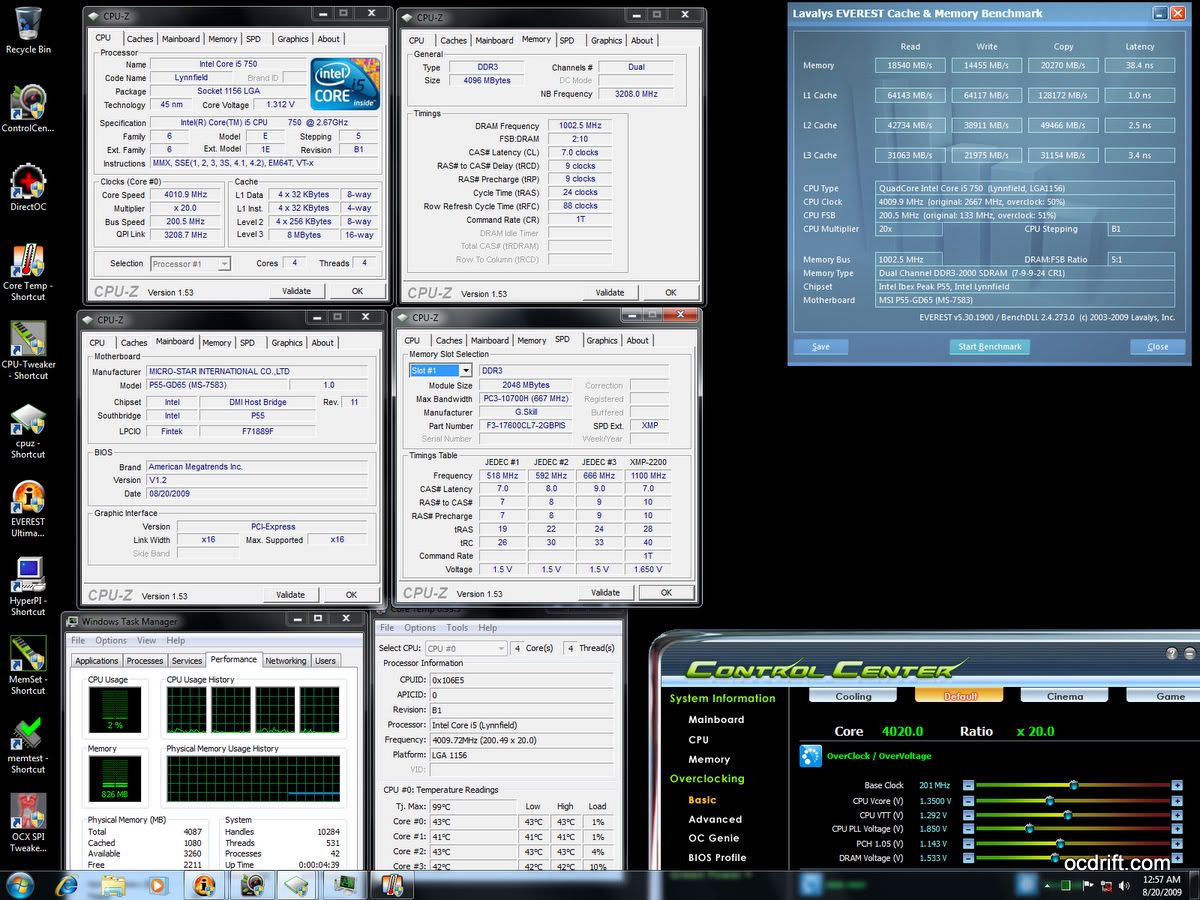
Last but not least, memory performance benchmark. Obtained a leap over the scores of 2000MHz CL7/ CL6.

Thoughts

For the Mainboard
  • Very good OverClocking capability.
  • User friendly & stable BIOS.
  • Onboard BCLK on-the-fly button make life easier.
  • Control Center doesn't work under Win XP environment.
  • Voltages displayed in Control Center not as accurate as multimeter.
For the RAM modules
  • Good OverClocking capability as well. The actual limit is yet to find out throughout the testing.
  • Eye candy heatsink.
  • The turbulence cooler provides adequate air flow at rather low noise.
  • The material/build quality of the turbulence cooler doesn't match with the RAM modules tongue.gif


This post has been edited by dblooi: Jan 24 2010, 12:58 AM
TSdblooi
post Jan 24 2010, 12:54 AM

......
******
Senior Member
1,404 posts

Joined: Apr 2006
From: ......


reserved
Silverfire
post Jan 24 2010, 01:16 AM

Cruxiaer
*******
Senior Member
4,947 posts

Joined: Nov 2007


How much for the board? MSI boards are looking better and better these days.

Anyway, great RAMs. 2.2ghz C7 =.=
TSdblooi
post Jan 24 2010, 10:29 AM

......
******
Senior Member
1,404 posts

Joined: Apr 2006
From: ......


QUOTE(Silverfire @ Jan 24 2010, 01:16 AM)
How much for the board? MSI boards are looking better and better these days.

Anyway, great RAMs. 2.2ghz C7 =.=
*
The board costs less than RM600. Actual price you can check from the online pricelist of those lyp shops.
Yeah, I'm pretty impressed when I managed to complete major benchmarks at 220MHz bclk under air cooling. thumbup.gif
Of course, one of the reasons is due to the i5 750 that I'm using is a good chip.

This post has been edited by dblooi: Jan 24 2010, 10:53 AM
owikh84
post Jan 24 2010, 10:58 AM

i7 Clan
Group Icon
Elite
8,711 posts

Joined: Nov 2007
From: Butterworth, PG / Machang, Kelantan


Thumb up for the proof of stabilty
Damn I hate suicidal run
selfdz87
post Jan 24 2010, 12:27 PM

~5Ghz+ Club~
*****
Senior Member
932 posts

Joined: Dec 2008
From: Paris With Love


damn...full load under 70c @4Ghz... thumbup.gif thumbup.gif
mine exactly 70c full load using the same cooler.... doh.gif doh.gif
btw nice RAM u have there... wub.gif wub.gif
owikh84
post Jan 24 2010, 12:37 PM

i7 Clan
Group Icon
Elite
8,711 posts

Joined: Nov 2007
From: Butterworth, PG / Machang, Kelantan


QUOTE(selfdz87 @ Jan 24 2010, 12:27 PM)
damn...full load under 70c @4Ghz... thumbup.gif  thumbup.gif
mine exactly 70c full load using the same cooler.... doh.gif  doh.gif
btw nice RAM u have there... wub.gif  wub.gif
*
Temps depend on ur vcore bro.
tech_frix
post Jan 24 2010, 09:20 PM

Boo Yah!
*******
Senior Member
5,656 posts

Joined: Sep 2007
From: wheres d oil price is higher than condoms..

deleted...

This post has been edited by tech_frix: Jan 24 2010, 10:25 PM


Change to:
| Lo-Fi Version
0.0163sec    0.92    5 queries    GZIP Disabled
Time is now: 10th December 2025 - 01:05 AM