Welcome Guest ( Log In | Register )

Bump Topic Topic Closed RSS Feed

Outline · [ Standard ] · Linear+

 Nexus One LYN Official Review & Testing, Our very own testing playground on N1 :)

views
     
benny888
post Mar 8 2010, 09:36 AM

Gadget Freak
Group Icon
Elite
27,801 posts

Joined: Jun 2007
From: Johor


Hi all gurus/sifus : I just finished rooting my Nexus. Played with it only a day and decided to root it as need to expand the possibilities of usage. Spend about 20 minutes getting it right as the USB drivers for Win7 were problematic. However mangaed to have it done.
Now I wish to change the rom to Cyanogen.

How do I go about this steps:

6. Copy the ROM .zip file to your phone’s SD card then unplug the phone.

7. Click USB MS Toggle.

8. Click Apply .zip from SD Card and then select the ROM you just copied.

I have copy the whole zip file "update-cm-5.0.4.1-N1-signed" into the SD card - did this manually.

Where can I access the "USB MS Toggle " ?

Thanks for any help/assistance

=================================================
update : finally saw it at menu listing ; must be "blind" that moment

WOW ! Successfully root and have new rom installed - time to download apps to "refine" the unit further

This post has been edited by benny888: Mar 8 2010, 11:02 AM
benny888
post Mar 8 2010, 12:31 PM

Gadget Freak
Group Icon
Elite
27,801 posts

Joined: Jun 2007
From: Johor


I notice after I installed the Cyanogen rom, marketplace is missing. How do I go about installing it back ? Thanks
benny888
post Mar 8 2010, 08:17 PM

Gadget Freak
Group Icon
Elite
27,801 posts

Joined: Jun 2007
From: Johor


swype is great and i have been using it on my htc HD2 since it was available. You'd not like to use the default keyboard after that. I have just finished installing it on my nexus

This post has been edited by benny888: Mar 8 2010, 08:18 PM
benny888
post Mar 9 2010, 12:40 PM

Gadget Freak
Group Icon
Elite
27,801 posts

Joined: Jun 2007
From: Johor


QUOTE(h11g @ Mar 9 2010, 12:31 PM)
Askar Perang sells a good varieties of sp. I think he has clear and matte type of sp. Alternatively if you want cover you can go for epikcase. Or invisible shield that i'm using now.
*
Got mine from COSMOS Low Yat Plaza first floor - one of the pda kiosks around centre
benny888
post Mar 9 2010, 05:57 PM

Gadget Freak
Group Icon
Elite
27,801 posts

Joined: Jun 2007
From: Johor


Is there any trick/or tip to move a program across screens ? I find it difficult and has to do it several times trying to slide a program over to another screen ?

I am on the Nexus already the third day and has rooted it/change rom on day 2 and by today had practically change most of the default programs to those that has more features. My Gmail account which used to be idle is now active as I used it now for my contacts/calender syncing and sync RSS feeds ( thro Google reader )

However till today I still find it hard not to compare with my htc HD2 which I find still better suited for my daily usage. The Nexus i consider more of a fun phone. I know there are "diehard" Android fans/fanatics here and I'd not like to discuss this issue further - doing so I might get "bashed" . Anyway one man's meat is another poison.

Android is still very new ( infact know about it only after start reading this forum). Bought the Nexus out of curiosity and to try something new - but I can tell you is abetter experience than using the iPhone which I disposed off after 1 week. Looks like I will be keeping this Nexus baby for a long time - as a second "mistress" phone for fun!!

This post has been edited by benny888: Mar 9 2010, 06:01 PM
benny888
post Mar 11 2010, 01:04 PM

Gadget Freak
Group Icon
Elite
27,801 posts

Joined: Jun 2007
From: Johor


QUOTE(mox123 @ Mar 11 2010, 12:32 PM)
Hi Sharz, tried to register in the new forum but didn't receive any activation code.......does it take time?
*
I just registered ; email to confirm recieved immediate and whole process takes about few minutes
benny888
post Mar 14 2010, 08:27 PM

Gadget Freak
Group Icon
Elite
27,801 posts

Joined: Jun 2007
From: Johor


QUOTE(HaN18 @ Mar 14 2010, 02:00 PM)
http://www.youtube.com/watch?v=r9whFavOb2U...layer_embedded#

OMG!!! THIS IS REALLY COOL!!! I WANT THE THEME AND HIS WIDGET!! AND THE FLASH TOO!!
*
You need not wait for for HTC DESIRE - you can install it right now on your Nexus One :

1. NEXDESIRE v1.2 at : http://forum.xda-developers.com/showthread.php?t=637325

2. KINGxKxDESIRE at : http://forum.xda-developers.com/showthread.php?t=635920

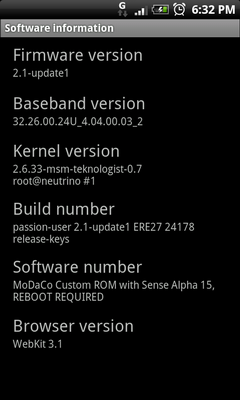
3. MODACO Alpa 14 Desire : http://forum.xda-developers.com/showthread.php?t=636048

I have tried all the three above ; presently my unit is on NexDesire. Modaco was the initial developer - subsequently based on his the other 2 developers cook their own version based on Modaco.
benny888
post Mar 15 2010, 10:41 AM

Gadget Freak
Group Icon
Elite
27,801 posts

Joined: Jun 2007
From: Johor


QUOTE(larkowen @ Mar 14 2010, 10:51 PM)
So tempting to choose between N1 and HD2 >"<
*
It depend fully on your needs NOT your wants to make such a decision . I have been a WM user more than 10 years and I have used practically most of the dopod/htc models - yeh a very expensive "hobby" . My present WM is the htc HD2 - bought it when it was launched on Nov 09. I bought the Nexus One out of curiosity and also the avenue available to root it was tempting

I'd not like to go into the pros and cons of HD2 and Nexus. My advise is study both phone features - and decide which meet your NEEDS best


Added on March 15, 2010, 10:57 am[quote=kc_soo,Mar 14 2010, 08:44 PM]
mox123~ Thankx for the answers~ (^^) Appreciated~

benny888 ~ no bugs discovered for the NexDesire? Application run smmoothly like the original firmware?


Added on March 14, 2010, 8:52 pmmox123~ i just look into the APN setting~ just wanna confirm that which part have to been removed if i only need MMS service~ ?

Of all the 3 desiree roms I have listed , I find the NexDesiree to be most stable. ALL cooked roms has bugs - it is only whether you can accept it or not. If you go to the forums of the individual roms - you will read all sorts of comments/or bugs - some are obviously there while some are erractic ( meaning some face it , while some don't ).

My first test was Modaco : Infact he labelled it as Alpha not even beta. You do not have aA2SD option here ; I find my touch screen freeze ocassionally - has to tap few times or at times need to slide the screen a few times before I can launch any program.

KingX was my next try - discarded it after2 hours - found it unstable and touch screen freeze issues

My last try was NexDesiree : this is most stable , 2 days on it already and do not have freeze issues as Modaco

My daily usage besides calls,SMS my other important needs are on emails, RSS, news feed, ebook. I don't play games nor do I need any great audio/video needs. As along as these are met without any problems - I am not concerned about the small bugs .


This post has been edited by benny888: Mar 15 2010, 10:57 AM
benny888
post Mar 19 2010, 10:28 AM

Gadget Freak
Group Icon
Elite
27,801 posts

Joined: Jun 2007
From: Johor


QUOTE(Andrewtst @ Mar 19 2010, 02:32 AM)
Laslty flashing the MDC Desire ROM rclxms.gif

user posted image user posted image

Review at below:
http://forum.legendroid.com/index.php/topic,51.0.html
*
Well , Paul is going to release Alpha 17 tomorrow just one day after he release Alpha 16 : http://forum.xda-developers.com/showthread...636048&page=243

Quote: All being well Alpha 17 - based on the Desire RELEASE ROM - is coming tomorrow... it'll give you all something to play with for the weekend.

I'll also be doing a more full breakdown of what works, what doesn't, what's still needed etc.

P
__________________
Use IRC? Come join us in #modaco on freenode!

Follow me on Twitter - http://twitter.com/paulobrien

benny888
post Mar 22 2010, 03:26 PM

Gadget Freak
Group Icon
Elite
27,801 posts

Joined: Jun 2007
From: Johor


QUOTE(shahz @ Mar 22 2010, 02:55 PM)
Adding to Andrew's point, our hardware does have the FM transmitter built in. But its just that. They have provided the hardware, but not yet unlocked it. So, the big boys in the hacking scene are struggling hard to get it work by themselves. And soon, they will succeed smile.gif So for now, don't think much about FM. Just keep in mind, if you are planning to get the phone and want to know if it has FM radio, then this is the answer - it WILL have..

Guys, wanna have fun with the trackball colors? What if you had Red, Green Blue (RGB) colors to play with, blend together, and produce your own TrackBall colors on different occasions? We have it in the market already! wink.gif Try the "Trackball Alert" application in the market. There are both free and paid version. The free version does all the stuff you actually need. The paid version allows you to use on other installed apps smile.gif
*
Trackball Alert works on Modaco Desire Alpa 16 and Alpa 17 even though when you run it - there is a warning the rom is not listed
benny888
post Mar 22 2010, 08:17 PM

Gadget Freak
Group Icon
Elite
27,801 posts

Joined: Jun 2007
From: Johor


A brief comparison between the htc HD2 and Nexus One. I decided to post this due to many requests from my friends about this topic. Firstly there is NO best phone between the 2 of them. It all boils down to your needs. Both phones has its pros and cons. Overall I still prefer the htc HD2 due to my needs and this does not mean the Nexus One is a poorer choice.

I have set a rating of 10 ( being the best ) and 1 ( Poorest) as just a guide to the features. Again this is my own opinion - no "flaming" please

Question:
1. Can the Nexus One replace my htc HD2 ?? : YES if I do not have a better choice
2. Is Iphone better than Nexus : My opinion positive NO ; given a choice I prefer the Nexus than the iPhone ; I also have a iPhone and mostly I use only for podcasts/ audio books only

OK now to the comparison:

CPU Specs : Same for both - Qualcomm SnapDragon QSD8250 1 GHz
Overall performance: Nexus ( 9 ), HD2 (10)

Screen Display : Nexus - Amoled capacitive 480x800 pixel 3.7 in ( 10) ; HD2 - TFT capacitive 480x800 pixel 4.3" ( 8)

3G/HSPDA signals pickup : Nexus ( 7) , HD2 (10)

Alert/Notifications : Nexus ( 10 ), HD2 ( 7 ) due to Nexus trackball features

Soft Keys reliability/performance : Nexus ( 7 ), HD2 ( 10 )

WiFi performance : Comparable not much difference between the 2

Sound : Nexus ( 7 ), HD2 ( 10 )

Scrolling smoothness : Nexus ( 10 ), HD2 ( 8 )

Installation flexibility : Nexus ( 5 ) , HD 2 ( 10 ) : For HD2 you have a choice to install onto internal memory or SD card while Nexus by default all installed onto internakl memory unless you have a Apps2SD option in your rom ( to have this you need to root it and install one of the roms having this function )

SMS/MMS speed and reliability : Nexus ( 10 ), HD2 ( 8 )

Browser : Nexus ( 8), HD2 ( Opera - 10 ; builtin default Explorer - 5 )

Camera : Nexus ( 10 ), HD2 ( 8 )

GPS pickup : Nexus ( 10 ), HD 2 ( 9 )

Default programs functionality and features : Nexus ( 7 ), HD2 ( 10 ) : So to maximize Nexus functionality and feartures MUST root and installed one of the cook roms and replace some of the builtin programs with better alternatives found in Market

Battery Life : Nexus ( 10 ), HD2 ( 8 ) : Nexus however feels warmer with heavy use and it feels hot during charging while HD2 just feels warm

ROMs changing : Nexus ( 10 ), HD 2 ( 5 ) : Changing roms in Nexus is so simple and fast ( matter of only 2 minutes and all done thro SD card ) while HD2 process more tedious ( takes about 15 minutes ). ON HD2 once rom is change all data is completely wipeout and restoration is not 100 % usiing Sprite Backup/SpB Backup - reliability also depends on typoe of rom one choose. I rate Nexus ( 10 ) in this aspect vs HD2 ( 5 )

APPS availabilty and ease of installation: Nexus ( 10 ), HD2 ( 5 )

I am willing to answer any further questions as I am a user of both phones


Attached Image


Added on March 22, 2010, 9:00 pmAmon has released today his new version 1.7 of Recovery : good news too for users of Cyanogen latest rom : quote - Version v1.7.0 supports the new Apps2SD method (CM v5.0.5), the old method is no longer supported!


http://forum.xda-developers.com/showthread.php?t=611829

This post has been edited by benny888: Mar 22 2010, 09:13 PM

benny888
post Mar 23 2010, 12:03 AM

Gadget Freak
Group Icon
Elite
27,801 posts

Joined: Jun 2007
From: Johor


QUOTE(vantuz @ Mar 22 2010, 11:49 PM)
been trying to root my nexus. but after i typed "fastboot-windows devices" and hit enter nothing happen. if i type "fastboot-windows oem unlock" and hit enter, i'll be stuck at <waiting for device> forever.

searched and read few forums and managed to find out that it has something to do with USB drivers. i uninstalled, restarted my pc, reinstalled and tried over n over again, it's still the same.

so i really don't know how to proceed. please advice.

btw, i'm on windows xp. thanks.
*
Readup here to setup your USB drivers : you need to do this first

http://theunlockr.com/2009/10/06/how-to-se...ndroid-devices/

benny888
post Mar 23 2010, 01:19 AM

Gadget Freak
Group Icon
Elite
27,801 posts

Joined: Jun 2007
From: Johor


QUOTE(vantuz @ Mar 23 2010, 12:27 AM)
yup. done that before. driver successfully installed. can see the serial number of my phone at the cmd. still when i try to root.....i'll be stuck forever at the very 1st step itself....

really giving up. spent 12 hours today trying to figure this out but still can't find a solution yet.

sad.gif   sad.gif   sad.gif
*
Your phones serial number should display proving that it is connected and your computer can see it.

Then type:

fastboot-windows oem unlock

7. Then follow what the screen says to do on your phone and select Yes.

*You may get an error in the command prompt, just ignore it.
**Also your phone may reboot, if it does just turn it off, then turn it back on by holding down Power and the Trackball to get back to fastboot before continuing on to the next step.

8. Now, while the phone is still connected, go on your computer to the Superboot folder and open it. Inside you will see a file called, install-superboot-windows.bat

9. Double click install-superboot-windows.bat and wait for it to finish. All done, rooted!

This post has been edited by benny888: Mar 23 2010, 01:20 AM
benny888
post Mar 23 2010, 08:48 AM

Gadget Freak
Group Icon
Elite
27,801 posts

Joined: Jun 2007
From: Johor


Paul has upgraded again his Desire rom to Alpha 18 :
http://android.modaco.com/content/google-n...esnt-have-this/

Alpha 18

* Reverted APN file to match Alpha 17 (apologies to our US friends!)
* Switched HTC IME back to Jonasl's port (version 18, thanks for the bugfix!)
* Patched Rosie (Sense) to allow click-drag-ordering again (not included in shipping Desire!)


Now downloading from his online kitchen

benny888
post Mar 26 2010, 11:55 AM

Gadget Freak
Group Icon
Elite
27,801 posts

Joined: Jun 2007
From: Johor


QUOTE(Slekerz @ Mar 25 2010, 02:39 PM)
I try 2 buy from that websites but malaysia address is not accepted, have to change my address to 5 chosen countries tongue.gif


Added on March 25, 2010, 4:12 pmuser posted image
user posted image
user posted image

I just received my epik case from ebay, here my reviews for this cases

Pros
- The material feel solid and durable
- Comes with 3 screen protector because i buy 3 sets

Cons
- I don't like nexus logo on the back
- nexus logo can easily remove by hand
*
Can the "EPIK" logo be removed too ? Both the logos at the back looks horrible = that's main reason why I am holding back to purchase. It is very cheap though


Added on March 26, 2010, 11:58 am
QUOTE(subpar @ Mar 25 2010, 11:29 PM)
I'm going to get Nexus One soon too, so I called up Maxis and asked them. They recommend the AT&T one as they currently don't have AWS implemented/installed.

Would I be correct in assuming that the settings for the T-Mobile is on a slightly more advanced than the AT&T? I would prefer to get the T-Mobile one actually, and also as I believe initially Nexus One was offered in T-Mobile's version only. No one in Malaysia seems to have any problem with N1's sold before the 2 options are available right?

I'm still quite indecisive actually. The first time I called Maxis they recommended T-Mobile. The second time, a more thorough talk with the CSE, I got a recommendation for AT&T as it might encounter 3g issues such as browsing, connectivity and such.

Anyone with any thoughts on this? What about sellers here in the forum? What option do you go for?
*
I cannot comment yet for the Nexus but I have few experience buying used USA sets from Spore ( all htc windows models) - I find the T-Mobile sets is very suitable in this region

This post has been edited by benny888: Mar 26 2010, 11:58 AM
benny888
post Mar 28 2010, 04:45 PM

Gadget Freak
Group Icon
Elite
27,801 posts

Joined: Jun 2007
From: Johor


QUOTE(Andrewtst @ Mar 28 2010, 02:34 PM)
They is no paid app yet at the moment, maybe it just beta, maybe nope, need to wait the author updates 1st then we just knew.

If paid apps, then I can't purchase, the Market (even after fake it) don't have country as Malaysia to choose at credit card part.

And the SlideMe don't have Astro File Manager also (and SlideMe seems updates slowly than market, their software list there is not the latest version most of it)
*
I have bought so far 6 apps thro marketplace. You have to set up a account at GoogleCheckout ( safer ) : https://checkout.google.com/

I use my Paypal account ( tied to Msia Maybank credit card)

When you transact on the phone, the payment is auto done and you need not key in any personal details. Just make sure your GMail address is same as that in your Google checkout account. So far all the transactions very fast within half minute apps downloaded
benny888
post Mar 29 2010, 11:17 AM

Gadget Freak
Group Icon
Elite
27,801 posts

Joined: Jun 2007
From: Johor


QUOTE(Andrewtst @ Mar 28 2010, 09:25 PM)
Thanks Benny 888 biggrin.gif So Happy biggrin.gif

Going to try out now biggrin.gif

How to use PayPal account? I don't see an option for that.

Success added my VISA card biggrin.gif not sure why it decline my Master card. Weired.
*
You can only see PayPal option if you have a paypal account already ; I have been buying a lot of stuffs on the internet and I always use Paypal which is much safer ; keying in your card details all over over several seller's sites just seems very insecure to me. The account setup at Paypal is very easy and is free : https://www.paypal.com. I was very suprise when Maybank even call me to verify for my first transcation US1.49 using Google Checkout. She explained this was my first time using GoogleCheckout and just wanted to verify
benny888
post Mar 30 2010, 10:14 AM

Gadget Freak
Group Icon
Elite
27,801 posts

Joined: Jun 2007
From: Johor


Without rooting is just like buying a BMW 525i Sports and driving it at 100km/hour at highway when it can easily ease up to 150 km/hour without you even feeling it. Rooting will unleash the hidden potentials this phone has
benny888
post Mar 30 2010, 11:29 AM

Gadget Freak
Group Icon
Elite
27,801 posts

Joined: Jun 2007
From: Johor


"download whore" : I like your description

benny888
post Mar 31 2010, 06:01 PM

Gadget Freak
Group Icon
Elite
27,801 posts

Joined: Jun 2007
From: Johor


QUOTE(ochinchoon @ Mar 31 2010, 05:22 PM)
I have a question. Lets say if i buy nexus one from singapore and use it in malaysia. do i still need to root nexus one to use market enabler to access paid applications or i can just download market enabler straight to access them?

Because i know androids here (eg. HTCs) doesnt have marketplace only have slideme.

I am totally lost coz i was never an android user.

Really need clearing up here. Thanks.
*
You need to root it before you can run market enabler. Doesn't matter that you buy it in Spore

2 Pages  1 2 >Top
Topic ClosedOptions
 

Change to:
| Lo-Fi Version
0.0526sec    0.49    7 queries    GZIP Disabled
Time is now: 10th December 2025 - 12:24 AM