

Guide Beginners Guide to Desktop Modding
|
|
 Jul 4 2010, 06:47 PM Jul 4 2010, 06:47 PM
Return to original view | Post
#1
|
 
Junior Member
368 posts Joined: Jan 2010 
|
my one is blue color window symbol, how do i change into the pic above? how to modify taskbar from blue to black? some got apple symbol and etc. how to change? This post has been edited by razornick22: Jul 11 2010, 01:02 PM |
 Quote
Quote|
|
Jul 5 2010, 09:50 PM
Return to original view | Post
#2
|
|
Junior Member
368 posts Joined: Jan 2010
|
[quote=skychilled,Jul 5 2010, 07:05 PM]
hello, may i know what OS are u using . win 7 ? vista ? window 7. look at the most bottom, normally the taskbar is in blue color right? but how come the one i posted is in black color? how do i change? |
|
|
Jul 11 2010, 01:35 PM
Return to original view | Post
#3
|
|
Junior Member
368 posts Joined: Jan 2010
|
QUOTE(skychilled @ Jul 5 2010, 11:57 PM) firstly, i would like to state that i wont be responsible if ur computer burn, data corrupt, or blown away if u doing these. i dont have win 7 at the moment to experiment this but the resource that i have below is trusted =) i believe u were looking for this Twenty Fabulous Win7 Visual Style but still u need to patch the uxtheme to be able to use this get it here UXtheme Patcher winxp/vista/win7  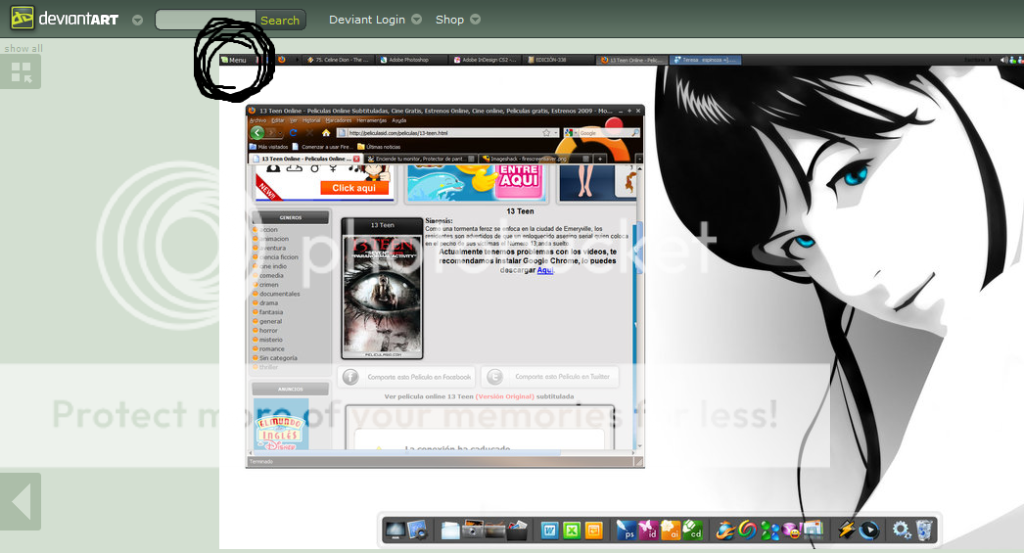 what i mean is the taskbar on the top left, the black circle 1 is it under visual style too? This post has been edited by razornick22: Jul 11 2010, 01:36 PM |

| Change to: |  0.0276sec 0.0276sec
 0.71 0.71
 7 queries 7 queries
 GZIP Disabled GZIP Disabled
Time is now: 20th December 2025 - 12:21 PM |
All Rights Reserved © 2002- 2025 Vijandren Ramadass (~unite against racism~)
Powered by Invision Power Board © 2025 IPS, Inc.