Welcome Guest ( Log In | Register )

Bump Topic Topic Closed RSS Feed
6 Pages  1 2 3 > » Bottom

Outline · [ Standard ] · Linear+

 HDTV FAQ, For all Console users

views
     
TSH@H@
post Jan 28 2005, 10:57 AM, updated 21y ago

I'M THE TEAMKILLING F***TARD!!!
Group Icon
VIP
6,727 posts

Joined: Jan 2003
From: 6 feet under at Bloodgulch Outpost Alpha Number 1


To all you with questions about HDTV quality and comparison between consoles on HDTV, please refer to this FAQ to ensure that you're actually enjoying HDTV to the fullest.

QUOTE
The simple explanation of Digital TV

    Digital TV describes the current crop of higher scan frequency sets.  The designation is bestowed on sets that are able to display progressive signals or include a line doubler to convert the incoming viewable NTSC signal at 480i (interlaced) to 480p (progressive).  Digital TV can be 4:3 or 16:9 aspect ratio.  Ultimately, it is the ability to display the high resolution image defined by the ATSC standards of 1080i or 720p that is the solid foundation of Digital TV.

HDTV or HD-Ready

    During the course of shopping for a digital television, the labels HDTV and HD-Ready maybe of some confusion to the consumer.  This HDTV designation signifies that the set has an internal ATSC tuner/decoder, as well as meeting the widescreen specifications often required to be considered a true HDTV.  The sets will meet the requirement to display in 1080i/720p, although it is often the former only.  Very few digital TVs on the market will display in native 720p.  The lack of an ATSC tuner/decoder is not necessarily a negative as many set-top decoders are now available with more features than those included in the integrated HDTV.  The separate purchase of a HD-Ready TV and the external set-top-box often provides flexibility to the consumer to choose one that offers added features such as satellite receiver and the proper output signal.  Most HD-Ready sets will include a high-band component (Y-Pb-Pr) DTV input, although few on the market also offers RGB for this purpose.  There have been much debate between manufacturers as to the aspect ratio specifications of the HDTV designation, and it is now recognized that a true HD set will provide widescreen 16:9 aspect screen.

Industry Standards

    Due to the confusion in the Digital Television labeling, the Consumer Electronics Association has defined the descriptions for television equipment standards listed below:

    High-Definition Television (HDTV): HDTV refers to a complete product/system with the following minimum performance attributes:

        * Receiver: Receives ATSC terrestrial digital transmissions and decodes all ATSC Table 3 video formats
        * Display Scanning Format: Has active vertical scanning lines of 720 progressive (720p), 1080 interlaced (1080i), or higher
        * Aspect Ratio: Capable of displaying a 16:9 image1
        * Audio: Receives and reproduces, and/or outputs Dolby Digital audio

    High-Definition Television (HDTV) Monitor: HDTV Monitor refers to a monitor or display with the following minimum performance attributes:

        * Display Scanning Format: Has active vertical scanning lines of 720 progressive (720p), 1080 interlaced (1080i), or higher
        * Aspect Ratio: Capable of displaying a 16:9 image (1)

          (1) In specifications found on product literature and in owner's manuals, manufacturers are required to disclose the number of vertical scanning lines in the 16:9 viewable area, which must be 540p, 810i or higher to meet the definition of HDTV.

    Enhanced Definition Television (EDTV): EDTV refers to a complete product/system with the following minimum performance attributes:

        * Receiver: Receives ATSC terrestrial digital transmissions and decodes all ATSC Table 3 video formats
        * Display Scanning Format: Has active vertical scanning lines of 480 progressive (480p) or higher
        * Aspect Ratio: None Specified
        * Audio: Receives and reproduces, and/or outputs Dolby Digital audio

    Enhanced Definition Television (EDTV) Monitor: EDTV Monitor refers to a monitor or display with the following minimum performance attributes:

        * Display Scanning Format: Has active vertical scanning lines of 480 progressive (480p) or higher
        * Aspect Ratio: None specified
        * Audio: Receives and reproduces, and/or outputs Dolby Digital audio

    Standard Definition Television (SDTV): SDTV refers to a complete product/system with the following performance attributes:

        * Receiver: Receives ATSC terrestrial digital transmissions and decodes all ATSC Table 3 video formats, and produces a useable picture
        * Display Scanning Format: Has active vertical scanning lines less than that of EDTV
        * Aspect Ratio: None specified
        * Audio: Receives and reproduces usable audio

How to connect a PC to an HD-Ready Digital TV?

aa_vga.gif (15770 bytes)

If there is one question that we receive here on a daily basis, that would be "how do I hook up a PC to my HDTV?".  The value of being able to use the big screen in the family room as a PC monitor is compelling, entertainment melding regular broadcasts with web surfing, 3D gaming, DVD video playback and access to special features, and MP3 jukebox storage and playback.

The combination in theory sounds like a match made in heaven, a high frequency display and a computer, but manufacturers have not been so cooperative.  Recently, DVI based HDTV displays have appeared on the market which may allow you to by-pass this article, but video timing issues as explained still apply.  It is not a simple task, but one which is possible with a little persistence and more importantly, the right gadgets.

The introduction of the HDTV brought us the high-band Component input, otherwise known as Y-Pb-Pr.  While the internal working of the HDTV set had similarities to a PC monitor, the new format is not compatible with the PC standard of VGA otherwise known as RGBHV. 

It seemed that the two would never come together until RCA introduced their first HDTV tuner box, which prompted two manufacturers to step up to the plate to create the VGA to Component trascoder.  Originally designed as a solution to connect RCA's VGA based DTC-100 HDTV tuner to component based HDTV, the transcoder soon became popular with the PC and home theater enthusiasts that wanted to use their PC's DVD player and other entertainment applications on their brand new HD-Ready/HDTV.  The result is a product that will receive a computer/HDTV signal from RGB/VGA format, convert and re-send the signal to the Progressive Component (Y-Pb-Pr) input of HDTV sets.  The models of transcoders available from the two companies are listed below:

Audio Authority - 9A60 VGA to Component Converter
Key Digital - KD-VTCA3 VGA to Component Converter

Now, the caveats......

It's important to know the limitations of this solution as there are no existing standards between the two connection/signal types.  The important details are:

1.  This converter will not work on a standard analog NTSC interlaced TV. Your TV must be an HD-Ready set.

2.  Resolution is limited by the Digital TV used.  While the PC is capable of outputting high resolutions, the HD-Ready set is often fixed to the high-definition TV standards of 480p or 1080i at mere 60Hz cycle (known as refresh rate on a PC).  A proper signal must be generated from the PC to display an image, and not adhering to the signal frequency can damage your HDTV.

3.  The consumer TV often suffers from overscan, cutting of screen information that may make navigation difficult.  Image on the right below is an example of overscan.

user posted image
Properly sized screen                                   

user posted image
Overscanned image

The above limitations can be overcome providing that your PC's hardware can support special resolutions, and you are able to properly configure the output.  One resolution that will require no special modification is 640x480 (480p) @ 60Hz which should work on virtually all HD-Ready TV.  For those that want to use a higher resolutions (more ideal for web surfing and DVD playback), an application by Entech called PowerStrip can set custom resolutions/timing to match the optimal frequency of your HDTV (normally 1080i, sometimes 720p)

For more information on how to configure your HDTV to a PC, read Wayne Harrelson's Excellent Guide to PowerStrip.

Point of Interest:  Reverse transcoders are available to connect a Progressive Component output (Progressive Scan DVD, XBox) to RGB/VGA for use with a PC Monitor.

Audio Authority 9A62 Component to VGA Converter
Key Digital KD-CTCA3 Component to VGA Converter
Source: Digital Connection

And here's an extra bit from fellow forumer stringfellow:
QUOTE
The connection method for usage for your videogame consoles is virtually the same as connection to PC, only that you dont have to tinker with Powerstrip , it is preset to the three popular HDTV modes, 480p, 720p and 1080i.


Thanks to stringfellow for the link and info.

So, please refer to this before starting any new threads on HDTVs and please post any questions about it here. Feel free to post further info here as well.
stringfellow
post Jan 28 2005, 11:21 AM

Ultrawide | 4K | VR
********
Senior Member
11,305 posts

Joined: Jan 2003
Be advised that not all Component inputs are capable of relaying HD signals. You will need to check with your TV user manual to make sure the Component input on your TV supports any of the three HD modes.

And oh, 100hz Progressive scan IS NOT a HD Mode, it is a cheap ploy by current TV manufacturer to imply that their TVs have some sort of HD Mode in them. 100Hz Progressive scan ONLY cleans the video signal received from the antennae from terrestrial TV or other available inputs on the TV. Since this process merely repeats/doubles the INTERLACED scanlines on the TV, your eyes is fooled into thinking that the image is smoother and clearer.

For more read-up on Interlaced vs Progressive , point your mice here:-
http://www.hometheaterhifi.com/volume_7_4/...ve-10-2000.html

In short, Interlaced is shitty because you see your video images as a series of scanlines with alternate black lines between them.Progressive video signals draws the entire picture.Since interlaced video signals draws the image on screen as alternate lines,fast moving scenes appear "broken" or "jaggied".On an already jaggified games on consoles like PS2, this makes the picture even worse.
biatch0
post Jan 28 2005, 05:45 PM

Tem Que Valer
Group Icon
VIP
1,923 posts

Joined: Jan 2003
From: NL/MY


Muahaha... everything looks better after I switched to component inputs... even the grass in WE8!!! The grass really is greener on the other side!!!

BTW, I can't find an option on GT4 to switch the video mode to 720p... it only shows 1080i and 480p?
silkworm
post Jan 28 2005, 10:00 PM

Enthusiast
Group Icon
Elite
965 posts

Joined: Jan 2003
From: Kajang


QUOTE(stringfellow @ Jan 28 2005, 11:21 AM)
And oh, 100hz Progressive scan IS NOT a HD Mode, it is a cheap ploy by current TV manufacturer to imply that their TVs have some sort of HD Mode in them. 100Hz Progressive scan ONLY cleans the video signal received from the antennae from terrestrial TV or other available inputs on the TV. Since this process merely repeats/doubles the INTERLACED scanlines on the TV, your eyes is fooled into thinking that the image is smoother and clearer.
*
100Hz scan is not HDTV, that's for certain. (still having bad memories of that Samsung Tanto, eh stringfellow?). An interlaced picture consists of an odd and even field. A 100Hz Scan TV (for eg, Panasonic Tau Giga) takes each field, and fills in the gaps by repeating each available line. This is called line-doubling. A line-doubled field becomes a "frame" as in "frames per second". The newly reconstructed frames are then displayed twice, thus achieving 100Hz or 100fps. On certain TVs, when playing videogames there may be a noticeable lag between controller input and on-screen action.

Obviously, line-doubling makes vertical "jaggies" even more apparent. Sometimes line-doubling is called "bob" de-interlacing. Because the odd and even lines are offset by 1 line, the even "frame" ends up one line lower than the "odd" frame. When showing still pictures, the image may appear to "bob" up and down.

The Society of Motion Picture and Television Engineers (SMPTE) HDTV standard fixes the vertical refresh rate at 30Hz for all the HDTV modes (480p, 720p and 1080i). 30Hz may sound a bit low and flickery, but new screen technologies like LCDs and Plasmas and upcoming stuff like OLEDs and CNT-FED aren't subjected to flicker like CRTs are. CRT based HDTVs also use frame doubling to up the refresh rates to a more respectable rate, but since they are working from actual progressive image sources, they don't suffer for it like the "100Hz" sets.

edit: 480p is EDTV, oops

This post has been edited by silkworm: Jan 30 2005, 09:54 AM
prazole
post Jan 30 2005, 04:50 AM

Sleepyhead..
******
Senior Member
1,513 posts

Joined: Nov 2004
From: Kuching - Klang


QUOTE(biatch0 @ Jan 28 2005, 05:45 PM)
Muahaha... everything looks better after I switched to component inputs... even the grass in WE8!!! The grass really is greener on the other side!!!

BTW, I can't find an option on GT4 to switch the video mode to 720p... it only shows 1080i and 480p?
*
is 480p better than 1080i ?
coz one if progressive, another interlaced?

sweat.gif
biatch0
post Jan 30 2005, 06:21 AM

Tem Que Valer
Group Icon
VIP
1,923 posts

Joined: Jan 2003
From: NL/MY


From what I understand, there are only two HDTV modes; one is 1080i (which is interlaced) and the other is 720p (progressive). From the numbers, you should be able to figure out that 720p is better than 1080i.

480p is not a HDTV mode, rather a EDTV mode...

Now, don't be lazy... just read the first post... all of the info is there.
un9ku
post Jan 30 2005, 08:52 AM

Casual
***
Junior Member
335 posts

Joined: Jan 2003
From: Milo
malaysia got hdtv? i mean, if i get hdtv, then its purpose is only for games. no hdtv broadcast rite? if got also, who wants to watch malaysian tv channels on hdtv, filled with crap.
bem69
post Jan 31 2005, 10:19 AM

K-Bem
*******
Senior Member
2,658 posts

Joined: Jan 2003
From: Given Not
Excellent post, just what I need to get my next TV biggrin.gif
jacky
post Jan 31 2005, 02:21 PM

Freak kiasu
******
Senior Member
1,271 posts

Joined: Jan 2003
From: Penang/KL
bem69, still havent buy hdtv yet?
what TV are u getting? brows.gif

I am now looking at the Philips 29" series drool.gif
xbizkit
post Feb 2 2005, 06:32 PM

Getting Started
**
Junior Member
51 posts

Joined: Jan 2005


I'm using Sony (Model:KV-DA29M61), HD-Ready TV with Sony Component cable somehow I can see a fade ring in the middle of the screen while playing GT4 in 1080i mode, size sligthly bigger than a CD. It is exceptionly obvious when running on open space.

I can see it all the time even in replay mode. Noted: I can see it from any camera angle, so I'm pretty sure it is not the game effect.

The ring just stick there in the middle of the screen & doesn't move with the view of camera.

Is it normal for HD-ready TV for GT4 in 1080i mode?

Is this TV good enough for GT4? I still can see some jagged image and a bit laggy eventhough it is way lesser than S-video cable.
tot31
post Feb 2 2005, 06:38 PM

I DON'T GIVE A DAMN
*******
Senior Member
2,451 posts

Joined: Jan 2003
From: GOD's Land


QUOTE(xbizkit @ Feb 2 2005, 06:32 PM)
I'm using Sony (Model:KV-DA29M61), HD-Ready TV with Sony Component cable somehow I can see a fade ring in the middle of the screen while playing GT4 in 1080i mode, size sligthly bigger than a CD. It is exceptionly obvious when running on open space.

I can see it all the time even in replay mode. Noted: I can see it from any camera angle, so I'm pretty sure it is not the game effect.

The ring just stick there in the middle of the screen & doesn't move with the view of camera.

Is it normal for HD-ready TV for GT4 in 1080i mode?

Is this TV good enough for GT4? I still can see some jagged image and a bit laggy eventhough it is way lesser than S-video cable.
*
I don't think it's your tv as I also have the same effect ring on my non HDTV 25" Panasonic.I think it's the game effect.
xbizkit
post Feb 2 2005, 06:51 PM

Getting Started
**
Junior Member
51 posts

Joined: Jan 2005


" HDTV or HD-Ready

During the course of shopping for a digital television, the labels HDTV and HD-Ready maybe of some confusion to the consumer. This HDTV designation signifies that the set has an internal ATSC tuner/decoder, as well as meeting the widescreen specifications often required to be considered a true HDTV. The sets will meet the requirement to display in 1080i/720p, although it is often the former only. Very few digital TVs on the market will display in native 720p. The lack of an ATSC tuner/decoder is not necessarily a negative as many set-top decoders are now available with more features than those included in the integrated HDTV. The separate purchase of a HD-Ready TV and the external set-top-box often provides flexibility to the consumer to choose one that offers added features such as satellite receiver and the proper output signal. Most HD-Ready sets will include a high-band component (Y-Pb-Pr) DTV input, although few on the market also offers RGB for this purpose. There have been much debate between manufacturers as to the aspect ratio specifications of the HDTV designation, and it is now recognized that a true HD set will provide widescreen 16:9 aspect screen
."

Okay, from my understanding, do I need to buy an external set-top decoders in order to bring the best out of my HD-ready TV? If so, where can I get one? How much?
silkworm
post Feb 3 2005, 08:21 AM

Enthusiast
Group Icon
Elite
965 posts

Joined: Jan 2003
From: Kajang


There's no point in getting a set-top decoder because there are no stations in Malaysia broadcasting HDTV programs over the air, not even Astro.

There is another "black box" called a video processor aka scaler. This expensive bit of kit (about RM5K) up-scales normal television signals into a HDTV format of your choice, using digital signal processing. These units use more advanced scaling algorithms than 100Hz/DRC/Giga/(insert buzzword here) used in TVs, so image quality ranges from good to excellent. The large amount of processing required will introduce some lag, so gaming isn't a good application for it.
HMMaster
post Feb 7 2005, 10:17 AM

10K Club
Group Icon
Moderator
10,308 posts

Joined: Jan 2003
From: Kuala Lumpur


HDTV @ Wikipedia
Jinsatoemo
post Feb 11 2005, 10:34 AM

Getting Started
**
Junior Member
117 posts

Joined: Jan 2003
QUOTE(xbizkit @ Feb 2 2005, 06:32 PM)
I'm using Sony (Model:KV-DA29M61), HD-Ready TV with Sony Component cable somehow I can see a fade ring in the middle of the screen while playing GT4 in 1080i mode, size sligthly bigger than a CD. It is exceptionly obvious when running on open space.
I
*
I'm using the same tv too but I haven't noticed the ring effect so far.Running GT4 in 1080i and it's looking super awesome,very clean and sharp although alot of shimmering.Xbox's Soul Calibur 2 also looked damn nice in 720p mode but jaggier in 480p mode shakehead.gif .It looked alot more better in normal interlaced image on my previous wega than in 480p mode.Also alot of ps2 and xbox games looked much more better in normal interlaced image(using component input) than using 480p.Most of the games just looked uglier in 480p mode.720p and 1080i games are the way to go for good looking games.Just my thoughts tongue.gif
biatch0
post Feb 12 2005, 12:49 PM

Tem Que Valer
Group Icon
VIP
1,923 posts

Joined: Jan 2003
From: NL/MY


Theoretically, 720p should look much nicer than 1080i... so that's the mode you should look for in your game settings. Anyone got GT4 to run in 720p?
giga97
post Feb 13 2005, 10:56 PM

New Member
*
Junior Member
40 posts

Joined: Jan 2003
From: Klang
AFAIK PS2 only capable to do 480P only, right?If i not mistake PS2 is a product around year 2000 where HDTV specification still not spread wide that time.

1 minutes HDTV with 720P take around 50++MB, you can download some trial from http://www.microsoft.com/windows/windowsme...ntShowcase.aspx

That is a HDTV patern generator in my factory, the 1080I quality is superb even though in a regular TV SET(yup, regular TV CRT + special electronic circuit board.)

But please take note that, so call digital TV broadcast is not free.We may need to pay for it just like Astro.

This post has been edited by giga97: Feb 13 2005, 10:59 PM
xbizkit
post Feb 15 2005, 07:13 AM

Getting Started
**
Junior Member
51 posts

Joined: Jan 2005


QUOTE(giga97 @ Feb 13 2005, 10:56 PM)
AFAIK PS2 only capable to do 480P only, right?If i not mistake PS2 is a product around year 2000 where HDTV specification still not spread wide that time.

1 minutes HDTV with 720P take around 50++MB, you can download some trial from  http://www.microsoft.com/windows/windowsme...ntShowcase.aspx

That is a HDTV patern generator in my factory, the 1080I quality is superb even though in a regular TV SET(yup, regular TV CRT + special electronic circuit board.)

But please take note that, so call digital TV broadcast is not free.We may need to pay for it just like Astro.
*
But somehow GT4 able to do 1080i mode,wonder why?
nairud
post Feb 15 2005, 08:41 AM

One Leg Kick Ultra
Group Icon
Staff
7,529 posts

Joined: Jan 2003
that is why Polyphony Digital manage to unlock the holy grail of the PS2

No one say that PS2 can only produce 480p. unless they(games developer) really do their homework, i think their games can be displayed in 1080i too
silkworm
post Feb 15 2005, 11:38 AM

Enthusiast
Group Icon
Elite
965 posts

Joined: Jan 2003
From: Kajang


This is off-topic.
Actually, Polyphony Digital may have cheated a bit. The PS2 is framebuffer limited. With only 4MB of VRAM, it's not possible to fit 1920x1080x24bit double-buffered frames in it (you'd need about 6MB for a single frame of 1920x1080x24bits). It's believed that for GT4, Polyphony rendered internally at 720x480, or maybe 720x540, then used some mixture of scaling to achieve the final 1920x1080 resolution on the TV. It's still a remarkable feat, but expect to be blown away with the next-gen consoles and true HDTV support.
bladZ
post Feb 17 2005, 06:54 PM

Getting Started
**
Junior Member
159 posts

Joined: Jan 2003
From: Penang


btw...how much the component cable cost.....
biatch0
post Feb 18 2005, 10:59 AM

Tem Que Valer
Group Icon
VIP
1,923 posts

Joined: Jan 2003
From: NL/MY


Well, I believe the fact that the 1920x1080 is interlaced merits a mention... and makes things a little more logical.
agingamer
post Mar 2 2005, 10:03 AM

Getting Started
**
Junior Member
199 posts

Joined: Jan 2003
From: KL
On the matter of component input, I have a TV with one component input
but multiple devices capable of component output - DVD, XBOX and PS2.

Is there a switcher/selector of some kind that I can get?
Will the passive A/V selector work at all?
I kind of doubt it myself.

What is the difference between the component cable vs RCA audio/video
cable? The plugs look the same. I can only think that the cable quality is different.
ahpunk
post Mar 17 2005, 10:57 AM

Getting Started
**
Junior Member
78 posts

Joined: Jan 2003
From: Sarawak


currently, we do have HDTV broadcast yet, probably in another 5 to 10 yrs, but it already becoming a standard at the states, their regulation to make sure all the broadcaster capable of broadcast HDTV by year 2006.
ILFr
post Apr 24 2005, 11:16 PM

On my way
****
Senior Member
574 posts

Joined: Jan 2003
From: Lion's Den
Is it worth getting a Sony KV-DA29M61 to play PS2?
carpathia
post May 1 2005, 04:23 PM

Look at all my stars!!
*******
Senior Member
2,619 posts

Joined: Apr 2005
From: KL


to agingamer- component is like ddr2 ram and rca is like edo ram. so component is faster,better,o k?
if your tv has only one component input, u can hook up your multiple components sources through a av receiver such as yamaha or onkyo.... its worth getting one ok if you dun have one yet

to ilfr- yes, a bigger tv is always better for everytng!
stringfellow
post May 22 2005, 06:37 PM

Ultrawide | 4K | VR
********
Senior Member
11,305 posts

Joined: Jan 2003
The ULTIMATE HDTV.
http://www.audiorevolution.com/equip/princeton/

THE reference standard monitor for those who wants only the bext out of their vieweing needs.
Zaryl
post May 25 2005, 11:50 PM

Hardcore Casual Gamer
******
Senior Member
1,709 posts

Joined: Jan 2003
From: Kedah Khap Khoun Khap (4K)


I've been reading about this "burn in " defects on plasma tvs at gamefaqs.com board. Many of them experience it after using the tv for quite some time.

Is this true? unsure.gif
k8118k
post May 25 2005, 11:54 PM

Look at all my stars!!
*******
Senior Member
3,658 posts

Joined: Jan 2003


QUOTE(Zaryl @ May 25 2005, 11:50 PM)
I've been reading about this "burn in " defects on plasma tvs at gamefaqs.com board.  Many of them experience it after using the tv for quite some time.

Is this true? unsure.gif
*
ya
every plasma can "burn in" when the iamge still too long at the same place...


brand like sony can clear the "burn in"..but the plasma will more expensive ....and after you clear it..the life span of plasma reduce
k8118k
post May 25 2005, 11:57 PM

Look at all my stars!!
*******
Senior Member
3,658 posts

Joined: Jan 2003


vcd quality like 0.1mp image runnig at 25/30 fps
dvd quality like 0.4mp image runnig at 25/30 fps
hdtv quality like 2.0mp image running at 25/30fps

coreect me if i wrong
Kite
post May 26 2005, 04:25 AM

Dark Tipper
Group Icon
VIP
4,289 posts

Joined: Jan 2003
From: Behind You

QUOTE(silkworm @ Jan 28 2005, 10:00 PM)
100Hz scan is not HDTV, that's for certain. (still having bad memories of that Samsung Tanto, eh stringfellow?). An interlaced picture consists of an odd and even field. A 100Hz Scan TV (for eg, Panasonic Tau Giga) takes each field, and fills in the gaps by repeating each available line. This is called line-doubling. A line-doubled field becomes a "frame" as in "frames per second". The newly reconstructed frames are then displayed twice, thus achieving 100Hz or 100fps. On certain TVs, when playing videogames there may be a noticeable lag between controller input and on-screen action.

Obviously, line-doubling makes vertical "jaggies" even more apparent. Sometimes line-doubling is called "bob" de-interlacing. Because the odd and even lines are offset by 1 line, the even "frame" ends up one line lower than the "odd" frame. When showing still pictures, the image may appear to "bob" up and down.

The Society of Motion Picture and Television Engineers (SMPTE) HDTV standard fixes the vertical refresh rate at 30Hz for all the HDTV modes (480p, 720p and 1080i). 30Hz may sound a bit low and flickery, but new screen technologies like LCDs and Plasmas and upcoming stuff like OLEDs and CNT-FED aren't subjected to flicker like CRTs are. CRT based HDTVs also use frame doubling to up the refresh rates to a more respectable rate, but since they are working from actual progressive image sources, they don't suffer for it like the "100Hz" sets.

edit: 480p is EDTV, oops
*
so it is not good to buy Panasonic for gaming ?
kekura
post May 27 2005, 04:24 PM

Casual
***
Junior Member
322 posts

Joined: Jan 2003
QUOTE
to agingamer- component is like ddr2 ram and rca is like edo ram.


i still dont get it. i think u mean "component = ddr2 ram and composite = edo ram".
so.. is the same RCA cable used for composite can also be used for component?

btw, just bought LG 29-RT47FDVX with x-wave wireless feature. havent got my hifi amplifier yet (sent for repair), so couldnt try the wireless... seems cool huh.. but dont know how the quality is like.

kekura
post Jun 2 2005, 09:30 AM

Casual
***
Junior Member
322 posts

Joined: Jan 2003
sad... the x-wave wireless sound quality is bad. much more noise than normal radio station. maybe because i use external antenna (outside the house), so the transmission signal is not strong enough to reach outside the house....
sayming
post Jun 6 2005, 10:25 AM

"Welcome, to my DEATH MACHINE, interloper!"
*******
Senior Member
3,410 posts

Joined: Jan 2003
From: Wangsa Maju, Kuala Lumpur


So erm any price guides on HDTVs? :-p
prazole
post Jun 6 2005, 02:43 PM

Sleepyhead..
******
Senior Member
1,513 posts

Joined: Nov 2004
From: Kuching - Klang


i got 2 questions to ask...
i saw recently got a lot of LCD tv.. and the price a little exp too..

what are the advantages of LCD tv over those Big HDTV in terms of image quality if i am particularly hooking it up for consoles and preparing also for next-gen consoles?
the only thing i know is LCD saves up space for smaller room and also not harmful to eyes health wise..

also should i go widescreen or normal ratio 16X9 , 4X3?
i dun think many games has widescreen option though!
ahpunk
post Jun 14 2005, 07:50 PM

Getting Started
**
Junior Member
78 posts

Joined: Jan 2003
From: Sarawak


for me, LCD is only save space, nth more compare to real HDTV in term on performance or quality, some of the cheap brand will had a very bad viewing angle, so not bad if u got a dark theather room...

not sure about the current market pricing, but at least at this point of time i prefer real HDTV as i do not have good experience with LCD.....


perky
post Jun 15 2005, 02:17 AM

Regular
******
Senior Member
1,949 posts

Joined: Jan 2003
From: SBW/KCH/PER


Can this tv plays hdtv games or movies? http://www.sony.com.my/sonystyle/product/p...ubcategoryid=31
menelik_seth
post Aug 5 2005, 09:43 PM

New Member
*
Junior Member
39 posts

Joined: Jul 2005
From: currently: Saudi Arabia


Thanks for the guide, I'm deifnitly saving/bookmarking this page and will return when I'm ready to actually make a purchase hehe...

imo the only reason to by a HDTV is for the "next gen consoles" so I'll wait to see which I'm gonna get, then purchase a HDTV afterwards (assuming I can still afford one tongue.gif)

nando
post Aug 6 2005, 08:32 PM

Was Nando Morientes, Nando Torres, now is Nandos Chicken
******
Senior Member
1,650 posts

Joined: Mar 2005


sorry to hijack but i just cannot find a place to discuss tv

i am no gamer but need to buy a tv for normal viewing

my plan is to get plasma/lcd in couple of years so whatever i am buying is for about 2-3 years

I limited myself to 2 choice

a 34 inch Panasonic- at about RM2600- no HD ready, 100 h progressive scan
or
a 29 inch Sony, the one mentioned here- KV DA 29M61- which i believe have better specs, slightly cheaper at 2500...

Is the 5 inch worth sacrificing? Is the Sony picture really more superior?


My normal usage- football, cartoon, HBOs, DVDs...

sorry guys for hijacking the topic!
whassup
post Aug 26 2005, 02:27 AM

Getting Started
**
Junior Member
192 posts

Joined: Jan 2003
what's a good 1080p DLP screen now ?
karyeowl
post Sep 5 2005, 01:49 PM

Casual
***
Junior Member
309 posts

Joined: Nov 2004


QUOTE(nando @ Aug 6 2005, 08:32 PM)
sorry to hijack but i just cannot find a place to discuss tv

i am no gamer but need to buy a tv for normal viewing

my plan is to get plasma/lcd in couple of years so whatever i am buying is for about 2-3 years

I limited myself to 2 choice

a 34 inch Panasonic- at about RM2600- no HD ready, 100 h progressive scan
or
a 29 inch Sony, the one mentioned here- KV DA 29M61- which i believe have better specs, slightly cheaper at 2500...

Is the 5 inch worth sacrificing? Is the Sony picture really more superior?
My normal usage- football, cartoon, HBOs, DVDs...

sorry guys for hijacking the topic!
*
Since you are only buying the plasma/lcd in a couple of years... buy the Pany and enjoy for RM2600. Sony has over-priced themselves.

HDTV is still a long way to go in Malaysia.

Sorry for hijacking this thread. I am no gamer too.

Does anyone know of a good (cheap too smile.gif )video scaler to upconvert the DVD 480i/p to 1080i. I am want to use the video scaler to upconvert my DVD for my home theater projector.

Thanks
Lim
taqu
post Sep 6 2005, 07:23 PM

Enthusiast
*****
Junior Member
864 posts

Joined: May 2005
nando, if ur usage is for DVD/Astro, I believe that Panasonic is ok. U don't need HDTV for DVD/Astro.

HDTV? Free HDTV channel will be a long long way before it comes here. Even standard digital TV (I don't consider Astro+standard decoder as true digital TV) will take another 5-10 years to become a common thing. Year 2020 perhaps? However, I'd be interested toward next-gen DVD (HD-DVD or Blu-Ray) which supports HDTV. At least right now u can download HDTV movies from Internet if u got at least a broadband and lots of patience (6-12GB in size!).
xxboxx
post Oct 13 2005, 04:54 PM

The mind is for having ideas, not holding them
*******
Senior Member
5,261 posts

Joined: Oct 2004
From: J@Y B33


hey, hey, HDTV faq is certainly better to stay at Console Couch thumbup.gif

some info on the various type of display and methods: LINK

QUOTE
The New Aspect Ratio
Current televisions are based upon the aspect ratio of 4:3. This means a TV with an aspect ratio of 4:3 will be 3 feet high and 4 feet wide. With HDTV the aspect ratio is 16:9, making the image much wider than a normal TV. The new screen size is 33% wider to be exact.
user posted image
Comparison of the aspect ratio of a High Definition TV compared to a NTSC TV of the same height...

The increased width is a huge improvement because it allows you to view TV and movies as if you were watching them in a theater. When watching TV on a 16:9 screen you use your peripheral vision, which truly makes you feel like you are a part of the program.

Norm Samat, the directory of ABC's Monday Night Football HDTV feed put it perfectly:
You almost get into a trance looking at HDTV pictures because you really see more. The wider 16:9 aspect ratio makes a big difference in covering football. With the old 4:3 aspect ratio screens it was often tricky to cover the defense. In HDTV they are already in your picture, so you can see more of the play develop.

Resolution
The usual resolution a normal NTSC TV can display is 525 scan lines with 480 actually being visible. The usual TV can display a resolution of about 210,000 pixels per image. High Definition TV's can go all the way up to 1920 (horizontal) x 1080 (vertical) pixels, with a total of 2,073,600 pixels per image. That is ten times the resolution and picture quality. Ten times!
user posted image
Number of pixels on a HDTV monitor at 1920 x 1080 versus NTSC at 720 x 486...

In fact, when you squeeze all these pixels down to the same sized TV you get impeccable quality. Instead of stretching these pixels out, they are crammed together so tight that resolutions get as high and as sharp as they do.
more info at: LINK

HDTV Screenshot Database : some screenshot in HD

QUOTE
Different Views of SDTV and HDTV-Resolution

Digital TV - SDTV:

    * 480i - 704x480 interlaced
    * 480p - 704x480 progressive
     

Digital-HDTV:

    * 720p - 1280x720  progressive
    * 1080i - 1920x1080 interlaced
    * 1080p - 1920x1080 progressive

More Accurate - Listing the resolution and frame rate:

    * 480i - The picture is 704x480 - (60/2 interlaced frames per second)
      = 30 complete frames per second.
     
    * 480p - The picture is 704x480 - 60 complete frames per second.
     
    * 720p - The picture is 1280x720 - 60 complete frames per second.
     
    * 1080i - The picture is 1920x1080 - (60/2 interlaced frames per second)
      = 30 complete frames per second.
     
    * 1080p - The picture is 1920x1080 - 60 complete frames per second.

Comparison of Digital TV and HDTV
user posted image
Note: Although "non-CRT" television sets use different technologies in creating the screen images, and there are other factors involved with how they display the picture, in the end, HDTV-Resolutions are still (720p) and (1080i) - or higher.

Link for HDTV-Resolution:LINK very good thumbup.gif
Lord_Ashe
post Oct 13 2005, 05:02 PM

Old Treasure Hunter Sidekick
******
Senior Member
1,495 posts

Joined: Sep 2005
From: Damansara Perdana - KL


QUOTE(agingamer @ Mar 2 2005, 10:03 AM)
On the matter of component input, I have a TV with one component input
but multiple devices capable of component output - DVD, XBOX and PS2.

Is there a switcher/selector of some kind that I can get?
Will the passive A/V selector work at all?
I kind of doubt it myself.

What is the difference between the component cable vs RCA audio/video
cable? The plugs look the same. I can only think that the cable quality is different.
*
I ordered a component AV switcher from Lik-Sang for about RM 60. It now connects my DVD player, PS2 and Xbox. Since I only use a reglar Philips for my TV needs (believe me the component input DOES show a difference) I find that it works fine.

Your mileage may vary.
SUSMatrix
post Oct 27 2005, 01:36 PM

King of Char Siew!
********
Senior Member
15,022 posts

Joined: Jan 2003
From: Damansara Jaya/Bandar Utama


Some Good news & bad news for gamers looking for HDTV.

SAMSUNG new SLIMFIT HDTV, which is a new CRT technology which is 20cm less thick than traditional CRT.


http://www.samsung.com/my/products/television/ctv/index.asp

No mention of price at the website but i guess it should be < LCD & Plasma otherwise there's no point to this product.

Bad news...it doesn't support 720p...only 1080i/480p and some weird 576p??? resolution.

So XBOX gamers...look elsewhere unless you only want to play in 720p.

This post has been edited by Matrix: Oct 27 2005, 01:36 PM
xxboxx
post Oct 27 2005, 05:26 PM

The mind is for having ideas, not holding them
*******
Senior Member
5,261 posts

Joined: Oct 2004
From: J@Y B33


^ if i'm not mistaken, both sony and microsoft promise that their next gen consoles at least will support 720p and 1080i. but still, kind of risky.
yikyeou
post Oct 30 2005, 11:47 PM

VERY GEEK
******
Senior Member
1,256 posts

Joined: Sep 2005
From: Prince Of Wales Island, The


so...
1.a lcd 15" monitor is good for my ps2??
2.a projection tv 100hz 42'' good for ps2??
SUSMatrix
post Oct 31 2005, 12:56 PM

King of Char Siew!
********
Senior Member
15,022 posts

Joined: Jan 2003
From: Damansara Jaya/Bandar Utama


QUOTE(yikyeou @ Oct 30 2005, 11:47 PM)
so...
1.a lcd 15" monitor is good for my ps2??
2.a projection tv 100hz 42'' good for ps2??
*
Projection TV is not recommended for video games, i think it's because easy to burn in?? All projection TV got this warning in user manual.


yikyeou
post Oct 31 2005, 01:20 PM

VERY GEEK
******
Senior Member
1,256 posts

Joined: Sep 2005
From: Prince Of Wales Island, The


what about the lcd monitor??
yikyeou
post Nov 3 2005, 06:57 PM

VERY GEEK
******
Senior Member
1,256 posts

Joined: Sep 2005
From: Prince Of Wales Island, The


i saw many widescreen hd-ready tv in senq today...is that the hd ready widescreen tv is hd tv??
wat wat is lcd tv with hd ready??
Zerg1008
post Nov 4 2005, 10:06 PM

Getting Started
**
Junior Member
285 posts

Joined: Jan 2003


QUOTE(yikyeou @ Nov 3 2005, 06:57 PM)
i saw many widescreen hd-ready tv in senq today...is that the hd ready widescreen tv is hd tv??
wat wat is lcd tv with hd ready??
*
LCD TV with HD Ready means the display unit can support Hi-Def Broadcast (HD Setup box only because the TV does not included HD TV Tuner)/Inputs for HD supported products (e.g: HD-DVD, Blue-ray, PS3 and XBOX360). Refer Post#12 from xbizkit on page 1 for information.

This post has been edited by Zerg1008: Nov 4 2005, 10:29 PM
yikyeou
post Nov 5 2005, 02:03 PM

VERY GEEK
******
Senior Member
1,256 posts

Joined: Sep 2005
From: Prince Of Wales Island, The


oic...but i din c any HDTV yet wor....any example of HDTV??all tv is hd-ready oni...

This post has been edited by yikyeou: Nov 5 2005, 03:47 PM
Zerg1008
post Nov 5 2005, 03:42 PM

Getting Started
**
Junior Member
285 posts

Joined: Jan 2003


Yeap.. because HDTV broadcast still not available in Malaysia, so no point import HDTV here, maybe in few years time (Maybe biggrin.gif)
yikyeou
post Nov 5 2005, 03:47 PM

VERY GEEK
******
Senior Member
1,256 posts

Joined: Sep 2005
From: Prince Of Wales Island, The


oh..thx for answering me,,,
Zerg1008
post Nov 5 2005, 05:55 PM

Getting Started
**
Junior Member
285 posts

Joined: Jan 2003


QUOTE(yikyeou @ Nov 5 2005, 03:47 PM)
oh..thx for answering me,,,
*
ur welcome smile.gif
carpathia
post Nov 7 2005, 06:23 PM

Look at all my stars!!
*******
Senior Member
2,619 posts

Joined: Apr 2005
From: KL


Yes, msia may not have HD ready tv broadcast yet, but who knows, astro and mitv might do it in few years time.
With a HD ready TV, you can get better quality out of existing dvds using DVD players with HDMI or DVI outputs !! so yes, its worth getting a HD ready TV.

Dun forget , XBOX 360 will support HD also,
lightning69
post Nov 22 2005, 10:17 AM

Look at all my stars!!
*******
Senior Member
2,298 posts

Joined: Jan 2003
From: Miri, Sarawak


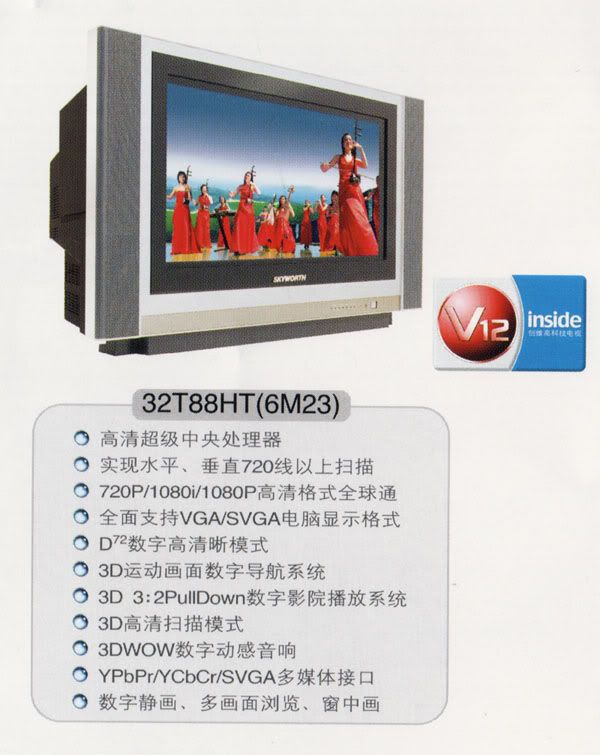
Just got back from Guanzhou, china and bought myself a true HDTV. Its a 32" 16:9 CRT HDTV thats supports 1080P, 1080i, 720P.

I bought it for RM2250 and cost about RM350 to ship it back to malaysia.

user posted image
xxboxx
post Nov 26 2005, 07:36 PM

The mind is for having ideas, not holding them
*******
Senior Member
5,261 posts

Joined: Oct 2004
From: J@Y B33


QUOTE(lightning69 @ Nov 22 2005, 10:17 AM)
Just got back from Guanzhou, china and bought myself a true HDTV.  Its a 32" 16:9 CRT HDTV thats supports 1080P, 1080i, 720P. 

I bought it for RM2250 and cost about RM350 to ship it back to malaysia.

user posted image
*
wow!!! drool.gif
it's 16:9? not widescreen? like that the screen is super long! drool.gif
even support 1080p? thumbup.gif quite cheap for such big tv, but what brand is it?
Lord_Ashe
post Nov 27 2005, 11:53 PM

Old Treasure Hunter Sidekick
******
Senior Member
1,495 posts

Joined: Sep 2005
From: Damansara Perdana - KL


QUOTE(xxboxx @ Nov 26 2005, 07:36 PM)
wow!!! drool.gif
it's 16:9? not widescreen? like that the screen is super long! drool.gif
even support 1080p? thumbup.gif  quite cheap for such big tv, but what brand is it?
*
Wow that really sounds like a bargain!

After going around for months I finally found one of the few remaining Philips 29" Pixel Plus 2 CRT sets. Snagged it for RM 2400 and am happily gawking at my DVDs and xbox! Even Astro looks nicer, lol.

It doesn't have 1080p, but 1080i support for HDTV will have to be good enough for an average Joe like me...

xxboxx
post Nov 28 2005, 07:27 AM

The mind is for having ideas, not holding them
*******
Senior Member
5,261 posts

Joined: Oct 2004
From: J@Y B33


^is it a wide screen or normal 4:3?
with 720p support also?
Lord_Ashe
post Nov 28 2005, 08:32 AM

Old Treasure Hunter Sidekick
******
Senior Member
1,495 posts

Joined: Sep 2005
From: Damansara Perdana - KL


QUOTE(xxboxx @ Nov 28 2005, 07:27 AM)
^is it a wide screen or normal 4:3?
with 720p support also?
*
It's a normal 29' 4:3 TV - with the Pixel Plus 2 engine, and support for 480p, 576p, 720p and 1080i. I just ran some games on my xbox last night - and lucky I have to work today or I won't be doing anything but stare, lol.
xxboxx
post Nov 28 2005, 08:47 AM

The mind is for having ideas, not holding them
*******
Senior Member
5,261 posts

Joined: Oct 2004
From: J@Y B33


you say have to look for it for months, is this model phased-out already? damn, wish hdtv price will come down quicker. sad.gif
Lord_Ashe
post Nov 28 2005, 09:05 AM

Old Treasure Hunter Sidekick
******
Senior Member
1,495 posts

Joined: Sep 2005
From: Damansara Perdana - KL


QUOTE(xxboxx @ Nov 28 2005, 08:47 AM)
you say have to look for it for months, is this model phased-out already? damn, wish hdtv price will come down quicker. sad.gif
*
Yeah - it's pretty much discontinued. Philips has a new range out now with Pixel Plus 2 starting from 34" but without the 1080i capability and retailing for RM 3900. Weird - I guess they realised they were giving too many capabilities with the old line. Judging from how fast prices are going, I think it's viable that 32" and above hdtv LCD screens will be affordable in the next 2 years or so...till then, it's CRT, lol!
lightning69
post Nov 28 2005, 02:30 PM

Look at all my stars!!
*******
Senior Member
2,298 posts

Joined: Jan 2003
From: Miri, Sarawak


QUOTE(Lord_Ashe @ Nov 28 2005, 09:05 AM)
Yeah - it's pretty much discontinued. Philips has a new range out now with Pixel Plus 2 starting from 34" but without the 1080i capability and retailing for RM 3900. Weird - I guess they realised they were giving too many capabilities with the old line. Judging from how fast prices are going, I think it's viable that 32" and above hdtv LCD screens will be affordable in the next 2 years or so...till then, it's CRT, lol!
*
720p is better than 1080i anyway so the is no need to have 1080i unless its 1080P. But i really don't want another 4:3 screen anymore. 16:9 is much better for movies.
xxboxx
post Nov 28 2005, 04:56 PM

The mind is for having ideas, not holding them
*******
Senior Member
5,261 posts

Joined: Oct 2004
From: J@Y B33


ya, i too hope can afford to get a widescreen hdtv. running 720p on 4:3 screen will mean a black border on top and bottom. so sad that no demand for widescreen in malaysia, i see j-drama even their pc monitor is wide screen. drool.gif
lightning69
post Nov 29 2005, 09:14 AM

Look at all my stars!!
*******
Senior Member
2,298 posts

Joined: Jan 2003
From: Miri, Sarawak


QUOTE(xxboxx @ Nov 28 2005, 04:56 PM)
ya, i too hope can afford to get a widescreen hdtv. running 720p on 4:3 screen will mean a black border on top and bottom. so sad that no demand for widescreen in malaysia, i see j-drama even their pc monitor is wide screen. drool.gif
*
There is demand but there is no supply. All Malaysian TV comes in 4:3 ratio except the newer DLP and LCD TV. Those are too expensive anyway. That is why i bought the Skyworth 16:9 crt HDTV because its widescreen.
Lord_Ashe
post Nov 29 2005, 12:47 PM

Old Treasure Hunter Sidekick
******
Senior Member
1,495 posts

Joined: Sep 2005
From: Damansara Perdana - KL


QUOTE(lightning69 @ Nov 29 2005, 09:14 AM)
There is demand but there is no supply.  All Malaysian TV comes in 4:3 ratio except the newer DLP and LCD TV.  Those are too expensive anyway.  That is why i bought the Skyworth 16:9 crt HDTV because its widescreen.
*
That's right. A widescreen CRT here would be cheap, especially some of the lower end ones, but you're fortunate if you can get an Svideo input! I hear proper (meaning component input, and possibly HDTV support) widescreens CRT are on the way, but you're gonna have to wait.

So in the meantime, it's tough unless we have the moolah...
xxboxx
post Nov 29 2005, 05:26 PM

The mind is for having ideas, not holding them
*******
Senior Member
5,261 posts

Joined: Oct 2004
From: J@Y B33


QUOTE(lightning69 @ Nov 29 2005, 09:14 AM)
There is demand but there is no supply.  All Malaysian TV comes in 4:3 ratio except the newer DLP and LCD TV.  Those are too expensive anyway.  That is why i bought the Skyworth 16:9 crt HDTV because its widescreen.
*
is there really any demand? only the enthusiast in AV would know about wide screen. the average joe only know that tv is 4:3. btw, your widescreen tv, it's china brand izzit? how the quality compare to like sony or philips?
Lord_Ashe
post Nov 30 2005, 10:39 AM

Old Treasure Hunter Sidekick
******
Senior Member
1,495 posts

Joined: Sep 2005
From: Damansara Perdana - KL


QUOTE(xxboxx @ Nov 29 2005, 05:26 PM)
is there really any demand? only the enthusiast in AV would know about wide screen. the average joe only know that tv is 4:3. btw, your widescreen tv, it's china brand izzit? how the quality compare to like sony or philips?
*
Here's a good article on the top ten HDTV myths that are out there. A lot of us sometimes base what we think we know on hearsay. Give it a click.

Top 10 HDTV Myths
xxboxx
post Nov 30 2005, 08:23 PM

The mind is for having ideas, not holding them
*******
Senior Member
5,261 posts

Joined: Oct 2004
From: J@Y B33


"At a distance of 10 feet from the screen, the eye can't detect pixels smaller than 1 millimeter; so if you look at a 37-inch set from that far away, you won't notice significant difference between a high-definition image and a standard-def image."
i don't think anybody seat so far away from their tv. sweat.gif

"Today, vendors rate the life expectancy of high-quality plasma TVs at 60,000 hours. That works out to more than 20 years of use if you watch 8 hours a day, 365 days a year; it's also about the same lifetime claimed for LCDs and CRTs (the latter are similarly prone to burn-in because, like plasma TVs, they depend on phosphor-based displays)."
is this true or not? like this no problem using it to play games coz it has life expectancy of crt.

btw Lord_Ashe, today i see some philips tv with the HDTV (or only HD, not sure) Monitor printed on the front. is this the same as yours or EDTV in disguise?
Lord_Ashe
post Dec 1 2005, 12:49 AM

Old Treasure Hunter Sidekick
******
Senior Member
1,495 posts

Joined: Sep 2005
From: Damansara Perdana - KL


QUOTE(xxboxx @ Nov 30 2005, 08:23 PM)
btw Lord_Ashe, today i see some philips tv with the HDTV (or only HD, not sure) Monitor printed on the front. is this the same as yours or EDTV in disguise?
*
AFAIK, you probably saw these on display:

Philips 34" HDTV monitor, which while definitely HD-ready, do not have the Pixel Plus 2 processing engine (which makes all the difference), or the RGB input at the back for HDTV sources. Resolution-wise, it goes up to 480p EDTV and 1080i only (pretty standard) via component inputs.

An alternative WITH Pixel Plus 2 and similar to mine would be here.

So while both offer 100Hz scanning, I can safely say without the additional Pixel Plus engine you're actually better off getting a comparable Sony CRT - at least Sony's engine makes a difference with regular broadcasts. As to why I'm harping Pixel Plus - well it's just something that has to be seen to be believed.

I have to say though that the 34" Pixel Plus 2 set will probably cost around RM 3800 which puts it on the pricier end of a CRT set. Add a bit more and you can go with a plasma/LCD display maybe?

This post has been edited by Lord_Ashe: Dec 1 2005, 01:07 AM
xxboxx
post Dec 1 2005, 07:49 AM

The mind is for having ideas, not holding them
*******
Senior Member
5,261 posts

Joined: Oct 2004
From: J@Y B33


both also looks about the same, i couldn't tell tongue.gif
but the one i see don't have rgb input, guess this is the model without Pixel Plus 2.
btw, the second link, is this the same model as yours? i read th pdf file, it only support 480p and 1080i. from philips website there's only 3 model with HD capabilities, and all 3 only have 480p and 1080i.
user posted image
user posted image

the tv, does the display look almost similiar with pc monitor? i mean without the interlace line like normal tv?
Lord_Ashe
post Dec 1 2005, 09:32 AM

Old Treasure Hunter Sidekick
******
Senior Member
1,495 posts

Joined: Sep 2005
From: Damansara Perdana - KL


QUOTE(xxboxx @ Dec 1 2005, 07:49 AM)
both also looks about the same, i couldn't tell tongue.gif
but the one i see don't have rgb input, guess this is the model without Pixel Plus 2.
btw, the second link, is this the same model as yours? i read th pdf file, it only support 480p and 1080i. from philips website there's only 3 model with HD capabilities, and all 3 only have 480p and 1080i.
user posted image
user posted image

the tv, does the display look almost similiar with pc monitor? i mean without the interlace line like normal tv?
*
Hehe, both look the same because of the tendency for retailers to hook up the dinkiest (and I mean stupidest) kind of composite connection to "show off" the TV, with brightness and other settings tuned up way high...

You're right - I forgot to mention that strangely enough only my model (which has been discontinued, I guess) has support for 480p, 720p and 1080i. I couldn't find a similar PDF but it's stated on the manual. Hmm... I need to do a bit more testing, I think.

As for no interlace line - I played a bit of King Kong yesterday, and that looked pretty amazing for a CRT. Soul Calibur 2(ori) also looked extra crisp but that was at 480p. I'll need to see if I can push it higher...
lightning69
post Dec 1 2005, 12:08 PM

Look at all my stars!!
*******
Senior Member
2,298 posts

Joined: Jan 2003
From: Miri, Sarawak


QUOTE(xxboxx @ Nov 29 2005, 05:26 PM)
is there really any demand? only the enthusiast in AV would know about wide screen. the average joe only know that tv is 4:3. btw, your widescreen tv, it's china brand izzit? how the quality compare to like sony or philips?
*
Yes, its china brand Skyworth. Quality wise to me are more or less the same.


xxboxx
post Dec 1 2005, 12:15 PM

The mind is for having ideas, not holding them
*******
Senior Member
5,261 posts

Joined: Oct 2004
From: J@Y B33


QUOTE(Lord_Ashe @ Dec 1 2005, 09:32 AM)
Hehe, both look the same because of the tendency for retailers to hook up the dinkiest (and I mean stupidest) kind of composite connection to "show off" the TV, with brightness and other settings tuned up way high...

You're right - I forgot to mention that strangely enough only my model (which has been discontinued, I guess) has support for 480p, 720p and 1080i. I couldn't find a similar PDF but it's stated on the manual. Hmm... I need to do a bit more testing, I think.

As for no interlace line - I played a bit of King Kong yesterday, and that looked pretty amazing for a  CRT. Soul Calibur 2(ori) also looked extra crisp but that was at 480p. I'll need to see if I can push it higher...
*
one of the display set is a 42" plasma, and they hook up with only the composite cable! mad.gif while the demo of 2F2F still look nice, i would prefer to see it in 720p.

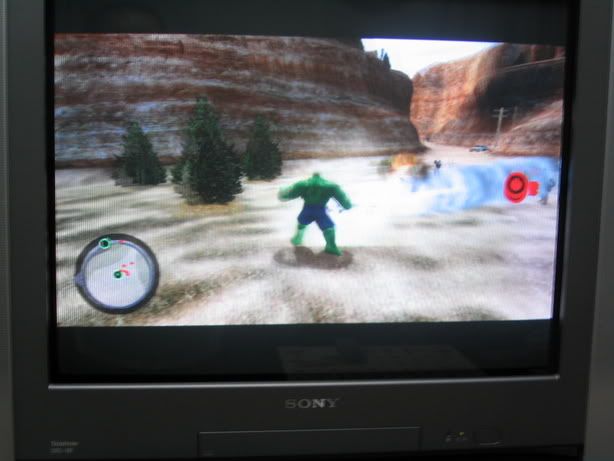
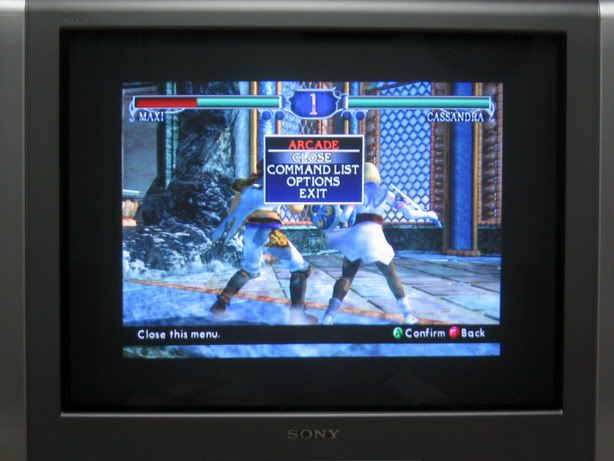
try with xbox games that support 720p such as hulk or soul calibur 2.

QUOTE(lightning69 @ Dec 1 2005, 12:08 PM)
Yes, its china brand Skyworth.  Quality wise to me are more or less the same.
*
next time if you want to go china, do a bulk sales for the tv. happy.gif
xxboxx
post Dec 2 2005, 02:27 PM

The mind is for having ideas, not holding them
*******
Senior Member
5,261 posts

Joined: Oct 2004
From: J@Y B33


Lord_Ashe, are you sure your tv support 720p? i was browsing xbox-scene when i stumble on this article
QUOTE
Basically CRT HDTV displays are still the highest quality display over any other format (DLP, Plasma, LCD, LCoS). However in the xbox 360's case, all games natively support 720p but unfortunately CRT televisions do not support 720p native. Instead they upscale everything to 1080i in which loss can occur. So if you want to display games in their native resolution, going to Plasma or LCD is the way to go.

However from a technical standpoint, there is one CRT that kind of words around the technical jargon and can do 720p native - the JVC 34" widescreen HDTV. Instead of converting all signals to 1080i, it actually converts signals to 1500i which is a few extra lines on top of 1440i resolution. 1440i is the same as 720p. Since the picture is interlaced (have the picture is shown every other time) across 1440 lines (720 on the first, 720 on the second), it can actually show 720p received signals accurately without compromising quality because the resolution is exactly divisible by 2.

So, to sum it up, unless you have a 1500i CRT TV (JVC is the only one that currently does this), then you will not be getting the most out of your picture, no matter the cable

lightning69
post Dec 2 2005, 03:29 PM

Look at all my stars!!
*******
Senior Member
2,298 posts

Joined: Jan 2003
From: Miri, Sarawak


QUOTE(xxboxx @ Dec 2 2005, 02:27 PM)
Lord_Ashe, are you sure your tv support 720p? i was browsing xbox-scene when i stumble on this article
*
That is wrong....crt HDTV don't have native resolution like plasma or LCD which fix-pixel. And crt HDTV do suppport 720P, 1080i and even 1080P. We just don't have them in malaysia.

You can refer to my earlier post for the CRT HDTV i bought from china and look at its spec that say 720P, 1080i and 1080P.


xxboxx
post Dec 2 2005, 05:36 PM

The mind is for having ideas, not holding them
*******
Senior Member
5,261 posts

Joined: Oct 2004
From: J@Y B33


according to the article:
QUOTE
CRT televisions do not support 720p native. Instead they upscale everything to 1080i in which loss can occur. So if you want to display games in their native resolution, going to Plasma or LCD is the way to go.

meaning it can display 720p, but at some loss of line, unless the tv support 1440i/1500i (which is double of 720p line). 1080 if divided 2 will only be 540 lines.

This post has been edited by xxboxx: Dec 2 2005, 05:37 PM
lightning69
post Dec 3 2005, 05:54 PM

Look at all my stars!!
*******
Senior Member
2,298 posts

Joined: Jan 2003
From: Miri, Sarawak


QUOTE(xxboxx @ Dec 2 2005, 05:36 PM)
according to the article:

meaning it can display 720p, but at some loss of line, unless the tv support 1440i/1500i (which is double of 720p line). 1080 if divided 2 will only be 540 lines.
*
there is no such thing as 1440i/1500i. HD standard is 720P/1080i/1080P. And newer crt these days can fully support these. The only disadvantages of crt hdtv is that part of the tube might be covered the frame so one might not see the whole picture. A minor disadvantages considering the price you pay.
SUSMatrix
post Dec 4 2005, 06:28 PM

King of Char Siew!
********
Senior Member
15,022 posts

Joined: Jan 2003
From: Damansara Jaya/Bandar Utama


QUOTE(Lord_Ashe @ Nov 27 2005, 11:53 PM)
Wow that really sounds like a bargain!

After going around for months I finally found one of the few remaining Philips 29" Pixel Plus 2 CRT sets. Snagged it for RM 2400 and am happily gawking at my DVDs and xbox! Even Astro looks nicer, lol.

It doesn't have 1080p, but 1080i support for HDTV will have to be good enough for an average Joe like me...
*
hI,

Can tell which model is it?

I'm currently looking for a new HDTV...since my old 29" SDTV KO liao, it gives me a good reason to!!

But i've a hard time deciding. My current choice is the SONY DB29M61 which is currently the ONLY CRT HDTV which supports 1080i/720p/480p/576p etc...and i think it's the cheapest HDTV in the market!!(Only RM1900).

However, i'm also looking at the Philips Pixel Plus 2(the old Pixel Plus models all sold out i guess) and saw some on display in SENQ. Can't remember the price though.

Pixel Plus really makes a difference, i think it's the best looking of all the technology mumbo-jumbo of other tv's out there. However, as highlighted by other poster, the Philips model only plays 480p and 1080i.

So i'm wondering, can i play 720p XBOX games with Philips TV? Does it do upscaling (or whatever conversion) to 1080i??

Really headache...cannot decide!!
xxboxx
post Dec 4 2005, 10:30 PM

The mind is for having ideas, not holding them
*******
Senior Member
5,261 posts

Joined: Oct 2004
From: J@Y B33


QUOTE(lightning69 @ Dec 3 2005, 05:54 PM)
there is no such thing as 1440i/1500i.  HD standard is 720P/1080i/1080P.  And newer crt these days can fully support these.  The only disadvantages of crt hdtv is that part of the tube might be covered the frame so one might not see the whole picture.  A minor disadvantages considering the price you pay.
*
so you mean any crt hdtv can support 720p natively? without the need to upscale it? but i wonder why most crt hdtv only have 480p and 1080i like the philips tv that i see. from the xbox-scene one forumer post:
QUOTE
(32KHz for 1080i and 37KHz for 720p if I remember correctly.) There are very few CRT's that natively support 720p for this very reason. The manufacturing costs are much higher. 99% of all sets that claim to support 720p, actually scale the signal to 1080i.
i can't say his words are true enough or not since i didn't really look much about HDTV matter. but if i remember correctly there was an article before that say most crt upscale 720p. but yours with the V12 chip, i believe support 720p natively. another hdtv that support 720p natively: Monivision

QUOTE(Matrix @ Dec 4 2005, 06:28 PM)
hI,

Can tell which model is it?

I'm currently looking for a new HDTV...since my old 29" SDTV KO liao, it gives me a good reason to!!

But i've a hard time deciding. My current choice is the SONY DB29M61 which is currently the ONLY CRT HDTV which supports 1080i/720p/480p/576p etc...and i think it's the cheapest HDTV in the market!!(Only RM1900).

However, i'm also looking at  the Philips Pixel Plus 2(the old Pixel Plus models all sold out i guess) and saw some on display in SENQ. Can't remember the price though.

Pixel Plus really makes a difference, i think it's the best looking of all the technology mumbo-jumbo of other tv's out there. However, as highlighted by other poster, the Philips model only plays 480p and 1080i.

So i'm wondering, can i play 720p XBOX games with Philips TV? Does it do upscaling (or whatever conversion) to 1080i??

Really headache...cannot decide!!
*

if you want to buy hdtv, i suggest looks for widescreen tv. for the support of 720p, maybe try asking the staff there to give demo of the tv running in 720p. but since the price was quite low i think most probably is upscaling. the monivison tv that i mention already cost USD1999. shocking.gif

SUSMatrix
post Dec 4 2005, 11:07 PM

King of Char Siew!
********
Senior Member
15,022 posts

Joined: Jan 2003
From: Damansara Jaya/Bandar Utama


QUOTE(lightning69 @ Dec 2 2005, 03:29 PM)
That is wrong....crt HDTV don't have native resolution like plasma or LCD which fix-pixel.  And crt HDTV do suppport 720P, 1080i and even 1080P.  We just don't have them in malaysia.

You can refer to my earlier post for the CRT HDTV i bought from china and look at its spec that say 720P, 1080i and 1080P.
*
So your tv arrive already? I think it's kinda risky buying some tv from China...sometimes specs doesn't tells everything....the quality of the image might not be satisfactory.

Seriously, for that price, i'll rather go with Pixel Plus 2.... it beats everything, HDTV or not!

Anyway, good luck and be sure to let us know the result when you got it!
Lord_Ashe
post Dec 5 2005, 01:04 AM

Old Treasure Hunter Sidekick
******
Senior Member
1,495 posts

Joined: Sep 2005
From: Damansara Perdana - KL


I have to agree. Even if you discount the support for 720p (or lack of it) Pixel Plus 2 still blows everything out of the water. I should know, I own one of those. If you're on a budget but still want killer image quality and support for HDTV, you can't go wrong.

I've had people refuse to leave my apartment these past few days, lol.
agingamer
post Dec 5 2005, 01:36 AM

Getting Started
**
Junior Member
199 posts

Joined: Jan 2003
From: KL
QUOTE(Lord_Ashe @ Nov 27 2005, 11:53 PM)
Wow that really sounds like a bargain!

After going around for months I finally found one of the few remaining Philips 29" Pixel Plus 2 CRT sets. Snagged it for RM 2400 and am happily gawking at my DVDs and xbox! Even Astro looks nicer, lol.

It doesn't have 1080p, but 1080i support for HDTV will have to be good enough for an average Joe like me...
*
Lord_Ashe, which model exactly is it? I wanna to check it out too!
Lord_Ashe
post Dec 5 2005, 10:01 AM

Old Treasure Hunter Sidekick
******
Senior Member
1,495 posts

Joined: Sep 2005
From: Damansara Perdana - KL


QUOTE(agingamer @ Dec 5 2005, 01:36 AM)
Lord_Ashe, which model exactly is it? I wanna to check it out too!
*
If you scroll up a few posts you should be able to see it being listed by another gamer. I was mistaken that I said it supported 720p, it doesn't. But everything else IS supported (480p and 1080i with RGB input) AND it comes with Pixel Plus 2.

Right now it's difficult to find the 29" variety, so if you have the cash you MAY want to invest in the 34" or go FlatTV. Either way, for people with a budget, this is definitely good enough, iMHO.
lightning69
post Dec 5 2005, 10:22 AM

Look at all my stars!!
*******
Senior Member
2,298 posts

Joined: Jan 2003
From: Miri, Sarawak


QUOTE(xxboxx @ Dec 4 2005, 10:30 PM)
so you mean any crt hdtv can support 720p natively? without the need to upscale it? but i wonder why most crt hdtv only have 480p and 1080i like the philips tv that
Crt HDTV don't have native resolution unlike fixed pixel LCD and plasma tv. CRT draw line with the cathode guns and newer crt is capable of 1080P. What you see in Malaysia are not true crt hdtv so don't waste your money on it.

The downside of crt is that is its hard to manufacture crt larger than 35" beacuse the tube would be too big and heavy. But crt still offers the best image in terms of picture in terms of picture contrast and color.
lightning69
post Dec 5 2005, 10:39 AM

Look at all my stars!!
*******
Senior Member
2,298 posts

Joined: Jan 2003
From: Miri, Sarawak


QUOTE(Matrix @ Dec 4 2005, 11:07 PM)
So your tv arrive already? I think it's kinda risky buying some tv from China...sometimes specs doesn't tells everything....the quality of the image might not be satisfactory.

Seriously, for that price, i'll rather go with Pixel Plus 2.... it beats everything, HDTV or not!

Anyway, good luck and be sure to let us know the result when you got it!
*
The container will arrive sometimes this week.

Don't worry about china brand. There are some good brand offering good quality and great products such as Skyworth and Konka.

Here is a review...
kobe8byrant
post Dec 5 2005, 11:08 PM

I'm too old for this stuff
********
All Stars
12,275 posts

Joined: Dec 2005
From: KL


how much is a 25 inch HDTV ready? i wanna buy 1 when i get a next gen console
Lord_Ashe
post Dec 5 2005, 11:56 PM

Old Treasure Hunter Sidekick
******
Senior Member
1,495 posts

Joined: Sep 2005
From: Damansara Perdana - KL


QUOTE(kobe8byrant @ Dec 5 2005, 11:08 PM)
how much is a 25 inch HDTV ready? i wanna buy 1 when i get a next gen console
*
25" TVs aren't really common in Malaysia. You COULD try getting them, but usually people make the jump to a 27" (equally difficult) or 29".

Depending on brand, you can spend about RM 3 - 8,000 on it, so you may want to consider which kind of display technology you want to invest in...
SUSMatrix
post Dec 6 2005, 09:26 AM

King of Char Siew!
********
Senior Member
15,022 posts

Joined: Jan 2003
From: Damansara Jaya/Bandar Utama


Lord Ashe: Can u tell me whether your Philips TV does upscaling/conversion of 720p to 1080i??

Example, when u play SC2 (XBOX) on your TV, how do you know which resolution it's running? Is it set from the game or TV?? Does it runs SC2 in 720p mode by upscaling to 1080i??

I think need to check out the Pixel Plus 2 prices soon.
kobe8byrant
post Dec 6 2005, 11:51 AM

I'm too old for this stuff
********
All Stars
12,275 posts

Joined: Dec 2005
From: KL


a 29 inch HDTV ready Panasonic? what would be the pricing...i am hoping a year or two will cause the prices to go downhill
Lord_Ashe
post Dec 6 2005, 06:05 PM

Old Treasure Hunter Sidekick
******
Senior Member
1,495 posts

Joined: Sep 2005
From: Damansara Perdana - KL


QUOTE(Matrix @ Dec 6 2005, 09:26 AM)
Lord Ashe: Can u tell me whether your Philips TV does upscaling/conversion of 720p to 1080i??

Example, when u play SC2 (XBOX) on your TV, how do you know which resolution it's running? Is it set from the game or TV?? Does it runs SC2 in 720p mode by upscaling to 1080i??

I think need to check out the Pixel Plus 2 prices soon.
*
Good question. As far as I can see, when I run SC2 on my TV it defaults to 480p. I don't think it does upscaling - but as of the time of writing I'm trying to see if I can get it to do so. It's controlled by the TV (auto resolution selection), of that I'm sure - I'm just looking to see if there's any way I can change it. I'll post any info I can.

In any case, if you're on a budget the Pixel Plus 2 sets won't dissapoint.
SUSMatrix
post Dec 6 2005, 07:51 PM

King of Char Siew!
********
Senior Member
15,022 posts

Joined: Jan 2003
From: Damansara Jaya/Bandar Utama


QUOTE(Lord_Ashe @ Dec 6 2005, 06:05 PM)
Good question. As far as I can see, when I run SC2 on my TV it defaults to 480p. I don't think it does upscaling - but as of the time of writing I'm trying to see if I can get it to do so. It's controlled by the TV (auto resolution selection), of that I'm sure - I'm just looking to see if there's any way I can change it. I'll post any info I can.

In any case, if you're on a budget the Pixel Plus 2 sets won't dissapoint.
*
Thanks...keep me updated!!

btw, just check out the price of the Pixel Plus 2 TV 29"(same like yours i think) at SENQ...SENQ prices cheat people one....their "member price"(pay RM12 to join) is actually the standard retail price. Ex: they charge RM2099 for the SONY DB29M61 and RM1999 for "member price"....when RM1999 is the standard retail price elsewhere.

Anyway, it's RM2999(non-member) and RM2799 for the Pixel Plus 2 TV (29")...means that it's about RM400 > than when you bought!!! cry.gif You definitely have a good deal!!!

Anyway, i've checkout the quality of 3 models...SONY DB29M61 and Philips Pixel Plus 2 and Philips non-Pixel Plus HDTV.

Although the input isn't the best (only normal composite...it's hard enough to get those dumb showperson to test the thing for you with DVD video...most of them doesn't seems very interested in entertaining customers and isn't very tech savvy...asking them for component input will probably get a negative answer like "don't have", "don't know", "cannot"...pick your choice), the Pixel Plus 2 TV clearly blows away the Philips non-Pixel Plus HDTV.

It is also significantly superior to SONY's DB29M61 model, although i can't do a side by side comparison. But the DB29M61 does hold it's own and is pretty good, although it's inferior to the Pixel Plus 2 TV.

So the verdict:
PP2 > SONY DB29M61 > Philips non-PP HDTV.

I think i'm leaning towards the SONY model now...almost 1K difference wor...

kobe8byrant:
PANASONIC HDTV?? As far as i'm concerned, PANASONIC CRT TVs sucks. I don't think their HDTV conforms to the typical HDTV standard..with weird 833i mode....what the heck is that!!! Also, image quality lose out to both SONY and PHILIPS. I highly recommend you forget about any PANASONIC TV.

SONY has the best price/performance HDTV right now (< RM2K...apa lagi mau??), while Philips Pixel Plus 2 is the KING of the hills if you've the dough. Samsung new SLIMFIT TV also very interesting...but a bit pricey RM4300 and the image quality isn't very good ( or maybe the source video sucks...like every showroom in Malaysia...maybe need to ask them show proper DVD video to determine the result).


PrinceOfPersia
post Dec 6 2005, 07:54 PM

Hashsashin
******
Senior Member
1,038 posts

Joined: Jan 2005
From: El Classico Kajangski


QUOTE(Lord_Ashe @ Dec 6 2005, 06:05 PM)
Good question. As far as I can see, when I run SC2 on my TV it defaults to 480p. I don't think it does upscaling - but as of the time of writing I'm trying to see if I can get it to do so. It's controlled by the TV (auto resolution selection), of that I'm sure - I'm just looking to see if there's any way I can change it. I'll post any info I can.

In any case, if you're on a budget the Pixel Plus 2 sets won't dissapoint.
*
Today i'll try Lord_ashe new philips hdtv ready and the only word to imagine the quality is superb thumbup.gif . Lord_Ashe, now i'm thinking to get a same TV but maybe a little bigger than yours tongue.gif
SUSMatrix
post Dec 6 2005, 08:04 PM

King of Char Siew!
********
Senior Member
15,022 posts

Joined: Jan 2003
From: Damansara Jaya/Bandar Utama


Another new contender for HDTV:

TOSHIBA 29JZ9UES
http://www.toshiba.com.my/servlet/svtUProd...02400&func=tech

The PDF clearly state it supports 720p and 1080i!!!!! Woow!!

But TOSHIBA model is very hard to find in showroom nowadays (i think their marketing and dristribution channel is very weak) and thus can't determine the quality. However, i really like my old TOSHIBA 29" SDTV (about 7 or 8 years....now RIP) and in terms of image quality it trounce my crappy 20" Panasonic anyday.

Anyway, if any of you guys do have experience with the TOSHIBA HDTV, do drop a post!!!

Lord_Ashe
post Dec 7 2005, 01:09 AM

Old Treasure Hunter Sidekick
******
Senior Member
1,495 posts

Joined: Sep 2005
From: Damansara Perdana - KL


QUOTE(Matrix @ Dec 6 2005, 07:51 PM)
Thanks...keep me updated!!

btw, just check out the price of the Pixel Plus 2 TV 29"(same like yours i think) at SENQ...SENQ prices cheat people one....their "member price"(pay RM12 to join) is actually the standard retail price. Ex: they charge RM2099 for the SONY DB29M61 and RM1999 for "member price"....when RM1999 is the standard retail price elsewhere.

Anyway, it's RM2999(non-member) and RM2799 for the Pixel Plus 2 TV (29")...means that it's about RM400 > than when you bought!!! cry.gif You definitely have a good deal!!!

Anyway, i've checkout the quality of 3 models...SONY DB29M61 and Philips Pixel Plus 2 and Philips non-Pixel Plus HDTV.

Although the input isn't the best (only normal composite...it's hard enough to get those dumb showperson to test the thing for you with DVD video...most of them doesn't seems very interested in entertaining customers and isn't very tech savvy...asking them for component input will probably get a negative answer like "don't have", "don't know", "cannot"...pick your choice), the Pixel Plus 2 TV clearly blows away the Philips non-Pixel Plus HDTV.

It is also significantly superior to SONY's DB29M61 model, although i can't do a side by side comparison. But the DB29M61 does hold it's own and is pretty good, although it's inferior to the Pixel Plus 2 TV.

So the verdict:
PP2 > SONY DB29M61 > Philips non-PP HDTV.

I think i'm leaning towards the SONY model now...almost 1K difference wor...

kobe8byrant:
PANASONIC HDTV?? As far as i'm concerned, PANASONIC CRT TVs sucks. I don't think their HDTV conforms to the typical HDTV standard..with weird 833i mode....what the heck is that!!! Also, image quality lose out to both SONY and PHILIPS. I highly recommend you forget about any PANASONIC TV.

SONY has the best price/performance HDTV right now (< RM2K...apa lagi mau??), while Philips Pixel Plus 2 is the KING of the hills if you've the dough. Samsung new SLIMFIT TV also very interesting...but a bit pricey RM4300 and the image quality isn't very good ( or maybe the source video sucks...like every showroom in Malaysia...maybe need to ask them show proper DVD video to determine the result).
*
I've heard some horror stories about SENQ before...looks like it's all true!

The 29" Pixel Plus 2 SHOULDN'T retail for more than RM 2400 since it's already being phased out! Even the 34" set costs about RM 3600 onwards - but I'm sure SENQ is making a whole lot of money from people who are unaware... I got mine from a HSL myself!

Generally I've been in almost every electronics store here, and I can agree that most times all they do is connect a composite video signal to the TVs and then turn the brightness way up, which accomplishes nothing! Not to mention their sheer ignorance when asked about connections...

IMHO, the Philips non PP2 CRTs aren't such a hot deal - when the PP2 equipped sets make regular Astro broadcasts look just a little less beautiful than a DVD. It makes all the difference, as you've no doubt seen.

In terms of quality I have to agree that Panasonic isn't really the best buy. Even standard Sony CRTs blow Panasonic out of the water by having some of the best picture quality I've seen. Engine wise the Samsung DNIE looks good, although honestly I have to say that with the conditions in the showroom I can't really say HOW good.

In any case I'm still trying to sort out your earlier question...and good luck with your future buy!


agingamer
post Dec 7 2005, 01:49 AM

Getting Started
**
Junior Member
199 posts

Joined: Jan 2003
From: KL
QUOTE(Lord_Ashe @ Dec 7 2005, 01:09 AM)
I've heard some horror stories about SENQ before...looks like it's all true!
Most stores for the masses seems very poor in their setup, making it difficult
to make like for like comparisons between brands of the same range (except
for specialist showrooms for plasma TV)

Any recommendations on which store to go to shop for CRT TV and LCD TV?

Thanks
Lord_Ashe
post Dec 7 2005, 01:56 AM

Old Treasure Hunter Sidekick
******
Senior Member
1,495 posts

Joined: Sep 2005
From: Damansara Perdana - KL


QUOTE(agingamer @ Dec 7 2005, 01:49 AM)
Most stores for the masses seems very poor in their setup, making it difficult
to make like for like comparisons between brands of the same range (except
for specialist showrooms for plasma TV)

Any recommendations on which store to go to shop for CRT TV and LCD TV?

Thanks
*
If you're looking for TVs in general, Harvey Norman in IKANO is actually a good place to shop around. The staff are friendlier, and since there's less people they may actually treat you better. I've had good experiences in HSLs in the Subang area and One Utama (YMMV) and on the whole Sen Heng and SenQ have both been somewhat unsatisfactory. Best Denki is a hit and miss affair, with only the one in One Utama new wing showing any kind of knowledge.

CRTs are easier to look for even in most shops, and there's a multitude of these scattered all around the Klang Valley - but if you're keen on LCD I strongly recommend the Best Denki/HSL combo in One Utama, or Harvey Norman.

Good luck!
SUSMatrix
post Dec 7 2005, 09:40 AM

King of Char Siew!
********
Senior Member
15,022 posts

Joined: Jan 2003
From: Damansara Jaya/Bandar Utama


Eh? HSL got branch in One Utama meh?? Where ah? New wing? Old wing?

Anyway, there's also one shop i can recommend. It's DESA HOME THEATER SYSTEM in Kepong and Low Yat Plaza. At least the staff their treats their customer properly!!! Bought my HT system from the Kepong branch last time, quite okay service. Also been to LYP branch to check out some TV sometime ago...staff was okay...also maybe can bargain a bit....hee-hee.

I've been to Harvey Norman to browse, but didn't see the SONY DB29M61 or the PHILIPS PP2 model.

Been to Best Denki One utama also, but the staff there isn't very helpful either...maybe just my bad luck. but i don't think i see any PP2 CRT TVs there either.

Anyway, I will check out HSL ASAP!!

QUOTE(Lord Ashe)
In terms of quality I have to agree that Panasonic isn't really the best buy.
Yep. And their latest plasma/lcd promotes useless features like 8 BILLION colours...errr...don't they know the human eye cannot differentiate > 16 MILLION colours?? This kinda marketing gimmick leaves a very bad taste in my mouth, trying to cheat people who's not aware that their product is "better".


This post has been edited by Matrix: Dec 7 2005, 09:46 AM
Lord_Ashe
post Dec 7 2005, 11:15 AM

Old Treasure Hunter Sidekick
******
Senior Member
1,495 posts

Joined: Sep 2005
From: Damansara Perdana - KL


QUOTE(Matrix @ Dec 7 2005, 09:40 AM)
Eh? HSL got branch in One Utama meh?? Where ah? New wing? Old wing?

Anyway, there's also one shop i can recommend. It's DESA HOME THEATER SYSTEM in Kepong and Low Yat Plaza.

*
I meant to say The Curve, hehehe. My mistake - but the HSL is even quieter and there's plenty of space. Desa's good too! I bought my Pioneer HT system there - good selection and fast service. In fact I think that's where I first saw the Pixel Plus 2 sets...

QUOTE(matrix)
And their latest plasma/lcd promotes useless features like 8 BILLION colours...errr...don't they know the human eye cannot differentiate > 16 MILLION colours??
Yup. It's really bad marketing on their part - but I'm sure there's more than a couple clueless buyers who will be conned...


xxboxx
post Dec 9 2005, 03:17 PM

The mind is for having ideas, not holding them
*******
Senior Member
5,261 posts

Joined: Oct 2004
From: J@Y B33


QUOTE(Matrix @ Dec 6 2005, 09:26 AM)
Lord Ashe: Can u tell me whether your Philips TV does upscaling/conversion of 720p to 1080i??

Example, when u play SC2 (XBOX) on your TV, how do you know which resolution it's running? Is it set from the game or TV?? Does it runs SC2 in 720p mode by upscaling to 1080i??

I think need to check out the Pixel Plus 2 prices soon.
*
all of SC title only support 480p, no 720p.

Lord_Ashe, "hulk: ultimate destruction" support 720p and 1080i. try disable 1080i from xbox dashboard and see if the game display 720p.
Lord_Ashe
post Dec 9 2005, 05:13 PM

Old Treasure Hunter Sidekick
******
Senior Member
1,495 posts

Joined: Sep 2005
From: Damansara Perdana - KL


QUOTE(xxboxx @ Dec 9 2005, 03:17 PM)
all of SC title only support 480p, no 720p.

Lord_Ashe, "hulk: ultimate destruction" support 720p and 1080i. try disable 1080i from xbox dashboard and see if the game display 720p.
*
Hmm. Okay, thanks for the input. I'll do that the moment I can! Strangely the back of my original SC2 says 720p support.

Hmmmm.

This post has been edited by Lord_Ashe: Dec 9 2005, 05:21 PM
xxboxx
post Dec 10 2005, 04:41 PM

The mind is for having ideas, not holding them
*******
Senior Member
5,261 posts

Joined: Oct 2004
From: J@Y B33


QUOTE(Lord_Ashe @ Dec 9 2005, 05:13 PM)
Hmm. Okay, thanks for the input. I'll do that the moment I can! Strangely the back of my original SC2 says 720p support.

Hmmmm.
*
i wouldn't know about the back cover, coz i didn't have the ori. my info came from www.hdtvarcade.com/xboxlist.htm
you can also disable 480p and 1080i and see if SC2 would run on progressive mode.
SUSMatrix
post Dec 10 2005, 11:11 PM

King of Char Siew!
********
Senior Member
15,022 posts

Joined: Jan 2003
From: Damansara Jaya/Bandar Utama


QUOTE(xxboxx @ Dec 10 2005, 04:41 PM)
i wouldn't know about the back cover, coz i didn't have the ori. my info came from www.hdtvarcade.com/xboxlist.htm
you can also disable 480p and 1080i and see if SC2 would run on progressive mode.
*
I think the info there is wrong. It is known that SC2 supports 720p and has been mentioned in various reviews in online sites.

btw, how do u disable the 480p/1080i mode? From software or tv??

Updated:
Check http://www.hdtvarcade.com/xboxlist.htm properly again.

SC2 XBOX support 720p ler.. thumbup.gif

This post has been edited by Matrix: Dec 10 2005, 11:15 PM
xxboxx
post Dec 11 2005, 07:48 AM

The mind is for having ideas, not holding them
*******
Senior Member
5,261 posts

Joined: Oct 2004
From: J@Y B33


QUOTE(Matrix @ Dec 10 2005, 11:11 PM)
I think the info there is wrong. It is known that SC2 supports 720p and has been mentioned in various reviews in online sites.

btw, how do u disable the 480p/1080i mode? From software or tv??

Updated:
Check http://www.hdtvarcade.com/xboxlist.htm properly again.

SC2 XBOX support 720p ler..  thumbup.gif
*
doh.gif doh.gif doh.gif
now i realize SC2 as in soul calibur 2
all this while i thought it was splinter cell 2 blush.gif

to disable progressive mode is from MS dashboard, but the option only visible if you have the component cable.
SUSMatrix
post Dec 11 2005, 11:50 PM

King of Char Siew!
********
Senior Member
15,022 posts

Joined: Jan 2003
From: Damansara Jaya/Bandar Utama


QUOTE(xxboxx @ Dec 11 2005, 07:48 AM)
doh.gif  doh.gif  doh.gif
now  i realize SC2 as in soul calibur 2
all this while i thought it was splinter cell 2 blush.gif

to disable progressive mode is from MS dashboard, but the option only visible if you have the component cable.
*
Thanks. Now i know why i don't have such option...:0

btw, just read that XBMC can upscale DVD movie to 720p/1080i from 480p...and i was thinking about buying an expensive RM1K+ DVD player for that...ha-ha!

CerebralRogue
post Dec 12 2005, 04:13 PM

Getting Started
**
Junior Member
287 posts

Joined: Jun 2005


Man I have to agree with you guys, most of the dudes in SenQ and even some in Harvey norman just don't know their stuff. Brought my Star Wars Episode 3 to try and I'm quite disappointed that the LCDs refresh rate is quite bad. The first space battle scene just stutters and lags. Didn't happen to the plasmas and crts. Looked at the Samsung Slimfit, but somehow the display just wasn't that great. Dunno whether it was the settings or what. But seriously these fellas don't even know how to set their dvd players to progressive scan.
lightning69
post Dec 12 2005, 05:12 PM

Look at all my stars!!
*******
Senior Member
2,298 posts

Joined: Jan 2003
From: Miri, Sarawak


Got my TV oledi. Was a little disappointed that it only supports 720p and 1080i(50/60hz) and not 1080P as stated in the brochure.

However it did come with a quality assurance note that the picture tube is made in japan by mashusita/ toshiba.

I have not try it out because i have no place to put it now until i move to my new house early next year.
jacky
post Dec 12 2005, 05:38 PM

Freak kiasu
******
Senior Member
1,271 posts

Joined: Jan 2003
From: Penang/KL
lightning69, which model you got?

mine to share?


p/s: Sony Bravia LCDs looks like a good deal... thumbup.gif (178degree viewing angel)
Lord_Ashe
post Dec 12 2005, 11:52 PM

Old Treasure Hunter Sidekick
******
Senior Member
1,495 posts

Joined: Sep 2005
From: Damansara Perdana - KL


QUOTE(jacky @ Dec 12 2005, 05:38 PM)
lightning69, which model you got?

mine to share?
p/s: Sony Bravia LCDs looks like a good deal... thumbup.gif (178degree viewing angel)
*
Bravia's really good for LCDs. Have to agree that even with all the shopping around I've done, the current gen plasmas and LCDs just don't feel/look right. Of course, it could also be that some of the models here aren't even current and the connections...ugh...
SUSMatrix
post Dec 14 2005, 09:11 AM

King of Char Siew!
********
Senior Member
15,022 posts

Joined: Jan 2003
From: Damansara Jaya/Bandar Utama


QUOTE(lightning69 @ Dec 12 2005, 05:12 PM)
Got my TV oledi.  Was a little disappointed that it only supports 720p and 1080i(50/60hz) and not 1080P as stated in the brochure.

However it did come with a quality assurance note that the picture tube is made in japan by mashusita/ toshiba.

I have not try it out because i have no place to put it now until i move to my new house early next year.
*
blink.gif Feel sorry for you man...kena con by china conman......seriously it's better to buy a Philip Pixel Plus or even SONY HDTV locally for that price....if problem occurs (touch wood)...who can fix and where to find spare parts?? A bit risky...

Anyway, hopefully you won't have any problems with it!

btw, just saw Toshiba HDTV on display in SENQ The Curve. Dunno about the quality as the input is probably some sucky composite signal...can't tell...but i think the price is a bit high..can't remember exactly. think RM3K+ but not sure whether it's for 29" or 34".

Lord Ashe: Also saw the Philips 29" Pixel Plus 2 at HSL (Mid Valley)...wah-lau...how come so expensive one?? I think either RM2999 or RM3999!!!! Maybe wrong price tag ah........ sweat.gif

Gotta go check out DESA when got free time.

SUSMatrix
post Dec 14 2005, 09:14 AM

King of Char Siew!
********
Senior Member
15,022 posts

Joined: Jan 2003
From: Damansara Jaya/Bandar Utama


QUOTE(Lord_Ashe @ Dec 12 2005, 11:52 PM)
Bravia's really good for LCDs. Have to agree that even with all the shopping around I've done, the current gen plasmas and LCDs just don't feel/look right. Of course, it could also be that some of the models here aren't even current and the connections...ugh...
*
Yeah...when you surf US sites...you can see a lot of models reviewed which is not available here...dunno why. And i actually think LCD and PLASMA ain't all that great if you look closely...but then again...with the crap setup in our Malaysian showrooms...who can tell anything!!!


Lord_Ashe
post Dec 14 2005, 09:26 AM

Old Treasure Hunter Sidekick
******
Senior Member
1,495 posts

Joined: Sep 2005
From: Damansara Perdana - KL


QUOTE(Matrix @ Dec 14 2005, 09:14 AM)
Yeah...when you surf US sites...you can see a lot of models reviewed which is not available here...dunno why. And i actually think LCD and PLASMA ain't all that great if you look closely...but then again...with the crap setup in our Malaysian showrooms...who can tell anything!!!
*
LOL yeah man. I was trying to see if the Philips Pixel Plus 2 LCD sets would be comparable to the Bravia series - as of now I haven't seen ANY! All that's available are the older Pixel Plus sets that look somehow...wrong. In fact, a lot of times, even the high end Plasma displays look wrong.

I guess a user-friendly place that does not have to break the bank is still a dream...
agingamer
post Dec 14 2005, 10:48 AM

Getting Started
**
Junior Member
199 posts

Joined: Jan 2003
From: KL
QUOTE(Lord_Ashe @ Dec 14 2005, 09:26 AM)
LOL yeah man. I was trying to see if the Philips Pixel Plus 2 LCD sets would be comparable to the Bravia series - as of now I haven't seen ANY! All that's available are the older Pixel Plus sets that look somehow...wrong. In fact, a lot of times, even the high end Plasma displays look wrong.

I guess a user-friendly place that does not have to break the bank is still a dream...
*
I am also perplexed why I am seeing poor setups at most showrooms.
Some showed Astro ESPN that looked so bad that its a turn off. shakehead.gif

Is cost (cabling, hidef players, etc.) the reason why they have such poor setups?

Lord_Ashe
post Dec 14 2005, 11:25 AM

Old Treasure Hunter Sidekick
******
Senior Member
1,495 posts

Joined: Sep 2005
From: Damansara Perdana - KL


QUOTE(agingamer @ Dec 14 2005, 10:48 AM)
I am also perplexed why I am seeing poor setups at most showrooms.
Some showed Astro ESPN that looked so bad that its a turn off.  shakehead.gif

Is cost (cabling, hidef players, etc.) the reason why they have such poor setups?
*
IMHO that shouldn't be a reason, since these showrooms also stock the necessary cables/players. For example, since most LCD/plasma displays these days are HDTV ready - all they need is an HDTV source. I suspect however that the showrooms lack HDTV source devices, unlike us gamers who have our consoles that can at least output ONE flavour of progressive scan. True, these showrooms also have DVD players that support progressive, but I'm seeing that they're just plain lazy or ignorant to hook up their displays properly. A simple example would be Astro. Even on my entry level Pixel Plus 2 set, Astro on a cheap S-video can look pretty good (depending on the source, some shows are better than others) and I've seen a 43" TV in a showroom hooked up to an ESPN feed that looked like it came over regular terrestrial signals! So yeah, while HDTV settop boxes may be expensive, hooking up their high end TVs to progressive scan DVD players with component cables is not!

At the end of the day, the bottom line is to flood the potential buyer with so many specs and features that they end up buying the most expensive TV, not to help them make a good buying decision. Sad, innit?


cylon
post Dec 14 2005, 12:03 PM

Enthusiast
*****
Senior Member
882 posts

Joined: Mar 2005


QUOTE(agingamer @ Dec 14 2005, 10:48 AM)
I am also perplexed why I am seeing poor setups at most showrooms.
Some showed Astro ESPN that looked so bad that its a turn off.  shakehead.gif

Is cost (cabling, hidef players, etc.) the reason why they have such poor setups?
*
The're using cascading concept..used 1 astro, hooking it up to a tv , and from that tv to multiple tv's usually via rf cable.
SUSMatrix
post Dec 14 2005, 02:12 PM

King of Char Siew!
********
Senior Member
15,022 posts

Joined: Jan 2003
From: Damansara Jaya/Bandar Utama


I guess so...some of those ASTRO signal are so bad it look worst than all the TV's in my house!!! I guess those splitting and splicing of the signal has taken it's toll.

I think the reason they've such a poor setup is they're uneducated (in terms of product knowledge) coupled with no directions from their management/supervisor ( who probably tell them to sell the most expensive product to customer where possible, and if not possible, just sell them anything!!). The problem is they're still taking that the customers nowadays are ignorant like maybe 10 years ago and just try to con their way out by bombarding people with all sort of tech jargon (without knowing what it means themselves).

They still haven't realized this is year 2005 already.....*sigh*....

mzaidi
post Dec 14 2005, 07:08 PM

Jerk
******
Senior Member
1,484 posts

Joined: Jul 2005
From: Klang


QUOTE(Matrix @ Dec 10 2005, 11:11 PM)
SC2 XBOX support 720p ler..  thumbup.gif
*
SC2 does support 720p, but 16:9 ratio is only during FMV. During normal gameplay, SC2 in 720p will be displayed in 4:3 ratio.

http://felixmcli.org/sc2-xb720p.shtml
xxboxx
post Dec 14 2005, 08:31 PM

The mind is for having ideas, not holding them
*******
Senior Member
5,261 posts

Joined: Oct 2004
From: J@Y B33


QUOTE(Matrix @ Dec 14 2005, 09:11 AM)
blink.gif  Feel sorry for you man...kena con by china conman......seriously it's better to buy a Philip Pixel Plus or even SONY HDTV locally for that price....if problem occurs (touch wood)...who can fix and where to find spare parts?? A bit risky...
*

2k for a 720p/1080i tv is still way cheap in malaysia. heck, almost all crt in malaysia didn't support 720p, or by cheating it with upscale to 1080i. plus only 2k for widescreen!!! drool.gif

QUOTE(agingamer @ Dec 14 2005, 10:48 AM)
I am also perplexed why I am seeing poor setups at most showrooms.
Some showed Astro ESPN that looked so bad that its a turn off.  shakehead.gif

Is cost (cabling, hidef players, etc.) the reason why they have such poor setups?
*

no, it's just that most staff didn't have decent knowledge in AV.


QUOTE(Lord_Ashe @ Dec 14 2005, 11:25 AM)
IMHO that shouldn't be a reason, since these showrooms also stock the necessary cables/players. For example, since most LCD/plasma displays these days are HDTV ready - all they need is an HDTV source. I suspect however that the showrooms lack HDTV source devices, unlike us gamers who have our consoles that can at least output ONE flavour of progressive scan. True, these showrooms also have DVD players that support progressive, but I'm seeing that they're just plain lazy or ignorant to hook up their displays properly. A simple example would be Astro. Even on my entry level Pixel Plus 2 set, Astro on a cheap S-video can look pretty good (depending on the source, some shows are better than others) and I've seen a 43" TV in a showroom hooked up to an ESPN feed that looked like it came over regular terrestrial signals! So yeah, while HDTV settop boxes may be expensive, hooking up their high end TVs to progressive scan DVD players with component cables is not!

At the end of the day, the bottom line is to flood the potential buyer with so many specs and features that they end up buying the most expensive TV, not to help them make a good buying decision. Sad, innit?
*

totally true! at jusco over here they got progressive scan dvd player playing HD demo disc outputting it to a 34" plasma widescreen, and they choose to connect using those yellow composite cable!! doh.gif shakehead.gif

EDIT: some more nice info from xbox-scene.com
QUOTE
They UPconvert from 720p to 1080i. No CRT display on sale right now has 720p native. They just don't do it. It will ACCEPT a 720p signal, but then it just converts it to 1080i. Even the Sony XBRs, which some say are the best of the direct view CRTs, convert 720p to 1080i.

Consumer television, large format CRTs just can't do a 720p signal. They don't have enough vertical scanning frequency to do it. Thats why. The big Sony XBRs have the display size and resolution available with their screens. But, they've yet to make one with a high enough scanning frequency to actually resolve 720p. They will do 480p, but all other HD signals sent to one will be converted to 1080i.

You have to look at it in a scanning frequency view. The frequency of a CRT is measured as horizontal lines per second. After seeing what it takes, you'll understand......

480i - 480 lines x 30 frames = 14.4kHz
480p - 480 lines x 60 frames = 28.8kHz
1080i - 1080 lines x 30 frames = 32.4kHz
720p - 720 lines x 60 frames = 43.2kHz
1080p - 1080 lines x 60 frames = 64.8kHz

Thats why large format CRT PC monitors cost so much back in the day. To get them to be able to show such high resolutions, they had to have very high frequency electron guns....

1600x1200 @ 85Hz = 102kHz
1920x1440 @ 85Hz = 122kHz

You can see there, the high frequency required for desktop CRT displays. Even now, the 24" Sony FW900, which most people say is the best of the consumer CRTs, and is now almost 4 years old, still costs about $1000 new these days. Its just very expensive to get CRTs to display that much picture. With LCDs, its easy. You just build a panel with that many pixels, and your done. But, its not that easy with CRT.


This post has been edited by xxboxx: Dec 15 2005, 08:06 AM
Ken6800
post Dec 15 2005, 08:40 AM

Getting Started
**
Junior Member
248 posts

Joined: Jan 2003


Sorry to jump on, but I stopped at component inputs three years ago and I am now quite confused!

Are new DVD players able to output in HD? 720p etc? I know DVDs are not HD, but does it improve the picture quality?
Lord_Ashe
post Dec 15 2005, 09:05 AM

Old Treasure Hunter Sidekick
******
Senior Member
1,495 posts

Joined: Sep 2005
From: Damansara Perdana - KL


QUOTE(Ken6800 @ Dec 15 2005, 08:40 AM)
Sorry to jump on, but I stopped at component inputs three years ago and I am now quite confused!

Are new DVD players able to output in HD?  720p etc?  I know DVDs are not HD, but does it improve the picture quality?
*
Hi mate.

AFAIK, most DVD players you buy don't actually output a HD image. That we have to leave to the upcoming next gen technologies (Bluray, HDDVD). Progressive scan usually means that you'll be getting a 480p image out of your DVD player - although that may change once next gen kicks in and you get HDMI inputs, which can push 720p (and theoretically 1080p).

As to whether they'll improve your picture quality also depends on the TV. My experience with progressive scan is that it makes the edges a little softer than what I would get with my Pixel Plus 2, which is why I use the latter via component for DVDs. However, generally images are smoother, colours are richer, and you can say goodbye to annoying dot crawl.

I'm sure there are others out there who can add to this, but IMHO at the moment, if you're using a sub 40" CRT, progressive scan via component is the way to go.
agingamer
post Dec 15 2005, 04:34 PM

Getting Started
**
Junior Member
199 posts

Joined: Jan 2003
From: KL
All,
May I ask, do you know of other forums for discussing AV stuffs (Malaysia-
related)? Sometimes I have questions that are not console-gaming related
that I wish to discuss/consult.

Eg. I bought a wireless AV sender/receiver yesterday but the IR extender
wouldn't work with astro's remote control.

Thanks
xxboxx
post Dec 15 2005, 07:25 PM

The mind is for having ideas, not holding them
*******
Senior Member
5,261 posts

Joined: Oct 2004
From: J@Y B33


QUOTE(agingamer @ Dec 15 2005, 04:34 PM)
All,
May I ask, do you know of other forums for discussing AV stuffs (Malaysia-
related)? Sometimes I have questions that are not console-gaming related
that I wish to discuss/consult.

Eg. I bought a wireless AV sender/receiver yesterday but the IR extender
wouldn't work with astro's remote control.

Thanks
*
i only know this thread for AV discussion in malaysia. maybe you can try CARI forum, but i never go there so dunno got or not.

or you could just go to any AV shop and discuss with their knowledgeable staff. (this is just a joke)
yikyeou
post Dec 15 2005, 10:22 PM

VERY GEEK
******
Senior Member
1,256 posts

Joined: Sep 2005
From: Prince Of Wales Island, The


erm...wanna ask a Q...

can i have progresive scan mode from a progressive scan dvd player via a component cable??

normal crt tv do support 480p?
Lord_Ashe
post Dec 15 2005, 10:41 PM

Old Treasure Hunter Sidekick
******
Senior Member
1,495 posts

Joined: Sep 2005
From: Damansara Perdana - KL


QUOTE(yikyeou @ Dec 15 2005, 10:22 PM)
erm...wanna ask a Q...

can i have progresive scan mode from a progressive scan dvd player via a component cable??

normal crt tv do support 480p?
*
Normally you'd have to enable progressive scan mode on your DVD player AND have a progressive scan-TV. Be careful though, once you enable the prog scan on your DVD player, there's a possibility no image will be present if you connect it to non progressive component inputs. On normal CRTs, using component cables won't unlock prog scan, but you'll definitely see an increase in picture quality.

agingamer: There used to be super good forum at dvdmalaysia.tk. It kinda died a while back, but it may be resurrected. That was a really good AV forum, IMHO.
agingamer
post Dec 16 2005, 02:32 AM

Getting Started
**
Junior Member
199 posts

Joined: Jan 2003
From: KL
QUOTE(Lord_Ashe @ Dec 15 2005, 10:41 PM)
agingamer: There used to be super good forum at dvdmalaysia.tk. It kinda died a while back, but it may be resurrected. That was a really good AV forum, IMHO.
*
seems active enough. thanks for the link. thumbup.gif
SUSMatrix
post Dec 16 2005, 04:34 PM

King of Char Siew!
********
Senior Member
15,022 posts

Joined: Jan 2003
From: Damansara Jaya/Bandar Utama


QUOTE(xxboxx @ Dec 15 2005, 07:25 PM)
i only know this thread for AV discussion in malaysia. maybe you can try CARI forum, but i never go there so dunno got or not.

or you could just go to any AV shop and discuss with their knowledgeable staff. (this is just a joke)
*
I thought you've gone mad when you said "knowledgeable staff" and was about to send you 10,000 flame mails but luckily i've read your last note....ha-ha!!!

Sometimes really dunno laugh or cry at the pathetic morons at most AV and electrical shops who is so ignorant and sometimes LCLY when they know NOTHING.... doh.gif

Aginggamer: Interested in ur gadget...what it is suppose to do? Send wireless signal to ASTRO DMT unit??
Lord_Ashe
post Dec 16 2005, 05:36 PM

Old Treasure Hunter Sidekick
******
Senior Member
1,495 posts

Joined: Sep 2005
From: Damansara Perdana - KL


QUOTE(Matrix @ Dec 16 2005, 04:34 PM)
Aginggamer: Interested in ur gadget...what it is suppose to do? Send wireless signal to ASTRO DMT unit??
*
If i'm not mistaken, it allows two tvs to share one DMT and you can change channels by pointing the remote to any one of the two. I think it's cool myself.
SUSMatrix
post Dec 16 2005, 06:02 PM

King of Char Siew!
********
Senior Member
15,022 posts

Joined: Jan 2003
From: Damansara Jaya/Bandar Utama


QUOTE(Lord_Ashe @ Dec 16 2005, 05:36 PM)
If i'm not mistaken, it allows two tvs to share one DMT and you can change channels by pointing the remote to any one of the two. I think it's cool myself.
*
Wooi yoh! Got such thing ah!! I'm interested!! My ASTRO is connected to 3 TV's (ha ha! Try beat that! ) When i'm upstair i cannot change channels as the remote is downstair!

So anyone has actually a working unit of this kinda gadget?? Where can buy this? Pasar Road??

Lord_Ashe
post Dec 16 2005, 06:12 PM

Old Treasure Hunter Sidekick
******
Senior Member
1,495 posts

Joined: Sep 2005
From: Damansara Perdana - KL


QUOTE(Matrix @ Dec 16 2005, 06:02 PM)
Wooi yoh! Got such thing ah!! I'm interested!! My ASTRO is connected to 3 TV's (ha ha! Try beat that! ) When i'm upstair i cannot change channels as the remote is downstair!

So anyone has actually a working unit of this kinda gadget?? Where can buy this? Pasar Road??
*
Heheh...AFAIK my dad uses it at his house to connect one DMT to 2 TVs, and all he had to do was to call his friendly electrician. I'm pretty sure most electrical supply shops have some flavour of the thing (I've seen at least 4 kinds). I dunno about three TVs though..heheh. How did you pull it off?
agingamer
post Dec 16 2005, 06:53 PM

Getting Started
**
Junior Member
199 posts

Joined: Jan 2003
From: KL
QUOTE(Matrix @ Dec 16 2005, 06:02 PM)
Wooi yoh! Got such thing ah!! I'm interested!! My ASTRO is connected to 3 TV's (ha ha! Try beat that! ) When i'm upstair i cannot change channels as the remote is downstair!

So anyone has actually a working unit of this kinda gadget?? Where can buy this? Pasar Road??
*
I got mine from Pasar rd. Found 2 types. One smaller(RM330) and the other shaped like UFO (RM280).

It has 2 features:
1. Wireless AV function:
AV source(eg. Astro) -> [xmitter] ...)))...[receiver] -> TV (2nd TV)

2. IR extender function:
Astro remote ...))) [ir recv]-[receiver] ...)))...[xmitter]-[ir send] ...))) [Astro DMT]

Unfortunately, the remote feature does not work with Astro's remote control.
It works with others, eg. I changed my living room's TV channel from
my bedroom. smile.gif

Similar products also available URL below, but I dunno their prices.
http://www.techgadgets.com.my/tgsb/entertainment.htm
Ken6800
post Dec 17 2005, 01:41 PM

Getting Started
**
Junior Member
248 posts

Joined: Jan 2003


Thanks for the info AFAIK!

Another thing to look out for, if I am not wrong. Most old tube TVs are 50hz, which means if you look away, out of the corner of your eye you can see the image flickering quite badly.

New TVs can handle 100Hz, which means less flickering and more images per second. I always understood this to be progressive scan?

Can someone correct me if I am wrong?

SUSMatrix
post Dec 18 2005, 01:48 PM

King of Char Siew!
********
Senior Member
15,022 posts

Joined: Jan 2003
From: Damansara Jaya/Bandar Utama


QUOTE(Ken6800 @ Dec 17 2005, 01:41 PM)
Thanks for the info AFAIK!

Another thing to look out for, if I am not wrong.  Most old tube TVs are 50hz, which means if you look away, out of the corner of your eye you can see the image flickering quite badly. 

New TVs can handle 100Hz, which means less flickering and more images per second.  I always understood this to be progressive scan?

Can someone correct me if I am wrong?
*
No! No! No! 100Hz is NOT progressive scan at all!! It simply shows the images at double the frequency PAL(50Hz)=>100Hz, NTSC(60Hz)=>120Hz. It's just like ur monitor frequency. Try setting it to 60Hz and you'll feel kepala pening. The monitor should be set to 85hz and above to get a stable image.

Ur standard CRT shows 480i (interlaced), meaning it only shows half of the horizontal resolution (240) of frame 1 and then the other half of frame 2. Thus, you get to see 2 frames been "interlaced" every 1/25th or 1/30th second depending on PAL or NTSC.

With progressive scan. you see the FULL frame every time, thus your images are much much sharper, just like ur monitor.

Also, even with progressive DVD player, currently the DVD media are not really encoded properly. I read some tech stuff which i can't really understand, but it basically means the quality even with progressive scan TV and DVD player, it's not really 100% progressive due to current DVD media are encoded, but still much much better than crappy interlace.

btw, when ur watching in HDTV mode, you won't get 100Hz/120Hz as it'll drop to 50Hz/60Hz. But due to the stable full frame images, u won't get flikery images even at lower refresh rate.

Lord Ashe: how i get 3 TVs to ASTRO? 1 use composite AV, then an RF splitter behind the DMT unit to go upstair to 2 TVs. smile.gif

silkworm
post Dec 18 2005, 03:21 PM

Enthusiast
Group Icon
Elite
965 posts

Joined: Jan 2003
From: Kajang


QUOTE(Matrix @ Dec 18 2005, 01:48 PM)
No! No! No! 100Hz is NOT progressive scan at all!! It simply shows the images at double the frequency PAL(50Hz)=>100Hz, NTSC(60Hz)=>120Hz. It's just like ur monitor frequency. Try setting it to 60Hz and you'll feel kepala pening. The monitor should be set to 85hz and above to get a stable image.

PAL is 50 Fields Per second, because long ago the TV designers relied on the power socket's AC frequency to generate the scanning sawtooth waveform. Likewise for NTSC, because the US and Japan use 60Hz AC power, they have 60 fields per second. Two fields, odd and even, make a complete frame. That's why you'll often hear that PAL has 25fps and NTSC has 29.95fps.

100 or 120Hz TVs actually take each interlaced field and then doubles the lines to make a full frame. It also shows the rebuilt "frame" twice, that's how you get 100/120Hz from a 25/30fps PAL or NTSC source. The final image is actually "progressive" but because it's taken from an interlaced input so you'll get nasty de-interlacing artifacts.

The main confusion that used to arise from 100Hz sets is while the output is progressive, but the input front ends on some sets don't take progressive inputs! So we had a bunch of people who had 100Hz capable TVs who all of the sudden couldn't use progressive scan mode on console games. Nowadays new TVs are stamped with the "HD ready" logo, so we don't run into this problem that much anymore.
xxboxx
post Dec 19 2005, 06:54 PM

The mind is for having ideas, not holding them
*******
Senior Member
5,261 posts

Joined: Oct 2004
From: J@Y B33


QUOTE(Matrix @ Dec 18 2005, 01:48 PM)
Also, even with progressive DVD player, currently the DVD media are not really encoded properly. I read some tech stuff which i can't really understand, but it basically means the quality even with progressive scan TV and DVD player, it's not really 100% progressive due to current DVD media are encoded, but still much much better than crappy interlace.
*
it was something about how the dvd was encoded, either 3-2 or 4-2 pulldown, or something like that. and then the dvd also sometime mis-flagged for which pulldown should be use. if you play a mis-flagged dvd with progressive scan tv, you would notice the jaggie become worse.

QUOTE(silkworm @ Dec 18 2005, 03:21 PM)
100 or 120Hz TVs actually take each interlaced field and then doubles the lines to make a full frame. It also shows the rebuilt "frame" twice, that's how you get 100/120Hz from a 25/30fps PAL or NTSC source. The final image is actually "progressive" but because it's taken from an interlaced input so you'll get nasty de-interlacing artifacts.
*
the name progressive really will mislead people that it will display better picture. while the tv really was displaying it in progressive, what the user actually getting is nothing more than "line doubler"
Lord_Ashe
post Dec 19 2005, 10:19 PM

Old Treasure Hunter Sidekick
******
Senior Member
1,495 posts

Joined: Sep 2005
From: Damansara Perdana - KL


QUOTE(xxboxx @ Dec 19 2005, 06:54 PM)

the name progressive really will mislead people that it will display better picture. while the tv really was displaying it in progressive, what the user actually getting is nothing more than "line doubler"
*
Hehe..true. In fact, Pixel Plus 2 is just that - a very good line doubler tongue.gif
SUSMatrix
post Dec 20 2005, 09:23 AM

King of Char Siew!
********
Senior Member
15,022 posts

Joined: Jan 2003
From: Damansara Jaya/Bandar Utama


QUOTE(Lord_Ashe @ Dec 19 2005, 10:19 PM)
Hehe..true. In fact, Pixel Plus 2 is just that - a very good line doubler  tongue.gif
*
Actually, all the major HDTV brand uses some kinda line doubler technology...vertically and horizontally. Some even got the nerve to call it line-quadrauple due to this...ah well...u can't argue with marketing people...smile.gif

Actually, some line doubler does really good job, and in Pixel Plus 2 case...exceptional job! (although the images does look a bit hyper realistic at time...but i can't say that's a con).

SONY uses DRC (Digital Reality Creation), another propriatery algorithm which does a good job.

TOSHIBA recently promote their METABRAIN tech...same thing, different algorithm.

IMO, line doubler is okay. But things like "100Hz" is just frame doublers!!!!
Lord_Ashe
post Dec 20 2005, 09:56 AM

Old Treasure Hunter Sidekick
******
Senior Member
1,495 posts

Joined: Sep 2005
From: Damansara Perdana - KL


QUOTE(Matrix @ Dec 20 2005, 09:23 AM)
Actually, some line doubler does really good job, and in Pixel Plus 2 case...exceptional job! (although the images does look a bit hyper realistic at time...but i can't say that's a con).

SONY uses DRC (Digital Reality Creation), another propriatery algorithm which does a good job.

TOSHIBA recently promote their METABRAIN tech...same thing, different algorithm.

IMO, line doubler is okay. But things like "100Hz" is just frame doublers!!!!
*
Yeah. PP2 can make some DVDs look like they were shot on video. But somehow I love the effect!

DRC IMHO is the best kind of tech for non HDTV sets as even crappy signals look a bit better on Sony CRTs with DRC.

Haven't seen the Metabrain, must check it out!
xxboxx
post Dec 20 2005, 04:47 PM

The mind is for having ideas, not holding them
*******
Senior Member
5,261 posts

Joined: Oct 2004
From: J@Y B33


QUOTE(Lord_Ashe @ Dec 19 2005, 10:19 PM)
Hehe..true. In fact, Pixel Plus 2 is just that - a very good line doubler  tongue.gif
*
PP2 is line doubler only when processing interlace signal. but when 480p or better, it's will be progressive mode. correct me if i'm wrong.

but those 100Hz tv is only line doubler, it doesn't support 480p. again, correct me if i'm wrong.

QUOTE(Matrix @ Dec 20 2005, 09:23 AM)
Actually, all the major HDTV brand uses some kinda line doubler technology...vertically and horizontally. Some even got the nerve to call it line-quadrauple due to this...ah well...u can't argue with marketing people...smile.gif
line doubler only when displaying interlace signal right?
cocklea
post Dec 20 2005, 04:53 PM

Droid
*******
Senior Member
5,939 posts

Joined: Jan 2003
From: Johor


i was researching about HDTV and i stumble upon this site which is a great guide for HDTV noobies like me. Maybe u guys can check it out altho some of the TV shown there, i dun think got sell here:

http://www.cnet.com/4520-7874_1-5102926-1.html?tag=eye
xxboxx
post Dec 20 2005, 07:41 PM

The mind is for having ideas, not holding them
*******
Senior Member
5,261 posts

Joined: Oct 2004
From: J@Y B33


QUOTE(cocklea @ Dec 20 2005, 04:53 PM)
4. How much extra does a 1080p TV cost
Not surprisingly, you'll initially have to pay a premium to get the latest and greatest technology. If you take a look at the product lines of Sony, Samsung, and Mitsubishi, you can see that, on average, you can expect to pay about $1,000 extra for the bump in resolution. For instance, take the Samsung HL-R6167 (720p resolution) vs. the step-up HL-R6168 (1080p). At buy.com, the 6167 is currently going for $3,500 while the 6168 is $4,500. Eventually, of course, the gap will narrow, but it'll take a couple of more years for 1080p displays to become the standard.

5. Why you should buy--or not buy--a 1080p set
While we haven't posted any reviews of 1080p rear-projection sets yet--before you ask, we've requested review samples from most major manufacturers, and received some promises but no product yet--we have gotten early looks at several of the new models, some of them have been early, nonshipping units. These include HP's MD6580N, a 65-inch 1080p DLP, and Sony's KDS-R60XBR1, a 60-inch LCoS (SXRD) set that brings the technology from Sony's highly regarded Qualia 006 down to a more-affordable price point. After seeing 1080p in action, we've come to some conclusions.

Obviously, the quality of the source material you're viewing is very important, but so are screen size and how far you're sitting from your TV. Indeed, our resident video guru, Senior Editor David Katzmaier, reports that the extra sharpness afforded by the 1080p televisions he's seen is noticeable only when watching 1080i sources on a larger screen. Comparing a 50-inch 1080p DLP set to a 50-inch 720p DLP set, for example, he says you'll be hard-pressed to notice more detail with 1080i sources, especially from farther than 8 feet away. Even if you can see the difference, it will be much less obvious than, say, the difference between DVD and 720p HDTV. Of course, performance will vary from set to set, and we'll know more when we have a chance to thoroughly test more 1080p televisions.

Finally--and this may sound weird--but many 1080p televisions don't accept 1080p sources at all. In our experience, only the aforementioned HP can handle 1080p via its HDMI inputs--all other current 1080p HDTVs cannot. Instead, they upconvert 720p and 1080i sources to 1080p.

The bottom line: if you're thinking of going big, really big (a 60-inch screen or larger), the extra resolution may make it worth the difference--as long as you have a pristine, 1080i HD source to feed into the set. As to whether true 1080p sources from PS3, a Blu-ray deck, or an HD-DVD player look better--we'll have to wait until 2006 to find out. Of course, it's probably a good idea to buy--or wait for--a set that can accept a 1080p signal so that you'll be able to make that judgment.
SUSMatrix
post Jan 4 2006, 03:13 PM

King of Char Siew!
********
Senior Member
15,022 posts

Joined: Jan 2003
From: Damansara Jaya/Bandar Utama


Mua...ha...ha...just bought a SONY DB29M61 for my HDTV gaming needs!! But too bad delivery only next Monday...*sigh*...

After much comparison, i decided to go for this as it seems to provide the best bang for the buck with reasonably good picture quality (but game picture quality still dunno yet..)

Have also bought a SONY DVD player NS50P(or something like that) (my old chaplang DVD which cost more than the SONY DVD player also died together with the TV) also. But forgot whether to ask component cable is included or not....i have a sneaky suspicion they'll only give ultra crappy composite cable.

Since i already habe a HI-DEF pack for the XBOX, XBOX is not a problem. However, i dun have PS2 component cables. Anyone know how much one of this?

Also, i might need to get a straight component cables for the DVD player if it's not included. Where to get these and how much? Pasar Road?

Actually, i dunno whether the SONY DVD player good or not. But it does have optical out compared to some other models like LG/JVC etc etc. I find it strange very few models has optical output. Even my Chaplang DVD player got optical out!! I dun like messy cables...linking what...5 analog cables for the surround sound to my amp is not a pleasing idea.

I was also thinking about the SAMSUNG SlimFit TV since it has wide screen. But the colour seems kinda dark and it's about 2 x the price of the SONY HDTV. I figure the price of LCD might come close to this in hopefully a years time or so. (fingers crossed). Better wait another 2 years or so for an LCD TV.

I'll update this thread once my TV arrive and sample some games and movies on it.

Cheers!

SUSMatrix
post Jan 4 2006, 03:15 PM

King of Char Siew!
********
Senior Member
15,022 posts

Joined: Jan 2003
From: Damansara Jaya/Bandar Utama


BTW, anyone knows where to find COMPONENT cable selector and how much?? The TV only got 2 component input...I need 3 currently and maybe more in the near future.

Any recommendations?
Lord_Ashe
post Jan 4 2006, 03:17 PM

Old Treasure Hunter Sidekick
******
Senior Member
1,495 posts

Joined: Sep 2005
From: Damansara Perdana - KL


QUOTE(Matrix @ Jan 4 2006, 03:15 PM)
BTW, anyone knows where to find COMPONENT cable selector and how much?? The TV only got 2 component input...I need 3 currently and maybe more in the near future.

Any recommendations?
*
I bought my component cable selector from Lik-Sang. Reasonably priced including shipping. I had to use it because even though I have 3 component inputs, two of them only accept 480p and above signals, leaving only one for regular component. Check for the Farmer brand - it's quite cheap.

BTW congrats on the Sony purchase! Have fun!
SUSMatrix
post Jan 4 2006, 04:33 PM

King of Char Siew!
********
Senior Member
15,022 posts

Joined: Jan 2003
From: Damansara Jaya/Bandar Utama


QUOTE(Lord_Ashe @ Jan 4 2006, 03:17 PM)
I bought my component cable selector from Lik-Sang. Reasonably priced including shipping. I had to use it because even though I have 3 component inputs, two of them only accept 480p and above signals, leaving only one for regular component. Check for the Farmer brand - it's quite cheap.

BTW congrats on the Sony purchase! Have fun!
*
Thanks. Just checkout the review of the farmer box and seems like most reviews by users are favourable!

I wonder if i can get this at shop locally? Try my luck first before ordering online...btw, how did u pay to LIK-SANG? Via PAYPAL? Last time only accept Paypal, now i dunno. PAYPAL very leceh-ler. I prefer to pay by credit card.

What do you think of those cheap PS2 component cables? ok or not? The official SONY one is RM100+, while the 3rd party is only < RM30 (based on the price at the online websites).

I'm thinking of buying from Play-Asia if i can't get these 2 items locally.


silkworm
post Jan 4 2006, 05:44 PM

Enthusiast
Group Icon
Elite
965 posts

Joined: Jan 2003
From: Kajang


Cheap 20-30 ringgit PS2 component cables should do the job. Even at 1080i mode in GT4, the PS2 doesn't need that much bandwidth to call for exotic cabling. Just got one myself, RM25 from Imbi Plaza. To go with my (dad's) HD-ready 42" Plasma. biggrin.gif

Can't help on the Component mux (that's short for multiplexer), though. If the wallet can handle it, maybe tack on a proper AV surround amplifier. That ought to let you switch between a few component channels... For dedicated "game" multiplexers, you'll probably have to shop online.

The last time I bought stuff from Lik-sang I had pay by wire transfer, which was an extra RM20+ bucks transaction fee, and I forgot if the bank in HK charged me as well. blink.gif
Lord_Ashe
post Jan 5 2006, 09:03 AM

Old Treasure Hunter Sidekick
******
Senior Member
1,495 posts

Joined: Sep 2005
From: Damansara Perdana - KL


QUOTE(silkworm @ Jan 4 2006, 05:44 PM)
Cheap 20-30 ringgit PS2 component cables should do the job. Even at 1080i mode in GT4, the PS2 doesn't need that much bandwidth to call for exotic cabling. Just got one myself, RM25 from Imbi Plaza. To go with my (dad's) HD-ready 42" Plasma. biggrin.gif

Can't help on the Component mux (that's short for multiplexer), though. If the wallet can handle it, maybe tack on a proper AV surround amplifier. That ought to let you switch between a few component channels...  For dedicated "game" multiplexers, you'll probably have to shop online.

The last time I bought stuff from Lik-sang I had pay by wire transfer, which was an extra RM20+ bucks transaction fee, and I forgot if the bank in HK charged me as well.  blink.gif
*
Yup agreed. Mostly cheap component cables do the job well enough.

If you already have a HT setup then all you need is a pair of audio splitter cables (is that what they're called?) to feed them into your receiver/amplifier.

Last I checked, Lik-sang deals with PayPal - although I bought mine when they were still using credit card transfers only. Still, I've used PayPal on and off with no adverse effects. Efficient so far and safe.

Good luck on your purchase, hope this helps!
psp _BOY
post Jan 9 2006, 07:17 PM

I've been lying wide awake paralyzed
******
Senior Member
1,978 posts

Joined: Mar 2005
From: winter brings the spring again


1024 x 768 resolution berapa bagus ah?.....
xxboxx
post Jan 9 2006, 08:21 PM

The mind is for having ideas, not holding them
*******
Senior Member
5,261 posts

Joined: Oct 2004
From: J@Y B33


i suppose the nearest would be 720p.
agingamer
post Jan 9 2006, 08:35 PM

Getting Started
**
Junior Member
199 posts

Joined: Jan 2003
From: KL
SED : new technology introduced at CES 2006. Hope that there'll be some affordable high quality TV for us gamers soon... drool.gif

http://ces.engadget.com/2006/01/08/sed-up-...e-and-personal/

This post has been edited by agingamer: Jan 9 2006, 08:35 PM
SUSMatrix
post Jan 10 2006, 06:40 AM

King of Char Siew!
********
Senior Member
15,022 posts

Joined: Jan 2003
From: Damansara Jaya/Bandar Utama


ok guys...my SONY DB29M61 just arrived last night. Did some testing and here's the review(1st part):

SONY DB29M61 review

XBOX
====
After setting up the TV to progressive scan mode and the XBOX video menu to select the mode to 720p, i've tried booting up to EVOX and try to load my games on the HDD. The first thing i notice is that the text is now a bit blur!! Maybe the EVOX menu is interlaced i guess, so i select Soul Calibur 2 to run and to my suprise, the game won't run and just return to the EVOX menu!! So i try some other games and all of them just hang!!

I thought...s****t!!! This thing doesn't even works with my XBOX! Then i tried to boot up Ninja Gaiden using the game disc and voila...it works!

So lesson learnt. EVOX+progressive mode/HDTV=no good. Looks like i've to boot from the disc if i need to run in progressive scan mode!

720p
===
(1) Soul Calibur 2 - this sucks. For some strange reason, the pictures are blur and the screen has been reduced to a smaller box inside the TV with black borders on left,right,top and bottom. There's nothing can be changed to rectify this. I guess it's not really support 720p properly....maybe some kinda downscale/upscale thingy?? sad.gif


480p
===
Tested SC, Ninja Gaiden, BurnOut 3 - so far so good, everything is sharp and stable. Is it really better than interlaced? Well, it's definitely an improvement. But don't expect the 1024 x 768 kinda sharp if you're used to a PC monitor. I think we'll need at least 1080i to really see that kind of sharpness.

DRC-1250
=======
WTF is this??!! you asked. Basically, this is SONY propriatery tech to improve picture quality by line doubling vertically and horizontally using some algorithm. It enhance normal video signal like ASTRO and everything else. If progressive mode is on, this is off and vice versa.

So why am i including this here? I've tested it on the games as well and to my suprise, it's almost as good as 480p!! I'm hard pressed to find significant difference between this and 480p mode except maybe it's a bit softer while 480p is a bit sharp, Anyway, will be doing more test for this as i was very tired last night already.

Other quirks
========
Now i can enable the XBOX to widescreen mode. Once you set this and also the TV to 16:9, the games will appear in widescreen format. It's kinda nice despite the fact i get top n bottom black borders. The characters are approriately proportioned to widescreen mode and in fact, if i force the TV to 4:3, the characters becomes elongated (using DOA3). Nice feature!

DVD video (using SONY DVD player)
========================
My new SONY DVD player has a progressive mode button(PROGRESSIVE AUTO). Press this button and set the TV to progressive mode and the picture is in 480p!
however, the screen for some strangre reason become 4:3 with the pictures elongated and i need to set the TV back to 16:9 to get the correct widescreen format.

Anyway, watching DVD with progressive scan is great!!! thumbup.gif


PS2
===
Sorry no reviews yet. My PS2 component cable together with a Component video box is still on the way from Play-Asia. I'll put up a review once these items arrived(hopefully!).


Next up
=====
More testing with my XBOX with differrent games and fiddling with XBMC!!!!

Stay tuned!!!
xxboxx
post Jan 10 2006, 09:52 AM

The mind is for having ideas, not holding them
*******
Senior Member
5,261 posts

Joined: Oct 2004
From: J@Y B33


QUOTE(Matrix @ Jan 10 2006, 06:40 AM)
720p
===
(1) Soul Calibur 2 - this sucks. For some strange reason, the pictures are blur and the screen has been reduced to a smaller box inside the TV with black borders on left,right,top and bottom. There's nothing can be changed to rectify this. I guess it's not really support 720p properly....maybe some kinda downscale/upscale thingy?? sad.gif
*
there's must be something wrong with your setting. SC2 looks more sharper and better textures in 720p than 480p. but yeah, for some strange reason SC2 will have black border on left and right when running in 720p. with 4:3 tv, you'll get black border all-round tongue.gif
this tv was sold for Rp.7,199,000 in Indonesia laugh.gif
SUSMatrix
post Jan 10 2006, 10:16 AM

King of Char Siew!
********
Senior Member
15,022 posts

Joined: Jan 2003
From: Damansara Jaya/Bandar Utama


QUOTE(xxboxx @ Jan 10 2006, 09:52 AM)
there's must be something wrong with your setting. SC2 looks more sharper and better textures in 720p than 480p. but yeah, for some strange reason SC2 will have black border on left and right when running in 720p. with 4:3 tv, you'll get black border all-round tongue.gif
this tv was sold for  Rp.7,199,000 in Indonesia laugh.gif
*
I dunno, maybe it's the TV problem? AFAIK, there doesn't seem to be any other setting.
There's one option called "Game Mode". Dunno what the heck is that but according to manual it doesn't works with HDTV mode.

I dun think this TV is 720p native...too cheap for that me thinks. too bad i dun have any other 720p or 1080i games on hand to test now.

More updates:
XBMC can load, but i can't start the games from the HDD via XBMC either...sad.gif

Anyone has experience with this??
flea77
post Jan 10 2006, 10:18 AM

Getting Started
**
Junior Member
72 posts

Joined: Dec 2004
From: Kuala Lumpur


i have a question here..if you turn on all the hdtv/video mode setting (480p,720p,1080i) in your xbox menu, which hdtv setting does the game/setup default to?...say that the game can support all video mode - like syberia or dragon's lair...help help..
i have the kv29db tv as well..one word..superb..if you can't afford to buy plasma or lcd or whateva flat flat..this is a good bargain..but make sure all your peripherals cucuk via component cables lah..
ciao
xxboxx
post Jan 10 2006, 10:31 AM

The mind is for having ideas, not holding them
*******
Senior Member
5,261 posts

Joined: Oct 2004
From: J@Y B33


QUOTE(Matrix @ Jan 10 2006, 10:16 AM)
I dunno, maybe it's the TV problem? AFAIK, there doesn't seem to be any other setting.
There's one option called "Game Mode". Dunno what the heck is that but according to manual it doesn't works with HDTV mode.

I dun think this TV is 720p native...too cheap for that me thinks. too bad i dun have any other 720p or 1080i games on hand to test now.

More updates:
XBMC can load, but i can't start the games from the HDD via XBMC either...sad.gif

Anyone has experience with this??
*
if i remember correctly, all crt based hdtv upscale 720p to 1080i.
games like hulk: ultimate destruction also support 720p. try playing some avi files with xbmc. set it to 720p in xbmc setting, see the video quality are better than 480p.

QUOTE(flea77 @ Jan 10 2006, 10:18 AM)
i have a question here..if you turn on all the hdtv/video mode setting (480p,720p,1080i) in your xbox menu, which hdtv setting does the game/setup default to?...say that the game can support all video mode - like syberia or dragon's lair...help help..
*
it will display at the highest setting that your tv support. so if you prefer to play in 480p because there's no black border on 4:3 tv, then turn off the video mode that you didn't want.
SUSMatrix
post Jan 10 2006, 08:06 PM

King of Char Siew!
********
Senior Member
15,022 posts

Joined: Jan 2003
From: Damansara Jaya/Bandar Utama


Eureka!!! I think i found the source of my 720p woes. I've suspected the problem this morning since i posted about the blurring in 720p mode of SC2. The texture and details actually is fantastic (except for the black borders all around which couldn't be help) and the cause of the blurring after some observation is caused by 3 layers of "ghosting". I thought it was my TV, but since everything else is fine, i suspect it should be my Hi-Def pack...becoz it's a 3rd party pack from Gamester...not ori Microsoft pack.

So i checkout the net and found some users with similar problems with Gamester pack and seems like there is no such problem with MS ori pack.


http://www.avforums.com/forums/showthread....t=139019&page=5

Looks like i hafta go shopping for an ori MS Hi-def pack!!!

smile.gif

xxboxx
post Jan 10 2006, 10:10 PM

The mind is for having ideas, not holding them
*******
Senior Member
5,261 posts

Joined: Oct 2004
From: J@Y B33


blurry only when 720p, but not 480p rite? like that not the same problem with the link you give.
2kia
post Jan 11 2006, 01:43 AM

Custom member title?
******
Senior Member
1,985 posts

Joined: Sep 2005
From: Penang Island


umm guys..since u all are talking bout tv.. wat good tv i can get wit budget around..1k?
xxboxx
post Jan 11 2006, 07:42 AM

The mind is for having ideas, not holding them
*******
Senior Member
5,261 posts

Joined: Oct 2004
From: J@Y B33


around 1k i guess not much choice of it. branded 29" can get around that budget, look for s-video and component input. just don't buy those cheap unknown brand tv, sure it's cheap but the quality is totally sucks.
SUSMatrix
post Jan 11 2006, 09:18 AM

King of Char Siew!
********
Senior Member
15,022 posts

Joined: Jan 2003
From: Damansara Jaya/Bandar Utama


QUOTE(xxboxx @ Jan 10 2006, 10:10 PM)
blurry only when 720p, but not 480p rite? like that not the same problem with the link you give.
*
480p a bit blurry...noticeable on text, but graphics is not so noticeable. There was comment by a user who changed to MS ori pack and the problem is resolved.

QUOTE
I did have a 3rd party HDTV lead for a while, but I can't remember the make (may have been a "game" one). It was OK for interlaced, a bit fuzzy for 480P, and absolutely dreadful for 720P. I replaced it with the official Microsoft one, and now have perfect quality at all TV modes/resolutions.
QUOTE
Don't bother with the Gamester pack (available from www.gameplay.com) - it is fine at 480i, but has really bad ghosting and picture quality at 480p and above. Mine is going on eBay once my Microsoft pack arrives tomorrow/Tuesday
btw, which pack do you use? Anyone here has experience with the MS ori and 3rd party hi-def pack??
This post has been edited by Matrix: Jan 11 2006, 09:34 AM
SUSMatrix
post Jan 11 2006, 09:25 AM

King of Char Siew!
********
Senior Member
15,022 posts

Joined: Jan 2003
From: Damansara Jaya/Bandar Utama


QUOTE(xxboxx @ Jan 11 2006, 07:42 AM)
around 1k i guess not much choice of it. branded 29" can get around that budget, look for s-video and component input. just don't buy those cheap unknown brand tv, sure it's cheap but the quality is totally sucks.
*
Actually with 1K, i would suggest to buy a cheap china brand...basically SDTV not much difference. My Panasonic 21" SDTV is frankly not any better than the cheap cheap China brand seen in Carrefour. SDTV technology very common liao.
xxboxx
post Jan 11 2006, 08:44 PM

The mind is for having ideas, not holding them
*******
Senior Member
5,261 posts

Joined: Oct 2004
From: J@Y B33


QUOTE(Matrix @ Jan 11 2006, 09:25 AM)
Actually with 1K, i would suggest to buy a cheap china brand...basically SDTV not much difference. My Panasonic 21" SDTV is frankly not any better than the cheap cheap China brand seen in Carrefour. SDTV technology very common liao.
*
yes, 21" might not much different with branded from china brand. but with 29" you could see how worst the china brand display quality. and the china brand has no extra function to give more value for money. branded you might get line doubling (100Hz) and better speaker for the tv. from what i heard that to cut cost some china brand manufacturer create 29" tv using 25" tv tube (the electron gun behind the tv).
Lord_Ashe
post Jan 12 2006, 11:20 AM

Old Treasure Hunter Sidekick
******
Senior Member
1,495 posts

Joined: Sep 2005
From: Damansara Perdana - KL


QUOTE(xxboxx @ Jan 11 2006, 08:44 PM)
yes, 21" might not much different with branded from china brand. but with 29" you could see how worst the china brand display quality. and the china brand has no extra function to give more value for money. branded you might get line doubling (100Hz) and better speaker for the tv. from what i heard that to cut cost some china brand manufacturer create 29" tv using 25" tv tube (the electron gun behind the tv).
*
Yeah I agree. If your budget is RM 1k, then better get a 21incher from Samsung/Philips - my old 21" Philips came at RM700, had component inputs, and really good sound. 29" and above...well it's really difficult to recommend anything around that price.
xxboxx
post Jan 12 2006, 06:57 PM

The mind is for having ideas, not holding them
*******
Senior Member
5,261 posts

Joined: Oct 2004
From: J@Y B33


1k - 1.3k can get 29" from samsung / philips / toshiba. just don't expect for hdtv lar.
SUSMatrix
post Jan 12 2006, 09:17 PM

King of Char Siew!
********
Senior Member
15,022 posts

Joined: Jan 2003
From: Damansara Jaya/Bandar Utama


Woo! Hoooo!!!!

I've finally get my hands on an original MS Hi-Def AV pack from Sg Wang!!! Hee-hee, and at a bargain too...at only RM55!!! Ha-ha!!! I was thinking to import it from online store which will cost me about RM200 including shipping!

Sg Wang is console gaming heaven!

Now finally, my HDTV gaming is razor sharp and there is absolutely no problem with my TV.

I can finally see Soul Calibur 2 in all it's 720p glory! thumbup.gif Even the 480p looks better than when using the crappy Gamester pack.

The ghosting is really caused by the Gamester pack...which cost > than my MS HI-DEF Pack when i bought it!! Sigh...

Now, if only my PS2 component cable arrived..sigh...should have done some shoppig at Sg Wang instead of buying from online store...

Anyway, one thing about 720p though....all the games are in widescreen format!! That means i get black borders on top n bottom. Is this only happens to the SONY HDTV?? What about other 4:3 HDTV??


SUSMatrix
post Jan 12 2006, 09:19 PM

King of Char Siew!
********
Senior Member
15,022 posts

Joined: Jan 2003
From: Damansara Jaya/Bandar Utama


QUOTE(xxboxx @ Jan 12 2006, 06:57 PM)
1k - 1.3k can get 29" from samsung / philips / toshiba. just don't expect for hdtv lar.
*
Actually u can find one...at Best Denki, display unit...but i think got HDTV one...last unit...only RM1K+....why not give it a shot? smile.gif

xxboxx
post Jan 12 2006, 09:23 PM

The mind is for having ideas, not holding them
*******
Senior Member
5,261 posts

Joined: Oct 2004
From: J@Y B33


720 = 1280x720
1080 = 1920x1080
both are only in widescreen format.

thats why i don't want 4:3 tv for hdtv. today went window shopping for tv, i really like samsung slimfit crt, the display quality can fight lcd or plasma, too bad it's 4k+, way out of my budget. cry.gif
SUSMatrix
post Jan 12 2006, 09:49 PM

King of Char Siew!
********
Senior Member
15,022 posts

Joined: Jan 2003
From: Damansara Jaya/Bandar Utama


QUOTE(xxboxx @ Jan 12 2006, 09:23 PM)
720 = 1280x720
1080 = 1920x1080
both are only in widescreen format.

thats why i don't want 4:3 tv for hdtv. today went window shopping for tv, i really like samsung slimfit crt, the display quality can fight lcd or plasma, too bad it's 4k+, way out of my budget. cry.gif
*
Can fight plasma?? I dun think so. The slimfit image quality is average only. Furthermore, at 4K+, better go for SONY Bravia LCD at RM7K.

Anyway, can't complain much...the SONY HDTV price drop again now at RM1799...playing this at widescreen gets a smaller screen, but u can't argue for the price. thumbup.gif Also, most XBOX games is still 480p, so i get full 4:3 most of the time.

Maybe next year this time, LCD cost under 3K?? Keep ur fingers crossed really hard.

btw, there's new tech from Toshiba called SED...according to reviews it's so good it's like jumping from SDTV to HDTV again!!! Of course price is prohibitive to average joe like me. smile.gif

xxboxx
post Jan 12 2006, 09:58 PM

The mind is for having ideas, not holding them
*******
Senior Member
5,261 posts

Joined: Oct 2004
From: J@Y B33


7k? that double than the samsung price. sweat.gif
my budget around 2k+ only.

btw, when you set xbmc to 720p, does the screen looks darker alot? mine does that, dunno is it like that wun or my vga box got problem.
cylon
post Jan 12 2006, 10:42 PM

Enthusiast
*****
Senior Member
882 posts

Joined: Mar 2005


QUOTE(Matrix @ Jan 12 2006, 09:17 PM)
Now, if only my PS2 component cable arrived..sigh...should have done some shoppig at Sg Wang instead of buying from online store...

Please post the review after it arrives..i'm using 3rd party cable though and ironically there's doesnt much difference playing GOW or Burnout Revenge...trying to get original from Sony but they're out of stock!

QUOTE
Anyway, one thing about 720p though....all the games are in widescreen format!! That means i get black borders on top n bottom. Is this only happens to the SONY HDTV?? What about other 4:3 HDTV??
*
It's mentioned in the manuals...720p and 1081i will always be displayed in widescreen format...i think its the official format unlike 480p and i believed 480p is not actually considered HDTV.
SUSMatrix
post Jan 13 2006, 12:24 AM

King of Char Siew!
********
Senior Member
15,022 posts

Joined: Jan 2003
From: Damansara Jaya/Bandar Utama


QUOTE(xxboxx @ Jan 12 2006, 09:58 PM)
7k? that double than the samsung price. sweat.gif
my budget around 2k+ only.

btw, when you set xbmc to 720p, does the screen looks darker alot? mine does that, dunno is it like that wun or my vga box got problem.
*
How do u set the XBMC to 720p?? Can't find the option there? Which version of XBMC u r using?

cylon: If there's no problem with ur cable, no need to change. The XBOX is a bit different, the huge AV pack got some other circuits inside i guess before converting to component output. I've only order cheap PS2 componet cables. smile.gif

The problem with the XBOX is not the cable, but the converter...actually not much difference between expensive and cheap cables coz signal loss is insignificant unless it exceeds a very long distance.

Yep. 480p is actually EDTV onli.

btw, i've solved another problem earlier with running games from HDD. I must set the Games Region to "default". Previously was forced to NTSC/U, which seems to work onli in interlaced mode. It can also work in "Auto Region" mode, but u won't get HDTV mode for PAL games. So just set it to "Default".


Lord_Ashe
post Jan 13 2006, 09:20 AM

Old Treasure Hunter Sidekick
******
Senior Member
1,495 posts

Joined: Sep 2005
From: Damansara Perdana - KL


Wah Matrix! Reading your adventures in 720p-land makes me so envious!

Definitely a good buy lah your Sony...wish I'd seen it earlier, but was too bedazzled by my friend's Pixel Plus 2....no 720p though.
SUSMatrix
post Jan 13 2006, 10:15 AM

King of Char Siew!
********
Senior Member
15,022 posts

Joined: Jan 2003
From: Damansara Jaya/Bandar Utama


QUOTE(Lord_Ashe @ Jan 13 2006, 09:20 AM)
Wah Matrix! Reading your adventures in 720p-land makes me so envious!

Definitely a good buy lah your Sony...wish I'd seen it earlier, but was too bedazzled by my friend's Pixel Plus 2....no 720p though.
*
No need to envy-ler. Pixel Plus 2 is still king when it comes to image quality.

Only a few XBOX games support 720p anyway. But it should be good enuff for next-gen gaming consoles. smile.gif

But the widescreen thingy is still quite annoying. Does that means all the XBOX360 and PS3 games will be 16:9 on a 4:3 HDTV?? shocking.gif


PS: Btw, i saw XBOX360 (inside a box) at Sg Wang at one shop.

Lord_Ashe
post Jan 13 2006, 10:18 AM

Old Treasure Hunter Sidekick
******
Senior Member
1,495 posts

Joined: Sep 2005
From: Damansara Perdana - KL


QUOTE(Matrix @ Jan 13 2006, 10:15 AM)
Does that means all the XBOX360 and PS3 games will be 16:9 on a 4:3 HDTV??  shocking.gif
PS: Btw, i saw XBOX360 (inside a box) at Sg Wang at one shop.
*
That's probably going to be the case, mate...so until we finally get a widescreen display those bars are here to stay - but who cares when you're already gaming in HD?

laugh.gif
SUSMatrix
post Jan 13 2006, 11:09 AM

King of Char Siew!
********
Senior Member
15,022 posts

Joined: Jan 2003
From: Damansara Jaya/Bandar Utama


QUOTE(Lord_Ashe @ Jan 13 2006, 10:18 AM)
That's probably going to be the case, mate...so until we finally get a widescreen display those bars are here to stay - but who cares when you're already gaming in HD?

laugh.gif
*
Yar-loh...cannot be too greedy with a limited budget...LOL.

But the font size about small ...like trying to see 1024x768 resolution on a 15" monitor. laugh.gif

I think if those got a bigger budget, go for 34" 4:3 hdtv...at least you'll get a bigger screen when in 16:9 format. But last i check the 34" SONY TV spec is gasp..79kg....i have a hard enough time moving off the old 29" TV from my TV cabinet...wah 79kg...almost my weight liao...and probably heavier than some of u here!


Lord_Ashe
post Jan 13 2006, 11:19 AM

Old Treasure Hunter Sidekick
******
Senior Member
1,495 posts

Joined: Sep 2005
From: Damansara Perdana - KL


QUOTE(Matrix @ Jan 13 2006, 11:09 AM)
Yar-loh...cannot be too greedy with a limited budget...LOL.

But the font size about small ...like trying to see 1024x768 resolution on a 15" monitor. laugh.gif

I think if those got a bigger budget, go for 34" 4:3 hdtv...at least you'll get a bigger screen when in 16:9 format. But last i check the 34" SONY TV spec is gasp..79kg....i have a hard enough time moving off the old 29" TV from my TV cabinet...wah 79kg...almost my weight liao...and probably heavier than some of u here!
*
My Pixel Plus 2 is exactly 72kg. Almost broke my back trying to move it...
SUSMatrix
post Jan 13 2006, 11:26 AM

King of Char Siew!
********
Senior Member
15,022 posts

Joined: Jan 2003
From: Damansara Jaya/Bandar Utama


QUOTE(Lord_Ashe @ Jan 13 2006, 11:19 AM)
My Pixel Plus 2 is exactly 72kg. Almost broke my back trying to move it...
*
Urs is 34" or 29"? My SONY 29" is only 49kg according to spec. But i dun think i'll want to move it around unless when i shift house!

Wow...u can move 72kg! I wouldn't wanna risk breaking my back!! (or dropping 70KG+ of TV onto my foot!! )
Lord_Ashe
post Jan 13 2006, 11:43 AM

Old Treasure Hunter Sidekick
******
Senior Member
1,495 posts

Joined: Sep 2005
From: Damansara Perdana - KL


QUOTE(Matrix @ Jan 13 2006, 11:26 AM)
Urs is 34" or 29"? My SONY 29" is only 49kg according to spec. But i dun think i'll want to move it around unless when i shift house!

Wow...u can move 72kg! I wouldn't wanna risk breaking my back!! (or dropping 70KG+ of TV onto my foot!! )
*
Mine 29" only! And even that I think it was sheer excitement that fueled me and my poor gf to lift the thing into my apartment!

flex.gif

They say love makes you do weird things...
SUSMatrix
post Jan 13 2006, 05:30 PM

King of Char Siew!
********
Senior Member
15,022 posts

Joined: Jan 2003
From: Damansara Jaya/Bandar Utama


Wah...u very nasty...ask gf to carry 72kg of TV for you!!! LOL.

Why carry urself wor? Didn't the delivery guy do it meh? Just pay him RM10 ler to carry up your apartment....smile.gif

xxboxx
post Jan 13 2006, 07:46 PM

The mind is for having ideas, not holding them
*******
Senior Member
5,261 posts

Joined: Oct 2004
From: J@Y B33


QUOTE(Matrix @ Jan 13 2006, 12:24 AM)
How do u set the XBMC to 720p?? Can't find the option there? Which version of XBMC u r using?
*
i'm using nov05 build. go to setting>appearance>look and feel>resolution.

QUOTE(Matrix @ Jan 13 2006, 10:15 AM)
But the widescreen thingy is still quite annoying. Does that means all the XBOX360 and PS3 games will be 16:9 on a 4:3 HDTV??  shocking.gif
*
you can still play xb360 and (probably) ps3 @480p, but i believe after seeing 720p you won't want to go back to 480p rite? biggrin.gif

btw, can you take a pic of your tv while running 720p? i want to see how big the black border is.
SUSMatrix
post Jan 14 2006, 01:37 AM

King of Char Siew!
********
Senior Member
15,022 posts

Joined: Jan 2003
From: Damansara Jaya/Bandar Utama


Your wish is granted:

XBMC Main Menu in 720p

ps: After setting to 720p, my hi-res digital photos looks fantastic...like watching on PC! Video don't show much improvement though, coz the source is low-res to begin with.

user posted image


Incredible Hulk in 720p

ps: This will be size of the actual gameplay screen.

user posted image

Soul Calibur 2 in 720p
ps: SC2 is a bit different - got black borders everywhere, it's 4:3 in 16:9!!!

user posted image

user posted image


Soul Calibur 2 in 720p (Close up shots)

Close up shots of the girls at naughty angles for your pleasure in hi-res...smile.gif

user posted image

user posted image

user posted image

user posted image


MAMEX emulator - Xmen vs SF in 480p

old school 2D fighter given the 480p boost.

user posted image


Pls take note the image has been resized due to storage limitation at photobucket, so the image quality is sacrificed a bit there. Also, the pics doesn't do justice to the actual game graphics, especially Soul Calibur 2.

Enjoy!

This post has been edited by Matrix: Jan 14 2006, 01:40 AM
xxboxx
post Jan 14 2006, 02:22 AM

The mind is for having ideas, not holding them
*******
Senior Member
5,261 posts

Joined: Oct 2004
From: J@Y B33


i guess the black border thickness is still acceptable for 29". how much did you say you bought it for? might choose this since widescreen tv still too expensive. tongue.gif
SUSMatrix
post Jan 14 2006, 07:59 AM

King of Char Siew!
********
Senior Member
15,022 posts

Joined: Jan 2003
From: Damansara Jaya/Bandar Utama


QUOTE(xxboxx @ Jan 14 2006, 02:22 AM)
i guess the black border thickness is still acceptable for 29". how much did you say you bought it for? might choose this since widescreen tv still too expensive. tongue.gif
*
I bought more expensive at RM2199 (package with a SONY DVD player). Now very cheap. Only RM1799!!!(no DVD player). I say it's worth it ler. Some non HDTV also that price already!
xxboxx
post Jan 14 2006, 06:04 PM

The mind is for having ideas, not holding them
*******
Senior Member
5,261 posts

Joined: Oct 2004
From: J@Y B33


have to see first if my brother gonna take my current 29" tv. i saw at senQ now they got sony promotion which ends this month, but my brother only deciding it next month. doh.gif
xxboxx
post Jan 14 2006, 08:14 PM

The mind is for having ideas, not holding them
*******
Senior Member
5,261 posts

Joined: Oct 2004
From: J@Y B33


QUOTE(Lord_Ashe @ Jan 13 2006, 09:20 AM)
Wah Matrix! Reading your adventures in 720p-land makes me so envious!

Definitely a good buy lah your Sony...wish I'd seen it earlier, but was too bedazzled by my friend's Pixel Plus 2....no 720p though.
*
Lord_Ashe, since your tv doesn't support 720p, does that means if the tv being feed with 720p video it wouldn't display anything? or would it upscale/downscale it to 1080i/480p?

can your tv display Soul Calibur 2 in720p?
SUSMatrix
post Jan 14 2006, 09:52 PM

King of Char Siew!
********
Senior Member
15,022 posts

Joined: Jan 2003
From: Damansara Jaya/Bandar Utama


Update:

My Farmer Powerbox n PS2 component cable has just arrived from Play-Asia:
thumbup.gif

So far, the powerbox is pretty good, with no significant loss of signal quality when my XBOX goes through it.

Now, PS2 HDTV:

(1) Tekken 5, Rayman 3 and Gods of War (480p)
So far so good, everything looks clean and sharp and nice.

(2) Devil May Cry 3 - (normal 480i)
Unfortunately this game doesn't support progressive. What's even worst is for some reasons, maybe it's due to the SONY DRC sharpening the images, it actually looks WORST than on my old SDTV. Jaggies are so abundant it hurts my eyes. In fact it looks almost like a PS1 game!!! sad.gif

(3) GT4
For some reason, i can't find the HDTV option in the menu. Can anyone tell me how to set this game to 480p/1080i?? How i wish PS2 games is more like XBOX...auto detection of the TV mode once after it has been set in the system. sigh...


Will try to do more testing of PS2 games later.


This post has been edited by Matrix: Jan 14 2006, 09:59 PM
xxboxx
post Jan 14 2006, 10:44 PM

The mind is for having ideas, not holding them
*******
Senior Member
5,261 posts

Joined: Oct 2004
From: J@Y B33


QUOTE(Matrix @ Jan 14 2006, 09:52 PM)
(2) Devil May Cry 3 - (normal 480i)
Unfortunately this game doesn't support progressive. What's even worst is for some reasons, maybe it's due to the SONY DRC sharpening the images, it actually looks WORST than on my old SDTV. Jaggies are so abundant it hurts my eyes. In fact it looks almost like a PS1 game!!! sad.gif
*
have you try off the DRC? and it even got 2 type of DRC rite? maybe the other one will yield better result.

btw, i just got back from watching DB29M61 in action. the display unit was put beside another sony tv that doesn't have DRC and both tv was displaying video from the same source. and side by side i can compare how suck interlace mode is, the DB29M61 only using composite but the video quality was still awesome, thanks to the DRC mode. i try off the DRC and the display become as worse as the other tv. the staff keep staring at me while i'm fiddling the tv function but i just ignore him. whistling.gif

btw, there is another tv, philips 34" RM2.3k, and the paper put there say it support 720p and 1080i. forgot to see the model number thought.
cylon
post Jan 14 2006, 11:03 PM

Enthusiast
*****
Senior Member
882 posts

Joined: Mar 2005


QUOTE(Matrix @ Jan 14 2006, 09:52 PM)
Update:

(2) Devil May Cry 3 - (normal 480i)
Unfortunately this game doesn't support progressive. What's even worst is for some reasons, maybe it's due to the SONY DRC sharpening the images, it actually looks WORST than on my old SDTV. Jaggies are so abundant it hurts my eyes. In fact it looks almost like a PS1 game!!! sad.gif

I think i'm having the same problem..and i dont think there's an option to turn DRC off..at least not for this tv! That's why subtitles text looks awful on this set compared to other brand of tv's.

QUOTE
For some reason, i can't find the HDTV option in the menu. Can anyone tell me how to set this game to 480p/1080i?? How i wish PS2 games is more like XBOX...auto detection of the TV mode once after it has been set in the system. sigh...
Will try to do more testing of PS2 games later.
*
Are u using "ahem" games..because if u do probably u're getting the PAL version of the game..but if u're using NTSC original or "ahem" game the option is right before u start the race...the time when u select the race ( any mode be it arcade or gt mode ) there's option to select A-spec or B-spec option kind of thing, there's a display option.

This post has been edited by cylon: Jan 14 2006, 11:04 PM
xxboxx
post Jan 14 2006, 11:21 PM

The mind is for having ideas, not holding them
*******
Senior Member
5,261 posts

Joined: Oct 2004
From: J@Y B33


QUOTE(cylon @ Jan 14 2006, 11:03 PM)
I think i'm having the same problem..and i dont think there's an option to turn DRC off..at least not for this tv! That's why subtitles text looks awful on this set compared to other brand of tv's.
*
you're using the same tv as matrix is? there should be a choice of DRC1250 / DRC1050(?) / progressive rite?
cylon
post Jan 15 2006, 12:23 AM

Enthusiast
*****
Senior Member
882 posts

Joined: Mar 2005


QUOTE(xxboxx @ Jan 14 2006, 11:21 PM)
you're using the same tv as matrix is? there should be a choice of DRC1250 / DRC1050(?) / progressive rite?
*
DRC1250/DRC100/progressive..but no switch off..but they do have that option i think on some Grand Wega tvs...but basically it depends on your source!
SUSMatrix
post Jan 15 2006, 08:43 AM

King of Char Siew!
********
Senior Member
15,022 posts

Joined: Jan 2003
From: Damansara Jaya/Bandar Utama


QUOTE(cylon @ Jan 14 2006, 11:03 PM)
Are u using "ahem" games..because if u do probably u're getting the PAL version of the game..but if u're using NTSC original or "ahem" game the option is right before u start the race...the time when u select the race ( any mode be it arcade or gt mode ) there's option to select A-spec or B-spec option kind of thing, there's a display option.
*
I see. But my "ahem" game says NTSC/U on cover...sigh..how to tell ar? Maybe need to get a new disc....

Xboxx: Yes, i think i can try DRC-100. Will update the results later. btw, the 2.3K Philips 34" i believe is the model with NO PIXEL PLUS, just HDTV 480p/1080i. This TV ain't so hot, the SONY one is better. Unless if u find a 34" PIXEL PLUS TV @ RM2.3K, that'll be a steal!!

but i believe 34" Pixel Plus 2 TV is about RM4K+.

cylon
post Jan 15 2006, 10:24 AM

Enthusiast
*****
Senior Member
882 posts

Joined: Mar 2005


If u bought "ahem" version of F1 2005 for PS2 it'll says that its NTSC..but of course there's no such game for American market..only for the Japanese market ( and i'll think its in Japanese ).
SUSMatrix
post Jan 15 2006, 11:06 AM

King of Char Siew!
********
Senior Member
15,022 posts

Joined: Jan 2003
From: Damansara Jaya/Bandar Utama


Tested DRC-100 with DMC3. Looks a bit better now. Jaggies still abundant, but not as bad as before.

btw, the text looks okay to me. You see "ghosting" with text? If u see ghosting. most likely is ur component cable/adapter problem.

btw, do u have ahem GT4 NTSC? Tested with 1080i? Got screenshot or not?
cylon
post Jan 15 2006, 11:17 AM

Enthusiast
*****
Senior Member
882 posts

Joined: Mar 2005


QUOTE(Matrix @ Jan 15 2006, 11:06 AM)
btw, the text looks okay to me. You see "ghosting" with text? If u see ghosting. most likely is ur component cable/adapter problem.

Yeap..i think its okay...watched TV3 last night and the substitles are fine..just having problem with Astro though maybe due to those substitles are processed internally on the decoder.

QUOTE
btw, do u have ahem GT4 NTSC? Tested with 1080i? Got screenshot or not?
*
Got original version..it does 480p and 1081i which renders the displays to widescreen...try to get a new "ahem" version and tested it in the shop...basically the PAL version of most game dont have HDTV/progressive option just like the F1 game..it supposed to have progressive option. U can try Hdgames.net to found out games which support Progressive/HDTV.
xxboxx
post Jan 15 2006, 01:46 PM

The mind is for having ideas, not holding them
*******
Senior Member
5,261 posts

Joined: Oct 2004
From: J@Y B33


my another day of fiddling with the DB29M61 display set, but this time i ends up paying for the tv doh.gif
guess i kena racun too much already. tongue.gif but the tv will only arrive tomorrow.

cylon, did you just recently purchase the tv?
btw, the http://hdgames.net/ list tekken 5 support 480p 720p 1080i. shakehead.gif Jak II also support 480p 720p 1080i. huh.gif i believe http://www.hdtvarcade.com/ps2list.htm got more accurate info for games that support progressive.
cylon
post Jan 15 2006, 02:07 PM

Enthusiast
*****
Senior Member
882 posts

Joined: Mar 2005


Yeap...on 7/12/05...tak boleh tahan already...tv lama rosak..unrepairable, 1 week mati kutu takde tv!!
xxboxx
post Jan 15 2006, 03:36 PM

The mind is for having ideas, not holding them
*******
Senior Member
5,261 posts

Joined: Oct 2004
From: J@Y B33


why you choose this model instead of other? i'm still wondering did i choose the right tv or not. unsure.gif
cylon
post Jan 15 2006, 03:52 PM

Enthusiast
*****
Senior Member
882 posts

Joined: Mar 2005


Hard to say
1.One of the thing is brand recognition (some people calls me "Sony Freak"...Sony Clie, VCR, PSP, PS2, MiniDisc, Vaio Audio Player),
2. HDTV ready ( full range from 480i-1081i ),
3. Cheap compared to others,
4. Features ( at least 2 HDTV component input )

Think its easier for me buying something on brands i confortable with and believe me that i've been scouring everthing since i knew about component input and HDTV.
Lord_Ashe
post Jan 15 2006, 09:31 PM

Old Treasure Hunter Sidekick
******
Senior Member
1,495 posts

Joined: Sep 2005
From: Damansara Perdana - KL


QUOTE(xxboxx @ Jan 14 2006, 08:14 PM)
Lord_Ashe, since your tv doesn't support 720p, does that means if the tv being feed with 720p video it wouldn't display anything? or would it upscale/downscale it to 1080i/480p?

can your tv display Soul Calibur 2 in720p?
*
According to my research, the Pixel Plus 2 sets will automatically upscale to 1080i (depending on the ahemness of the game, someone told me).

So even when I tested Soul Calibur 2 it did that, although initially it came out at 480p due to me setting the Xbox Dashboard to also display at that res.

Anyway have fun with your Sony! I think it's awesome!
xxboxx
post Jan 15 2006, 09:57 PM

The mind is for having ideas, not holding them
*******
Senior Member
5,261 posts

Joined: Oct 2004
From: J@Y B33


so the philips will accept 720p video, only that Pixel Plus 2 will automatically upscale to 1080i, is that correct?

btw, what an *ahemness games got to do with displaying 720p or any other resolution? i mean, the games is just an exact copy of the ori rite, so nothing changed.
SUSMatrix
post Jan 15 2006, 09:58 PM

King of Char Siew!
********
Senior Member
15,022 posts

Joined: Jan 2003
From: Damansara Jaya/Bandar Utama


QUOTE(xxboxx @ Jan 15 2006, 01:46 PM)
my another day of fiddling with the DB29M61 display set, but this time i ends up paying for the tv doh.gif
guess i kena racun too much already. tongue.gif but the tv will only arrive tomorrow.

cylon, did you just recently purchase the tv?
btw, the http://hdgames.net/ list tekken 5 support 480p 720p 1080i. shakehead.gif Jak II also support 480p 720p 1080i. huh.gif i believe http://www.hdtvarcade.com/ps2list.htm got more accurate info for games that support progressive.
*
ha..ha...hope u didn't kena the poison from me!!! LOL.

Neway, welcome to the HDTV Gamers club!! thumbup.gif Now, you're among the gaming elites and can boast to people still running on SDTV...LOL.

Lord Ashe: Wah...Pixel Plus 2 can upscale to 1080i!? I might have go for Pixel Plus 2 if i had known earlier!!


xxboxx
post Jan 15 2006, 10:07 PM

The mind is for having ideas, not holding them
*******
Senior Member
5,261 posts

Joined: Oct 2004
From: J@Y B33


actually i already gaming in HD, but using 19" monitor lar. tongue.gif
your poison also quite alot! but once i see the real thing in action, the temptation is just way too much.
now headache where to put another 29" unsure.gif

but 29" with Pixel Plus 2 capabilities are much higher priced rite? around 2.8k? does Pixel Plus 2 also functions when in HD mode or only when 480i mode?

some interesting info of DRC
http://hometheaterhifi.com/forum/archive/i....php/t-544.html
QUOTE
Digital Reality Creation (DRC for short) is a Sony process for deinterlacing / upconverting 480i content (standard video) for display at higher resolutions or frequencies. It is disabled whenever you are watching progressive-scan DVD (480p) or an HDTV (720p, 1080i) signal.

DRC allows you to choose from 3 modes: Progressive, Interlaced, and CineMotion. Progressive upconverts 480i to 480p directly and is not recommended unless you are looking at static images. Interlaced upconverts 480i to 960i and is recommended for material that is originally video-based (TV, but not movies shown on TV as the films were likely originally film-based). CineMotion does a reverse 3-2 pulldown like that described in this article (http://www.hometheaterhifi.com/volume_7_4/dvd-benchmark-part-5-progressive-10-2000.html) and is the setting you should use for movies shown on TV (cable, satellite, whatever) in standard definition.

Finally, DRC on my 34XBR910 allows me to choose from independent 0-100 settings for "Reality" (smoothing) and "Clarity" (sharpening) and save them in 3 memory slots. Set them where you like them best - I used 50 on each one.

Movies on DVD - I have found that DRC on my Sony 34XBR910 is not as good as the processing done by players that do well in the Secrets shootout, so I have my DVD player doing its own work and sending 480p to my HDTV.

EDIT - missed the 720p part. AFAIK, the 34XBR800 will take 720p and convert it to 1080i before displaying it.


This post has been edited by xxboxx: Jan 15 2006, 10:17 PM
SUSMatrix
post Jan 15 2006, 10:32 PM

King of Char Siew!
********
Senior Member
15,022 posts

Joined: Jan 2003
From: Damansara Jaya/Bandar Utama


More XBOX HDTV samples:

(1) Dragons Lair 3D - 1080i vs 720p

1080i pic 1

user posted image

720p pic 1
Note: this pic seems a bit blur on the character. possibly my handshake or the screen move when i take the shot.
user posted image

1080i pic 2

user posted image

720 pic 2

user posted image


(2) MX vs ATV

1080i

user posted image

720p

user posted image


Xxboxx: u might be right about the upconverting to 1080i from 720p. However, i do see difference between 720p and 1080i in dragons lair. And i think the 720p is very clean with no shimerries(when moving, static pic can't see), while the 1080i still can see a bit. Can't see any difference in MX vs ATV though.

This post has been edited by Matrix: Jan 15 2006, 10:37 PM
xxboxx
post Jan 15 2006, 10:46 PM

The mind is for having ideas, not holding them
*******
Senior Member
5,261 posts

Joined: Oct 2004
From: J@Y B33


LOL! everytime you take the 720p pic, sure your hand shake. the MX vs ATV is most obvious, just see the SONY wording. laugh.gif can't wait for tomorrow when i can experience it by myself. drool.gif

This post has been edited by xxboxx: Jan 15 2006, 10:47 PM
yikyeou
post Jan 15 2006, 11:19 PM

VERY GEEK
******
Senior Member
1,256 posts

Joined: Sep 2005
From: Prince Of Wales Island, The


any recommend or shoppin guide for hdtv??
SUSMatrix
post Jan 15 2006, 11:40 PM

King of Char Siew!
********
Senior Member
15,022 posts

Joined: Jan 2003
From: Damansara Jaya/Bandar Utama


QUOTE(xxboxx @ Jan 15 2006, 10:46 PM)
LOL! everytime you take the 720p pic, sure your hand shake. the MX vs ATV is most obvious, just see the SONY wording. laugh.gif  can't wait for tomorrow when i can experience it by myself. drool.gif
*
Come to think of it. I'm not sure if it's due to handshake or due to some strange reason, progressive scan makes bad pic?? Also, after playing the game for awhile in 1080i (Dragon's lair)...1080i does seems a bit sharper...Bah...i'm too tired and too blurred now...u post some pics when u have yours okay!

btw, 1080i n 720p has obvious advantage of widescreen...i compare running in 480p and i get to see less picture...both side has been chopped like watching a DVD movie in 4:3 format!! biggrin.gif
xxboxx
post Jan 16 2006, 12:08 AM

The mind is for having ideas, not holding them
*******
Senior Member
5,261 posts

Joined: Oct 2004
From: J@Y B33


QUOTE(yikyeou @ Jan 15 2006, 11:19 PM)
any recommend or shoppin guide for hdtv??
*
what's your budget? brows.gif
basically for HD, widescreen display that support 720p and 1080i is a must. connector of dvi and/or hdmi also important to make sure your tv won't be obsolete by 5 years time.

QUOTE(Matrix @ Jan 15 2006, 11:40 PM)
Come to think of it. I'm not sure if it's due to handshake or due to some strange reason, progressive scan makes bad pic?? Also, after playing the game for awhile in 1080i (Dragon's lair)...1080i does seems a bit sharper...Bah...i'm too tired and too blurred now...u post some pics when u have yours okay!
*
if the tv actually upscale 720p to 1080i then there should not be a difference when taking the picture. i'll wait tomorrow and do some testing. but i think i don't have any games that support 1080i. sweat.gif
Lord_Ashe
post Jan 16 2006, 08:34 AM

Old Treasure Hunter Sidekick
******
Senior Member
1,495 posts

Joined: Sep 2005
From: Damansara Perdana - KL


QUOTE(xxboxx @ Jan 15 2006, 09:57 PM)
so the philips will accept 720p video, only that Pixel Plus 2 will automatically upscale to 1080i, is that correct?

btw, what an *ahemness games got to do with displaying 720p or any other resolution? i mean, the games is just an exact copy of the ori rite, so nothing changed.
*
Yup the Philips will accept 720p video - only it upconverts it to 1080i.

As for the ahemness of the games, some sources tell me that ahem games sometimes don't copy ALL the content of the ori - which also means the progressive scan/HD quality video sometimes gets left out. This was based on some problems a few of my friends had with ahem copies of games like GT4, so YMMV.


yikyeou
post Jan 16 2006, 10:37 AM

VERY GEEK
******
Senior Member
1,256 posts

Joined: Sep 2005
From: Prince Of Wales Island, The


my budget...rm4k-6k??is it nessasary to hv 1080p??
xxboxx
post Jan 16 2006, 02:22 PM

The mind is for having ideas, not holding them
*******
Senior Member
5,261 posts

Joined: Oct 2004
From: J@Y B33


QUOTE(Lord_Ashe @ Jan 16 2006, 08:34 AM)
Yup the Philips will accept 720p video - only it upconverts it to 1080i.

As for the ahemness of the games, some sources tell me that ahem games sometimes don't copy ALL the content of the ori - which also means the progressive scan/HD quality video sometimes gets left out. This was based on some problems a few of my friends had with ahem copies of games like GT4, so YMMV.
*
like that i guess it's the same thing with DB29M61, since medium-budget crt shouldn't be capable of displaying 720p natively.

ahem games could take out the video to save space, but i didn't think they can change the program on the disc coz it might make the game not running at all. i don't know about ps2, but all my xbox games that support 480p/720p can runs on the supported display.

QUOTE(yikyeou @ Jan 16 2006, 10:37 AM)
my budget...rm4k-6k??is it nessasary to hv 1080p??
*

QUOTE
4. How much extra does a 1080p TV cost
Not surprisingly, you'll initially have to pay a premium to get the latest and greatest technology. If you take a look at the product lines of Sony, Samsung, and Mitsubishi, you can see that, on average, you can expect to pay about $1,000 extra for the bump in resolution. For instance, take the Samsung HL-R6167 (720p resolution) vs. the step-up HL-R6168 (1080p). At buy.com, the 6167 is currently going for $3,500 while the 6168 is $4,500. Eventually, of course, the gap will narrow, but it'll take a couple of more years for 1080p displays to become the standard.

5. Why you should buy--or not buy--a 1080p set
While we haven't posted any reviews of 1080p rear-projection sets yet--before you ask, we've requested review samples from most major manufacturers, and received some promises but no product yet--we have gotten early looks at several of the new models, some of them have been early, nonshipping units. These include HP's MD6580N, a 65-inch 1080p DLP, and Sony's KDS-R60XBR1, a 60-inch LCoS (SXRD) set that brings the technology from Sony's highly regarded Qualia 006 down to a more-affordable price point. After seeing 1080p in action, we've come to some conclusions.

Obviously, the quality of the source material you're viewing is very important, but so are screen size and how far you're sitting from your TV. Indeed, our resident video guru, Senior Editor David Katzmaier, reports that the extra sharpness afforded by the 1080p televisions he's seen is noticeable only when watching 1080i sources on a larger screen. Comparing a 50-inch 1080p DLP set to a 50-inch 720p DLP set, for example, he says you'll be hard-pressed to notice more detail with 1080i sources, especially from farther than 8 feet away. Even if you can see the difference, it will be much less obvious than, say, the difference between DVD and 720p HDTV. Of course, performance will vary from set to set, and we'll know more when we have a chance to thoroughly test more 1080p televisions.

Finally--and this may sound weird--but many 1080p televisions don't accept 1080p sources at all. In our experience, only the aforementioned HP can handle 1080p via its HDMI inputs--all other current 1080p HDTVs cannot. Instead, they upconvert 720p and 1080i sources to 1080p.

The bottom line: if you're thinking of going big, really big (a 60-inch screen or larger), the extra resolution may make it worth the difference--as long as you have a pristine, 1080i HD source to feed into the set. As to whether true 1080p sources from PS3, a Blu-ray deck, or an HD-DVD player look better--we'll have to wait until 2006 to find out. Of course, it's probably a good idea to buy--or wait for--a set that can accept a 1080p signal so that you'll be able to make that judgment.
http://www.cnet.com/4520-7874_1-5102926-1.html?tag=eye


the tv arrive already! drool.gif
user posted image
user posted image
user posted image
my cheap digital camera sweat.gif

when at evox dash which is 480p, some time the picture will jump abit, does your tv also like that?
SUSMatrix
post Jan 16 2006, 02:48 PM

King of Char Siew!
********
Senior Member
15,022 posts

Joined: Jan 2003
From: Damansara Jaya/Bandar Utama


QUOTE(yikyeou @ Jan 16 2006, 10:37 AM)
my budget...rm4k-6k??is it nessasary to hv 1080p??
*
Nope. Firstly, i dun think we have 1080p display available locally. Even those available overseas is very few and those which are "true" 1080p even fewer.

Also, even if u look at most of the plasma and LCD today, they can't even offer "real" 1080i. After all, 1080i is 1920 x 1080 (or 540 if u prefer), and most plasma/LCD doesn't have that high resolution....only around 13xx x XXX.

Ex: SONY 50" Plasma is only 1,366 x 768 resolution!!!

http://www.sony.com.my/sonystyle/product/p...ubcategoryid=30

SONY 40" LCD is the same - 1,366 x 768

http://www.sony.com.my/sonystyle/product/p...ubcategoryid=37

So that means even if it supports 1080p, they'll just do a downsampling to the max resolution the panel can handle.

If i'm not wrong, i think there is only 1080p for DLP and CRT right now, and mostly from overseas. Furthermore, it's difficult to tell it's true 1080p or just downsampled to 1080i.

I say u dun bother with any 1080p right now:
(1) Price factor and local availibilty.
(2) Source material availibility. HDTV movies isn't common right now...maybe only next gen drive HD-DVD and Blu-Ray support this.
(3) PS3 still has lots of question marks.At any rate, i'm quite sure it'll support lower resolution and you probably can't see the difference between 1080i and 1080p with anything less than 40" widescreen or something.


And btw, 1080p plasmas is coming...check this out.

http://news.yahoo.com/s/zd/20060107/tc_zd/168726

You'll probably need a house loan to own one. LOL.

This post has been edited by Matrix: Jan 16 2006, 02:57 PM
SUSMatrix
post Jan 16 2006, 02:56 PM

King of Char Siew!
********
Senior Member
15,022 posts

Joined: Jan 2003
From: Damansara Jaya/Bandar Utama


QUOTE(xxboxx @ Jan 16 2006, 02:22 PM)
http://www.cnet.com/4520-7874_1-5102926-1.html?tag=eye
the tv arrive already! drool.gif
when at evox dash which is 480p, some time the picture will jump abit, does your tv also like that?
*
Congratulations! What di u mean it jumps a bit? If you mean it sorts of give a flash with some fuzzy lines, yes, mine does that too. So i guess it normal when changing from interlaced to progressive signals.

And u should also change ur digicam-ler...lemme poison u somemore. I use a Canon A70 to capture the shots. Not bad eh, even with handshaking and all that stuff. smile.gif

Anyway, u should get DragonsLair 3D and test out the 1080i just to make sure ur TV works correctly in that mode! Also then u can compare and see which one u like better 720p or 1080i.


xxboxx
post Jan 16 2006, 03:57 PM

The mind is for having ideas, not holding them
*******
Senior Member
5,261 posts

Joined: Oct 2004
From: J@Y B33


how to describe the jump abit ar... it's like in split second the display will go up just abit and then back to normal. only when displaying in 480p will this happen, 720p/1080i doesn't happen.

your poison for digi cam won't work coz i very seldom using it. tongue.gif even just then when i take the picture i have to start the camera few times coz the battery almost dried.

just checks with hdtv arcade, none of the games i got support 1080i doh.gif
maybe later on i'll go find some 1080i games. but i feel i prefer 720p better, when i try both display on XBMC, 720p looks more pleasant . and since this tv will be in my bedroom, i need to find a table to hold this mammoth sweat.gif
cylon
post Jan 16 2006, 04:09 PM

Enthusiast
*****
Senior Member
882 posts

Joined: Mar 2005


Yeap...just spend that money on cheap CRT and only spend on newer display only after those that do support 1081p matured enough.
flea77
post Jan 16 2006, 04:13 PM

Getting Started
**
Junior Member
72 posts

Joined: Dec 2004
From: Kuala Lumpur


very hard to find dragon's lair 3d game..any other game i can test drive the hdtv modes? im getting my NIN GC component cable soon..wah, all 3 consoles + DVD via HDTV...i need a component switch fast..hurry up Djinn! muahahha..now, if only i can get the US XBOX360 console...hmm..
SUSMatrix
post Jan 16 2006, 04:19 PM

King of Char Siew!
********
Senior Member
15,022 posts

Joined: Jan 2003
From: Damansara Jaya/Bandar Utama


flea77: How u buy the component switch? I saw the farme switch in Sg Wang...dunno price though. I got mine online from Play-Asia.

"Play-Asia, the online store u can trust (insert music)..."

Damn...me doing free ad for them...LOL.

XBOXXX: Can set XBMC to 1080i mode meh? I dun see the option wor! Maybe mine is older version of XBMC?? I'm to lazy to update my XBMC...
And u put this tv in bedroom????? notworthy.gif laugh.gif


This post has been edited by Matrix: Jan 16 2006, 04:20 PM
xxboxx
post Jan 16 2006, 04:55 PM

The mind is for having ideas, not holding them
*******
Senior Member
5,261 posts

Joined: Oct 2004
From: J@Y B33


yup, can 1080i. but the line flicker abit, and all the icon are much smaller.

waiting till febuary when my bro gonna take the old tv in hall then only shift it, or maybe not. laugh.gif
yikyeou
post Jan 16 2006, 08:21 PM

VERY GEEK
******
Senior Member
1,256 posts

Joined: Sep 2005
From: Prince Of Wales Island, The


still nobody reply me about hdtv @ rm4-6k...please give some guides...
-widescreen...16:9..muz have...
-1080i,720p
-HDMI/DVI input...
xxboxx
post Jan 16 2006, 08:52 PM

The mind is for having ideas, not holding them
*******
Senior Member
5,261 posts

Joined: Oct 2004
From: J@Y B33


i thought already answer your question huh.gif
widescreen with 720p & 1080i support is a must.
dvi & hdmi is a plus to make sure your tv won't obsolete in 5 years time.
about 1080p, refer to post number 210.
which better tv to choose? i think it's better for you to go and see for yourself which type and size most suits you. smile.gif
Lord_Ashe
post Jan 17 2006, 02:54 PM

Old Treasure Hunter Sidekick
******
Senior Member
1,495 posts

Joined: Sep 2005
From: Damansara Perdana - KL


QUOTE(yikyeou @ Jan 16 2006, 08:21 PM)
still nobody reply me about hdtv @ rm4-6k...please give some guides...
-widescreen...16:9..muz have...
-1080i,720p
-HDMI/DVI input...
*
You'll be hard pressed to find such specs in a sub 6k TV. It's always a choice between widescreen/1080i or some such combination. As for HDMI/DVI that's even more difficult AFAIK since those connections are considered to be upper level specs...
psp _BOY
post Jan 17 2006, 04:19 PM

I've been lying wide awake paralyzed
******
Senior Member
1,978 posts

Joined: Mar 2005
From: winter brings the spring again


1024 times 1024 good?
arj
post Jan 17 2006, 06:53 PM

RED DEVIL
Group Icon
VIP
4,896 posts

Joined: Jan 2003
From: Kg Sg Penchala, KL


QUOTE(yikyeou @ Jan 16 2006, 08:21 PM)
still nobody reply me about hdtv @ rm4-6k...please give some guides...
-widescreen...16:9..muz have...
-1080i,720p
-HDMI/DVI input...
*
You can get a 32" Benq LCD for just under RM6000. No HDMI though..

http://www.benq.us/Products/LCDTV/index.cfm?product=514
Zerg1008
post Jan 17 2006, 08:50 PM

Getting Started
**
Junior Member
285 posts

Joined: Jan 2003


Although Benq don't have HDMI, get a HDMI to DVI cable will do. Plus current offer get free RM 200+ petrol offer tongue.gif

This post has been edited by Zerg1008: Jan 17 2006, 08:51 PM
silkworm
post Jan 18 2006, 08:15 AM

Enthusiast
Group Icon
Elite
965 posts

Joined: Jan 2003
From: Kajang


QUOTE(psp _BOY im 12 @ Jan 17 2006, 04:19 PM)
1024 times 1024 good?
*
It's OK, but not very good. Only plasmas have this resolution. Notice that your screen is a wide screen, but 1024x1024 is actually a square. The picture will undergo scaling in ALL the HD modes (1280x720p, 1920x1080i), which results in slight loss of picture quality.
SUSMatrix
post Jan 18 2006, 12:27 PM

King of Char Siew!
********
Senior Member
15,022 posts

Joined: Jan 2003
From: Damansara Jaya/Bandar Utama


QUOTE(arj @ Jan 17 2006, 06:53 PM)
You can get a 32" Benq LCD for just under RM6000. No HDMI though..

http://www.benq.us/Products/LCDTV/index.cfm?product=514
*
And here's a funny product...

http://www.benq.us/Products/LCDTV/index.cf...=specifications

Take note: 1920 x 1080 NATIVE RESOLUTION. yet, only support up to 1080i. It seems like another one of those "1080p panels that don't accept 1080p signals"!!!
redbull_y2k
post Jan 18 2006, 02:01 PM

"Viva La Revolucion!"
******
Senior Member
1,469 posts

Joined: Jan 2003
From: YOU.ESS.JAY


QUOTE(Matrix @ Jan 18 2006, 12:27 PM)
And here's a funny product...

http://www.benq.us/Products/LCDTV/index.cf...=specifications

Take note: 1920 x 1080 NATIVE RESOLUTION. yet, only support up to 1080i. It seems like another one of those "1080p panels that don't accept 1080p signals"!!!
*
yeah... even Haier's 37" LCD had the same spec, 1920x1080 panel but cant accept 1080p (max. 1366x768). sweat.gif
nairud
post Jan 18 2006, 02:04 PM

One Leg Kick Ultra
Group Icon
Staff
7,529 posts

Joined: Jan 2003
Haier cheap cheap. Can buy for those who cant afford it other brand
Yesterday went to Senq with Triple02, the Sony Plasma 42 it's out of stock shocking.gif i guess everyone also grabbed it when it was at rm9999. It was still available like 2 weeks ago

edit: typo

This post has been edited by nairud: Jan 18 2006, 02:18 PM
cylon
post Jan 18 2006, 02:15 PM

Enthusiast
*****
Senior Member
882 posts

Joined: Mar 2005


Sure plasma...Sony didnt sell plasma anymore.
xxboxx
post Jan 18 2006, 02:57 PM

The mind is for having ideas, not holding them
*******
Senior Member
5,261 posts

Joined: Oct 2004
From: J@Y B33


QUOTE(cylon @ Jan 18 2006, 02:15 PM)
Sure plasma...Sony didnt sell plasma anymore.
*
sony stop selling plasma?
no wonder thats why they keep promoting bravia. at their brochure got comparison lcd is better than plasma some more. sweat.gif
SUSMatrix
post Jan 18 2006, 05:19 PM

King of Char Siew!
********
Senior Member
15,022 posts

Joined: Jan 2003
From: Damansara Jaya/Bandar Utama


But i think LCD is really better....can last longer rite?

Anyway, both plasma and LCD will die once SED takes off. smile.gif

CRT will live forever!!!
nairud
post Jan 20 2006, 09:32 AM

One Leg Kick Ultra
Group Icon
Staff
7,529 posts

Joined: Jan 2003
having a LCD or plasma is better than CRT interms of space. So it's up to individual preferences
redbull_y2k
post Jan 20 2006, 02:02 PM

"Viva La Revolucion!"
******
Senior Member
1,469 posts

Joined: Jan 2003
From: YOU.ESS.JAY


the 32" Haier is on offer now for only RM4999!! w00t!! drool.gif
nairud
post Jan 20 2006, 02:38 PM

One Leg Kick Ultra
Group Icon
Staff
7,529 posts

Joined: Jan 2003
Bull
read my siggy....dont indulge too much tongue.gif
xxboxx
post Jan 21 2006, 03:26 PM

The mind is for having ideas, not holding them
*******
Senior Member
5,261 posts

Joined: Oct 2004
From: J@Y B33


damn, when on 480p the picture still jumping abit. think because of the third party cable. anyone wanna sell their original MS component cable? happy.gif
wcliang
post Jan 21 2006, 07:19 PM

9999
****
Senior Member
585 posts

Joined: Jan 2005
From: JB


QUOTE(xxboxx @ Jan 21 2006, 03:26 PM)
damn, when on 480p the picture still jumping abit. think because of the third party cable. anyone wanna sell their original MS component cable? happy.gif
*
is it really a big different when using componet cable compare with normal av cable? how abt compare with S-video cable?

hehe..soryy i dont know anything abt this thing:P tongue.gif

edit : with xbox i mean wub.gif

This post has been edited by wcliang: Jan 21 2006, 07:21 PM
xxboxx
post Jan 21 2006, 07:37 PM

The mind is for having ideas, not holding them
*******
Senior Member
5,261 posts

Joined: Oct 2004
From: J@Y B33


component cable and s-video cable quality are almost identical. but both are much better than normal yellow (composite) cable. this is when all is running on normal video mode, that is 480i.

but with newer model tv that support 480p, the quality are way much better than 480i. 480p video mode can only be activated when using component cable with tv that support this video mode.

you can get more info by reading the first post, and also this link interlace vs progressive smile.gif
SUSMatrix
post Jan 22 2006, 12:56 PM

King of Char Siew!
********
Senior Member
15,022 posts

Joined: Jan 2003
From: Damansara Jaya/Bandar Utama


QUOTE(xxboxx @ Jan 21 2006, 03:26 PM)
damn, when on 480p the picture still jumping abit. think because of the third party cable. anyone wanna sell their original MS component cable? happy.gif
*
what jumping-ler bro...if the tv swittch to 480p mode from 480i mode, it sort of flash a second but after that it is okay. Does yours keep "jumping" even after the initial mode switch.
xxboxx
post Jan 22 2006, 03:03 PM

The mind is for having ideas, not holding them
*******
Senior Member
5,261 posts

Joined: Oct 2004
From: J@Y B33


QUOTE(Matrix @ Jan 22 2006, 12:56 PM)
what jumping-ler bro...if the tv swittch to 480p mode from 480i mode, it sort of flash a second but after that it is okay. Does yours keep "jumping" even after the initial mode switch.
*
yup, still jumping after switch to 480p sad.gif
and when on 1080i, there's a very light grey lining of wave on the picture. it can only be see clearly when the screen is totally black. otherwise the wave hardly can be seen.

now i'm searching to buy the original MS hi-def cable. now i wish i didn't sell the cable last time. doh.gif
SUSMatrix
post Jan 22 2006, 11:28 PM

King of Char Siew!
********
Senior Member
15,022 posts

Joined: Jan 2003
From: Damansara Jaya/Bandar Utama


in case u can't find it, buy from here.

http://www.play-asia.com/paOS-13-71-2b-49-en-70-1ce.html

Play-Asia rocks!

thumbup.gif
xxboxx
post Jan 23 2006, 12:36 AM

The mind is for having ideas, not holding them
*******
Senior Member
5,261 posts

Joined: Oct 2004
From: J@Y B33


that comes to almost RM150! sweat.gif
the shop that you buy from Sg Wang, do they still got stock?
SUSMatrix
post Jan 23 2006, 06:03 PM

King of Char Siew!
********
Senior Member
15,022 posts

Joined: Jan 2003
From: Damansara Jaya/Bandar Utama


QUOTE(xxboxx @ Jan 23 2006, 12:36 AM)
that comes to almost RM150! sweat.gif
the shop that you buy from Sg Wang, do they still got stock?
*
Finish liao. That was the last one. tongue.gif

But i guess u can try to shop around there, maybe still got. I've only look at a few shops only before i found it.

xxboxx
post Jan 23 2006, 09:44 PM

The mind is for having ideas, not holding them
*******
Senior Member
5,261 posts

Joined: Oct 2004
From: J@Y B33


ya, i hope i can shop around there. but the problem is i'm 200km away sweat.gif
but now sometimes the picture is not jumping anymore, hopefully this will be permanent thumbup.gif
metalgrindsolid
post Jan 24 2006, 09:31 PM

New Member
*
Junior Member
31 posts

Joined: Nov 2005


I'm looking to buy a new tv/monitor for my HD gaming rig. All I want is the same quality that I can get with standard computer monitor. I'm quite happy the quality that I get with crt. That's why I stick to crt monitor till these day.

My question is do I get the same quality from a HDTV that can display 480p, 720p and 1080i same as computer monitor (crt)? If not, then I have to buy a lcd then...

maybe mr matrix can answer this since he have hdtv...
xxboxx
post Jan 24 2006, 11:19 PM

The mind is for having ideas, not holding them
*******
Senior Member
5,261 posts

Joined: Oct 2004
From: J@Y B33


QUOTE(metalgrindsolid @ Jan 24 2006, 09:31 PM)
I'm looking to buy a new tv/monitor for my HD gaming rig. All I want is the same quality that I can get with standard computer monitor. I'm quite happy the quality that I get with crt. That's why I stick to crt monitor till these day.

My question is do I get the same quality from a HDTV that can display 480p, 720p and 1080i same as computer monitor (crt)? If not, then I have to buy a lcd then...

maybe mr matrix can answer this since he have hdtv...
*
i also got a hdtv what, same model like mr matrix some more. whistling.gif

before migrating to hdtv, i'm using vdigi to display on my 19" crt monitor. so the answer you're looking for is yes, crt hdtv looks as good as crt monitor.

any tv you wish you want also can get, as long as you got the budget lar brows.gif
your best solution for hdtv is getting a widescreen wun, not the normal square tv. thats because 720p and 1080i display are widescreen, thats mean you'll get black border if use normal square tv.
the cheapest hdtv crt widescreen is samsung 32" for RM4k. if your budget not that high, then get philips 29" with pixel plus 2 for RM2.5k. but it is not widescreen, thats the low point of low budget. for sub RM2k, i would recommend sony 29" DB29M61, doesn't have any technology similiar to pixel plus 2 but still displaying amazing quality for 720p and 1080i.
metalgrindsolid
post Jan 25 2006, 12:52 AM

New Member
*
Junior Member
31 posts

Joined: Nov 2005


QUOTE(xxboxx @ Jan 24 2006, 11:19 PM)
i also got a hdtv what, same model like mr matrix some more. whistling.gif

before migrating to hdtv, i'm using vdigi to display on my 19" crt monitor. so the answer you're looking for is yes, crt hdtv looks as good as crt monitor.

any tv you wish you want also can get, as long as you got the budget lar brows.gif
your best solution for hdtv is getting a widescreen wun, not the normal square tv. thats because 720p and 1080i display are widescreen, thats mean you'll get black border if use normal square tv.
the cheapest hdtv crt widescreen is samsung 32" for RM4k. if your budget not that high, then get philips 29" with pixel plus 2 for RM2.5k. but it is not widescreen, thats the low point of low budget. for sub RM2k, i would recommend sony 29" DB29M61,  doesn't have any technology similiar to pixel plus 2 but still displaying amazing quality for 720p and 1080i.
*
Thanx for clearing this up. I have the budget, but need to spend it wisely sweat.gif . If you are refering the samsung widescreen 32", maybe that's the new model, CS-32Z30HE SlimFitTM HDTV, isn't it? That cost around RM4k. How about Samsung CS29Z30BP 29" Flat Slimfit? It says it have 1080i HDReady, DNIe and Digital Scan 100hz. It so confuse to find the right product that truely claim HD these day. This one around RM2k plus.
xxboxx
post Jan 25 2006, 08:36 AM

The mind is for having ideas, not holding them
*******
Senior Member
5,261 posts

Joined: Oct 2004
From: J@Y B33


QUOTE(metalgrindsolid @ Jan 25 2006, 12:52 AM)
Thanx for clearing this up. I have the budget, but need to spend it wisely sweat.gif . If you are refering the samsung widescreen 32", maybe that's the new model, CS-32Z30HE SlimFitTM HDTV, isn't it? That cost around RM4k. How about Samsung CS29Z30BP 29" Flat Slimfit? It says it have 1080i HDReady, DNIe and Digital Scan 100hz. It so confuse to find the right product that truely claim HD these day. This one around RM2k plus.
*
yup, i'm referring to CS-32Z30HE, because it is widescreen. the CS29Z30BP 29" is only 4:3 (square display), you will get black border on top and bottom when running on 720p and 1080i. both also is HD but the difference is widescreen or not. my budget was not much, otherwise i have snaps the CS-32Z30HE instead of sony 29" DB29M61.
Lord_Ashe
post Jan 25 2006, 08:48 AM

Old Treasure Hunter Sidekick
******
Senior Member
1,495 posts

Joined: Sep 2005
From: Damansara Perdana - KL


QUOTE(metalgrindsolid @ Jan 25 2006, 12:52 AM)
Thanx for clearing this up. I have the budget, but need to spend it wisely sweat.gif . If you are refering the samsung widescreen 32", maybe that's the new model, CS-32Z30HE SlimFitTM HDTV, isn't it? That cost around RM4k. How about Samsung CS29Z30BP 29" Flat Slimfit? It says it have 1080i HDReady, DNIe and Digital Scan 100hz. It so confuse to find the right product that truely claim HD these day. This one around RM2k plus.
*
Having seen the Samsung slimfit picture quality, I'll have to say you'd better do some comparisons with the Sony model matrix and xxboxx have or a PixelPlus2 set, like mine. Somehow the slimfit image quality isn't as good as I'd expect a DnIe powered TV to be. Widescreen is all well and good - but at then end of the day what it comes down to is your satisfaction with the purchase. I'd advise you to look these units up and then do a side-by side comparison, then choose the one you think has the best picture quality for your budget. You may even have to bring along your own component cables/DVDs, but since this is a major buy, it pays to be major choosy.

My 2 sen.
SUSMatrix
post Jan 25 2006, 12:58 PM

King of Char Siew!
********
Senior Member
15,022 posts

Joined: Jan 2003
From: Damansara Jaya/Bandar Utama


Lord2Ashe is right. Bring along ur XBOX to test if you have to!!

Frankly, i would advice against the 2K+ CS29Z30BP 29" Flat Slimfit. It is not widescreen, only 4:3. The image quality also pretty sucky. Better get the SONY 29" for only RM1.8K with much superior image quality.

The 4K Samsung is quite okay, since it's widescreen and the image quality is better than the CS29Z30BP...but i still say it's not as good as a SONY or a Philips.

An alternate solution.

If u can up ur budget to 6K+, might as well go for a SONY Bravia LCD or similar LCDs from Philips(with Pixel Plus 2 - the king of all line doubler tech).

OR

Buy the 34" 4:3 SONY model for only RM2.9K. Since this has bigger screen, even when playing in widescreen(with black borders), it is noticeably larger than a 29" 4:3 in widescreen format.

btw, BENQ has a RM5K (or is it 6K?) 43" Plasma....but quality i dunno ler...tongue.gif

This post has been edited by Matrix: Jan 25 2006, 01:13 PM
SUSMatrix
post Jan 25 2006, 01:53 PM

King of Char Siew!
********
Senior Member
15,022 posts

Joined: Jan 2003
From: Damansara Jaya/Bandar Utama


I'm not sure this is the same model advertised here recently...i remember that as 43" while this is 46". Anyway, have a look.

More info: BENQ 46" plasma review.

http://www.homecinemachoice.com/cgi-bin/di...p?reviewid=4752

http://www.audioreview.com/cat/televisions...rx.aspx#reviews


Frankly...if I'm going to spend > 4K for a display, i'll only choose a SONY, PHILIPS, PIONEER and maybe SAMSUNG and LG.

metalgrindsolid
post Jan 25 2006, 04:53 PM

New Member
*
Junior Member
31 posts

Joined: Nov 2005


thanks for the help guys...Yes, I noticed that Samsung CS29Z30BP 29" is 4:3. So, that will not be my choice. Before I make my mind to buy CRT HDTV, Philips 34" LCD with Pixel Plus 2 was my top choice. The price is quite good and cheaper than Sony Bravia LCD. it has HDMI which good for next five year investment.

Then I ask myself is I can get the CRT HDTV with the same quality as CRT monitor that will be better. I can save a lot of money. I dont mind the bulky size since I don't need to move it around. That's why I must consult you guys first before the purchase. It now nearly a month I do a research on HD. I'm very choosy about the display quality and sure that I'll bring along my xbox360 to test.

Thanks for the review mr matrix and also to lordashe and xxboxx for such great info and help. I got to go and continue my search for my HD gaming rig....
redbull_y2k
post Jan 25 2006, 09:42 PM

"Viva La Revolucion!"
******
Senior Member
1,469 posts

Joined: Jan 2003
From: YOU.ESS.JAY


Any real progressive CRT beyond 21" would be too costly. That's why u could hardly find any. sweat.gif
Mr Ez
post Jan 25 2006, 11:28 PM

Super Cool
*****
Senior Member
700 posts

Joined: Dec 2005
From: KL


Say if i bought Sony Bravia for 6k, then i found a dead pixel, can they be change? I got some phobia after seeing some dead pixel on my friend's portable console and cannot be change for another one.
SUSMatrix
post Jan 26 2006, 09:30 AM

King of Char Siew!
********
Senior Member
15,022 posts

Joined: Jan 2003
From: Damansara Jaya/Bandar Utama


QUOTE(metalgrindsolid @ Jan 25 2006, 04:53 PM)
thanks for the help guys...Yes, I noticed that Samsung CS29Z30BP 29" is 4:3. So, that will not be my choice. Before I make my mind to buy CRT HDTV, Philips 34" LCD with Pixel Plus 2 was my top choice. The price is quite good and cheaper than Sony Bravia LCD. it has HDMI which good for next five year investment.

Then I ask myself is I can get the CRT HDTV with the same quality as CRT monitor that will be better. I can save a lot of money. I dont mind the bulky size since I don't need to move it around. That's why I must consult you guys first before the purchase. It now nearly a month I do a research on HD. I'm very choosy about the display quality and sure that I'll bring along my xbox360 to test.

Thanks for the review mr matrix and also to lordashe and xxboxx for such great info and help. I got to go and continue my search for my HD gaming rig....
*
Wah..Pixel Plus 2 34" LCD cheaper than Sony bravia? How much? I think if got budget, opt for this ler. but i'm not sure about the native resolution. I think the resolution might be lower than Sony's Bravia though. Should try out both with your XBOX360 and see.

btw, You're welcomed on the info...but why refer me as "MR" matrix ar?? LOL. Sounds so weird.

Good luck in ur hunting and less us know what you bought and post some screenies when u got the hardware! drool.gif

This post has been edited by Matrix: Jan 26 2006, 09:31 AM
Lord_Ashe
post Jan 26 2006, 09:41 AM

Old Treasure Hunter Sidekick
******
Senior Member
1,495 posts

Joined: Sep 2005
From: Damansara Perdana - KL


Definitely surprised to hear that Philips LCD beats the Bravia - but all the best to your purchase and don't forget to let us know the outcome!

Cheers!
toytoy
post Jan 26 2006, 03:43 PM

Enthusiast
*****
Senior Member
875 posts

Joined: Jan 2003


Dear all, I've had my eyes for SONY KV-DB29M61 and was just wondering how the quality would be.

Reading this thread cleared all my doubts. This is definitely the best TV to get below 2k. And yes i do have a tight budget sad.gif Some more bonus only 1/2 month this year. Dang. hehe biggrin.gif

I m only getting this TV becoz i wanna play PS2 in HD. But it is sad to see that only very few games support even 480p sad.gif

Hopefully can get enuff money to buy it after CNY and hope the price will drop so that i can join in the fun biggrin.gif
xxboxx
post Jan 26 2006, 04:21 PM

The mind is for having ideas, not holding them
*******
Senior Member
5,261 posts

Joined: Oct 2004
From: J@Y B33


QUOTE(toytoy @ Jan 26 2006, 03:43 PM)
Dear all, I've had my eyes for SONY KV-DB29M61 and was just wondering how the quality would be.

Reading this thread cleared all my doubts. This is definitely the best TV to get below 2k. And yes i do have a tight budget sad.gif Some more bonus only 1/2 month this year. Dang. hehe biggrin.gif

I m only getting this TV becoz i wanna play PS2 in HD. But it is sad to see that only very few games support even 480p sad.gif

Hopefully can get enuff money to buy it after CNY and hope the price will drop so that i can join in the fun biggrin.gif
*
why don't you get xbox? now everyone migrating to xb360 already, xbox 2nd hand price are much cheaper. and almost all xbox games support 480p. thumbup.gif

eventhought ps2 games are 480i, thanks to sony DRC 1250 / DRC progressive function, the quality is near as good as 480p.

btw, the DB29M61 price of 1.8k only till this month, coz sony is doing the promotion. next month the price maybe will be 2k.
toytoy
post Jan 26 2006, 04:57 PM

Enthusiast
*****
Senior Member
875 posts

Joined: Jan 2003


Sigh, if only i have the money i'll get xbox 360 but i am a freak for JRPG and xbox is more towards FPS etc. That's why i m sticking to PS2/3 etc. But i'll surely get the xbox when i have enoug $$ hehe biggrin.gif

Thanks for the suggestion biggrin.gif

Not all PS2 games support 480i rite?

Hopefully i can get the TV b4 the price go up biggrin.gif

For those who already have the TV, post more screenshots so that I/We can drool in awe drool.gif

This post has been edited by toytoy: Jan 26 2006, 04:59 PM
Lord_Ashe
post Jan 26 2006, 05:03 PM

Old Treasure Hunter Sidekick
******
Senior Member
1,495 posts

Joined: Sep 2005
From: Damansara Perdana - KL


QUOTE(toytoy @ Jan 26 2006, 04:57 PM)
For those who already have the TV, post more screenshots so that I/We can drool in awe  drool.gif
*
Actually screenshots can hardly do a good TV justice. Best way is to get yourself invited to a place with one of these sets and have a hands on demo. I know I changed Prince of Persia's mind with my little demo on his 360 with composite cables...
xxboxx
post Jan 26 2006, 06:04 PM

The mind is for having ideas, not holding them
*******
Senior Member
5,261 posts

Joined: Oct 2004
From: J@Y B33


QUOTE(toytoy @ Jan 26 2006, 04:57 PM)
Not all PS2 games support 480i rite?
*
480i is the normal video display, from our local channel to astro and also ps2.
SUSMatrix
post Jan 27 2006, 08:52 AM

King of Char Siew!
********
Senior Member
15,022 posts

Joined: Jan 2003
From: Damansara Jaya/Bandar Utama


QUOTE(toytoy @ Jan 26 2006, 04:57 PM)
Sigh, if only i have the money i'll get xbox 360 but i am a freak for JRPG and xbox is more towards FPS etc. That's why i m sticking to PS2/3 etc. But i'll surely get the xbox when i have enoug $$ hehe biggrin.gif

Thanks for the suggestion biggrin.gif

Not all PS2 games support 480i rite?

Hopefully i can get the TV b4 the price go up biggrin.gif

For those who already have the TV, post more screenshots so that I/We can drool in awe  drool.gif
*
Seriously, the PS2 doesn't support HD gaming. There is only one game GT4 which support 1080i and 480p are very hard to come by.

True HD gaming is 720p and above. Even on XBOX, not many games support 720p and 1080i, but about 99% support at least 480p. The XBOX is not only for FPS, the best version of cross platform action/racing games can be found here and some exclusive (Splinter Cell, Burnout, Prince of Persia etc...i've never bothered with PS2 version for these games). If you can find a 2nd hand XBOX for around RM500, it's well worth the money....not to mention the stuff u can do with a new bigger Hard disk.

Seriously, if u're only playing PS2, i think u better save ur money and forget about the HDTV now, coz the improvement is not really a lot for PS2 games...some games actually looks worst on HDTV for PS2 like DMC3...whatta mess!!!

I still play PS2 using my PC monitor...more convenient and the quality is not much different. More convenient in the bedroom. smile.gif


Yes, i would agreed to stay away from the XBOX360 for now if you'r on tight budget...not many games for that system yet....and not much Japanese games on the horizon either.

toytoy
post Jan 27 2006, 09:47 AM

Enthusiast
*****
Senior Member
875 posts

Joined: Jan 2003


QUOTE(Matrix @ Jan 27 2006, 08:52 AM)
Seriously, the PS2 doesn't support HD gaming. There is only one game GT4 which support 1080i and 480p are very hard to come by.

True HD gaming is 720p and above. Even on XBOX, not many games support 720p and 1080i, but about 99% support at least 480p. The XBOX is not only for FPS, the best version of cross platform action/racing games can be found here and some exclusive (Splinter Cell, Burnout, Prince of Persia etc...i've never bothered with PS2 version for these games). If you can find a 2nd hand XBOX for around RM500, it's well worth the money....not to mention the stuff u can do with a new bigger Hard disk.

Seriously, if u're only playing PS2, i think u better save ur money and forget about the HDTV now, coz the improvement is not really a lot for PS2 games...some games actually looks worst on HDTV for PS2 like DMC3...whatta mess!!!

I still play PS2 using my PC monitor...more convenient and the quality is not much different. More convenient in the bedroom. smile.gif
Yes, i would agreed to stay away from the XBOX360 for now if you'r on tight budget...not many games for that system yet....and not much Japanese games on the horizon either.
*
Hey, thanks for the reply biggrin.gif

After some thinking i totally agree with you that it's a pure waste getting this tv juz for playing PS2. Some more i don't even have a ps2 yet tongue.gif

Was thinking of getting the TV and PS2 at the same time. Sigh... Come to think of it, PS2 is 6 yrs old. It's really not worth getting it lah. A new PS2 costs around RM660-780 (from what i see in the forum). And i really think it's crazy spending so much money on a 6 year technology. biggrin.gif hehe...

One thing i don't understand though. Xbox oso being replaced with Xbox 360. Is it worth getting it now? No more new games will be released for xbox rite?

Dang, really hate it this opportunity cost thingy. How to get the best from both world with my pathetic pay and not to say 1/2 mths bonus? tongue.gif

Sorry for the rants, my bonus is juz not justified for the work i've done this year sad.gif

cylon
post Jan 27 2006, 09:58 AM

Enthusiast
*****
Senior Member
882 posts

Joined: Mar 2005


They're rumored to be some new PS3 news at the end of Feb. in Miami. Just get the TV first to take the opportunity of the current promotion.Sony usually make minor changes to their TV once a year and major new model probably every 2-3 years.
Lord_Ashe
post Jan 27 2006, 10:04 AM

Old Treasure Hunter Sidekick
******
Senior Member
1,495 posts

Joined: Sep 2005
From: Damansara Perdana - KL


QUOTE(toytoy @ Jan 27 2006, 09:47 AM)
Hey, thanks for the reply biggrin.gif

After some thinking i totally agree with you that it's a pure waste getting this tv juz for playing PS2. Some more i don't even have a ps2 yet tongue.gif


*
I understand how you feel man. Honestly though, if you have Astro at home and like to watch DVDs, those two reasons are enough to switch to a better TV if you can afford it. However I also agree with your points that it won't be such a great idea to buy it for the sake of having a PS2 alone - but if you intend to watch a lot of TV/play games/DVDs/impress people with your sub-3K TV, then maybe a little investment is worth it...
toytoy
post Jan 27 2006, 10:16 AM

Enthusiast
*****
Senior Member
875 posts

Joined: Jan 2003


QUOTE(Lord_Ashe @ Jan 27 2006, 10:04 AM)
I understand how you feel man. Honestly though, if you have Astro at home and like to watch DVDs, those two reasons are enough to switch to a better TV if you can afford it. However I also agree with your points that it won't be such a great idea to buy it for the sake of having a PS2 alone - but if you intend to watch a lot of TV/play games/DVDs/impress people with your sub-3K TV, then maybe a little investment is worth it...
*
Hehe yeah, since it's not justifiable to buy old consoles and i can't afford any new gaming machines, might as well invest in a good TV first. At least can watch some DVDs tongue.gif. So when the time comes i m "HD Ready" cool.gif

Some more i can get that TV at a very whistling.gif Price tongue.gif
toytoy
post Jan 28 2006, 02:26 AM

Enthusiast
*****
Senior Member
875 posts

Joined: Jan 2003


Dear All, I have one question. Can i use the Sony TV as a monitor? Since it supports 720p and 1080i, can i use my video card's video out and display HD on the TV? If it's possible, can i use S-Video out to display the HD resolutions?

Will the image be blur like conventional PC-TV out? or will it be better? Can someone try it out?

If i use S-Video out from PC to watch divx and dvd on the tv, will the quality be nice?

Will it spoil the TV?

Please advise. Thanks biggrin.gif
Lord_Ashe
post Jan 28 2006, 07:36 AM

Old Treasure Hunter Sidekick
******
Senior Member
1,495 posts

Joined: Sep 2005
From: Damansara Perdana - KL


QUOTE(toytoy @ Jan 28 2006, 02:26 AM)
Dear All, I have one question. Can i use the Sony TV as a monitor? Since it supports 720p and 1080i, can i use my video card's video out and display HD on the TV? If it's possible, can i use S-Video out to display the HD resolutions?

Will the image be blur like conventional PC-TV out? or will it be better? Can someone try it out?

If i use S-Video out from PC to watch divx and dvd on the tv, will the quality be nice?

Will it spoil the TV?

Please advise. Thanks biggrin.gif
*
Technically, you CAN use almost any TV with an Svideo input as a monitor. However please bear in mind that you cannot transfer HD quality video over S-video. There's just not enough bandwidth in that connection.

For HD on your TV, I'd recommend a TV with DVI in, or some way you can force the HD vid into a component input to stream to your TV. Otherwise, if you decide to watch divx files on your S video connection, with a little tweaking the image will be quite acceptable (especially on Pixel Plus 2 sets) BUT you'll have to remember to route the audio into the TV too, since you don't want to watch on a 29" but have to listen thru your laptop speakers...

hope this helps!
toytoy
post Jan 30 2006, 04:07 AM

Enthusiast
*****
Senior Member
875 posts

Joined: Jan 2003


I have a LG TV at home now. I've tried watching divx on it and the image quality is very much acceptable. I've got the sound working using a stereo-->RCA cable. I can say everything works fine.

But due to the fact that my 29" TV only displays 1024x768, the wordings are very blur. My question is, if it is displayed on a 720p or 1080i resolution, will the wordings/text be smooth and at least readable? The normal SDTV is almost impossible to read any text. biggrin.gif

My PC Video Card has got a DVI-OUT but i m not sure if the Sony HD TV got any DVI-IN? Will do a bit of research on that. So DVI = same quality as component? Please advise.

Thanks and Happy Chinese New Year biggrin.gif


SUSMatrix
post Jan 30 2006, 05:19 PM

King of Char Siew!
********
Senior Member
15,022 posts

Joined: Jan 2003
From: Damansara Jaya/Bandar Utama


QUOTE(toytoy @ Jan 30 2006, 04:07 AM)
I have a LG TV at home now. I've tried watching divx on it and the image quality is very much acceptable. I've got the sound working using a stereo-->RCA cable. I can say everything works fine.

But due to the fact that my 29" TV only displays 1024x768, the wordings are very blur. My question is, if it is displayed on a 720p or 1080i resolution, will the wordings/text be smooth and at least readable? The normal SDTV is almost impossible to read any text. biggrin.gif

My PC Video Card has got a DVI-OUT but i m not sure if the Sony HD TV got any DVI-IN? Will do a bit of research on that. So DVI = same quality as component? Please advise.

Thanks and Happy Chinese New Year biggrin.gif
*
Sorry to tell u...but ur LG SDTV definitely DOESN'T display at 1024 x 768. I guess you're using the normal S-VIDEO out to the TV. What it does is the GPU downsample the output to fit the 640x480(i)(more like 640 x240, IMO), thus u get all the blur picture.

And no, it won't be a good idea to use HDTV as a monitor. AFAIK, there is only ATI that has a special converter from certain ATI cards to convert to HDTV. The problem is, the output in HDTV is widescreen...i'm not sure how ur output will looks like, but my guess is most PC games will ends up looking elongated coz they dun support widescreen like console games (1 up for console gamers! smile.gif

and IMO, it's worth to buy XBOX now...coz it'll be extinct very soon. A hacked XBOX can do a lot of stuff that even an XBOX360 might not able to....PS2 also great buy now...tons of games. If ur're on tight budget, then i dun advise u getting a next-gen system until another 2 years.

So current gen system is ur best bet.

redbull_y2k
post Jan 30 2006, 10:14 PM

"Viva La Revolucion!"
******
Senior Member
1,469 posts

Joined: Jan 2003
From: YOU.ESS.JAY


Actually most PC games do support widescreen format, in fact i've played Neverwinter Nights on a resolution of 2048x768 before, and that was years back. You could check what tweaks needed to support widescreen gamine format from the Widescreen Gaming Forums. Also there's several Geforce cards bundled with HDTV component video output as well, but most of 'em are the high end series. cool.gif
xxboxx
post Feb 1 2006, 05:42 PM

The mind is for having ideas, not holding them
*******
Senior Member
5,261 posts

Joined: Oct 2004
From: J@Y B33


ever heard of HDTV PAL?

anyone thinking about buying the samsung slimfit 32" WS-32Z31HE widescreen should take notes of this. it seem that even thought the tv support 1080i, it is only @50Hz. in other words, this is a PAL tv. ps2/xbox/xb360 ntsc console will output 1080i @60Hz, which is the standard Hz for ntsc system. what happen if you hook up ntsc system running 1080i on HDTV PAL is you get a blank screen.

for a tv with HD Ready usually means it support both 50Hz and 60Hz. this clearly was a lacking in information from samsung as the brochure only stated it support 1080i without saying about the Hz. the 1080i 50hz was not stated anywhere except on the manuals, which means you need to buy the set in order to know that this set only accepts 50hz signals.
researcher
post Feb 2 2006, 01:02 PM

New Member
*
Junior Member
13 posts

Joined: Jan 2006


hello everyone...
i'm new here...
searching for information on HDTV...
and likely i've been poison by u all...

at first, actually i want to build my multimedia CPU connect with HD...
but seem going thru u all discussion, its not very applicable...
i just thinking i will be very nice to play pc games in bigger monitor...
likely i will stick to play diablo in my laptop only...

btw, i have PS2... no astro... my dvd player likely to die very soon...
so, myb playing ps2 in HD will be great...
just browsed thru sony style web and found that the price...
SONY 29" DB29M61 HDTV is RM1899...
and thinking to grab dvd player also for RM299...
can get 24 months installment... heheh...
is it ok to buy online???

and noob question (maybe i didnt read thru all the discussion...)
can i watch normal TV program in HDTV without astro???
tq for ur information...

cylon
post Feb 2 2006, 05:38 PM

Enthusiast
*****
Senior Member
882 posts

Joined: Mar 2005


QUOTE(researcher @ Feb 2 2006, 01:02 PM)
and noob question (maybe i didnt read thru all the discussion...)

You should have smile.gif

QUOTE
can i watch normal TV program in HDTV without astro???
tq for ur information...
*
You get it all wrong...the purpose of this thread is to enjoy High Defination gaming on HDTV tv's..not so much of watching terrestrial/satellite programming coz'..we dont have it yet! As such..yeah we can watch normal tv program on HDTV..but u wont get the "ummph" factor..even PS2 on HDTV wont gave u much satisfication either, unless u're running certain game in HDTV mode like GT4.
researcher
post Feb 2 2006, 08:04 PM

New Member
*
Junior Member
13 posts

Joined: Jan 2006


QUOTE(cylon @ Feb 2 2006, 05:38 PM)
You should have smile.gif
You get it all wrong...the purpose of this thread is to enjoy High Defination gaming on HDTV tv's..not so much of watching terrestrial/satellite programming coz'..we dont have it yet! As such..yeah we can watch normal tv program on HDTV..but u wont get the "ummph" factor..even PS2 on HDTV wont gave u much satisfication either, unless u're running certain game in HDTV mode like GT4.
*
hmm... i know that ps2 doesnt give much satisfaction...
i'm preparing to purchase xbox360 or ps3...heheh... biggrin.gif
somebody said that the price of HD will up next month??? is that true?

i went to senheng this evening... it sold at RM2099... up ++200...
if installment even expensive...
if can watch normal program TV just nice le...
actually want to change my Zapporro TV... hahah...
been 2 years now... but still ok... bought at makro...
anyway... tq... thumbup.gif
shumaky
post Feb 2 2006, 10:37 PM

PS what.?
*******
Senior Member
2,706 posts

Joined: Jan 2003
From: sunway @ middle earth


astro is not hdtv
normal channel is not hdtv..
the sony is capable of displaying hdtv images provided the source is also hdtv..
ur xbox will be able to project hdtv images.. thus u will onli enjoy hdtv when ur playing xbox thru the sony..
if ur watching astro thru ur sony.. pics will not improve as per watching astro on normal tv..
so ur answer is YES u still can watch normal programs on the sony.. but the quality will be the same as ur old TV..
xxboxx
post Feb 3 2006, 12:17 AM

The mind is for having ideas, not holding them
*******
Senior Member
5,261 posts

Joined: Oct 2004
From: J@Y B33


QUOTE(shumaky @ Feb 2 2006, 10:37 PM)
if ur watching astro thru ur sony.. pics will not improve as per watching astro on normal tv..
so ur answer is YES u still can watch normal programs on the sony.. but the quality will be the same as ur old TV..
*
yes, you can watch normal broadcast on hdtv. and no, the quality is not the same as normal tv, it is better. because sony has DRC, and philips has pixel plus 2, other branded tv has some other line doubler technology. the better quality is proved when my non-technical friend saw my sony tv displaying normal broadcast, he say the picture is somehow better but he couldn't tell how it was better. the answer is when DRC kicks in, the black interlace line and the flicker has been eliminated, so you're getting picture almost as good as 480p even thought the source is only 480i.
Lord_Ashe
post Feb 3 2006, 09:52 AM

Old Treasure Hunter Sidekick
******
Senior Member
1,495 posts

Joined: Sep 2005
From: Damansara Perdana - KL


QUOTE(shumaky @ Feb 2 2006, 10:37 PM)
if ur watching astro thru ur sony.. pics will not improve as per watching astro on normal tv..
so ur answer is YES u still can watch normal programs on the sony.. but the quality will be the same as ur old TV..
*
Yup I agree with xxboxx. Try watching an astro broadcast via S-video on a Pixel Plus 2/DRC set. Even the A Team looks like it was just filmed last week instead of 20 years ago. However, normal terrestrial reception won't differ so much because we're still relying on good old RF.

QUOTE(xxboxx)
anyone thinking about buying the samsung slimfit 32" WS-32Z31HE widescreen should take notes of this. it seem that even thought the tv support 1080i, it is only @50Hz. in other words, this is a PAL tv. ps2/xbox/xb360 ntsc console will output 1080i @60Hz, which is the standard Hz for ntsc system. what happen if you hook up ntsc system running 1080i on HDTV PAL is you get a blank screen.


This is good info, and only confirmed my suspicions that Samsung's looking to make a quick buck in the entry-level HD-ready TV market. Maybe this'll save someone RM 4000?
SUSMatrix
post Feb 4 2006, 10:13 AM

King of Char Siew!
********
Senior Member
15,022 posts

Joined: Jan 2003
From: Damansara Jaya/Bandar Utama


Wow! great info XBOXXX, wah...if spent rm4k+ only discovered it can't support NTSC@60hz...then ja-lak lor!

researcher: Don't go to SENQ. They always charge higher price and doesn't follow the SONY retail price. Go Best Denki or some small electrical shops elsewhere. They'll sell u at the RM1799 price tag as recommended by SONY.

SENQ=The sux.

Zerg1008
post Feb 4 2006, 10:50 AM

Getting Started
**
Junior Member
285 posts

Joined: Jan 2003


QUOTE(Matrix @ Feb 4 2006, 10:13 AM)
Wow! great info XBOXXX, wah...if spent rm4k+ only discovered it can't support NTSC@60hz...then ja-lak lor!

researcher: Don't go to SENQ. They always charge higher price and doesn't follow the SONY retail price. Go Best Denki or some small electrical shops elsewhere. They'll sell u at the RM1799 price tag as recommended by SONY.

SENQ=The sux.
*
Sadly only Xbox 360 PAL version can play on Samsung Slimfit.

Yeap... I did research for LCD TV on DEC 2005 and also found out SENQ..
+ Unfriendly Services.
+ New model arrive at SENQ slower than other shops.

So i ended up ignore shopping at SENQ.
xxboxx
post Feb 4 2006, 01:49 PM

The mind is for having ideas, not holding them
*******
Senior Member
5,261 posts

Joined: Oct 2004
From: J@Y B33


QUOTE(Matrix @ Feb 4 2006, 10:13 AM)
researcher: Don't go to SENQ. They always charge higher price and doesn't follow the SONY retail price. Go Best Denki or some small electrical shops elsewhere. They'll sell u at the RM1799 price tag as recommended by SONY.

SENQ=The sux.
*
i thought this price is only till end of january? haven't go to see what is the new price thought.

i bought my tv from them tongue.gif not the senQ but it's Seng Heng shop. they put the price higher RM100 but with their card the price less RM100. also with additional 1 year warranty. then i also take their additional 2 years warranty for around RM150 if not mistaken. so total is 5 years warranty at almost RM2k. doh.gif

in melaka there's no best denki or other big eletrical shop. other small independent shop all blood sucker wun, they can up the price until RM500 also got.
researcher
post Feb 4 2006, 09:34 PM

New Member
*
Junior Member
13 posts

Joined: Jan 2006


tq matrix for ur advice...
i think i will try to buy online at price RM1899...
here at banting no big electrical shop...
only available seng heng...
sure the price is higher...
just want to see with my own eyes...

my eyes barely to see the difference between normal TV with HDTV...
maybe it just show normal TV program...
compared to LG29", damn cheap... for about RM1299 plus DVD player some more...
but its for future investment...
some more SONY brand...

i survey xbox at mines today... no more...
its likely very hard to find xbox...
just want to try first before buying xbox360 or ps3...
emm... maybe i will wait and save my money for xbox360/ps3...
anyway, tq guys for ur opinion...

SUSMatrix
post Feb 6 2006, 09:13 AM

King of Char Siew!
********
Senior Member
15,022 posts

Joined: Jan 2003
From: Damansara Jaya/Bandar Utama


QUOTE(researcher @ Feb 4 2006, 09:34 PM)
tq matrix for ur advice...
i think i will try to buy online at price RM1899...
here at banting no big electrical shop...
only available seng heng...
sure the price is higher...
just want to see with my own eyes...

my eyes barely to see the difference between normal TV with HDTV...
maybe it just show normal TV program...
compared to LG29", damn cheap... for about RM1299 plus DVD player some more...
but its for future investment...
some more SONY brand...

i survey xbox at mines today... no more...
its likely very hard to find xbox...
just want to try first before buying xbox360 or ps3...
emm... maybe i will wait and save my money for xbox360/ps3...
anyway, tq guys for ur opinion...
*
The mines there sure dun have-ler. Try Sg Wang. I'm sure there's a few units here and there. One of the most noticeable difference between a HDTV with propriatery tech like Pixel Plus, DRC etc is the flicker elimination. I dunno about you, but i can clearly see flickery lines on normal SDTV. Also the gap between the lines are much wider in a SDTV. Thus you'll see an overall darker image because there's black lines between the pics.

With a HDTV, even normal signals(good signals..those seen in showroom sometimes is very bad terrestial broadcast signal received...every tv also look like crap) is make better. It makes ASTRO signals looks a lot better. After you bought your SONY TV, you can test out the DRC-100 mode, which only doubles the vertical resolution, you'll get some idea how the SDTV looks like (but it still better than SDTV).

For a few hundred bucks difference, i assured you it's definitely worth it to get the SONY DB29M61 model. When you've set up your system with component cables and a progressive scan DVD player, it's like day and night. U can buy cheap plug DVD players later...only RM99 at Carrefour/Tesco(some more got progressive scan according to spec)...LOL.

Btw, the SONY DVD player that comes with my TV is pretty good...got optical out and decent pick up time....most notabley, it has optical out. I find it suprising that most RM300+ branded DVD player DOESN'T have an optical out. If u have a HT system, this is a must have feature. Although u still can connect to your amp with analog cables, it'll be hassle as you'll need 6 cables to send the 5.1 sound over!!! I've so many cables in my living room that it's going to look like a server room soon!

Also, one more good thing about the SONY DVD player, the remote is interfunctional with the TV. Means, with either the TV or DVD remote i can access to the basic fucntions of each equipment ( advanced function might need the actual TV/DVD remote). Very handy thumbup.gif ...i've also too many remotes already!

Xboxx: U r in Melaka ah? Aiya, come KL shopping-ler....1.5 hours drive only. btw, i saw the XBOX HD Pack at One Utama the other day. It was not packed in the normal MS box though, i suspect they rip out this from some XBOX package that comes with this cable and sells it. They price tag it at RM110, but i'm sure it'll be much cheaper if i ask them the price.


DeZeque
post Feb 6 2006, 11:43 AM

Getting Started
**
Junior Member
218 posts

Joined: Jan 2003
QUOTE(Lord_Ashe @ Feb 3 2006, 09:52 AM)
Yup I agree with xxboxx. Try watching an astro broadcast via S-video on a Pixel Plus 2/DRC set. Even the A Team looks like it was just filmed last week instead of 20 years ago. However, normal terrestrial reception won't differ so much because we're still relying on good old RF.

QUOTE(xxboxx)
anyone thinking about buying the samsung slimfit 32" WS-32Z31HE widescreen should take notes of this. it seem that even thought the tv support 1080i, it is only @50Hz. in other words, this is a PAL tv. ps2/xbox/xb360 ntsc console will output 1080i @60Hz, which is the standard Hz for ntsc system. what happen if you hook up ntsc system running 1080i on HDTV PAL is you get a blank screen.


This is good info, and only confirmed my suspicions that Samsung's looking to make a quick buck in the entry-level HD-ready TV market. Maybe this'll save someone RM 4000?
*
erghh... then what happens for sets which supports 1080i/1080p @ 60Hz only?? can only play ntsc machines?? btw.. i'm refering to Philips PT8845... which among others supports the followings:

480p 60Hz
720p 50, 60Hz
1080i 60Hz
1080p 60Hz

why can't everyone just agree on one standard and stop confusing the consumers... vmad.gif
xxboxx
post Feb 6 2006, 05:31 PM

The mind is for having ideas, not holding them
*******
Senior Member
5,261 posts

Joined: Oct 2004
From: J@Y B33


QUOTE(Matrix @ Feb 6 2006, 09:13 AM)
Xboxx: U r in Melaka ah? Aiya, come KL shopping-ler....1.5 hours drive only. btw, i saw the XBOX HD Pack at One Utama the other day. It was not packed in the normal MS box though, i suspect they rip out this from some XBOX package that comes with this cable and sells it. They price tag it at RM110, but i'm sure it'll be much cheaper if i ask them the price.
*

LOL, look below my avatar laugh.gif
i already got the ori cable. now 480p the picture no more jumping. and 1080i also the very light wave no more visible. thumbup.gif


QUOTE(DeZeque @ Feb 6 2006, 11:43 AM)
erghh... then what happens for sets which supports 1080i/1080p @ 60Hz only?? can only play ntsc machines?? btw.. i'm refering to Philips PT8845... which among others supports the followings:

480p 60Hz
720p 50, 60Hz
1080i 60Hz
1080p 60Hz

why can't everyone just agree on one standard and stop confusing the consumers...  vmad.gif
*

you own this tv ar? judging by the info you put, looks like only 720p capable of displaying PAL and NTSC signal. but the tv even support 1080p? shocking.gif thumbup.gif but don't worry thought, SG, HK, TW, all console sold there are ntsc model. don't get from europe or Aus can already lar. maybe you can contact their support service to confirm what Hz the tv capable of.

check the DB29M61 manual, 720p & 1080i support both 50Hz & 60Hz. Lucky! sweat.gif
i thought with the introduction of HD, there will be only one universal HD frequency. but now it is more confusing. doh.gif

one more tip for SONY DB29M61 owner with ps2. if you want to OFF the DRC when playing ps2, set the GAME mode to ON, this will OFF the DRC.
researcher
post Feb 6 2006, 07:57 PM

New Member
*
Junior Member
13 posts

Joined: Jan 2006


guys... just found out one shop here in banting that sell the SONY DB29M61 ...
after bargaining... i managed to get price for RM1800 cash... biggrin.gif
will get my sony on wednesday...
heheh...

i already have amp with 5 speakers...
currently i just connect my TV to the amp with 'stereo' cable (is that the correct word)...
what i mean is the white and red pinhead cable...
but the sound not really come up when i watch TV...
but its ok when i play PS2...
should i use another cables???


can't wait to get my TV...
ph34r.gif
cylon
post Feb 6 2006, 08:22 PM

Enthusiast
*****
Senior Member
882 posts

Joined: Mar 2005


QUOTE(xxboxx @ Feb 6 2006, 05:31 PM)
one more tip for SONY DB29M61 owner with ps2. if you want to OFF the DRC when playing ps2, set the GAME mode to ON, this will OFF the DRC.
*
Nice tip...will try it later on.
SUSMatrix
post Feb 6 2006, 09:40 PM

King of Char Siew!
********
Senior Member
15,022 posts

Joined: Jan 2003
From: Damansara Jaya/Bandar Utama


QUOTE(researcher @ Feb 6 2006, 07:57 PM)
guys... just found out one shop here in banting that sell the SONY DB29M61 ...
after bargaining... i managed to get price for RM1800 cash... biggrin.gif
will get my sony on wednesday...
heheh...

i already have amp with 5 speakers...
currently i just connect my TV to the amp with 'stereo' cable (is that the correct word)...
what i mean is the white and red pinhead cable...
but the sound not really come up when i watch TV...
but its ok when i play PS2...
should i use another cables???
can't wait to get my TV...
ph34r.gif
*
fuiyo...u got amp and 5.1 setup and u use STEREO cables??!!!!

No way!!! Use an optical cable from ur PS2 to ur amp. Then u can get DD5.1 and DTS when watching DVD. Playing games won't make much difference though as most PS2 games is only Dobly Surround or Stereo, but it still the better option.

And congrats on your TV!

I think we can start a SONY DB29M61 fan club already hee-hee...

Let's see:
SONY DB29M61 user
Xboxx
Cylon
Researcher
Flea77
Matrix

anyone else i left out?? smile.gif

Xboxx: thanks for the tip. Hopefully now the Devil Won't Cry when playing the PS2 now coz the jaggies in DMC3 is insane with DRC on!

This post has been edited by Matrix: Feb 6 2006, 10:00 PM
xxboxx
post Feb 7 2006, 01:42 AM

The mind is for having ideas, not holding them
*******
Senior Member
5,261 posts

Joined: Oct 2004
From: J@Y B33


QUOTE(researcher @ Feb 6 2006, 07:57 PM)
guys... just found out one shop here in banting that sell the SONY DB29M61 ...
after bargaining... i managed to get price for RM1800 cash... biggrin.gif
will get my sony on wednesday...
heheh...

i already have amp with 5 speakers...
currently i just connect my TV to the amp with 'stereo' cable (is that the correct word)...
what i mean is the white and red pinhead cable...
but the sound not really come up when i watch TV...
but its ok when i play PS2...
should i use another cables???
can't wait to get my TV...
ph34r.gif
*

consider that the offer is finish but you still get at that price, i'll say good catch. thumbup.gif

considering ps2 games only support prologic-II, if your amp got prologic-II decoder, then it's good enough. but like matrix say better to use the the optical cable specially when watching dvd to get the DD5.1 and DTS support. i think the cable get get around RM40 at KL

QUOTE(cylon @ Feb 6 2006, 08:22 PM)
Nice tip...will try it later on.
*

thats why there's the manual, for reading. tongue.gif


QUOTE(Matrix @ Feb 6 2006, 09:40 PM)
I think we can start a SONY DB29M61 fan club already hee-hee...

Let's see:
SONY DB29M61 user
Xboxx
Cylon
Researcher
Flea77
Matrix

anyone else i left out?? smile.gif

Xboxx: thanks for the tip. Hopefully now the Devil Won't Cry when playing the PS2 now coz the jaggies in DMC3 is insane with DRC on!
*

actually my name start with double x laugh.gif
already quite a list of DB29M61 owner. let see how many more can we brainwash to buy this tv brows.gif i set XBMC to use slide of picture as screen saver, watching those hi-res picture on the tv is unbelievably beautiful thumbup.gif

does the devil still crying? tongue.gif
i play ultimate spiderman and pro racer driver on xbox, which both games only support 480i, but with DRC ON, the games looks good, almost as good as 480p. i wonder how come DMC3 gotten worse with DRC? unsure.gif
Lord_Ashe
post Feb 7 2006, 08:53 AM

Old Treasure Hunter Sidekick
******
Senior Member
1,495 posts

Joined: Sep 2005
From: Damansara Perdana - KL


QUOTE(xxboxx @ Feb 7 2006, 01:42 AM)
actually my name start with double x  laugh.gif
already quite a list of DB29M61 owner. let see how many more can we brainwash to buy this tv brows.gif i set XBMC to use slide of picture as screen saver, watching those hi-res picture on the tv is unbelievably beautiful thumbup.gif

*
Wah, like this I also want to start Pixel Plus 2 club lah...outnumbered already shocking.gif
SUSMatrix
post Feb 7 2006, 09:29 AM

King of Char Siew!
********
Senior Member
15,022 posts

Joined: Jan 2003
From: Damansara Jaya/Bandar Utama


QUOTE(Lord_Ashe @ Feb 7 2006, 08:53 AM)
Wah, like this I also want to start Pixel Plus 2 club lah...outnumbered already  shocking.gif
*
Ha..ha, you're outnumbered!!! Resistance is Futile!! Prepare to be asimilated!!!!

Gyaaaahhhhhh!!! flex.gif

xxboxx: Haven't try DMC3 yet with DRC off...my PS2 is hooked to my monitor in the bedroom...too busy playing Dragon Quest 7 now. smile.gif

Yah, watching hi-res pics on the TV is amazing...like watching on PC monitor!!

btw, i'm playing Incredible Hulk:Ultimate destruction on XBOX...this game very chun..the action is amazing and the way the hulk jumps from building to building sets butterflies in my stomache when he miss and falls...haven't feel like this for a videogame for a longtime already!!

DeZeque
post Feb 7 2006, 09:49 AM

Getting Started
**
Junior Member
218 posts

Joined: Jan 2003
actually... what's the difference between KVDA29M61 and KVDB29M61? from the sony malaysia website... the specs for KVDA29M61 is quite scanty compared to KVDB29M61... did i miss out anything obvious?

SUSMatrix
post Feb 7 2006, 09:53 AM

King of Char Siew!
********
Senior Member
15,022 posts

Joined: Jan 2003
From: Damansara Jaya/Bandar Utama


QUOTE(DeZeque @ Feb 7 2006, 09:49 AM)
actually... what's the difference between KVDA29M61 and KVDB29M61? from the sony malaysia website... the specs for KVDA29M61 is quite scanty compared to KVDB29M61... did i miss out anything obvious?
*
The DA model is the predecessor. I think specs is almost same except for some minor enhancement in the DB model. Anyway, the DA model is obsolete already(not in production anymore) and has been replaced by the DB model.

Thus, you should buy the DB model, not DA model. Always buy latest version!!! smile.gif

DeZeque
post Feb 7 2006, 10:12 AM

Getting Started
**
Junior Member
218 posts

Joined: Jan 2003
QUOTE(Matrix @ Feb 7 2006, 09:53 AM)
The DA model is the predecessor. I think specs is almost same except for some minor enhancement in the DB model. Anyway, the DA model is obsolete already(not in production anymore) and has been replaced by the DB model.

Thus, you should buy the DB model, not DA model. Always buy latest version!!! smile.gif
*
oo.. okie.. i thot so too... but since the sony website still show both.. and the DA being more expensive.. i thot there's some xtra features in DA which was removed in the DB model..
cylon
post Feb 7 2006, 10:40 AM

Enthusiast
*****
Senior Member
882 posts

Joined: Mar 2005


I dont know whose mantaining the website though..some of the products are absolete and are supposed to be under the "display category"..tried to buy original PS2 component cable and was told that they didnt carry it anymore..its still listed though.
outdoorxplorer
post Feb 7 2006, 04:20 PM

~Money Only Bring Pleasures When You Spent It WISELY!~
*******
Senior Member
2,027 posts

Joined: Jan 2003
From: Kuala Lumpur, MYS


Need some feedback from members that uses DellTM 2405FPW 24" UltraSharpTM Wide Screen Flat Panel LCD Monitor for XBox 360 & Astro..

Is there any special cables require instead of Component Cable and S-Video Cable respectively...? And the Dispay is best view with 16:9 or 4:3 format..?

researcher
post Feb 7 2006, 09:36 PM

New Member
*
Junior Member
13 posts

Joined: Jan 2006


hmm... just went to jusco bukit raja this evening...
found out that they still sell sony KVDB29M61 at RM1799...
less RM1... huhuhu...
the best part is can do 0 interest installment...
wa... me not very lucky lar...
but... what to do...
should done more survey...

can't wait for tomorrow...

arj
post Feb 9 2006, 02:06 PM

RED DEVIL
Group Icon
VIP
4,896 posts

Joined: Jan 2003
From: Kg Sg Penchala, KL


QUOTE(outdoorxplorer @ Feb 7 2006, 04:20 PM)
Need some feedback from members that uses DellTM  2405FPW 24" UltraSharpTM  Wide Screen Flat Panel LCD Monitor for XBox 360 & Astro..

Is there any special cables require instead of Component Cable and S-Video Cable respectively...? And the Dispay is best view with 16:9 or 4:3 format..?
*
You can connect the XBOX 360 to the monitor using VGA or component cable. I would recommend you used VGA so that the component input can be used for other devices like a DVD player or the ASTRO decoder. As for the display, all XBOX 360 games support the 16:9 widescreen format.
Lord_Ashe
post Feb 9 2006, 03:12 PM

Old Treasure Hunter Sidekick
******
Senior Member
1,495 posts

Joined: Sep 2005
From: Damansara Perdana - KL


QUOTE(arj @ Feb 9 2006, 02:06 PM)
You can connect the XBOX 360 to the monitor using VGA or component cable. I would recommend you used VGA so that the component input can be used for other devices like a DVD player or the ASTRO decoder. As for the display, all XBOX 360 games support the 16:9 widescreen format.
*
ASTRO doesn't support a component output, so the best you can do is stick an S-video cable into the output and watch it off that. It's not the best, but significantly better than composite.
BegRedBarr
post Feb 16 2006, 11:54 AM

Getting Started
**
Junior Member
299 posts

Joined: Sep 2005


Greetings HDTVHeads,
Finally found a decent HDTV local forum, I've been reading up on HDTV info and technology. Got the HDTV bug when sister-in-law family got themselves a 37" Aquos LCD telly. Unfortunately, its mostly tuned to Astro transmission most of the time, and looks really shite on the telly since you can see the video is heavily compressed with heavy artifacts all around. Horrid. I've imagine hooking up my Xbox, but then again I'd realise that they might not be any more *new*games left to play at the end of this year (if I end up with a nice big telly).

I've been reading the whole thread, I'm looking forward to move up to a better + bigger telly. No hurry on my part, since I'll only get one probably at the end of this year.

I've been looking at a CRT display with widescreen, HD ready and the Samsung SlimFit 32" WS-32Z31HE really fits the bill.

But digging in closer, and reading more, one of the main gripes are:

1. Bad geometry problems (screen lines are not true straight at edge of screen)

2. Picture quality is so-so (I dropped by at Harvey Norman@The Curve yesterday, they have one SlimFit 32 WS on display, but it was running on composite video)

Overall, I am very dissappointed at Samsung's first attempt and imagine the poor Yanks who bought this TV when it was first release during July 2005, most of them end up returning back the tv and ending up with a Sony.
Ref: http://www.avsforum.com/avs-vb/showthread....92&page=1&pp=30

LG does market a similar product as well called Cybertube(!) but since announcing it last year, there is virtually no news or products coming out here (except in Korea market)

I'll have to wait and see yeah?

PS: Spend most on my telly playing Xbox and watching DvDs, I got a nice smallish 21ish Sony Wega, nothing fancy but it all sense has absolutely lovely color and vibrant image. And DVD is running on composite cables only!
Lord_Ashe
post Feb 16 2006, 11:57 AM

Old Treasure Hunter Sidekick
******
Senior Member
1,495 posts

Joined: Sep 2005
From: Damansara Perdana - KL


Sony's DRC works great - definitely one of the best for sub 27" picture tubes, and as you can see, the HD-version is even better.

Having said that, I'm more of a Philips man, and I love my Pixel Plus 2 CRT set. Shop around, and never settle for anything less than what you deserve.

Good luck!
MK84
post Feb 16 2006, 12:15 PM

Walking Plague
******
Senior Member
1,477 posts

Joined: Jan 2003
How-To: Scale video for better HDTV viewing
xxboxx
post Feb 16 2006, 04:22 PM

The mind is for having ideas, not holding them
*******
Senior Member
5,261 posts

Joined: Oct 2004
From: J@Y B33


QUOTE(BegRedBarr @ Feb 16 2006, 11:54 AM)
Greetings HDTVHeads,
Finally found a decent HDTV local forum, I've been reading up on HDTV info and technology. Got the HDTV bug when sister-in-law family got themselves a 37" Aquos LCD telly. Unfortunately, its mostly tuned to Astro transmission most of the time, and looks really shite on the telly since you can see the video is heavily compressed with heavy artifacts all around. Horrid. I've imagine hooking up my Xbox, but then again I'd realise that they might not be any more *new*games left to play at the end of this year (if I end up with a nice big telly).

I've been reading the whole thread, I'm looking forward to move up to a better + bigger telly. No hurry on my part, since I'll only get one probably at the end of this year.

I've been looking at a CRT display with widescreen, HD ready and the Samsung SlimFit 32" WS-32Z31HE really fits the bill.

But digging in closer, and reading more, one of the main gripes are:

1. Bad geometry problems (screen lines are not true straight at edge of screen)

2. Picture quality is so-so (I dropped by at Harvey Norman@The Curve yesterday, they have one SlimFit 32 WS on display, but it was running on composite video)

Overall, I am very dissappointed at Samsung's first attempt and imagine the poor Yanks who bought this TV when it was first release during July 2005, most of them end up returning back the tv and ending up with a Sony.
Ref: http://www.avsforum.com/avs-vb/showthread....92&page=1&pp=30

LG does market a similar product as well called Cybertube(!) but since announcing it last year, there is virtually no news or products coming out here (except in Korea market)

I'll have to wait and see yeah?

PS: Spend most on my telly playing Xbox and watching DvDs, I got a nice smallish 21ish Sony Wega, nothing fancy but it all sense has absolutely lovely color and vibrant image. And DVD is running on composite cables only!
*

you definitily done your homework thumbup.gif
and don't forget samsung slimfit 32" WS-32Z31HE only capable of displaying 50Hz signal (PAL), thats mean a no-no for NTSC signal. if you don't mind black border top and bottom for 4:3 29" tv, getting a HDTV capable of accepting 720p & 1080i signal for RM2k is definitily worth it.


QUOTE(MK84 @ Feb 16 2006, 12:15 PM)
this only works for using PC Monitor or Projector. Projector, i doubt got anyone here using it to watch video. before i buy a HDTV, i was using 19" PC Monitor with vdigi. then from 19" to 29" HDTV, the difference was totally shocking.
MK84
post Feb 16 2006, 05:31 PM

Walking Plague
******
Senior Member
1,477 posts

Joined: Jan 2003
QUOTE(xxboxx @ Feb 16 2006, 04:22 PM)
this only works for using PC Monitor or Projector. Projector, i doubt got anyone here using it to watch video. before i buy a HDTV, i was using 19" PC Monitor with vdigi. then from 19" to 29" HDTV, the difference was totally shocking.
*
From what I gather. Some ppl use it to replace the standard descaler that's built into most HDTVs.
xxboxx
post Feb 16 2006, 06:00 PM

The mind is for having ideas, not holding them
*******
Senior Member
5,261 posts

Joined: Oct 2004
From: J@Y B33


QUOTE(MK84 @ Feb 16 2006, 05:31 PM)
From what I gather. Some ppl use it to replace the standard descaler that's built into most HDTVs.
*

unless your tv got vga input, there is no other way to to get the HD quality. the newer model with DVI i believe got good descaler built-in already.
clausman
post Feb 21 2006, 03:13 PM

Enthusiast
*****
Senior Member
708 posts

Joined: Jan 2003
From: Klang Valley


i'm wondering...
if i buy a sony bravia lcdtv, (S series - no money to get the highest end V series)... is the image from the tv be hd if i connect the component cable between the tv and the dvd player (assuming the movie is a hd-dvd)?
Lord_Ashe
post Feb 21 2006, 08:20 PM

Old Treasure Hunter Sidekick
******
Senior Member
1,495 posts

Joined: Sep 2005
From: Damansara Perdana - KL


QUOTE(clausman @ Feb 21 2006, 03:13 PM)
i'm wondering...
if i buy a sony bravia lcdtv, (S series - no money to get the highest end V series)... is the image from the tv be hd if i connect the component cable between the tv and the dvd player (assuming the movie is a hd-dvd)?
*
Actually the short answer is NO.

DVD media does not output HD images, so even if you have the V-series, unless you have a special BluRay or HDDVD player you'll get images at 480p, which is EDTV, but not HDTV.

So assuming you buy a HDDVD/bluray player, YES you'll be able to view gorgeous HDTV images, but not thru component cables, rather DVI or HDMI.
redbull_y2k
post Feb 22 2006, 12:01 AM

"Viva La Revolucion!"
******
Senior Member
1,469 posts

Joined: Jan 2003
From: YOU.ESS.JAY


QUOTE(Lord_Ashe @ Feb 21 2006, 08:20 PM)
Actually the short answer is NO.

DVD media does not output HD images, so even if you have the V-series, unless you have a special BluRay or HDDVD player you'll get images at 480p, which is EDTV, but not HDTV.

So assuming you buy a HDDVD/bluray player, YES you'll be able to view gorgeous HDTV images, but not thru component cables, rather DVI or HDMI.
*
err.... u can still get HDTV images using component cables but limited to 720p and 1080i. For 1080p then only u'd need DVI or HDMI.
Kabadi84
post Feb 22 2006, 01:46 AM

weeeeeee..................
******
Senior Member
1,012 posts

Joined: Feb 2005
From: Denai Alam , Shah Alam


anyone no the cheapest tv which have hd????
Lord_Ashe
post Feb 22 2006, 09:07 AM

Old Treasure Hunter Sidekick
******
Senior Member
1,495 posts

Joined: Sep 2005
From: Damansara Perdana - KL


QUOTE(redbull_y2k @ Feb 22 2006, 12:01 AM)
err.... u can still get HDTV images using component cables but limited to 720p and 1080i. For 1080p then only u'd need DVI or HDMI.
*
Actually I was directly addressing this question:

QUOTE
i'm wondering...
if i buy a sony bravia lcdtv, (S series - no money to get the highest end V series)... is the image from the tv be hd if i connect the component cable between the tv and the dvd player (assuming the movie is a hd-dvd)?


So if we were to take his question word for word - there is no DVD player as yet that outputs at 720p/1080i, especially since HDDVD players don't exist yet. So in a sense I think my answer still stands as correct. Sure we can get HD resolution programming using component cables, but we don't have those here yet.

SUSMatrix
post Feb 22 2006, 09:15 AM

King of Char Siew!
********
Senior Member
15,022 posts

Joined: Jan 2003
From: Damansara Jaya/Bandar Utama


QUOTE(Lord_Ashe @ Feb 22 2006, 09:07 AM)
Actually I was directly addressing this question:
So if we were to take his question word for word -  there is no DVD player as yet that outputs at 720p/1080i, especially since HDDVD players don't exist yet. So in a sense I think my answer still stands as correct. Sure we can get HD resolution programming using component cables, but we don't have those here yet.
*
I think the sliight more correct answer is, there is NO SUCH THING AS A HDTV DVD player and THERE IS NO SUCH THING AS HDTV MOVIES IN DVD FORMAT.
So even if you crack up a HDTV DVD player in your garage, you still can't do anything with it coz THERE'S NO MOVIE ENCODED IN THIS FORMAT ON DVD.

There's HDTV movie only currently on HD-DVD I believe, but i'm not sure if that is available to the mass market yet even in the US. I haven't read anything about HDTV movies in BlueRay yet, so i assume it's still WIP.

btw, some DVD players does upscale to 720p/1080i, but it's only upscaling. In fact, when i watch a DVD/any movies using XBMC in HDTV mode, i think it upscale already...and frankly, it doesn't looks any better than 480p(not that it's bad - it looks very good already on a 4:3 29" HDTV).

This post has been edited by Matrix: Feb 22 2006, 09:17 AM
Zerg1008
post Feb 22 2006, 09:23 AM

Getting Started
**
Junior Member
285 posts

Joined: Jan 2003


Actually there is DVD Player in the market have output for 720p/1080i. The player called DVD Up-Conversion Player to convert current DVD resolution to 720p/1080i via HDMI/DVI/Component but the picture quality is no way near 'REAL' upcoming Hi-Def DVD format.

Opps.. Sorry late post the message since matrix already answered the reply smile.gif

This post has been edited by Zerg1008: Feb 22 2006, 09:25 AM
Lord_Ashe
post Feb 22 2006, 09:40 AM

Old Treasure Hunter Sidekick
******
Senior Member
1,495 posts

Joined: Sep 2005
From: Damansara Perdana - KL


QUOTE(Matrix @ Feb 22 2006, 09:15 AM)
I think the sliight more correct answer is, there is NO SUCH THING AS A HDTV DVD player and THERE IS NO SUCH THING AS HDTV MOVIES IN DVD FORMAT.
So even if you crack up a HDTV DVD player in your garage, you still can't do anything with it coz THERE'S NO MOVIE ENCODED IN THIS FORMAT ON DVD.


*
Thanks for the reply, Matrix! notworthy.gif
redbull_y2k
post Feb 22 2006, 10:29 AM

"Viva La Revolucion!"
******
Senior Member
1,469 posts

Joined: Jan 2003
From: YOU.ESS.JAY


QUOTE(Lord_Ashe @ Feb 21 2006, 08:20 PM)
So assuming you buy a HDDVD/bluray player, YES you'll be able to view gorgeous HDTV images, but not thru component cables, rather DVI or HDMI.
*
yes u are correct bout the dvd player, but i was replying to this statement. tongue.gif
Lord_Ashe
post Feb 22 2006, 10:49 AM

Old Treasure Hunter Sidekick
******
Senior Member
1,495 posts

Joined: Sep 2005
From: Damansara Perdana - KL


QUOTE(redbull_y2k @ Feb 22 2006, 10:29 AM)
yes u are correct bout the dvd player, but i was replying to this statement.  tongue.gif
*
LoL. Like that ah? Okaylah - all settled then smile.gif
yikyeou
post Feb 26 2006, 02:10 PM

VERY GEEK
******
Senior Member
1,256 posts

Joined: Sep 2005
From: Prince Of Wales Island, The


what HD-TV widescreen wan...will scale astro into good lookin widescreen mode...?i seen most widescreen hd-tv...on astro...it will stretch the image..
Lord_Ashe
post Feb 26 2006, 04:19 PM

Old Treasure Hunter Sidekick
******
Senior Member
1,495 posts

Joined: Sep 2005
From: Damansara Perdana - KL


QUOTE(yikyeou @ Feb 26 2006, 02:10 PM)
what HD-TV widescreen wan...will scale astro into good lookin widescreen mode...?i seen most widescreen hd-tv...on astro...it will stretch the image..
*
AFAIK there's no way to correctly display astro broadcasts in widescreen since the native resolution of the broadcasts are in regular pan and scan... but if I had any say I'd suggest looking at the Philips Pixel Plus 2 sets. The PP2 engine makes almost anything look good.
yikyeou
post Feb 26 2006, 06:30 PM

VERY GEEK
******
Senior Member
1,256 posts

Joined: Sep 2005
From: Prince Of Wales Island, The


QUOTE(Lord_Ashe @ Feb 26 2006, 04:19 PM)
AFAIK there's no way to correctly display astro broadcasts in widescreen since the native resolution of the broadcasts are in regular pan and scan... but if I had any say I'd suggest looking at the Philips Pixel Plus 2 sets. The PP2 engine makes almost anything look good.
*
oh...thx...been to philips web...malaysia wan...but cant find any LCD PP2 Display larger than 30"..it is me didnt look properly or....
today i went to makan in a taiwan restaurant...saw a 32" PP2 LCD...color so nice...but not very good in astro...
agak2 how much 32" PP2??or smaller...
Lord_Ashe
post Feb 27 2006, 12:10 AM

Old Treasure Hunter Sidekick
******
Senior Member
1,495 posts

Joined: Sep 2005
From: Damansara Perdana - KL


QUOTE(yikyeou @ Feb 26 2006, 06:30 PM)
oh...thx...been to philips web...malaysia wan...but cant find any LCD PP2 Display larger than 30"..it is me didnt look properly or....
today i went to makan in a taiwan restaurant...saw a 32" PP2 LCD...color so nice...but not very good in astro...
agak2 how much 32" PP2??or smaller...
*
Again, the latest batch of LCD PP2 sets are gonna set you back at least RM 10 k. I'd also suggest the Sony Bravia series since the Sony DRC is comparably good...but you'll have to test them both out with an S-video in (for astro).
yikyeou
post Mar 2 2006, 12:32 AM

VERY GEEK
******
Senior Member
1,256 posts

Joined: Sep 2005
From: Prince Of Wales Island, The


looking for a good LCD TV HD-Ready 32inch at 4k-6k...recommend??
SUSMatrix
post Mar 2 2006, 12:21 PM

King of Char Siew!
********
Senior Member
15,022 posts

Joined: Jan 2003
From: Damansara Jaya/Bandar Utama


QUOTE(Lord_Ashe @ Feb 27 2006, 12:10 AM)
Again, the latest batch of LCD PP2 sets are gonna set you back at least RM 10 k. I'd also suggest the Sony Bravia series since the Sony DRC is comparably good...but you'll have to test them both out with an S-video in (for astro).
*
No -ler. test with XBOX with component cables. It's the only way to test HDTV now and push the LCD to the Max!

btw, just bought a new ASTRO decoder since my old one kaput already. Now using S-VIDEO instead of composite to my SONY HDTV (my old decoder S-VIDEO also not working). There is quite significant improvement in the quality.
Lord_Ashe
post Mar 2 2006, 01:58 PM

Old Treasure Hunter Sidekick
******
Senior Member
1,495 posts

Joined: Sep 2005
From: Damansara Perdana - KL


QUOTE(Matrix @ Mar 2 2006, 12:21 PM)
No -ler. test with XBOX with component cables. It's the only way to test HDTV now and push the LCD to the Max!

btw, just bought a new ASTRO decoder since my old one kaput already. Now using S-VIDEO instead of composite to my SONY HDTV (my old decoder S-VIDEO also not working). There is quite significant improvement in the quality.
*
Heheh...I always say try and watch The A Team reruns on your Astro. On my HDTV CRT it looks amazing!
metalgrindsolid
post Mar 3 2006, 12:01 AM

New Member
*
Junior Member
31 posts

Joined: Nov 2005


Hai guys, finally my quest for HDTV is over. I bought Samsung 42" DLP TV. The quality on Xbox360 is superb! The free demo of 720p resolution movies on Xbox360 are so beautiful. Can't wait for the upcoming of new HD era with the release of HD DVD or Bluedisk player.

Unfortunetely, you have to stick and accept to current defination of DVD, 480. So you need a good DVD player with excellent upscaler for upscaling 480 to 720 or 1080 resolution. Anyone knows a good DVD player?
xxboxx
post Mar 3 2006, 07:17 AM

The mind is for having ideas, not holding them
*******
Senior Member
5,261 posts

Joined: Oct 2004
From: J@Y B33


QUOTE(metalgrindsolid @ Mar 3 2006, 12:01 AM)
Hai guys, finally my quest for HDTV is over. I bought Samsung 42" DLP TV. The quality on Xbox360 is superb! The free demo of 720p resolution movies on Xbox360 are so beautiful. Can't wait for the upcoming of new HD era with the release of HD DVD or Bluedisk player.

Unfortunetely, you have to stick and accept to current defination of DVD, 480. So you need a good DVD player with excellent upscaler for upscaling 480 to 720 or 1080 resolution. Anyone knows a good DVD player?
*
does the tv got dvi input? if got you can get a vga card with dvi out and connect to your tv and play some hi-res avi files. xbox1 with xbmc also can play video in 720p/1080i but not video encoded in h.264/hd-wmv.
SUSMatrix
post Mar 3 2006, 10:53 AM

King of Char Siew!
********
Senior Member
15,022 posts

Joined: Jan 2003
From: Damansara Jaya/Bandar Utama


QUOTE(metalgrindsolid @ Mar 3 2006, 12:01 AM)
Hai guys, finally my quest for HDTV is over. I bought Samsung 42" DLP TV. The quality on Xbox360 is superb! The free demo of 720p resolution movies on Xbox360 are so beautiful. Can't wait for the upcoming of new HD era with the release of HD DVD or Bluedisk player.

Unfortunetely, you have to stick and accept to current defination of DVD, 480. So you need a good DVD player with excellent upscaler for upscaling 480 to 720 or 1080 resolution. Anyone knows a good DVD player?
*
Dun waste your money. Upscaling doesn't provide much improvement, if any at all. XBOX XBMC already upscale to 1080i/720p.

Just save your money for a BlueRay player or PS3. smile.gif


andrewng88
post Mar 9 2006, 03:14 PM

Delighting You Always
*****
Senior Member
805 posts

Joined: Jul 2005
From: Kinta Valley
dear all tv sifu, just saw a Sony KP-Fr43m91 projection tv at jusco selling at 3999 only, is it a good buy to use for ps2 and dvd ?
cylon
post Mar 9 2006, 04:00 PM

Enthusiast
*****
Senior Member
882 posts

Joined: Mar 2005


QUOTE(andrewng88 @ Mar 9 2006, 03:14 PM)
dear all tv sifu, just saw a Sony KP-Fr43m91 projection tv at jusco selling at 3999 only, is it a good buy to use for ps2 and dvd ?
*
That's RPTV...rear projection tv. Not good for gaming coz burn-in issues.
Lord_Ashe
post Mar 9 2006, 04:02 PM

Old Treasure Hunter Sidekick
******
Senior Member
1,495 posts

Joined: Sep 2005
From: Damansara Perdana - KL


QUOTE(cylon @ Mar 9 2006, 04:00 PM)
That's RPTV...rear projection tv. Not good for gaming coz burn-in issues.
*
Agreed. If you can afford it, look for plasma or LCD sets. You may even want to check out the Plaxio brand, Malaysia's answer to the price problem.

Failing that, CRT HDTV sets are heavy, but still satisfying.

Good luck!
cylon
post Mar 9 2006, 05:18 PM

Enthusiast
*****
Senior Member
882 posts

Joined: Mar 2005


QUOTE(Lord_Ashe @ Mar 9 2006, 04:02 PM)
Agreed. If you can afford it, look for plasma or LCD sets. You may even want to check out the Plaxio brand, Malaysia's answer to the price problem.

Failing that, CRT HDTV sets are heavy, but still satisfying.

Good luck!
*
In other word...dont buy...there's a reason why original game manuals gave a cautios warning on usage of RPTV and any projector of that matter for gaming.
SUSMatrix
post Mar 10 2006, 08:55 AM

King of Char Siew!
********
Senior Member
15,022 posts

Joined: Jan 2003
From: Damansara Jaya/Bandar Utama


QUOTE(andrewng88 @ Mar 9 2006, 03:14 PM)
dear all tv sifu, just saw a Sony KP-Fr43m91 projection tv at jusco selling at 3999 only, is it a good buy to use for ps2 and dvd ?
*
Like everyone else here...DON'T BUY. Projection TV and gaming is a NO-NO. Furthermore, for 4K. you might as well get a LCD. You might have a smaller screen, but you get a proper 16:9 display and frankly, i never like projection TV...i think the image quality is not even as good as CRT.

metalgrindsolid
post Mar 10 2006, 11:46 AM

New Member
*
Junior Member
31 posts

Joined: Nov 2005


QUOTE(xxboxx @ Mar 3 2006, 07:17 AM)
does the tv got dvi input? if got you can get a vga card with dvi out and connect to your tv and play some hi-res avi files. xbox1 with xbmc also can play video in 720p/1080i but not video encoded in h.264/hd-wmv.
*
No Dvi input. But right now I connect my 360 through VGA. I'll give a try to DVI files on xbox till I get an original HD AV pack. Right now, I have a third party HD pack which seems giving me a ghosting or double images on screen.

The DVD playback on Xbox360 is way much better than my 3 years old Yamaha DVD player. Should wait for PS3 or HD DVD player coming out as advised by matrix. Yes, upscalling doesn't do much different to the image quality. already give it a try...
andrewng88
post Mar 10 2006, 03:31 PM

Delighting You Always
*****
Senior Member
805 posts

Joined: Jul 2005
From: Kinta Valley
QUOTE(Matrix @ Mar 10 2006, 08:55 AM)
Like everyone else here...DON'T BUY. Projection TV and gaming is a NO-NO. Furthermore, for 4K. you might as well get a LCD. You might have a smaller screen, but you get a proper 16:9 display and frankly, i never like projection TV...i think the image quality is not even as good as CRT.
*
oh projection TV is no no ( but this model with the non glare screen is so easy with the eyes), ok maybe will now consider Sony KV-DB34M61 jusco selling at 2999 doh.gif . so how about this sony is it the best CRT cause i think LCD and Plasma price is still not value for money.... tongue.gif

This post has been edited by andrewng88: Mar 10 2006, 03:33 PM
SUSMatrix
post Mar 11 2006, 09:02 AM

King of Char Siew!
********
Senior Member
15,022 posts

Joined: Jan 2003
From: Damansara Jaya/Bandar Utama


QUOTE(andrewng88 @ Mar 10 2006, 03:31 PM)
oh projection TV is no no ( but this model with the non glare screen is so easy with the eyes), ok maybe will now consider Sony KV-DB34M61 jusco selling at 2999  doh.gif . so how about this sony is it the best  CRT cause i think LCD and Plasma price is still not value for money.... tongue.gif
*
For price/performance i think this model is unbeatable. Anothere good CRT option is the Philips 34" Pixel Plus 2 model which has the best image quality, however, this model doesn't support 720p and upscale to 1080i, and i think that come close to 4K. Still, u should check it out before u make any purchase.

Happy hunting!!


xxboxx
post Mar 12 2006, 03:54 PM

The mind is for having ideas, not holding them
*******
Senior Member
5,261 posts

Joined: Oct 2004
From: J@Y B33


QUOTE(metalgrindsolid @ Mar 10 2006, 11:46 AM)
No Dvi input. But right now I connect my 360 through VGA. I'll give a try to DVI files on xbox till I get an original HD AV pack. Right now, I have a third party HD pack which seems giving me a ghosting or double images on screen.

The DVD playback on Xbox360 is way much better than my 3 years old Yamaha DVD player. Should wait for PS3 or HD DVD player coming out as advised by matrix. Yes, upscalling doesn't do much different to the image quality. already give it a try...
*

yup, i and matrix also experience ghosting using third party HD pack.

ps3 using blu-ray drive. there will be 2 format for HD. one is blu-ray, another one is HD-DVD. this gonna be like VHS vs BETAMAX war. choose wisely, or just wait for the winner.
metalgrindsolid
post Mar 12 2006, 09:31 PM

New Member
*
Junior Member
31 posts

Joined: Nov 2005


QUOTE(xxboxx @ Mar 12 2006, 03:54 PM)
yup, i and matrix also experience ghosting using third party HD pack.

ps3 using blu-ray drive. there will be 2 format for HD. one is blu-ray, another one is HD-DVD. this gonna be like VHS vs BETAMAX war. choose wisely, or just wait for the winner.
*
Does the original HD pack solve this? Asked around at Sg Wang Plaza but nobody selling it anymore sad.gif . Dvd playback on XBMC is much, much more better than dvd player that have an upscalling feature. If I can get rid of this ghosting issue, thanks god no more quest for a fine upscalling dvd player.

The war between HD-DVD and Bluedisk...yes, just wait and see the winner. More importantly, who give the lower price biggrin.gif .

My advice to anyone who want to upgrade from CRT to LCD...if you want to play PS2 on LCD that larger that 32", forget it. Better stick to CRT or buy Sony KV-DB34M61. My experience is that the image quality is totally suck even you turn on the progressive scan, it won't do much different. As you know that most PS2 games native resolution is only at 480. With CRT that have image viewing at 29" and 34" screen plus good black level, you'll never regret it.

xxboxx
post Mar 13 2006, 12:25 AM

The mind is for having ideas, not holding them
*******
Senior Member
5,261 posts

Joined: Oct 2004
From: J@Y B33


QUOTE(metalgrindsolid @ Mar 12 2006, 09:31 PM)
Does the original HD pack solve this? Asked around at Sg Wang Plaza but nobody selling it anymore sad.gif . Dvd playback on XBMC is much, much more better than dvd player that have an upscalling feature. If I can get rid of this ghosting issue, thanks god no more quest for a fine upscalling dvd player.

The war between HD-DVD and Bluedisk...yes, just wait and see the winner. More importantly, who give the lower price biggrin.gif
*

for my case, it did solve it. before this i was using third party cable, 480p mode the picture was like jumping, 1080i there's like a wave of line in the screen.

HD-DVD vs Bluray. a very expensive risky investment to jumps to. sweat.gif
SUSMatrix
post Mar 14 2006, 02:48 PM

King of Char Siew!
********
Senior Member
15,022 posts

Joined: Jan 2003
From: Damansara Jaya/Bandar Utama


QUOTE(metalgrindsolid @ Mar 12 2006, 09:31 PM)
Does the original HD pack solve this? Asked around at Sg Wang Plaza but nobody selling it anymore sad.gif . Dvd playback on XBMC is much, much more better than dvd player that have an upscalling feature. If I can get rid of this ghosting issue, thanks god no more quest for a fine upscalling dvd player.

The war between HD-DVD and Bluedisk...yes, just wait and see the winner. More importantly, who give the lower price biggrin.gif .

My advice to anyone who want to upgrade from CRT to LCD...if you want to play PS2 on LCD that larger that 32", forget it. Better stick to CRT or buy Sony KV-DB34M61. My experience is that the image quality is totally suck even you turn on the progressive scan, it won't do much different. As you know that most PS2 games native resolution is only at 480. With CRT that have image viewing at 29" and 34" screen plus good black level, you'll never regret it.
*
You still can get from one gameshop in One Utama, LG(i think)...near Bee's Bakery. But i dunno really original or not. Go try ur luck there. And yes, ori MS pack have no ghosting. It' seems like all the crummy 3rd party HDAV Pack has this problem...i guess it pays to buy original in this case. smile.gif


Jonlam
post Mar 15 2006, 06:46 AM

Getting Started
**
Junior Member
119 posts

Joined: Dec 2004


QUOTE(metalgrindsolid @ Mar 3 2006, 12:01 AM)
Hai guys, finally my quest for HDTV is over. I bought Samsung 42" DLP TV. The quality on Xbox360 is superb! The free demo of 720p resolution movies on Xbox360 are so beautiful. Can't wait for the upcoming of new HD era with the release of HD DVD or Bluedisk player.
Is your Samsung 42" DLP TV model HL-R4266W? Is it a rear projection TV and how much and where did you buy it?


metalgrindsolid
post Mar 17 2006, 02:08 AM

New Member
*
Junior Member
31 posts

Joined: Nov 2005


QUOTE(Jonlam @ Mar 15 2006, 06:46 AM)
Is your Samsung 42" DLP TV model  HL-R4266W? Is it a rear projection TV and how much and where did you buy it?
*
No, it's SP-42L6HX. I believe DLP is a different technology than RPTV. The price is RM5900 plus a free TV rack valued RM999 (but the salesperson told me that it actually come together with the DLP set unsure.gif ). I bought it at Best Denki.

Yes, the original MS HD pack doesnt give ghosting images. Borrowed MS pack from a friend. Hmm, better buy the ori one...thanks guys for all the help thumbup.gif .
ahpunk
post Mar 19 2006, 08:06 PM

Getting Started
**
Junior Member
78 posts

Joined: Jan 2003
From: Sarawak


what are the big brands currently offering the HDTV/HDTV-ready in malaysia?
Lord_Ashe
post Mar 19 2006, 08:37 PM

Old Treasure Hunter Sidekick
******
Senior Member
1,495 posts

Joined: Sep 2005
From: Damansara Perdana - KL


QUOTE(ahpunk @ Mar 19 2006, 08:06 PM)
what are the big brands currently offering the HDTV/HDTV-ready in malaysia?
*
If you're talking CRTs, Philips, Sony and Samsung have HD-ready sets.

All other technologies (plasma, LCD, DLP) are generally HD ready, regardless of brand.
xxboxx
post Mar 20 2006, 12:44 AM

The mind is for having ideas, not holding them
*******
Senior Member
5,261 posts

Joined: Oct 2004
From: J@Y B33


QUOTE(Matrix @ Mar 3 2006, 10:53 AM)
Dun waste your money. Upscaling doesn't provide much improvement, if any at all. XBOX XBMC already upscale to 1080i/720p.
*

today is the first time i try playing dvd movie using XBMC with the HDTV laugh.gif
playing 2F2F, i try first on 480p then on 720p. although no much, but the difference is still noticable specailly on smaller text and object. so yeah, even dvd movie looks nicer on 720p than 480p. biggrin.gif
Jonlam
post Mar 23 2006, 08:03 AM

Getting Started
**
Junior Member
119 posts

Joined: Dec 2004


Is the Sony KV-DB34M61 a good model? I went to Best Denki, SenQ & ESL, everyone didn't have a display model and said that this model has faulty display tube and sound problem ie no surround sound. Is this true? It is selling for RM2999 at this shops though.
SUSMatrix
post Mar 23 2006, 09:03 AM

King of Char Siew!
********
Senior Member
15,022 posts

Joined: Jan 2003
From: Damansara Jaya/Bandar Utama


QUOTE(Jonlam @ Mar 23 2006, 08:03 AM)
Is the Sony KV-DB34M61 a good model? I went to Best Denki, SenQ & ESL, everyone didn't have a display model and said that this model has faulty display tube and sound problem ie no surround sound. Is this true? It is selling for RM2999 at this shops though.
*
Sure Boh? I thought i saw this model at Best Denki and Jaya Jusco. Just one fella telling u this problem or all of them telling the same story??
Lord_Ashe
post Mar 23 2006, 09:05 AM

Old Treasure Hunter Sidekick
******
Senior Member
1,495 posts

Joined: Sep 2005
From: Damansara Perdana - KL


Maybe they're just trying to sell you a more expensive set?

The Sony sets are doing good, AFAIK, and my Philips is absolutely smashing for a CRT. Happy customer here.
Jonlam
post Mar 23 2006, 04:07 PM

Getting Started
**
Junior Member
119 posts

Joined: Dec 2004


All the salesperson didnt recommend the Sony to me, instead they kept suggesting other models ie Panasonic & Philips. They gave following reasons. One said tube problem and the other said no surround sound. One also said that the KV-DA34M61 model is better than the KV-DB34M61 model because got surround sound. I checked the KV-DB34M61 specs, also got surround sound also mah doh.gif I only saw the KV-DB29M61 display model at these places but not the 34" model.
MK84
post Mar 23 2006, 04:10 PM

Walking Plague
******
Senior Member
1,477 posts

Joined: Jan 2003
A salespersosn is only good for one thing, and that is anything to do with price. Anything technical you're better off scouring online forums and getting the tech specs from Sony's site.
Lord_Ashe
post Mar 23 2006, 04:12 PM

Old Treasure Hunter Sidekick
******
Senior Member
1,495 posts

Joined: Sep 2005
From: Damansara Perdana - KL


QUOTE(Jonlam @ Mar 23 2006, 04:07 PM)
All the salesperson didnt recommend the Sony to me, instead they kept suggesting other models ie Panasonic & Philips. They gave following reasons. One said tube problem and the other said no surround sound. One also said that the KV-DA34M61 model is better than the KV-DB34M61 model because got surround sound. I checked the KV-DB34M61 specs, also got surround sound also mah  doh.gif I only saw the KV-DB29M61 display model at these places but not the 34" model.
*
No, not Panasonic. They suck.

Philips generally make good CRTs, but for your budget you'll be looking for the Pixel Plus 2 ready sets, which are comparable to the Sony HD ready sets. IMHO, you may want to check out smaller outlets far away from big city spots...sometimes you'll find a dream buy!
Jonlam
post Mar 23 2006, 04:36 PM

Getting Started
**
Junior Member
119 posts

Joined: Dec 2004


QUOTE(Lord_Ashe @ Mar 23 2006, 04:12 PM)
No, not Panasonic. They suck.

Philips generally make good CRTs, but for your budget you'll be looking for the Pixel Plus 2 ready sets, which are comparable to the Sony HD ready sets. IMHO, you may want to check out smaller outlets far away from big city spots...sometimes you'll find a dream buy!
*
I could not find any Philips Pixel Plus 2 CRT TV. Even the M'sian Philip website shows only one 34" model 34PT8845 which has Pixel Plus but not PP2.

I have seen the 34PT8845 model side-by-side to the KV-DB29M61. It seems a bit grainy compared to the KV-DB29M61.
Lord_Ashe
post Mar 23 2006, 04:38 PM

Old Treasure Hunter Sidekick
******
Senior Member
1,495 posts

Joined: Sep 2005
From: Damansara Perdana - KL


QUOTE(Jonlam @ Mar 23 2006, 04:36 PM)
I could not find any Philips Pixel Plus 2 CRT TV. Even the M'sian Philip website shows only one 34" model  34PT8845 which has Pixel Plus but not PP2.

I have seen the 34PT8845 model side-by-side to the KV-DB29M61. It seems a bit grainy compared to the KV-DB29M61.
*
I know. I bought one of the few remaining 29" PP2 CRT sets in Taipan early this year. FYI, the 34PT8845 is a mediocre buy, especially since the PP technology isn't the latest one. If you ever find a PP2 set, try a comparison again. It may just blow your mind.
Jonlam
post Mar 23 2006, 04:44 PM

Getting Started
**
Junior Member
119 posts

Joined: Dec 2004


Oh boy! Now you got me on a urge to look for these PP2 philips TV. drool.gif
What is your model and does any 34" model has PP2?
Lord_Ashe
post Mar 23 2006, 04:45 PM

Old Treasure Hunter Sidekick
******
Senior Member
1,495 posts

Joined: Sep 2005
From: Damansara Perdana - KL


QUOTE(Jonlam @ Mar 23 2006, 04:44 PM)
Oh boy! Now you got me on a urge to look for these PP2 philips TV.  drool.gif
What is your model and does any 34" model has PP2?
*
Alamak, I forgot the model name exactly, but if you go to the earlier pages in this thread you may still find it. In fact, there IS a 34" version, which I couldn't buy due to financial constraints. You may still be able to find it around. Good luck!
xxboxx
post Mar 23 2006, 04:47 PM

The mind is for having ideas, not holding them
*******
Senior Member
5,261 posts

Joined: Oct 2004
From: J@Y B33


QUOTE(Jonlam @ Mar 23 2006, 04:07 PM)
All the salesperson didnt recommend the Sony to me, instead they kept suggesting other models ie Panasonic & Philips. They gave following reasons. One said tube problem and the other said no surround sound. One also said that the KV-DA34M61 model is better than the KV-DB34M61 model because got surround sound. I checked the KV-DB34M61 specs, also got surround sound also mah  doh.gif I only saw the KV-DB29M61 display model at these places but not the 34" model.
*

surround? actually it's only virtual surround, and it's nothing near to actual 5 + 1 sets of speaker.

i'm using KV-DB29M61. and if the 34" speaker is the same as 29", bad news to you, the speaker sucks! my more than 5 years old Sharp tv produce much better bass than this tv. shakehead.gif but i matched it with my 5.1 HT, it rocks! thumbup.gif
Jonlam
post Mar 23 2006, 06:55 PM

Getting Started
**
Junior Member
119 posts

Joined: Dec 2004


QUOTE(Lord_Ashe @ Mar 23 2006, 04:45 PM)
Alamak, I forgot the model name exactly, but if you go to the earlier pages in this thread you may still find it. In fact, there IS a 34" version, which I couldn't buy due to financial constraints. You may still be able to find it around. Good luck!
*
Is your PP2 TV the 29PT9421 model? Is it a 4:3 or 16:9?
cyberic
post Mar 23 2006, 08:52 PM

Regular
******
Senior Member
1,127 posts

Joined: Jan 2003


i'm confused rclxub.gif when i google for the Philips 29PT9421/69R info and i found 2 spec sheet in pdf...1 stated that is support 480p/1080i @60Hz, 576p @ 50Hz..another 1 only say auto format. This model is matchline III (should be the better quality 1 right?) pixel plus 2 tv and it is a older model..I saw this model at HSL website.

the 29PT8845/69 model clearly stated that support 480p, 720p, 1080i and 1080p sweat.gif

well, sony KV-DB29M61 tv also Multi HD-Ready (1080i/720p/625p/576p/525p/480p/480i capable) unsure.gif

really confused!! Lord_Ashe...can u confirm ur model ar? ur previous link not valid anymore...

This post has been edited by cyberic: Mar 23 2006, 08:57 PM
Zaryl
post Mar 23 2006, 11:34 PM

Hardcore Casual Gamer
******
Senior Member
1,709 posts

Joined: Jan 2003
From: Kedah Khap Khoun Khap (4K)


How do I transform my Dell 2005FPW 20" widescreen LCD monitor into a HDTV? unsure.gif


Lord_Ashe
post Mar 24 2006, 09:18 AM

Old Treasure Hunter Sidekick
******
Senior Member
1,495 posts

Joined: Sep 2005
From: Damansara Perdana - KL


QUOTE(cyberic @ Mar 23 2006, 08:52 PM)
i really confused!! Lord_Ashe...can u confirm ur model ar? ur previous link not valid anymore...
*
Mine is the older 29PT9421/69R at 4:3.

The reason I bought that one was

1: it does 60 AND 50Hz HD
2: it's Pixel Plus 2

When I was looking, the PT8845 wasn't out yet, and the only other model was a crappy 100Hz one with no Pixel Plus. Seriously though the PP2 is MUCH better than the PP1. Honestly though, the Sony KVDB29M61 is a damn kickass Tv for the price. So either the PT29 or DB29 will keep you happy.
SUSMatrix
post Mar 24 2006, 09:38 AM

King of Char Siew!
********
Senior Member
15,022 posts

Joined: Jan 2003
From: Damansara Jaya/Bandar Utama


QUOTE(Jonlam @ Mar 23 2006, 04:07 PM)
All the salesperson didnt recommend the Sony to me, instead they kept suggesting other models ie Panasonic & Philips. They gave following reasons. One said tube problem and the other said no surround sound. One also said that the KV-DA34M61 model is better than the KV-DB34M61 model because got surround sound. I checked the KV-DB34M61 specs, also got surround sound also mah  doh.gif I only saw the KV-DB29M61 display model at these places but not the 34" model.
*
If anyone trying to sell you Panasonic CRT and says it's better than SONY, you can guarantee 100% they're out to con your money.
DON'T EVER BUY PANASONIC CRT. THE END!!!!

Tube problem?? I think there's so many DB/DA 29 model owners here and nobody complain of anything. Surroung sound?? Those shitty built in speaker of the TV lau-yah one...furtheremore, both model also got this virtual surround thingy. I use HT5.1, so dun bother with it.

Obviously another con job attempt trying to sell you a model which gives them higher comission... mad.gif

Btw, you can actually go to any eletronic shops in PJ SS2...they don't have the model, but can order one immediately from distributor as long as you tell them which model you want.
Jonlam
post Mar 24 2006, 10:08 AM

Getting Started
**
Junior Member
119 posts

Joined: Dec 2004


Found out that only HSL carry the PP2 TVs and only the Subang Parade branch has a 34" display model. Will be going there tonite to have a look. The Taipan branch has no stock in hand and the Curve branch has only the 29".

Hope they have a Sony 34"DB to make a side to side comparison tonite.
Jonlam
post Mar 24 2006, 10:10 AM

Getting Started
**
Junior Member
119 posts

Joined: Dec 2004


QUOTE(Matrix @ Mar 24 2006, 09:38 AM)
If anyone trying to sell you Panasonic CRT and says it's better than SONY, you can guarantee 100% they're out to con your money.
DON'T EVER BUY PANASONIC CRT. THE END!!!!

Tube problem?? I think there's so many DB/DA 29 model owners here and nobody complain of anything. Surroung sound?? Those shitty built in speaker of the TV lau-yah one...furtheremore, both model also got this virtual surround thingy. I use HT5.1, so dun bother with it.

Obviously another con job attempt trying to sell you a model which gives them higher comission... mad.gif

Btw, you can actually go to any eletronic shops in PJ SS2...they don't have the model, but can order one immediately from distributor as long as you tell them which model you want.
*
I have a Panasonic 21" tv that I can't watch for long cuz it makes my eyes blur. blink.gif
Thats why I am looking for a new TV. Mainly for Astro and DVDs.
Lord_Ashe
post Mar 24 2006, 10:13 AM

Old Treasure Hunter Sidekick
******
Senior Member
1,495 posts

Joined: Sep 2005
From: Damansara Perdana - KL


QUOTE(Jonlam @ Mar 24 2006, 10:10 AM)
I have a Panasonic 21" tv that I can't watch for long cuz it makes my eyes blur.  blink.gif
Thats why I am looking for a new TV. Mainly for Astro and DVDs.
*
Then you can't go wrong with either the Sony or the Philips PP2. I bought mine in HSL Taipan, btw. In the meantime, good luck shopping, and let us know what you find!
mikelee
post Mar 24 2006, 02:55 PM

Regular
******
Senior Member
1,419 posts

Joined: Sep 2004


I have found a website where it give some opinions on all HDTVs available. Quite informative with screenshots of the tv.
Click here

*Look for this person named "Bag of Chips" on page 2 of the thread. Probably he is richer than stringfellow. tongue.gif (No offend ar, stringfellow)

This post has been edited by mikelee: Mar 24 2006, 02:58 PM
xxboxx
post Mar 24 2006, 04:29 PM

The mind is for having ideas, not holding them
*******
Senior Member
5,261 posts

Joined: Oct 2004
From: J@Y B33


^ nice info of the website smile.gif
Jonlam
post Mar 24 2006, 10:13 PM

Getting Started
**
Junior Member
119 posts

Joined: Dec 2004


I have finally bought a Sony KV34DBM61. Went to HSL Subang Parade but they didnt have the Phillips PP2 29/34PT9421. Instead they only had 1 display model of the 34PT9420 for sale which was going for 4.3K. I wasn't impressed at all as it was a PP and not PP2. cry.gif I finally saw the 34DB on display. It was good enough for me. Listed for RM2999 but got it for RM2909 and paid by card too. biggrin.gif However need to wait till next week to take delivery. Will need to clear my old tv space for it now. biggrin.gif

Btw need to ask where to get component cables and s-video cables and how much does these normally cost?

Thanks for all the help. thumbup.gif

mikelee
post Mar 25 2006, 11:31 AM

Regular
******
Senior Member
1,419 posts

Joined: Sep 2004


QUOTE(xxboxx @ Mar 24 2006, 04:29 PM)
^ nice info of the website smile.gif
*
Thanks! That guy got a DLP 61" tv and a whopping 101" projector tv. Somemore outside the house got Porsche. Dunno work what. Wish i could be like him. sad.gif
mikelee
post Mar 27 2006, 08:30 AM

Regular
******
Senior Member
1,419 posts

Joined: Sep 2004


This is probably another good guide on all TV available on the market.
Click here
SUSMatrix
post Mar 27 2006, 08:57 AM

King of Char Siew!
********
Senior Member
15,022 posts

Joined: Jan 2003
From: Damansara Jaya/Bandar Utama


QUOTE(Jonlam @ Mar 24 2006, 10:13 PM)
I have finally bought a Sony KV34DBM61. Went to HSL Subang Parade but they didnt have the Phillips PP2 29/34PT9421. Instead they only had 1 display model of the 34PT9420 for sale which was going for 4.3K. I wasn't impressed at all as it was a PP and not PP2.  cry.gif  I finally saw the 34DB on display. It was good enough for me. Listed for RM2999 but got it for RM2909 and paid by card too.  biggrin.gif  However need to wait till next week to take delivery. Will need to clear my old tv space for it now.  biggrin.gif

Btw need to ask where to get component cables and s-video cables and how much does these normally cost?

Thanks for all the help.  thumbup.gif
*
Congratulations! btw, i bought my component cables for around RM60(MaxCable) at CarreFour i think. I've done some survey and it's around that price, maybe cheaper at electronic shops.

You can find it at Best Denki, CarreFour etc. Seriously, no need to go for the most expensive ones. There isn't going to be any difference unless you're laying the cables for a few kms. I would have bought cheaper ones if i can find it!


Jonlam
post Mar 27 2006, 07:04 PM

Getting Started
**
Junior Member
119 posts

Joined: Dec 2004


QUOTE(xxboxx @ Mar 23 2006, 04:47 PM)

i'm using KV-DB29M61. and if the 34" speaker is the same as 29", bad news to you, the speaker sucks! my more than 5 years old Sharp tv produce much better bass than this tv.  shakehead.gif but i matched it with my 5.1 HT, it rocks! thumbup.gif
*
What 5.1 HT system are you using? Currently looking for a HT system to match my new TV. biggrin.gif

QUOTE(Matrix @ Mar 27 2006, 08:57 AM)
Congratulations! btw, i bought my component cables for around RM60(MaxCable) at CarreFour i think. I've done some survey and it's around that price, maybe cheaper at electronic shops.
You can find it at Best Denki, CarreFour etc. Seriously, no need to go for the most expensive ones. There isn't going to be any difference unless you're laying the cables for a few kms. I would have bought cheaper ones if i can find it!
*
Thanks. I already bought them for about rm25 at a local electrical hardware shop. However they are made in China. Not sure about the quality as I have yet to get my TV. sad.gif

xxboxx
post Mar 27 2006, 07:37 PM

The mind is for having ideas, not holding them
*******
Senior Member
5,261 posts

Joined: Oct 2004
From: J@Y B33


QUOTE(Jonlam @ Mar 27 2006, 07:04 PM)
What 5.1 HT system are you using? Currently looking for a HT system to match my new TV.  biggrin.gif
*

i'm using panasonic sa-he75 HT. the sound quality is very nice icon_rolleyes.gif
Lord_Ashe
post Mar 27 2006, 08:32 PM

Old Treasure Hunter Sidekick
******
Senior Member
1,495 posts

Joined: Sep 2005
From: Damansara Perdana - KL


I'm using Pioneer HTZ323.

Good sounds, good sounds.
xxboxx
post Mar 27 2006, 10:50 PM

The mind is for having ideas, not holding them
*******
Senior Member
5,261 posts

Joined: Oct 2004
From: J@Y B33


QUOTE(Lord_Ashe @ Mar 27 2006, 08:32 PM)
I'm using Pioneer HTZ323.

Good sounds, good sounds.
*

but this model don't have optical or coax input rite? unsure.gif
Lord_Ashe
post Mar 28 2006, 08:14 AM

Old Treasure Hunter Sidekick
******
Senior Member
1,495 posts

Joined: Sep 2005
From: Damansara Perdana - KL


QUOTE(xxboxx @ Mar 27 2006, 10:50 PM)
but this model don't have optical or coax input rite? unsure.gif
*
My set has ONE optical input, but no coax (which is fine, anyway).

The only time I used the optical was for my old Xbox. Now waiting for something else to be plugged in there...
xxboxx
post Mar 28 2006, 08:47 AM

The mind is for having ideas, not holding them
*******
Senior Member
5,261 posts

Joined: Oct 2004
From: J@Y B33


QUOTE(Lord_Ashe @ Mar 28 2006, 08:14 AM)
My set has ONE optical input, but no coax (which is fine, anyway).

The only time I used the optical was for my old Xbox. Now waiting for something else to be plugged in there...
*

good choice that it have optical input thumbup.gif
i always avoided amp cum dvd player coz it don't have optical or coax input. hopefully more company will make amp cum dvd player with optical and coax input. smile.gif

ps2 also can use optical input rite? other than that have to wait for next gen console or hd-dvd/blu-ray player. or a good sound card with optical out.
Lord_Ashe
post Mar 28 2006, 10:13 AM

Old Treasure Hunter Sidekick
******
Senior Member
1,495 posts

Joined: Sep 2005
From: Damansara Perdana - KL


QUOTE(xxboxx @ Mar 28 2006, 08:47 AM)
ps2 also can use optical input rite? other than that have to wait for next gen console or hd-dvd/blu-ray player. or a good sound card with optical out.
*
Yup. PS2 definitely supports optical in, although there are more Xbox games with Dolby Digital 5.1 then the PS2, which has more Dolby Pro-Logic games. So pairing an optical input with my PS2 ended being kinda underwhelming.
masamura
post Mar 29 2006, 01:51 AM

Casual
***
Junior Member
384 posts

Joined: Feb 2005
From: Bahamut's Lair


Question for HDTV sifus...

Is this a HDTV? http://www.sony.com.my/sonystyle/product/p...ubcategoryid=34

or

only Bravia sets are HDTVs?
xxboxx
post Mar 29 2006, 07:50 AM

The mind is for having ideas, not holding them
*******
Senior Member
5,261 posts

Joined: Oct 2004
From: J@Y B33


QUOTE(masamura @ Mar 29 2006, 01:51 AM)
Question for HDTV sifus...

Is this a HDTV? http://www.sony.com.my/sonystyle/product/p...ubcategoryid=34

or

only Bravia sets are HDTVs?
*
yes, thats a HDTV, the same model Jonlam bought.
masamura
post Mar 29 2006, 12:25 PM

Casual
***
Junior Member
384 posts

Joined: Feb 2005
From: Bahamut's Lair


QUOTE(xxboxx @ Mar 29 2006, 07:50 AM)
yes, thats a HDTV, the same model Jonlam bought.
*
Um.. but from my understanding on the 1st post by Stringfellow, would this TV be compatible with PS3? I don't know how to see if there's HDMI and DVI input for this...
praetorian
post Mar 29 2006, 03:33 PM

Enthusiast
*****
Senior Member
866 posts

Joined: Jan 2003
I dont think that TV supports HDMI, however I think the PS3 will support several other outputs besides HDMI. Naturally HDMI would be the best option,however Component isnt that bad either.Either wait for a official press statement from Sony and see what they say regarding the PS3, then decide if its worth buying the TV.
Jonlam
post Mar 30 2006, 08:01 AM

Getting Started
**
Junior Member
119 posts

Joined: Dec 2004


I have finally got the Sony KV34DBM61 yesterday night. I must say that viewing a 34" TV is really nice compared to my old 21". rclxms.gif
DVD playback using non-progressive scan DVD player but with component cables is clear & crisp. biggrin.gif However, Astro is not too good but I guess this is due to the poor Astro broadcast signals. sad.gif The sound is rather weak and only acceptable when the simulated surround option is chosen. I really need a home theater system to support this TV. smile.gif

Btw may I have some of the picture settings ie brightness, sharpness etc from forumers who have these Sony DBxxM61 models.

Thanks
Lord_Ashe
post Mar 30 2006, 08:31 AM

Old Treasure Hunter Sidekick
******
Senior Member
1,495 posts

Joined: Sep 2005
From: Damansara Perdana - KL


You may want to use an s-video connection for your Astro. It DOES make a difference.
xxboxx
post Mar 30 2006, 08:44 AM

The mind is for having ideas, not holding them
*******
Senior Member
5,261 posts

Joined: Oct 2004
From: J@Y B33


QUOTE(Jonlam @ Mar 30 2006, 08:01 AM)
I have finally got the Sony KV34DBM61 yesterday night. I must say that viewing a 34" TV is really nice compared to my old 21".    rclxms.gif
DVD playback using non-progressive scan DVD player but with component cables is clear & crisp.  biggrin.gif  However, Astro is not too good but I guess this is due to the poor Astro broadcast signals.  sad.gif The sound is rather weak and only acceptable when the simulated surround option is chosen. I really need a home theater system to support this TV.  smile.gif

Btw may I have some of the picture settings ie brightness, sharpness etc from forumers who have these Sony DBxxM61 models.

Thanks
*
it's nice isn't it? biggrin.gif
if you got modded xbox and play some video in 720p, it looks much nicer rclxms.gif

i'll check my tv this evening and tell you what is my setting.
Jonlam
post Mar 30 2006, 11:19 AM

Getting Started
**
Junior Member
119 posts

Joined: Dec 2004


QUOTE(Lord_Ashe @ Mar 30 2006, 08:31 AM)
You may want to use an s-video connection for your Astro. It DOES make a difference.
*
I am using s-video for the the Astro and components for the DVD. Astro images are pixelated. I need to customised and reduce the sharpness setting of the TV to reduce the pixelation. Its not the TV fault as I have seen similar images on Plasma and LCD TVs. It just that Astro compression method and broadcast signals are bad.
Lord_Ashe
post Mar 30 2006, 11:35 AM

Old Treasure Hunter Sidekick
******
Senior Member
1,495 posts

Joined: Sep 2005
From: Damansara Perdana - KL


QUOTE(Jonlam @ Mar 30 2006, 11:19 AM)
I am using s-video for the the Astro and components for the DVD. Astro images are pixelated. I need to customised and reduce the sharpness setting of the TV to reduce the pixelation. Its not the TV fault as I have seen similar images on Plasma and LCD TVs. It just that Astro compression method and broadcast signals are bad.
*
Yup. Astro broadcast quality sucks. Additionally you may want to turn on the DRC feature on your TV (like my Pixel Plus 2) to make it softer.
MK84
post Apr 3 2006, 03:36 PM

Walking Plague
******
Senior Member
1,477 posts

Joined: Jan 2003
Guys, I've written a short review of the Plaxio plasma that one of the LYN forummer is selling.

You can read it here. http://forum.lowyat.net/index.php?showtopic=271605
yikyeou
post Apr 4 2006, 08:14 PM

VERY GEEK
******
Senior Member
1,256 posts

Joined: Sep 2005
From: Prince Of Wales Island, The


got a question here...what is the contrast ratio ??is it higher better or lower better?eg. 2000:1 ,800:1...
silkworm
post Apr 6 2006, 08:01 AM

Enthusiast
Group Icon
Elite
965 posts

Joined: Jan 2003
From: Kajang


QUOTE(yikyeou @ Apr 4 2006, 08:14 PM)
got a question here...what is the contrast ratio ??is it higher better or lower better?eg. 2000:1 ,800:1...
*
The contrast ratio is the difference in intensity between the brightest white and the "blackest" black that is being displayed on a screen at the same time. The contrast ratio roughly indicates how the screen will perform in different lighting environments. A high contrast ratio screen would be viewable in bright sunlight or in a dark room, with discernible highlights and "lowlights".

A low contrast ratio screen may look good in a brightly lit room but in a dark room the black areas would look grey-ish instead. LCDs usually suffer from this. It can also happen the other way around: a screen might look dull in a bright room, but look OK in a dark room. Projection systems (front and rear) usually have this.

mikelee
post Apr 13 2006, 12:54 PM

Regular
******
Senior Member
1,419 posts

Joined: Sep 2004


Another buying guide for HDTV.
Click here!
Futurisco
post Apr 14 2006, 07:46 PM

Getting Started
**
Junior Member
111 posts

Joined: Jul 2005
Hi all sifus, really blur in connecting my laptop to m the new plasma baby I bought.
http://www.panasonic.com.my/PRODUCTS/VISUA..._50PV500H_2.htm

The plasma have HDMI input. My laptop have DVI output. How can I get the best quality out of my laptop for gaming? Use a DVI to HDMI cable? If so, where can I get the cable?

Thanks lots!
psp _BOY
post Apr 14 2006, 09:11 PM

I've been lying wide awake paralyzed
******
Senior Member
1,978 posts

Joined: Mar 2005
From: winter brings the spring again


ummm guys where can i get the hdimi to dvi adaptor???

getting ready for ps3 brows.gif
alkt
post Apr 15 2006, 09:54 AM

^_^
Group Icon
VIP
10,231 posts

Joined: Jan 2003
From: Kuala Lumpur


hmmm, Dell's 24" widescreen LCD for RM2999 now. only til Sunday...anybody knows if staff price can get how much? biggrin.gif
babie
post Apr 19 2006, 03:00 AM

New Member
*
Junior Member
46 posts

Joined: Apr 2006
QUOTE(Futurisco @ Apr 14 2006, 07:46 PM)
The plasma have HDMI input. My laptop have DVI output. How can I get the best quality out of my laptop for gaming? Use a DVI to HDMI cable? If so, where can I get the cable?
*
DVI to HDMI converter is the second best choice to connect, VGA to RGBHV breakout is the best...which I am trying to find out where i can buy those. in US there is alot availabe, anyone knows? Attached Image

Here's an extract from Keohi HDTV
http://www.keohi.com/keohihdtv/experttips/...superguide.html

You should always use VGA output to connect to a HDTV set. First, you need to determine what type of input that your HDTV set has any of the following (in order of preference, starting with the most preferable method):

RGBHV input jacks
This is identical to VGA, but these jacks are better quality than the tiny 15-pin VGA jack, and will degrade the signal less. If your HDTV set uses RGBHV jacks, you only need an adaptor cable. Sometimes the jacks are BNC type, and sometimes the jacks are RCA type. You can buy high quality adaptor cables at BetterCables.com. If you are in a pinch or a hurry, and don't mind cables of somewhat less quality, you may be able to buy prefabricated 6-foot-length VGA-to-RGBHV BNC adaptor cables at your local computer stores, because they are used for high end 21" monitors. Many 21" monitors have RGBHV jacks, just like the rear of some HDTV sets, so some of your local high end computer stores, may stock them. Your business superstore might have them, but you may have to call around or hunt around. But remember: a 42-feet BetterCables.com cable produces less degradation than many of these store bought 6-feet cables!

Standard VGA input jack
If so, then you've got is pretty easy! All you need is a plain vanilla VGA cable between your computer and your HDTV set. For the best quality VGA cable, purchase one from BetterCables.com!

YPbPr component video input jacks
If your HDTV set uses only YPbPr component video inputs, you will need to purchase a converter box (such as an Audio Authority) to convert high resolution VGA into YPbPr that is compatible with your HDTV set. You will also, additionally, need the correct cable to connect your HTPC to the converter box, and then another cable to connect the converter box to the HDTV set. Please consult BetterCables.com for the right high-quality cables for your converter box situation with your specific brand of HDTV set.


Voonz
post Apr 21 2006, 12:59 AM

Enthusiast
*****
Senior Member
701 posts

Joined: Nov 2004


Hi Guys. i just got a Sony Grand WEGA KF-WS60A1
it's a projection LCD TV but it's not much diffrent from Flat LCD TV besides it's
width right?

i'm currently connecting my dvd using comp of split up rca cables =.=
no time to chnage. there shoudnt be any prob right?

i can't find a way to adjust the resolution to 1080i or 720p.
i cant only alter it between full mode , normal mode , wide zoom and zoom mode.
i read the user guide and it says
The 720p/1080i format signal is always displayed in 'Full' mode even if it has no ID-1 signal

does that mean as long as i have connected the comp from my ps2 to the TV and set the display mode at full. it will always be at 1080i/720p right?

silkworm
post Apr 21 2006, 08:39 AM

Enthusiast
Group Icon
Elite
965 posts

Joined: Jan 2003
From: Kajang


QUOTE(Voonz @ Apr 21 2006, 12:59 AM)
Hi Guys. i just got a Sony Grand WEGA KF-WS60A1
it's a projection LCD TV but it's not much diffrent from Flat LCD TV besides it's
width right?

i'm currently connecting my dvd using comp of split up rca cables =.=
no time to chnage. there shoudnt be any prob right?

i can't find a way to adjust the resolution to 1080i or 720p.
i cant only alter it between full mode , normal mode , wide zoom and zoom mode.
i read the user guide and it says
The 720p/1080i format signal is always displayed in 'Full' mode even if it has no ID-1 signal

does that mean as long as i have connected the comp from my ps2 to the TV and set the display mode at full. it will always be at 1080i/720p right?
*
You don't change the resolution at the TV. Instead, you set it from the PS2, inside the game option menu, or by holding a button combination on the controller while the PS2 is booting up. Most PS2 games only support 480p, only GT4 is capable of putting out 1080i. There are no PS2 games that support 720p. The TV will change modes automatically to match the signal that the console is giving out.
fariz
post Apr 22 2006, 04:29 PM

Tan Sri F
Group Icon
VIP
16,825 posts

Joined: Jan 2003
From: Siberia
The Facts and Fiction of 1080p
QUOTE
There are already a large number of 1080p HDTV sets on the market, which upconvert all incoming signals, including standard-definition TVs, DVDs, HDTVs and PCs, to their panels' native resolution of 1920x1080 pixels. Ironically, these 1080p televisions can not accept a 1080p signal. Yes, you read that correctly.

If you already own a 1080p HDTV, it is highly probable that you won't be able to provide it with a 1080p signal from a PlayStation 3 or a Blu-ray Disc or an HD-DVD player. The good news is that the first 1080p input capable televisions are on the way and if you are planning to get a big screen HDTV, this is the perfect time to invest in a future-proof television.

http://editorials.teamxbox.com/xbox/1544/T...on-of-1080p/p1/
Futurisco
post Apr 23 2006, 11:48 PM

Getting Started
**
Junior Member
111 posts

Joined: Jul 2005
QUOTE(babie @ Apr 19 2006, 03:00 AM)
DVI to HDMI converter is the second best choice to connect, VGA to RGBHV breakout is the best...which I am trying to find out where i can buy those. in US there is alot availabe, anyone knows? Attached Image

Here's an extract from Keohi HDTV
http://www.keohi.com/keohihdtv/experttips/...superguide.html

You should always use VGA output to connect to a HDTV set. First, you need to determine what type of input that your HDTV set has any of the following (in order of preference, starting with the most preferable method):

RGBHV input jacks
This is identical to VGA, but these jacks are better quality than the tiny 15-pin VGA jack, and will degrade the signal less. If your HDTV set uses RGBHV jacks, you only need an adaptor cable. Sometimes the jacks are BNC type, and sometimes the jacks are RCA type. You can buy high quality adaptor cables at BetterCables.com. If you are in a pinch or a hurry, and don't mind cables of somewhat less quality, you may be able to buy prefabricated 6-foot-length VGA-to-RGBHV BNC adaptor cables at your local computer stores, because they are used for high end 21" monitors. Many 21" monitors have RGBHV jacks, just like the rear of some HDTV sets, so some of your local high end computer stores, may stock them. Your business superstore might have them, but you may have to call around or hunt around. But remember: a 42-feet BetterCables.com cable produces less degradation than many of these store bought 6-feet cables!

Standard VGA input jack
If so, then you've got is pretty easy! All you need is a plain vanilla VGA cable between your computer and your HDTV set. For the best quality VGA cable, purchase one from BetterCables.com!

YPbPr component video input jacks
If your HDTV set uses only YPbPr component video inputs, you will need to purchase a converter box (such as an Audio Authority) to convert high resolution VGA into YPbPr that is compatible with your HDTV set. You will also, additionally, need the correct cable to connect your HTPC to the converter box, and then another cable to connect the converter box to the HDTV set. Please consult BetterCables.com for the right high-quality cables for your converter box situation with your specific brand of HDTV set.
*
Thx a lot for the input. I am actually in SIngapore now and I can't check the plasma for the input. From the product specification it says HDMI input, YPbPr input and PC input. Any Idea what is PC input? Any place near KL or PJ carry all these cables? Buying from better cables seems time consuming. thx again biggrin.gif

agingamer
post Apr 24 2006, 10:33 AM

Getting Started
**
Junior Member
199 posts

Joined: Jan 2003
From: KL
Need some advice from the sifus here...
Tempted to get a LCD panel for my gaming, DVD movie watching and Astro.
Future needs: PS3 or XBOX360.

Currently on my shortlist:
1. Philips 32" 32PF7320 RM5,999
2. Sharp LC32A3FM RM6,299
3. Samsung LA32R51BX RM5,999

Which one should I go for?
Philips panel is 1366x768 but Sharp brochure talks about 960x3x540.
No salesperson is able to tell me what is the 3 is for.

Which one would be the best buy?

Thanks

psp _BOY
post Apr 24 2006, 04:59 PM

I've been lying wide awake paralyzed
******
Senior Member
1,978 posts

Joined: Mar 2005
From: winter brings the spring again


QUOTE(agingamer @ Apr 24 2006, 10:33 AM)
Need some advice from the sifus here...
Tempted to get a LCD panel for my gaming, DVD movie watching and Astro.
Future needs: PS3 or XBOX360.

Currently on my shortlist:
1. Philips 32" 32PF7320       RM5,999
2. Sharp LC32A3FM            RM6,299
3. Samsung LA32R51BX      RM5,999

Which one should I go for?
Philips panel is 1366x768 but Sharp brochure talks about 960x3x540.
No salesperson is able to tell me what is the 3 is for.

Which one would be the best buy?

Thanks
*
id go for the samsung u know why?

HDMI - PS3
Component (1) - Astro
Component (2) - Revolution
Composite - PS2/XBOX/Gamecube
VGA - PC/MAC
S-Video - XBOX 360

Split Screen - Play 360 and PS3 at the same time

im using the Samsung LA27T51B and works great and has 2 composite

DVI(to be changed with HDMI adaptor for PS3) -To be placed with PS3
Component (1) - XBOX 360
Component (2) - Empty
Composite (1) - PS2
Composite (2) - Empty
VGA - To be placed with future AMD Gaming rig (after my bro-in-law gets tired of his,he promised to give it to me on my birthday,but,Quake IV came out vmad.gif )
S-Video - Empty

i'll give it a 9 out of 10

This post has been edited by psp _BOY: Apr 24 2006, 04:59 PM
Zerg1008
post Apr 24 2006, 09:27 PM

Getting Started
**
Junior Member
285 posts

Joined: Jan 2003


QUOTE(agingamer @ Apr 24 2006, 10:33 AM)
Need some advice from the sifus here...
Tempted to get a LCD panel for my gaming, DVD movie watching and Astro.
Future needs: PS3 or XBOX360.

Currently on my shortlist:
1. Philips 32" 32PF7320      RM5,999
2. Sharp LC32A3FM            RM6,299
3. Samsung LA32R51BX      RM5,999

Which one should I go for?
Philips panel is 1366x768 but Sharp brochure talks about 960x3x540.
No salesperson is able to tell me what is the 3 is for.

Which one would be the best buy?

Thanks
*
1. Philips 18ms.
2. Sharp 12ms.
3. Samsung Maybe 8ms or 10ms or 12ms. Also Samsung contrast ratio is 3000:1.

Samsung LA32R51B user here too.. biggrin.gif

This post has been edited by Zerg1008: Apr 24 2006, 09:28 PM
wb4j
post Apr 25 2006, 01:44 PM

Casual
***
Junior Member
443 posts

Joined: Jan 2003
QUOTE(Matrix @ Mar 24 2006, 09:38 AM)
If anyone trying to sell you Panasonic CRT and says it's better than SONY, you can guarantee 100% they're out to con your money.
DON'T EVER BUY PANASONIC CRT. THE END!!!!

Tube problem?? I think there's so many DB/DA 29 model owners here and nobody complain of anything. Surroung sound?? Those shitty built in speaker of the TV lau-yah one...furtheremore, both model also got this virtual surround thingy. I use HT5.1, so dun bother with it.

Obviously another con job attempt trying to sell you a model which gives them higher comission... mad.gif

Btw, you can actually go to any eletronic shops in PJ SS2...they don't have the model, but can order one immediately from distributor as long as you tell them which model you want.
*
I have been looking for a 29" TV and I found the Panasonic TX-29F350MK has been impressive. The price range is around RM1.5-1.6k range. It is cheaper than the great Sony DB29M61. Both are HDTV but Panasonic edge Sony with its full 100Hz Digital Scan/Progressive Scan. There is another model JVC HV-29JH24 which has similar features selling at the same price range. I am quite surprised to read ppl complaining about Panasonic. I am not convinced until I see evidence. Anyone?


xxboxx
post Apr 25 2006, 03:30 PM

The mind is for having ideas, not holding them
*******
Senior Member
5,261 posts

Joined: Oct 2004
From: J@Y B33


QUOTE(wb4j @ Apr 25 2006, 01:44 PM)
I have been looking for a 29" TV and I found the Panasonic TX-29F350MK has been impressive. The price range is around RM1.5-1.6k range. It is cheaper than the great Sony DB29M61. Both are HDTV but Panasonic edge Sony with its full 100Hz Digital Scan/Progressive Scan. There is another model JVC HV-29JH24 which has similar features selling at the same price range. I am quite surprised to read ppl complaining about Panasonic. I am not convinced until I see evidence. Anyone?
*

can the panasonic display 720p and 1080i? 100hz just the line doubler. which DB29M61 also have with the name DRC. i try to google this panasonic model but come empty handed, is this obsolete model?
Lord_Ashe
post Apr 25 2006, 03:30 PM

Old Treasure Hunter Sidekick
******
Senior Member
1,495 posts

Joined: Sep 2005
From: Damansara Perdana - KL


QUOTE(wb4j @ Apr 25 2006, 01:44 PM)
I have been looking for a 29" TV and I found the Panasonic TX-29F350MK has been impressive. The price range is around RM1.5-1.6k range. It is cheaper than the great Sony DB29M61. Both are HDTV but Panasonic edge Sony with its full 100Hz Digital Scan/Progressive Scan. There is another model JVC HV-29JH24 which has similar features selling at the same price range. I am quite surprised to read ppl complaining about Panasonic. I am not convinced until I see evidence. Anyone?
*
Honestly speaking, do a side by side comparison between the Panasonic, Sony with DRC enabled, and a Pixel Plus 2 Philips set. There's a reason why the Panasonic model is cheaper - and the Sony and Philips are more expensive: the pixel doubling technology; not to mention the HDTV modes.

You'll find that the Philips and Sony make short work of the Panasonic. Why? Simply because 100Hz scanning doesn't compare with DRC or Pixel Plus 2. In fact, my Philips set DOES have 100Hz scanning mode, but I disable it because:

I can see every other scanline.

Turn on Pixel Plus 2, and suddenly: no more scanlines, the picture is well, just freaking amazing. I can't put it into words, but in this forum look for PrinceofPersia and he'll confirm it - he's seen both my Philips and a comparable Sony.

This post has been edited by Lord_Ashe: Apr 25 2006, 03:32 PM
cylon
post Apr 25 2006, 03:59 PM

Enthusiast
*****
Senior Member
882 posts

Joined: Mar 2005


QUOTE(xxboxx @ Apr 25 2006, 03:30 PM)
can the panasonic display 720p and 1080i? 100hz just the line doubler. which DB29M61 also have with the name DRC. i try to google this panasonic model but come empty handed, is this obsolete model?
*
I believed this are the newer model to compete with Sony. They used to have the 800, 250 and 180 series. The 800 series are expensive back then and it's the only one supporting HD-Ready...and Sony DA and the subsequent DB series are the only alternative for budget consious consumers.

The problem with Panasonic and some other makers are that they didnt provide explicit details about their display. I've remembered that there's a Panasonic RPTV that supports HDTV ready, an later found out through an online manual that it only supports 480i and i think 580p.
xxboxx
post Apr 25 2006, 04:35 PM

The mind is for having ideas, not holding them
*******
Senior Member
5,261 posts

Joined: Oct 2004
From: J@Y B33


digging deeper for this panasonic model. new model as stated by panasonic MY website.
user posted image
QUOTE


    * Type 29 Flat Colour TV HD Ready
    * Full 100Hz Digital Scan/Progressive Scan
    * Digital AI Naturalizer
    * DPNR (Digital Picture Noise Reduction)
    * Twin Digital Comb Filter (PAL/NTSC)
    * Digital VM Circuit
    * Wing-Type Stereo 2-Speakers
    * Audio Output: 20W (max.)
    * 5-Band Equalizer
    * Two Component Video (DVD) Inputs
    * Universal Remote Control

RSP: RM 1,749.00
http://panasonic.com.my/PRODUCTS/VISUAL/tau_GIGA_tv/TX_29F350MK_2.htm

it didn't give details what HD mode it support. and since this is a new model i guess it should be better than before model. price difference is only RM100-200 from DB29. quality, i guess have to compare side by side with the other models.
Lord_Ashe
post Apr 25 2006, 04:44 PM

Old Treasure Hunter Sidekick
******
Senior Member
1,495 posts

Joined: Sep 2005
From: Damansara Perdana - KL


Interesting.

It's weird that for a HD-ready set they don't publicise the types of HD modes supported. Maybe google will be kinder with info.

Then again, another model:

http://panasonic.com.my/PRODUCTS/VISUAL/ta..._29F350MK_2.htm

has these:

Type 29 Flat Colour TV
HD Ready (1080i)
833i (75 Hz) Mode
GIGA 100Hz Super Digital Scan/GIGA Progressive Scan
3D Y/C Digital Comb Filter (PAL/NTSC)
Digital AI Naturalizer
DPNR (Digital Picture Noise Reduction)
Digital VM Circuit
Hammer Drive Sound System
Audio Output: 20W
Virtual Dolby Surround Sound
Two Component Video (DVD) Inputs
Multi Window (2-tuner Picture-in-Picture)
Universal Remote Control

For RM 1899.00 that looks like an interesting offer; and it's ACTUALLY HD-capable.

This post has been edited by Lord_Ashe: Apr 25 2006, 04:47 PM
wb4j
post Apr 25 2006, 05:43 PM

Casual
***
Junior Member
443 posts

Joined: Jan 2003
QUOTE(Lord_Ashe @ Apr 25 2006, 04:44 PM)
Interesting.

It's weird that for a HD-ready set they don't publicise the types of HD modes supported. Maybe google will be kinder with info.

Then again, another model:

http://panasonic.com.my/PRODUCTS/VISUAL/ta..._29F350MK_2.htm

has these:

Type 29 Flat Colour TV
HD Ready (1080i)
833i (75 Hz) Mode
GIGA 100Hz Super Digital Scan/GIGA Progressive Scan
3D Y/C Digital Comb Filter (PAL/NTSC)
Digital AI Naturalizer
DPNR (Digital Picture Noise Reduction)
Digital VM Circuit
Hammer Drive Sound System
Audio Output: 20W
Virtual Dolby Surround Sound
Two Component Video (DVD) Inputs
Multi Window (2-tuner Picture-in-Picture)
Universal Remote Control

For RM 1899.00 that looks like an interesting offer; and it's ACTUALLY HD-capable.
*
In this 800 series, I notice that they call it GIGA 100Hz Super Digital Scan/GIGA Progressive Scan as compare to 29F350MK with Full 100Hz Digital Scan/Progressive Scan.

I got a chance to compare sony DB29 with 29F350MK. In terms of refresh rate, the full 100Hz is doin an amazing job to make the TV flicker-free. As for DB29, it flickers like ordinary 50Hz TV. However, I was told that the sony was on normal video in where panasonic with DVD component.

This post has been edited by wb4j: Apr 25 2006, 05:52 PM
xxboxx
post Apr 25 2006, 07:09 PM

The mind is for having ideas, not holding them
*******
Senior Member
5,261 posts

Joined: Oct 2004
From: J@Y B33


going to my local tv store, and guess what? 29F350MK is there. fiddling with some of the setting, there is one mode which i forgot what is the name, that can choose auto, weak, strong. auto looks fugly, weak looks nice like DRC, strong looks nice but the picture looks abit blurry. weak and strong will give you picture quality without those interlace line. i notice when i choose 100hz the interlace line appear, maybe i didn't change the mode to weak or strong. the video signal that feed the tv i'm fiddling is from component cable at 480i.

i believe the main strong function of this tv is "Digital AI Naturalizer" and "DPNR (Digital Picture Noise Reduction)", to compete with Pixel Plus 2 and DRC. and the paper that they stick to the screen show only 1080i, dunno can it display 720p signal or not.

wb4j, when you compare the DB29, have you change the mode to DRC-1250?
Lord_Ashe
post Apr 26 2006, 08:39 AM

Old Treasure Hunter Sidekick
******
Senior Member
1,495 posts

Joined: Sep 2005
From: Damansara Perdana - KL


It's highly doubtful that a CRT set can display true 720p (with rare exceptions) but for the most part, I think that if a model CAN display that resolution, it would be a strong advertising point.

In the meantime, like xxboxx said, check the DRC features. AFAIK, the DRC and Pixel Plus 2 features go beyond reducing flicker, but still it depends on your personal preference.
SUSMatrix
post Apr 26 2006, 10:29 AM

King of Char Siew!
********
Senior Member
15,022 posts

Joined: Jan 2003
From: Damansara Jaya/Bandar Utama


QUOTE(wb4j @ Apr 25 2006, 05:43 PM)
In this 800 series, I notice that they call it GIGA 100Hz Super Digital Scan/GIGA Progressive Scan as compare to 29F350MK with Full 100Hz Digital Scan/Progressive Scan.

I got a chance to compare sony DB29 with 29F350MK. In terms of refresh rate, the full 100Hz is doin an amazing job to make the TV flicker-free. As for DB29, it flickers like ordinary 50Hz TV. However, I was told that the sony was on normal video in where panasonic with DVD component.
*
What flicker? never seen a flicker since using the DB-29....even makes my Gameboy Advance game looks so good running on XBOX emulator (support 480i/480p/720p/1080i !!!). It's either they purposely mess up the setting or there's a faulty unit on display there. As mentioned, if it's normal composite-in, picture quality will suffers a lot, especially those crap TV or astro signals.

As for the 800 series, i dun think those qualify as HDTV...what the hell is 833i?? Where got hw/software support for this mode?? It's useless. And since the HDTV mode spec of the new Panasonic isn't printed clearly, better check out what mode it support before making a purchase.

This post has been edited by Matrix: Apr 26 2006, 10:32 AM
wei
post Apr 26 2006, 10:44 AM

Get your Macs done right!
*******
Senior Member
6,496 posts

Joined: Jan 2003
From: Kota Damansara


Im recently looking for HDTV research and found this samsung model very appealing.
link
It has true HD resolution 1366(H) x 768(V) biggrin.gif
but the price is surely killing me. Anyone can recommend some cheaper model/brand?

This post has been edited by wei: Apr 26 2006, 01:37 PM
Lord_Ashe
post Apr 26 2006, 11:25 AM

Old Treasure Hunter Sidekick
******
Senior Member
1,495 posts

Joined: Sep 2005
From: Damansara Perdana - KL


QUOTE(Matrix @ Apr 26 2006, 10:29 AM)
As for the 800 series, i dun think those qualify as HDTV...what the hell is 833i?? Where got hw/software support for this mode?? It's useless. And since the HDTV mode spec of the new Panasonic isn't printed clearly, better check out what mode it support before making a purchase.
*
Dude, relax. 833i is a different resolution than we're used to see, and there's a good discussion at

http://www.gpforums.co.nz/thread/316071/2/?s=

According to EISA's website for 2003/2004 at

http://www.eisa-awards.org/history/2003-2004/video.html

Television PANASONIC TX-36PD30

Panasonic's TX-36PD30 92cm wide screen set renders the highest picture resolution ever seen on a TV screen. This is partly due to a new "Quintrix-SR" picture tube, which utilizes a superfine shadow mask to deliver higher contrast and brighter pictures; but it's also the result of unique "Acuity" picture processing technology, which intelligently computes TV material up to a resolution of 2376 x 833i pixels at 75Hz. With 10-bit processing this ensures a perfect, flicker-free picture without visible scan lines, exhibiting finer detail and smoother color representation. And thanks to its component video input, the TX-36PD30 recognizes Progressive Scan signals in PAL and NTSC.

So while 833i MAY be a valid HD resolution, I suppose it'll depend on the material you're gonna play on the set?

wb4j
post Apr 26 2006, 04:17 PM

Casual
***
Junior Member
443 posts

Joined: Jan 2003
QUOTE(Matrix @ Apr 26 2006, 10:29 AM)
What flicker? never seen a flicker since using the DB-29....even makes my Gameboy Advance game looks so good running on XBOX emulator (support 480i/480p/720p/1080i !!!). It's either they purposely mess up the setting or there's a faulty unit on display there. As mentioned, if it's normal composite-in, picture quality will suffers a lot, especially those crap TV or astro signals.
Yes indeed, it is using the normal composite video in.


xxboxx,

Not sure wat mode it was on.
wb4j
post Apr 26 2006, 06:59 PM

Casual
***
Junior Member
443 posts

Joined: Jan 2003
QUOTE(Lord_Ashe @ Apr 26 2006, 11:25 AM)
Dude, relax. 833i is a different resolution than we're used to see, and there's a good discussion at

http://www.gpforums.co.nz/thread/316071/2/?s=

Thanks for the great detail. Panasonic HDTV do have limitation. shocking.gif
xxboxx
post Apr 26 2006, 07:37 PM

The mind is for having ideas, not holding them
*******
Senior Member
5,261 posts

Joined: Oct 2004
From: J@Y B33


QUOTE(Matrix @ Apr 26 2006, 10:29 AM)
What flicker? never seen a flicker since using the DB-29....even makes my Gameboy Advance game looks so good running on XBOX emulator (support 480i/480p/720p/1080i !!!).
*

Gameboy Advance game in 1080i??? shocking.gif


QUOTE(Lord_Ashe @ Apr 26 2006, 11:25 AM)
So while 833i MAY be a valid HD resolution, I suppose it'll depend on the material you're gonna play on the set?
*

without a material that capable of taking advantage of the tv capabilities, i don't see why spends so much money for it. and it's only support 50hz, slimfit deja vu anyone?


QUOTE(wb4j @ Apr 26 2006, 04:17 PM)
xxboxx,

Not sure wat mode it was on.
*

you should set it to DRC-1250 and compare, you'll see there's no much difference.
Lord_Ashe
post Apr 27 2006, 07:36 AM

Old Treasure Hunter Sidekick
******
Senior Member
1,495 posts

Joined: Sep 2005
From: Damansara Perdana - KL


Definitely reminded of the slimfit marketing hype. Thank God I didn't fall for that one. Sticking with my Philips...well at least till I can afford a plasma/LCD.
SUSMatrix
post Apr 27 2006, 08:50 AM

King of Char Siew!
********
Senior Member
15,022 posts

Joined: Jan 2003
From: Damansara Jaya/Bandar Utama


QUOTE(xxboxx @ Apr 26 2006, 07:37 PM)
Gameboy Advance game in 1080i??? shocking.gif
*
Yup. XBoy Visual Advance (or something like that) support all modes...480i/480p/720p/1080i. However, i only play in 480p since the 4:3 is better instead of stretched 16:9. You can resize the screen to fit the resolution. It looks very good in all the modes especially with anti-aliasing on.

I started to play Golden Sun on Xbox, but later transfered the savegame to PC(and play using Visual Boy Advance..which i believe is the original version of the emu ported to the XBOX)...coz can open walkthrough FAQ in PC while playing the game!!!

The wonders of emulators! thumbup.gif

In fact, i think it looks as good as PSX games(if not better) in 2D with the AA on!! Not much pixelly graphics can be seen!


This post has been edited by Matrix: Apr 27 2006, 08:52 AM
babie
post Apr 28 2006, 03:09 AM

New Member
*
Junior Member
46 posts

Joined: Apr 2006
QUOTE(Futurisco @ Apr 23 2006, 11:48 PM)
Thx a lot for the input. I am actually in SIngapore now and I can't check the plasma for the input. From the product specification it says HDMI input, YPbPr input and PC input. Any Idea what is PC input? Any place near KL or PJ carry all these cables? Buying from better cables seems time consuming. thx again biggrin.gif
*
there is a company in singapore that sells the cable (bettercables) i am looking for http://www.millennium.sg/ but as this is my first time trying, so i ordered something cheaper from the states http://www.digitalconnection.com/Products/Cables/SCVM5R.asp after failing to find it in klang valey.

If it is PC input, you got to check if it is VGA input (same connector with your PC) then you dun have to search for this cable. you just use ordinray PC VGA cable can be found in low yat.
Quasi-Suave
post Apr 28 2006, 09:59 AM

Casual
***
Junior Member
322 posts

Joined: Mar 2005


QUOTE(Lord_Ashe @ Apr 27 2006, 07:36 AM)
Definitely reminded of the slimfit marketing hype. Thank God I didn't fall for that one. Sticking with my Philips...well at least till I can afford a plasma/LCD.
*
Dudes, this is my first time posting in this forum.

Lord_Ashe, what kind of Phillips are u using? Can it display HD? I'm looking for a CRT TV with HD capability for RM2K. Looking to invest in X360/PS3 in the near future and need a 29" that is sort of future proof (until LCDs become more affordable that is...) Any suggestions guys?
mikelee
post Apr 29 2006, 12:52 AM

Regular
******
Senior Member
1,419 posts

Joined: Sep 2004


QUOTE(Quasi-Suave @ Apr 28 2006, 09:59 AM)
Dudes, this is my first time posting in this forum.

Lord_Ashe, what kind of Phillips are u using? Can it display HD? I'm looking for a CRT TV with HD capability for RM2K. Looking to invest in X360/PS3 in the near future and need a 29" that is sort of future proof (until LCDs become more affordable that is...) Any suggestions guys?
*
Sony KV-DB29M61 which is HD-ready and capable to produce video quality in 1080i/720p/625p/576p/525p/480p/480i.
xxboxx
post Apr 29 2006, 01:36 AM

The mind is for having ideas, not holding them
*******
Senior Member
5,261 posts

Joined: Oct 2004
From: J@Y B33


anyone done service manual to their tv? to adjust the screen display. particularly DB29M61. mine the overscan is quite alot for 720p and 1080i, around almost 1 inches for each side. but i heard you can really mess up your tv if done it wrong.
cylon
post Apr 29 2006, 07:21 PM

Enthusiast
*****
Senior Member
882 posts

Joined: Mar 2005


Just got a Xbox 360 and running it in 720p on my DB29M61..man the interface liked it's been photoshopped!!
mikelee
post Apr 30 2006, 09:15 AM

Regular
******
Senior Member
1,419 posts

Joined: Sep 2004


All TV related manuals can be found on this here. Search under online documentation. There they have every single manuals for all models of the tv.
cylon
post Apr 30 2006, 05:04 PM

Enthusiast
*****
Senior Member
882 posts

Joined: Mar 2005


QUOTE(mikelee @ Apr 30 2006, 09:15 AM)
All TV related manuals can be found on this here. Search under online documentation. There they have every single manuals for all models of the tv.
*
Sorry..but we mostly criticized the lack of manuals for other brand of tv's. Panasonic used to have it online. Kudos for Sony...they have lots of manuals online, even for discontinued models.
xxboxx
post May 1 2006, 08:20 AM

The mind is for having ideas, not holding them
*******
Senior Member
5,261 posts

Joined: Oct 2004
From: J@Y B33


me and another forummer here "Ray78" was busy yesterday with getting into Service Mode for the Sony DB29M61. here are what the info we have manage to get so far.

the website for Sony Service Mode Info: NTSC Version, PAL Version
another useful website Service Mode

do note this website are for different set of model, but still works for DB29.

SERVICE MODE WARNING: Without proper documentation and training, you can probably do quite a good job of messing up your television set, perhaps even damaging it.

Don't mess around with the service mode adjustments unless you know what you're doing and have the service manual to guide you.

Once you enter service mode the first thing you should do is record all the original values BEFORE you change anything! - This is the only way to restore the television to its original (factory default) state should it become necessary to do so.


to enter Service Mode you have to press in your remote [PWR OFF] - [DISP], [5], [VOL+], [PWR ON].
the [DISP] button is the button that have the icon of [i+] and [?] in your remote. the button pressing timing is very important. press [PWR OFF] and wait for 1/2 second then quickly press [DISP], [5], [VOL+], [PWR ON]. if you done it correctly you will see some green line of number and character in your upper part of the TV.

now that you are in Service Mode, use button [1] and [4] to scroll next or back. when you found the setting that you want to change, use button [3] and [6] to change the value to be more or less.

IMPORTANT: I strongly suggest that before you adjust anything, you step through all the parameters and write down their current settings value in a piece of paper, so that you can undo any changes you make if you need to. Once the setting have been save to the EPROM, there is no way to find the Default Value back.

so far i have changed 2 values for fixing the left and right side of overcan. this are:
DEF2 014 HSZ0 000 --- to --- DEF2 014 HSZ0 -06 -for squeezing the pic
DEF2 000 HPOS 028 --- to --- DEF2 000 HPOS 030 -for moving the pic to left or right
with this change i manage to get the blue line on left and right in GRAW to appear.

Ray78 also found this setting to make wide screen stretch to become 4:3.
DEF1 VSIZ 039 -change the value to strecth or squeeze the pic.

VERY IMPORTANT: Getting back to the Before-I-Screwed-With-It EPROM defaults.

You can't. That is why you should write down all the default values as they are now


once we have change all the value now is time to save the setting to EPROM. the website tell us to press [MUTE] and then [ENTER]. but we couldn't find which is [ENTER] button. sweat.gif pressing the [CONFIRM] button didn't works. Ray78 have finally figure out to substitute [ENTER] button with [0] button to make it works. rclxms.gif

VERY VERY IMPORTANT: Writing to the EPROM will allow changes to survive unplugging the set. Hold the piece of paper upon which you wrote down the old EPROM settings in one hand. (If you haven't written down the original settings, you can still return to the old settings at this point by turning the set off and pulling the plug.) With the other hand, press the [MUTE] button once. The word "WRITE" appears on the screen. This is your last chance to back out. Press the [0] button once. The color of the word "WRITE" changes to "RED". Your changes have now been saved to EPROM.

Please don't mess around with the service adjustments unless you know what you're doing! Remember, if something goes wrong, don`t save the adjustment! Just unplug the TV and plug it back in, and any unsaved adjustments will be restored to their factory presets. Also, the TV will be out of service mode now.

I strongly recommend that you get the SAMS or Sony service manual for your TV before you change any settings.

As you modify settings, record the factory preset values so that you may return to them if something goes wrong. Also, record your new values, in case they aren`t saved properly. Nominal values are listed below for most settings below. And, please, please, please, don't mess with the ID-x settings! These are different for every chassis, so the nominal values below won't probably be valid!


if anyone founds anymore setting to get a better display, plese post here so we can share2 icon_rolleyes.gif
Voonz
post May 1 2006, 04:41 PM

Enthusiast
*****
Senior Member
701 posts

Joined: Nov 2004


hi guys. my tv doesn't come with a dvi or vga input.
are there any ways that i can get an external adapter to connect my cpu to my tv. i'm too fed up with the s-video quality.

so my question here is . is there any vga adapter that can connect to my tv that doesn't have one.
xxboxx
post May 1 2006, 07:40 PM

The mind is for having ideas, not holding them
*******
Senior Member
5,261 posts

Joined: Oct 2004
From: J@Y B33


QUOTE(Voonz @ May 1 2006, 04:41 PM)
hi guys. my tv doesn't come with a dvi or vga input.
are there any ways that i can get an external adapter to connect my cpu to my tv. i'm too fed up with the s-video quality.

so my question here is . is there any vga adapter that can connect to my tv that doesn't have one.
*

well, you can change your tv tongue.gif

what model are your tv? does it support HD? if it doesn't, then getting video signal in S-Video is the best possible way for your tv. even if there's a VGA Adapter, it will still need to be convert to S-Video, thus you are back with the same video quality.

Voonz
post May 1 2006, 10:31 PM

Enthusiast
*****
Senior Member
701 posts

Joined: Nov 2004


Sony Grand WEGA KF-WS60A1

it is HD ready but no DVI or VGA input. that's the sad part dispite it's screen size.
so i uess the only way for a sharper scrren is to get a better graphic card then =(
$$$ again.
xxboxx
post May 1 2006, 11:15 PM

The mind is for having ideas, not holding them
*******
Senior Member
5,261 posts

Joined: Oct 2004
From: J@Y B33


QUOTE(Voonz @ May 1 2006, 10:31 PM)
Sony Grand WEGA KF-WS60A1

it is HD ready but no DVI or VGA input. that's the sad part dispite it's screen size.
so i uess the only way for a sharper scrren is to get a better graphic card then =(
$$$ again.
*

wow, super expensive tv. then you'll need something like this DVI to Component Video Adapter. if you found it in our local store be sure to let me know, coz i also want it. smile.gif
Voonz
post May 2 2006, 12:21 AM

Enthusiast
*****
Senior Member
701 posts

Joined: Nov 2004


QUOTE(xxboxx @ May 1 2006, 11:15 PM)
wow, super expensive tv. then you'll need something like this DVI to Component Video Adapter. if you found it in our local store be sure to let me know, coz i also want it. smile.gif
*
ohh why don't you do a bulk of it ? =p
then we can all get it for a cheaper price then thumbup.gif thumbup.gif
xxboxx
post May 2 2006, 12:44 AM

The mind is for having ideas, not holding them
*******
Senior Member
5,261 posts

Joined: Oct 2004
From: J@Y B33


QUOTE(Voonz @ May 2 2006, 12:21 AM)
ohh why don't you do a bulk of it ? =p
then we can all get it for a cheaper price then  thumbup.gif  thumbup.gif
*
no experience in doing bulk. need someone with more experience thumbup.gif

EDIT: found this on eBay 6 FT HDTV DVI to RCA Component Cablearound RM38.07, quite cheap.

This post has been edited by xxboxx: May 2 2006, 01:16 AM
Quasi-Suave
post May 2 2006, 09:11 AM

Casual
***
Junior Member
322 posts

Joined: Mar 2005


QUOTE(mikelee @ Apr 29 2006, 12:52 AM)
Sony KV-DB29M61 which is HD-ready and capable to produce video quality in 1080i/720p/625p/576p/525p/480p/480i.
*
Thanks Mikelee.
Voonz
post May 2 2006, 05:05 PM

Enthusiast
*****
Senior Member
701 posts

Joined: Nov 2004


QUOTE(xxboxx @ May 2 2006, 12:44 AM)
no experience in doing bulk. need someone with more experience thumbup.gif

EDIT: found this on eBay 6 FT HDTV DVI to RCA Component Cablearound RM38.07, quite cheap.
*
i don't think he provide shipping out of states =(
anyways i won't be getting it 1st. my current gfx suck ass
gotta get a better one 1st
pls pm me if u're gonna buy. maybe we can get discounts if more ppl buy it
mikelee
post May 2 2006, 05:28 PM

Regular
******
Senior Member
1,419 posts

Joined: Sep 2004


QUOTE(Quasi-Suave @ May 2 2006, 09:11 AM)
Thanks Mikelee.
*
Sure! I think thats the best and cheapest HD ready TV available out there (others all RM4k++ sad.gif ). However its quite bulky and needs a lot of space to put it. However if u can, fork out another RM529 to get the matching tv rack.
Lord_Ashe
post May 3 2006, 08:34 AM

Old Treasure Hunter Sidekick
******
Senior Member
1,495 posts

Joined: Sep 2005
From: Damansara Perdana - KL


Sorry for the late reply, Quasi-Suave.

Most people here will swear by the Sony DBM - and with good reason. FYI, I'm using the Philips Pixel Plus 2 29" CRT - with support for 480i/p, 576p and 1080i (sorry no 720p, although from what I've read no CRT really supports that mode). I got it for RM 2300, and I guess I picked it solely for the Pixel Plus 2 mode. Like the Sony, it's bulky and weighs about 72 kg - so get a friend to help you if you can.

Good luck on your HDTV selection!
Quasi-Suave
post May 3 2006, 10:41 AM

Casual
***
Junior Member
322 posts

Joined: Mar 2005


QUOTE(Lord_Ashe @ May 3 2006, 08:34 AM)
Sorry for the late reply, Quasi-Suave.

Most people here will swear by the Sony DBM - and with good reason. FYI, I'm using the Philips Pixel Plus 2 29" CRT - with support for 480i/p, 576p and 1080i (sorry no 720p, although from what I've read no CRT really supports that mode). I got it for RM 2300, and I guess I picked it solely for the Pixel Plus 2 mode. Like the Sony, it's bulky and weighs about 72 kg - so get a friend to help you if you can.

Good luck on your HDTV selection!
*
Lord_Ashe,

No worries. Appreciate your response.

I generally do like Phillips' products. I have also checked Sony DBM's spec that shows it supports 720p. Guess the best way is to check out the actual TV performance (both the Sony and the Philips). If I understand correctly, the Pixel Plus 2 technology smoothens the picture quality right? Does Sony have a comparable technology? I also find it odd that the Philips supports 576p and then skips all the way to 1080i.

Anyways thanks again for your input!


Mikelee,

True. The prices are a bit out of reach for me right now, although I do plan to upgrade my tv in a few years time to LCD (when prices are expected to fall further, looking at industry reports)

Haha, the tv rack does look nice, but for RM529, I think I can get a bigger tv rack/table that can house other stuff (DVDs, DVD player, Amp etc etc)

This post has been edited by Quasi-Suave: May 3 2006, 11:14 AM
Lord_Ashe
post May 3 2006, 03:17 PM

Old Treasure Hunter Sidekick
******
Senior Member
1,495 posts

Joined: Sep 2005
From: Damansara Perdana - KL


Hi there.

I'm biased towards Philips' products myself, but IMHO you have to compare the tvs side by side to make a fair judgement. Personally I find the Pixel Plus 2 processing better, as it creates more lifelike images even through S-video inputs. You'll have to check out Sony's DRC as it's not a slouch either. I'm sure our friends on LYN can attest to the Sony - and you won't go wrong with either.

Like you, I'm puzzled as to why Philips left out the 720p - either through a technological issue or a budget one, but buck for buck I'm loving mine.
deng8895
post May 3 2006, 05:01 PM

Enthusiast
*****
Senior Member
788 posts

Joined: Dec 2005
noobie in graphic card here, but can i ask that can the graphic card display HD signal from the s-video out using the usually provided HDTV cable which is usually bundle with a HD graphic card. so no need to buy the dvi to component video cable rite?? am i rite??


benQue
post May 3 2006, 11:52 PM

i hate nasi lemak
******
Senior Member
1,324 posts

Joined: Jul 2005
From: Subang JAya USj


guys,

just wanna ask sumthing.

which one is better>

LN-S3251D or
LN-R328W?

http://www.samsung.com/Products/TV/Archive...LNR328WXXAA.asp
http://www.samsung.com/Products/TV/LCDTV/LNS3251DXXAA.asp

This post has been edited by benQue: May 3 2006, 11:54 PM
cuoreboy
post May 4 2006, 02:17 AM

Getting Started
**
Junior Member
81 posts

Joined: Dec 2005
emmm i just get a Flat CRT TV is non branded this TV is come wif the component input it's got any improvement compare iam using S-VIDEO now my TV just support 480i no HDTV support

forget mention i using XBOX

This post has been edited by cuoreboy: May 4 2006, 02:23 AM
silkworm
post May 4 2006, 08:36 AM

Enthusiast
Group Icon
Elite
965 posts

Joined: Jan 2003
From: Kajang


QUOTE(deng8895 @ May 3 2006, 05:01 PM)
noobie in graphic card here, but can i ask that can the graphic card display HD signal from the s-video out using the usually provided HDTV cable which is usually bundle with a HD graphic card. so no need to buy the dvi to component video cable rite?? am i rite??
*
graphic card? you're asking in the wrong sub-forum, but I'll give you an answer anyway. S-Video is not a HD compatible output, so the output from the graphics card on this output is definitely NOT HD. High Definition modes are only supported on Component and DVI/HDMI.

QUOTE(benQue @ May 3 2006, 11:52 PM)
Looking at the specs, the S3251D has an ATSC HD tuner, which isn't going to be much use here. Because of that, I'm pretty sure that you can't even buy this model over here. The R328W should be enough for the XB360.
Lord_Ashe
post May 4 2006, 08:40 AM

Old Treasure Hunter Sidekick
******
Senior Member
1,495 posts

Joined: Sep 2005
From: Damansara Perdana - KL


IMHO you don't really need the integrated tuner in the second one since we don't have any HD broadcasts yet - but at the end of the day if the price difference is negligible then go ahead - the RGB input may come in handy.
cuoreboy
post May 5 2006, 12:49 AM

Getting Started
**
Junior Member
81 posts

Joined: Dec 2005
lol no one wanna help me sad.gif

i just wanna know got any different S-VIDEO with Component bcoz wanna get a component AV cable

This post has been edited by cuoreboy: May 5 2006, 12:50 AM
Lord_Ashe
post May 5 2006, 09:14 AM

Old Treasure Hunter Sidekick
******
Senior Member
1,495 posts

Joined: Sep 2005
From: Damansara Perdana - KL


QUOTE(cuoreboy @ May 5 2006, 12:49 AM)
lol no one wanna help me sad.gif

i just wanna know got any different S-VIDEO with Component bcoz wanna get a component AV cable
*
Actually cuore the difference between S-video and Component is VERY BIG. Try reading the earlier pages in this thread and you'll find this has been repeated over and over again.


babie
post May 6 2006, 03:17 AM

New Member
*
Junior Member
46 posts

Joined: Apr 2006
QUOTE(Voonz @ May 1 2006, 04:41 PM)
hi guys. my tv doesn't come with a dvi or vga input.
are there any ways that i can get an external adapter to connect my cpu to my tv. i'm too fed up with the s-video quality.

so my question here is . is there any vga adapter that can connect to my tv that doesn't have one.
*
check this out
http://www.digitalconnection.com/Products/Cables/SCVM5R.asp
indiagnoziz
post May 14 2006, 06:38 PM

O_o o_o
******
Senior Member
1,148 posts

Joined: Jan 2003
From: In Front Of My 17' Flat Panel


is there any 32inch lcd tv having a native reso of 1920x1080 to date and has hdmi input?
Lord_Ashe
post May 15 2006, 01:19 PM

Old Treasure Hunter Sidekick
******
Senior Member
1,495 posts

Joined: Sep 2005
From: Damansara Perdana - KL


QUOTE(indiagnoziz @ May 14 2006, 06:38 PM)
is there any 32inch lcd tv having a native reso of 1920x1080 to date and has hdmi input?
*
You might want to scale your search on the manufacturers' web sites / visit HSL or best denki for better answers.
psp _BOY
post May 15 2006, 03:53 PM

I've been lying wide awake paralyzed
******
Senior Member
1,978 posts

Joined: Mar 2005
From: winter brings the spring again


a westinghouse LCD TV from america has 1080p and starts from 37"

go here westinghouse
indiagnoziz
post May 15 2006, 06:15 PM

O_o o_o
******
Senior Member
1,148 posts

Joined: Jan 2003
From: In Front Of My 17' Flat Panel


if only they were in malaysia hmm
Jonlam
post May 19 2006, 06:52 AM

Getting Started
**
Junior Member
119 posts

Joined: Dec 2004


QUOTE(xxboxx @ May 1 2006, 08:20 AM)
me and another forummer here "Ray78" was busy yesterday with getting into Service Mode for the Sony DB29M61. here are what the info we have manage to get so far.


*
Do you have the figures to remove the top and bottom of the screen overscan?
xxboxx
post May 19 2006, 01:04 PM

The mind is for having ideas, not holding them
*******
Senior Member
5,261 posts

Joined: Oct 2004
From: J@Y B33


QUOTE(Jonlam @ May 19 2006, 06:52 AM)
Do you have the figures to remove the top and bottom of the screen overscan?
*
for video source of 480p/i? look for VHZ0 and VPOS
HeavenNirvana
post May 19 2006, 05:57 PM

Enthusiast
*****
Senior Member
849 posts

Joined: Jun 2005


I was able to find HD ready crt tv but not a true HD crt tv. i dont think crt tv will have a true HD. Only plasma or LCDTV. My god they are too expensive.
wcliang
post May 19 2006, 06:34 PM

9999
****
Senior Member
585 posts

Joined: Jan 2005
From: JB


QUOTE(HeavenNirvana @ May 19 2006, 05:57 PM)
I was able to find HD ready crt tv but not a true HD crt tv. i dont think crt tv will have a true HD. Only plasma or LCDTV. My god they are too expensive.
*
ar...blur....HD ready not HD then wat ??
xxboxx
post May 19 2006, 07:11 PM

The mind is for having ideas, not holding them
*******
Senior Member
5,261 posts

Joined: Oct 2004
From: J@Y B33


QUOTE(HeavenNirvana @ May 19 2006, 05:57 PM)
I was able to find HD ready crt tv but not a true HD crt tv. i dont think crt tv will have a true HD. Only plasma or LCDTV. My god they are too expensive.
*

HD Ready and HDTV i heard before. never heard of "true HD". what is that?


QUOTE(wcliang @ May 19 2006, 06:34 PM)
ar...blur....HD ready not HD then wat  ??
*

HD ready can support 720p/1080i, but cannot receive broadcasted HD signal, which is not a loss since malaysia still haven't broadcast in HD.
Lord_Ashe
post May 19 2006, 11:35 PM

Old Treasure Hunter Sidekick
******
Senior Member
1,495 posts

Joined: Sep 2005
From: Damansara Perdana - KL


QUOTE(xxboxx @ May 19 2006, 07:11 PM)
HD Ready and HDTV i heard before. never heard of "true HD". what is that?
HD ready can support 720p/1080i, but cannot receive broadcasted HD signal, which is not a loss since malaysia still haven't broadcast in HD.
*
Yup agree with xxboxx. What's this "true HD" you're speaking of? Unless of course you're referring 1080p as the TRUE HD and everything else being, well, NOT-HD?
Jonlam
post May 20 2006, 07:55 AM

Getting Started
**
Junior Member
119 posts

Joined: Dec 2004


Is it true that only HDMI/DVI output can upscale to 720p or 1080i and component video can't from a DVD player with upscale capabilities?

xxboxx
post May 20 2006, 09:52 AM

The mind is for having ideas, not holding them
*******
Senior Member
5,261 posts

Joined: Oct 2004
From: J@Y B33


QUOTE(Jonlam @ May 20 2006, 07:55 AM)
Is it true that only HDMI/DVI output can upscale to 720p or 1080i and component video can't from a DVD player with upscale capabilities?
*
i think that would largely depends on the player itself.

forgot to tell you about the service mode. when everytime you save the setting, it will flash the EPROM. and EPROM have the tendecy to "die" after too many flash, sweat.gif so you might wanna flash for a permanent change only, not everytime keep changing the setting and flashing.
yikyeou
post May 20 2006, 10:48 AM

VERY GEEK
******
Senior Member
1,256 posts

Joined: Sep 2005
From: Prince Of Wales Island, The


i read in the net...true hd will have atsc decorder...
HeavenNirvana
post May 20 2006, 01:36 PM

Enthusiast
*****
Senior Member
849 posts

Joined: Jun 2005


QUOTE(xxboxx @ May 19 2006, 07:11 PM)
HD Ready and HDTV i heard before. never heard of "true HD". what is that?
HD ready can support 720p/1080i, but cannot receive broadcasted HD signal, which is not a loss since malaysia still haven't broadcast in HD.
*
Sorry for the misunderstanding. True HD meants HDTV tongue.gif
Get confused already.......

This post has been edited by HeavenNirvana: May 20 2006, 01:37 PM
wcliang
post May 20 2006, 04:49 PM

9999
****
Senior Member
585 posts

Joined: Jan 2005
From: JB


QUOTE(xxboxx @ May 19 2006, 07:11 PM)

HD ready can support 720p/1080i, but cannot receive broadcasted HD signal, which is not a loss since malaysia still haven't broadcast in HD.
*
icic...means HD ready enough then flex.gif
mikelee
post May 23 2006, 09:06 AM

Regular
******
Senior Member
1,419 posts

Joined: Sep 2004


A question to all, I am planning to get a lcd tv soon. However i wanna ask is HDMI input really all that important? For future use? I know ps3 will have HDMI but however will component connection gives me the same display quality or not?
Lord_Ashe
post May 23 2006, 09:15 AM

Old Treasure Hunter Sidekick
******
Senior Member
1,495 posts

Joined: Sep 2005
From: Damansara Perdana - KL


QUOTE(mikelee @ May 23 2006, 09:06 AM)
A question to all, I am planning to get a lcd tv soon. However i wanna ask is HDMI input really all that important? For future use? I know ps3 will have HDMI but however will component connection gives me the same display quality or not?
*
AFAIK, technically component video CAN handle up to 1080p (from Wikipedia). However, the impact of HDMI will only be seen once 2 things happen:

1) HDDVD or Bluray wins the format war;

2) Hollywood finally implements their HDCP-ICT anti-piracy initiative

HDMI is just digital video with audio built into a single cable. For now, that's the only thing it is. However, when (2) happens, any HD media that has ICT implemented will automatically be downgraded to 540p when it detects an analog (ie component) connection. Sure, it's better than 480i, but do you really want to be stuck with 540p when you KNOW you're missing out on 1080p (Sony we're looking at you)?

That aside, in terms of quality, and while Hollywood makes up its mind whether to use ICT and when, on a sub 50" TV component/HDMI/DVI won't look much different. So it depends on whether you want to be future proof, or just decide to not worry about it until the time comes.

Having said that, I guess it's better to invest wisely...
mikelee
post May 23 2006, 09:42 AM

Regular
******
Senior Member
1,419 posts

Joined: Sep 2004


QUOTE(Lord_Ashe @ May 23 2006, 09:15 AM)
AFAIK, technically component video CAN handle up to 1080p (from Wikipedia). However, the impact of HDMI will only be seen once 2 things happen:

1) HDDVD or Bluray wins the format war;

2) Hollywood finally implements their HDCP-ICT anti-piracy initiative

HDMI is just digital video with audio built into a single cable. For now, that's the only thing it is. However, when (2) happens, any HD media that has ICT implemented will automatically be downgraded to 540p when it detects an analog (ie component) connection. Sure, it's better than 480i, but do you really want to be stuck with 540p when you KNOW you're missing out on 1080p (Sony we're looking at you)?

That aside, in terms of quality, and while Hollywood makes up its mind whether to use ICT and when, on a sub 50" TV component/HDMI/DVI won't look much different. So it depends on whether you want to be future proof, or just decide to not worry about it until the time comes.

Having said that, I guess it's better to invest wisely...
*
So are you saying that we need to have a HDCP capable tv to avoid the downsized to 540p? So with HDMI input also useless cause it will not be capable to produce 1080p quality (for example) for HD-DVD movies?

Lord_Ashe
post May 23 2006, 09:50 AM

Old Treasure Hunter Sidekick
******
Senior Member
1,495 posts

Joined: Sep 2005
From: Damansara Perdana - KL


QUOTE(mikelee @ May 23 2006, 09:42 AM)
So are you saying that we need to have a HDCP capable tv to avoid the downsized to 540p? So with HDMI input also useless cause it will not be capable to produce 1080p quality (for example) for HD-DVD movies?
*
Actually yes, we DO need to have a HDCP-compliant Player/TV to enjoy true HD quality from next gen HD media. If you have HDMI/DVI input, then you're safe - but any TVs without it in probably 4-5 years time will not be able to produce 1080p (well at least if we discount the fact that some Chinese uberhacker will come up with a cable to fool the HDCP).
mikelee
post May 23 2006, 09:55 AM

Regular
******
Senior Member
1,419 posts

Joined: Sep 2004


QUOTE(Lord_Ashe @ May 23 2006, 09:50 AM)
Actually yes, we DO need to have a HDCP-compliant Player/TV to enjoy true HD quality from next gen HD media. If you have HDMI/DVI input, then you're safe - but any TVs without it in probably 4-5 years time will not be able to produce 1080p (well at least if we discount the fact that some Chinese uberhacker will come up with a cable to fool the HDCP).
*
However if we do get a tv with HDMI input, but its max resolution is 1366 x 768, isn't the tv will not be able to produce up to 1080p of display quality? or am i wrong?
Lord_Ashe
post May 23 2006, 10:00 AM

Old Treasure Hunter Sidekick
******
Senior Member
1,495 posts

Joined: Sep 2005
From: Damansara Perdana - KL


QUOTE(mikelee @ May 23 2006, 09:55 AM)
However if we do get a tv with HDMI input, but its max resolution is 1366 x 768, isn't the tv will not be able to produce up to 1080p of display quality? or am i wrong?
*
Heheh. NOW you're catching on. AFAIK, there are very few TVs out there that natively support 1080p - the ones that claim to be (or so I heard) mostly achieve that thru upscaling. So yeah, at the moment if you REALLY want to be future proof, invest in one of those 70" LCD/plasma panels from Westinghouse or similar and by then MAYBE you'll be able to boast "true" 1080p support.

Otherwise, if you're a regular person who just wants a little bit extra quality I suggest you get the best you can afford. A 40" Bravia will take care of your needs for at least several years.
mikelee
post May 23 2006, 10:17 AM

Regular
******
Senior Member
1,419 posts

Joined: Sep 2004


QUOTE(Lord_Ashe @ May 23 2006, 10:00 AM)
Heheh. NOW you're catching on. AFAIK, there are very few TVs out there that natively support 1080p - the ones that claim to be (or so I heard) mostly achieve that thru upscaling. So yeah, at the moment if you REALLY want to be future proof, invest in one of those 70" LCD/plasma panels from Westinghouse or similar and by then MAYBE you'll be able to boast "true" 1080p support.

Otherwise, if you're a regular person who just wants a little bit extra quality I suggest you get the best you can afford. A 40" Bravia will take care of your needs for at least several years.
*
Yeah no wonder..not many 1080p tv available now in the market. Esspecially Malaysia market where HD broadcasting will only arrive here about 2010 (i estimate tongue.gif)
Ouch...40" Bravia, my eyes will hurt in my small bedroom. biggrin.gif So i was deciding something smaller maybe about 23"-26". However for a 26" with HDMI input, i will need to add about RM700 to RM800 from a 23" model. From your explaination so far, i don't see any good reason to have a HDMI input. I think it is good enough to produce 720p from a component connection when using the infamous PS3. All these 1080p from Sony are all marketing gimmicks (i think).

Lord_Ashe
post May 23 2006, 10:28 AM

Old Treasure Hunter Sidekick
******
Senior Member
1,495 posts

Joined: Sep 2005
From: Damansara Perdana - KL


LoL.

Well I applaud your sensible thinking, bear in mind also that this only applies if you're buying the Vanilla PS3. But if you're planning on getting the Premium version you'll be stuck without HDMI!

It's a tricky issue but at the end of the day only spend what you're willing to for quality you will definitely accept. Whatever TV you buy will be staring at you for at least 3 years...
mikelee
post May 23 2006, 11:53 AM

Regular
******
Senior Member
1,419 posts

Joined: Sep 2004


QUOTE(Lord_Ashe @ May 23 2006, 10:28 AM)
LoL.

Well I applaud your sensible thinking, bear in mind also that this only applies if you're buying the Vanilla PS3. But if you're planning on getting the Premium version you'll be stuck without HDMI!

It's a tricky issue but at the end of the day only spend what you're willing to for quality you will definitely accept. Whatever TV you buy will be staring at you for at least 3 years...
*
Yeah i agree. I could save alot by buying the 23" lcd and get the all new xbox360 or save up for PS3. I just wanna make sure got enough inputs for all consoles including my trusty old ps2. So basically getting an lcd monitor which is a cheaper alternative = no use.
I see that you have a pixel plus tv. Does it have HDMI? Are you getting ready for PS3? or getting the Wiiiiiiiiii?
Lord_Ashe
post May 23 2006, 02:02 PM

Old Treasure Hunter Sidekick
******
Senior Member
1,495 posts

Joined: Sep 2005
From: Damansara Perdana - KL


QUOTE(mikelee @ May 23 2006, 11:53 AM)
I see that you have a pixel plus tv. Does it have HDMI? Are you getting ready for PS3? or getting the Wiiiiiiiiii?
*
Yup. All the consoles you have should be supported if not, it's gonna suck big time.

I do have a Pixel Plus 2 CRT - no HDMI, but I've got 2 component Hi-Def inputs that SHOULD cover my potential 360 purchase and even the Wii eventually. If the Wii doesn't go beyond 480p I may have to share my other "regular" component connection with my DVD player - worst case scenario is I have to downgrade my DVD player connection to S-video, but that seems crummy.
mikelee
post May 23 2006, 02:48 PM

Regular
******
Senior Member
1,419 posts

Joined: Sep 2004


QUOTE(Lord_Ashe @ May 23 2006, 02:02 PM)
Yup. All the consoles you have should be supported if not, it's gonna suck big time.

I do have a Pixel Plus 2 CRT - no HDMI, but I've got 2 component Hi-Def inputs that SHOULD cover my potential 360 purchase and even the Wii eventually.
Wow potential 360 buyer. Let me know when you getting it okie? I can join you on Live when i get mine too. tongue.gif

QUOTE(Lord_Ashe @ May 23 2006, 02:02 PM)
If the Wii doesn't go beyond 480p I may have to share my other "regular" component connection with my DVD player - worst case scenario is I have to downgrade my DVD player connection to S-video, but that seems crummy.
*
Isn't there available a switcher for component inputs? That saves much hassel rather then going for s-video. Eh...how bout ps3?? Is Wii > PS3? laugh.gif
Lord_Ashe
post May 23 2006, 02:52 PM

Old Treasure Hunter Sidekick
******
Senior Member
1,495 posts

Joined: Sep 2005
From: Damansara Perdana - KL


QUOTE(mikelee @ May 23 2006, 02:48 PM)
Wow potential 360 buyer. Let me know when you getting it okie? I can join you on Live when i get mine too.  tongue.gif
Isn't there available a switcher for component inputs? That saves much hassel rather then going for s-video. Eh...how bout ps3?? Is Wii > PS3?  laugh.gif
*
Sure thing bro. Looking forward to getting my 360. smile.gif

I actually DO have a switcher for component inputs. Bought it from Lik-Sang for RM 60. Best decision I ever made smile.gif That's a potential solution, yeah.

/puts on fanboy hat

Personally, I am anticipating the Wii more than the PS3 right now. Sony's continued arrogance will relegate it to a much later purchase, for me.

So yes, I love Wii.

/takes off fanboy hat
mikelee
post May 23 2006, 03:16 PM

Regular
******
Senior Member
1,419 posts

Joined: Sep 2004


QUOTE(Lord_Ashe @ May 23 2006, 02:52 PM)
Sure thing bro. Looking forward to getting my 360. smile.gif

I actually DO have a switcher for component inputs. Bought it from Lik-Sang for RM 60. Best decision I ever made smile.gif That's a potential solution, yeah.

/puts on fanboy hat

Personally, I am anticipating the Wii more than the PS3 right now. Sony's continued arrogance will relegate it to a much later purchase, for me.

So yes, I love Wii.

/takes off fanboy hat
*
laugh.gif Like the fanboy hat part. Yeah..Wii rocks!

So back to the topic tvs then, given a choice will you choose this? (question is open to everyone too).I could get it @ RM3300 if HSL accepts the RM500 trade-in.

user posted image

3000:1 Dynamic Contrast
Brightness 500cd/m2
10bit Processing 3.2 Billion Colours
1366x768 Resolution (True 16:9)
PVA Panel
8ms Response Time
DNIe3(tm) Technology (MCC 6xDensity)
Colour Weakness Compensator
Brightness Sensor
Wider Viewing Angles - 170 / 170
PIP Function (Single Tuner)
2x Component Inputs
PC Input (XGA~W-XGA)
Teletext (1000 Pages)
VESA Compliant Wall Mounting

OR

26" model with HDMI input @ RM 4000.

This post has been edited by mikelee: May 23 2006, 03:16 PM
g5sim
post May 23 2006, 04:01 PM

Look at all my stars!!
*******
Senior Member
5,750 posts

Joined: Jan 2003
From: Sri Kembangan


QUOTE(indiagnoziz @ May 14 2006, 06:38 PM)
is there any 32inch lcd tv having a native reso of 1920x1080 to date and has hdmi input?
*
its not worth getting a 1080p 32in TV. if u want to see the difference between 720p and 1080p get a bigger screen.

i have done some research .. "only" sharp sells 1080p tv in Malaysia (atleast they list their 1080p in their MY website). RM35K and RM75K

This post has been edited by g5sim: May 23 2006, 04:14 PM
mikelee
post May 25 2006, 10:15 AM

Regular
******
Senior Member
1,419 posts

Joined: Sep 2004


No recommendation for me?? sad.gif
Lord_Ashe
post May 25 2006, 10:21 AM

Old Treasure Hunter Sidekick
******
Senior Member
1,495 posts

Joined: Sep 2005
From: Damansara Perdana - KL


QUOTE(mikelee @ May 25 2006, 10:15 AM)
No recommendation for me?? sad.gif
*
LoL The Samsungs are a good buy, IMHO. You just have to decide between the HDMI or non-HDMI model. I'd go with the HDMI, I guess, although you may have to fork out for a HDMI-compatible home theater unit...

This post has been edited by Lord_Ashe: May 25 2006, 10:22 AM
SUS3den
post May 25 2006, 10:24 AM

Casual
***
Junior Member
388 posts

Joined: Mar 2005
i did a hdtv model for sharp.
SUSMatrix
post May 25 2006, 12:29 PM

King of Char Siew!
********
Senior Member
15,022 posts

Joined: Jan 2003
From: Damansara Jaya/Bandar Utama


QUOTE(Lord_Ashe @ May 23 2006, 02:02 PM)
Yup. All the consoles you have should be supported if not, it's gonna suck big time.

I do have a Pixel Plus 2 CRT - no HDMI, but I've got 2 component Hi-Def inputs that SHOULD cover my potential 360 purchase and even the Wii eventually. If the Wii doesn't go beyond 480p I may have to share my other "regular" component connection with my DVD player - worst case scenario is I have to downgrade my DVD player connection to S-video, but that seems crummy.
*
No need ler bro. You can get those 3 to 1 component input selector. I ordered one online from Play-asia. Quite cheap. RM80 i think. Works great. Can get locally also from game shop, but maybe slightly more expensive, if you don't want the hassle of ordering online.

mikelee
post May 25 2006, 01:26 PM

Regular
******
Senior Member
1,419 posts

Joined: Sep 2004


QUOTE(Lord_Ashe @ May 25 2006, 10:21 AM)
LoL The Samsungs are a good buy, IMHO. You just have to decide between the HDMI or non-HDMI model. I'd go with the HDMI, I guess, although you may have to fork out for a HDMI-compatible home theater unit...
*
Alright i will go look around at electrical shops and test the 23" model. Somemore xbox 360 HD-DVD expansion will not have HDMI connection is just disappointing and PS3 can be connected using component and achieve the same display quality, I will just take the one without it. Thanks!
Lord_Ashe
post May 25 2006, 01:44 PM

Old Treasure Hunter Sidekick
******
Senior Member
1,495 posts

Joined: Sep 2005
From: Damansara Perdana - KL


QUOTE(Matrix @ May 25 2006, 12:29 PM)
No need ler bro. You can get those 3 to 1 component input selector. I ordered one online from Play-asia. Quite cheap. RM80 i think. Works great. Can get locally also from game shop, but maybe slightly more expensive, if you don't want the hassle of ordering online.
*
Yup. As mentioned, luckily I got myself one of those from Lik-Sang. Verryyy useful wink.gif
SUSMatrix
post May 25 2006, 02:13 PM

King of Char Siew!
********
Senior Member
15,022 posts

Joined: Jan 2003
From: Damansara Jaya/Bandar Utama


QUOTE(mikelee @ May 25 2006, 01:26 PM)
Alright i will go look around at electrical shops and test the 23" model. Somemore xbox 360 HD-DVD expansion will not have HDMI connection is just disappointing and PS3 can be connected using component and achieve the same display quality, I will just take the one without it. Thanks!
*
I dunno. I think NOT having HDMI is GOOD. HDMI is another way for big organisation to screw us consumer by imposing on all kind of restrictions and DRM crap. Basically, HDMI is DVI+Sound combined in a single connector so that there is a centralised point for them to take control of what you're allowed to watch and what you don't. I don't think DVI is such a big step foward from Component input. And most of us are happy enough with optical output to get DD5.1 and DTS anyway, so there's no need to combine the sound+video in single cable.

I say the longer HDMI isn't mass market, the better it is.

tripleB
post May 25 2006, 05:20 PM

Getting Started
**
Junior Member
201 posts

Joined: Jan 2003
From: Subang Jaya


Well, that's an interesting outlook on things. True, HDMI may or may not be that much better than component, but I guess it's a must for Sony, what with their idea of DRM and stuff.

As for me, I think I can afford to live with my 29 inch Toshiba CRT HDTV (model 29JZ9UES). It's got what I require dead-on, namely 720p and 1080i resolution. When that Xbox 360 is within reach, I'll be ready to swap out my PS2 with the 360 in place. smile.gif
DeZeque
post May 26 2006, 09:41 AM

Getting Started
**
Junior Member
218 posts

Joined: Jan 2003
QUOTE(tripleB @ May 25 2006, 05:20 PM)
Well, that's an interesting outlook on things. True, HDMI may or may not be that much better than component, but I guess it's a must for Sony, what with their idea of DRM and stuff.

As for me, I think I can afford to live with my 29 inch Toshiba CRT HDTV (model 29JZ9UES). It's got what I require dead-on, namely 720p and 1080i resolution. When that Xbox 360 is within reach, I'll be ready to swap out my PS2 with the 360 in place.  smile.gif
*
tripleB... most of the ppl here go with sony or philips for their HDTV... since you're using toshiba... would you mind highlighting us on the performance of ur tv? how is it compared with Sony DRC or Philips Pixel Plus/PP2... I'm sure you've compared them before making your purchase rite? thanks...
SUSMatrix
post May 26 2006, 02:04 PM

King of Char Siew!
********
Senior Member
15,022 posts

Joined: Jan 2003
From: Damansara Jaya/Bandar Utama


QUOTE(tripleB @ May 25 2006, 05:20 PM)
Well, that's an interesting outlook on things. True, HDMI may or may not be that much better than component, but I guess it's a must for Sony, what with their idea of DRM and stuff.
*
Pls get that right, This isn't a SONY's exclusive idea. It is the ENTIRE industry. MS is a big advocator of DRM. Basically, they're just finding new ways to limits our rights and make their pockets bigger.

Screw em all.

Lord_Ashe
post May 26 2006, 02:27 PM

Old Treasure Hunter Sidekick
******
Senior Member
1,495 posts

Joined: Sep 2005
From: Damansara Perdana - KL


QUOTE(Matrix @ May 26 2006, 02:04 PM)
Pls get that right, This isn't a SONY's exclusive idea. It is the ENTIRE industry. MS is a big advocator of DRM. Basically, they're just finding new ways to limits our rights and make their pockets bigger.

Screw em all.
*
I'm witchu. Screw DRM! Screw Broadcast Flag! Screw HDCP!
redbull_y2k
post May 26 2006, 03:10 PM

"Viva La Revolucion!"
******
Senior Member
1,469 posts

Joined: Jan 2003
From: YOU.ESS.JAY


QUOTE(Lord_Ashe @ May 26 2006, 02:27 PM)
I'm witchu. Screw DRM! Screw Broadcast Flag! Screw HDCP!
*
the good news is HDCP implementation in HD-DVD/Blu-Ray movies is delayed until 2012. rclxm9.gif icon_idea.gif
xxboxx
post May 26 2006, 03:20 PM

The mind is for having ideas, not holding them
*******
Senior Member
5,261 posts

Joined: Oct 2004
From: J@Y B33


if by 2012 the majority people still using crt/plasma/lcd HDtv with component, i'm sure HDCP will be scrapped. and seeing how slow people start transaction to newer technology in AV equiptment, 6 more years people probably still using the same technology as now. in USA HD transmission have begun for some years already, but there's still many using SDTV. one of the gamespot writer also still using SDTV eventhough he own XB360 and has the salary that can afford 2 1080p tv.
koopa
post May 29 2006, 02:06 AM

On my way
****
Senior Member
594 posts

Joined: Mar 2005
From: Bowser Koopa Castle


My parents are planning on getting some plasma tv or really flat tv for their hometheater. Alot of people come during weekends to watch tv, chat, bbq, watch football, dvd, ect ect. Just to give a brief description on the enviroment. Since im staying there too i planning to add a console like Wii or X360 and maybe the PS3.

They want it flat and if possible, hang it on the wall.
user posted image
I showed her this pic. And she said something like this. The Sony Bravia.
» Click to show Spoiler - click again to hide... «


And i know nuts about TV. Why this and not the 50" Wega which is the same price?
» Click to show Spoiler - click again to hide... «


Or do u guys recommned some else since i know sony is kinda expansive.


arj
post May 29 2006, 02:31 AM

RED DEVIL
Group Icon
VIP
4,896 posts

Joined: Jan 2003
From: Kg Sg Penchala, KL


QUOTE(koopa @ May 29 2006, 02:06 AM)
My parents are planning on getting some plasma tv or really flat tv for their hometheater. Alot of people come during weekends to watch tv, chat, bbq, watch football, dvd, ect ect. Just to give a brief description on the enviroment. Since im staying there too i planning to add a console like Wii or X360 and maybe the PS3.

They want it flat and if possible, hang it on the wall.
[imghttp://img346.imageshack.us/img346/2954/bravia1pi.jpg[/img]
I showed her this pic. And she said something like this. The Sony Bravia.
» Click to show Spoiler - click again to hide... «


And i know nuts about TV. Why this and not the 50" Wega which is the same price?
» Click to show Spoiler - click again to hide... «


Or do u guys recommned some else since i know sony is kinda expansive.
*
The 50" Grand Wega is an LCD projection TV and it is quite big and bulky but they're much cheaper compared to plasmas and LCDs. If you want something flat that can be mounted on walls, LCDs and plasmas is the way to go. A 42" top brand panel starts at around RM8000+. LCD is more expensive than plasma so if you're trying to keep the cost down, a plasma TV would be a good choice.

OT: Can anybody give me the directions to Desa Home Theater in Puchong please. Wanna go check out something biggrin.gif

This post has been edited by arj: May 29 2006, 02:37 AM
koopa
post May 29 2006, 02:40 AM

On my way
****
Senior Member
594 posts

Joined: Mar 2005
From: Bowser Koopa Castle


QUOTE(arj @ May 29 2006, 02:31 AM)
The 50" Grand Wega is an LCD projection TV and it is quite big and bulky but they're much cheaper compared to plasmas and LCDs. If you want something flat that can be mounted on walls, LCDs and plasmas is the way to go. A 42" top brand panel starts at around RM8000+. LCD is more expensive than plasma so if you're trying to keep the cost down, a plasma TV would be a good choice.
*
The sony site says the KLV-V40A10 40" BRAVIA(tm) LCD Flat Panel TV is RM13,999.00. Why did the spec say anything about 1080i, 720P, 576P, 480P. Would plasma have these ratings? Sry im really out.

Any brand u recommend?
Lord_Ashe
post May 29 2006, 07:53 AM

Old Treasure Hunter Sidekick
******
Senior Member
1,495 posts

Joined: Sep 2005
From: Damansara Perdana - KL


QUOTE(koopa @ May 29 2006, 02:40 AM)
The sony site says the KLV-V40A10 40" BRAVIA™ LCD Flat Panel TV is RM13,999.00. Why did the spec say anything about 1080i, 720P, 576P, 480P. Would plasma have these ratings? Sry im really out.

Any brand u recommend?
*
AFAIK the Sony site tends to be quite sparse in its product description, probably because not many people know what the difference between 1080i - 720p is. I suggest you visit a Best Denki/whatever outlet for yourself and check out the specs in addition to surfing the net. Always get what your eyes like the most - you'll be spending at least 3 years with it.

Other than that I'd suggest staying away from projection TVs - but then again for that particular Wega I may be wrong.
agingamer
post May 29 2006, 08:27 AM

Getting Started
**
Junior Member
199 posts

Joined: Jan 2003
From: KL
Hi fellow enthusiasts,
I have been shopping for a 37"+ LCDTV for weeks. Haven't come to a decision yet.
Primary uses are:
a) Console gaming
b) Astro
c) DVD
d) terrestial TV

Tested a few DVDs that look great on my old CRT set but had less than great
performance on a few LCD TVs. My choices are now between
1) Philips 42PF7420 at RM10,999
2) Samsung LA40R51 with HD950 at RM8,800

Right now I am leaning towards the Samsung package, but would like to seek
your comments and if there are current owners, please give your feedback.

Thanks
Lord_Ashe
post May 29 2006, 08:30 AM

Old Treasure Hunter Sidekick
******
Senior Member
1,495 posts

Joined: Sep 2005
From: Damansara Perdana - KL


QUOTE(agingamer @ May 29 2006, 08:27 AM)
Tested a few DVDs that look great on my old CRT set but had less than great
performance on a few LCD TVs. My choices are now between
1) Philips 42PF7420 at RM10,999
2) Samsung LA40R51 with HD950 at RM8,800

Right now I am leaning towards the Samsung package, but would like to seek
your comments and if there are current owners, please give your feedback.

Thanks
*
Personally I would lean towards the Samsung as well, especially if the Philips set is NOT a Pixel Plus2 set. The Samsungs have been very impressive so far and as for Philips I wouldn't settle for anything less than a Pixel Plus 2. The difference is enormous.
koopa
post May 29 2006, 12:14 PM

On my way
****
Senior Member
594 posts

Joined: Mar 2005
From: Bowser Koopa Castle


Another thing i dont know is the lifespan of these tv. Since is my parents who is using it. I dont think they want to change it often. Ill try looking at samsung. I havnt been doing any comparing because im really busy these days. Im open for anything.

And i dont think plasma is cheaper. Form the post before. But i might be wrong. 42" Sony plasma costs RM21k which is RM11k more than the LCD
PrinceOfPersia
post May 29 2006, 01:09 PM

Hashsashin
******
Senior Member
1,038 posts

Joined: Jan 2005
From: El Classico Kajangski


QUOTE(Lord_Ashe @ May 29 2006, 08:30 AM)
Personally I would lean towards the Samsung as well, especially if the Philips set is NOT a Pixel Plus2 set. The Samsungs have been very impressive so far and as for Philips I wouldn't settle for anything less than a Pixel Plus 2. The difference is enormous.
*
agree with u, this model also good LA40R71B thumbup.gif
agingamer
post May 29 2006, 03:28 PM

Getting Started
**
Junior Member
199 posts

Joined: Jan 2003
From: KL
QUOTE(PrinceOfPersia @ May 29 2006, 01:09 PM)
agree with u, this model also good LA40R71B thumbup.gif
*
Actually, I couldn't decide between Samsung R51 and R71 as well.
R71 supposed to have better contrasts and game mode.

Sounds like a silly question, is the Game Mode on the 40R71 important?
Both I can get around the same price.
RM8,800 = Samsung 40R51 + Samsung HD950 upscaler DVD player
RM8,900 = Samsung 40R71

So which one to get?

Lord_Ashe
post May 29 2006, 03:48 PM

Old Treasure Hunter Sidekick
******
Senior Member
1,495 posts

Joined: Sep 2005
From: Damansara Perdana - KL


QUOTE(agingamer @ May 29 2006, 03:28 PM)
Actually, I couldn't decide between Samsung R51 and R71 as well.
R71 supposed to have better contrasts and game mode.

Sounds like a silly question, is the Game Mode on the 40R71 important?
Both I can get around the same price.
  RM8,800 = Samsung 40R51 + Samsung HD950 upscaler DVD player
  RM8,900 = Samsung 40R71

So which one to get?
*
Interesting combo. I'm curious to see how the upscaler performs, so I may be leaning towards that. This is assuming that all other specs are the same. Otherwise though, if I'm not mistaken the only advantage of the R71 is the ATSC tuner built in, which we may not even be able to use.
cylon
post May 29 2006, 07:17 PM

Enthusiast
*****
Senior Member
882 posts

Joined: Mar 2005


QUOTE(koopa @ May 29 2006, 02:40 AM)
The sony site says the KLV-V40A10 40" BRAVIA(tm) LCD Flat Panel TV is RM13,999.00. Why did the spec say anything about 1080i, 720P, 576P, 480P. Would plasma have these ratings? Sry im really out.

Any brand u recommend?
*
Not all plasma support all HDTV mode espescially the cheaper model. They also have a lifespan, usually up to 60,000 hours. But they mostly suffers from burn-in problem, hence they generally are not used for playing games.


QUOTE(koopa @ May 29 2006, 12:14 PM)
And i dont think plasma is cheaper. Form the post before. But i might be wrong. 42" Sony plasma costs RM21k which is RM11k more than the LCD
*
Basically Sony already out of the Plasma business. That's probabily older models.
arj
post May 29 2006, 08:22 PM

RED DEVIL
Group Icon
VIP
4,896 posts

Joined: Jan 2003
From: Kg Sg Penchala, KL


QUOTE(agingamer @ May 29 2006, 03:28 PM)
Actually, I couldn't decide between Samsung R51 and R71 as well.
R71 supposed to have better contrasts and game mode.

Sounds like a silly question, is the Game Mode on the 40R71 important?
Both I can get around the same price.
  RM8,800 = Samsung 40R51 + Samsung HD950 upscaler DVD player
  RM8,900 = Samsung 40R71

So which one to get?
*
I haven't really triend the game mode yet. Normally when I fire up my 360 I forgot to switch on the game mode doh.gif

The R7 looks much sexier compared to the R5. IMO the R7 is better but don't take my word for it. Just drop by to your nearest electrical retailer to do your own comparison. Chances are they have the R5 and R7 side by side or in the same area biggrin.gif

And here's a less than flattering review of the HD850 sweat.gif

http://www.hometheaterfocus.com/blog/archi...08/02/2227.aspx

I'm also thinking of getting a HD950 as well which is nearly identical to the HD850. Gotta view them in action first before pulling the trigger.
koopa
post May 30 2006, 03:45 AM

On my way
****
Senior Member
594 posts

Joined: Mar 2005
From: Bowser Koopa Castle


Do they have a slim screen like sony that can be hang ona wall? i see all of them has the support thinggy below. i guess its removeable. anything close to that? say around 40". I just got back frm work and will search more for it tmr. I hope u guys can narrow down my search.
arj
post May 30 2006, 04:24 AM

RED DEVIL
Group Icon
VIP
4,896 posts

Joined: Jan 2003
From: Kg Sg Penchala, KL


QUOTE(koopa @ May 30 2006, 03:45 AM)
Do they have a slim screen like sony that can be hang ona wall? i see all of them has the support thinggy below. i guess its removeable. anything close to that? say around 40". I just got back frm work and will search more for it tmr. I hope u guys can narrow down my search.
*
I was at Desa Home Theater just now and had a little chat with the salesperson. According to him if you watch mainly ASTRO and DVDs, plasma is a better choice and he recomended the Toshiba 42" plasma which is retailing for RM7500. It looks something like the model in the following link but I'm not too sure the exact model for the one at Desa.

http://www.tacp.toshiba.com/televisions/pr...sp?model=42HP95
mikelee
post May 30 2006, 08:28 AM

Regular
******
Senior Member
1,419 posts

Joined: Sep 2004


QUOTE(arj @ May 30 2006, 04:24 AM)
I was at Desa Home Theater just now and had a little chat with the salesperson. According to him if you watch mainly ASTRO and DVDs, plasma is a better choice and he recomended the Toshiba 42" plasma which is retailing for RM7500. It looks something like the model in the following link but I'm not too sure the exact model for the one at Desa.

http://www.tacp.toshiba.com/televisions/pr...sp?model=42HP95
*
Where is exactly Desa Home Theater? Near 1U right? Hows the price of the tvs there? Do they accept trade-ins? Thanks!
arj
post May 30 2006, 01:19 PM

RED DEVIL
Group Icon
VIP
4,896 posts

Joined: Jan 2003
From: Kg Sg Penchala, KL


QUOTE(mikelee @ May 30 2006, 08:28 AM)
Where is exactly Desa Home Theater? Near 1U right? Hows the price of the tvs there? Do they accept trade-ins? Thanks!
*
I went to the one at LYP ground floor, next to Guardian Pharmacy. They also have a branch in Puchong but it's closed for renovation at the moment. Didn't really do any comparison on the prices. You might be able to get them a few bucks cheaper compared to the other big shops as you can bargain for the prices at Desa. Take the HD950 DVD player for example. It is selling for RM999 at Harvey Norman and the sticker price at Desa is identical. After some enquiries, the price was lowered to RM950.
koopa
post May 30 2006, 02:53 PM

On my way
****
Senior Member
594 posts

Joined: Mar 2005
From: Bowser Koopa Castle


QUOTE(arj @ May 30 2006, 04:24 AM)
I was at Desa Home Theater just now and had a little chat with the salesperson. According to him if you watch mainly ASTRO and DVDs, plasma is a better choice and he recomended the Toshiba 42" plasma which is retailing for RM7500. It looks something like the model in the following link but I'm not too sure the exact model for the one at Desa.

http://www.tacp.toshiba.com/televisions/pr...sp?model=42HP95
*
Thanx alot. I checked out the Toshiba 42HP95, it dosent have a 1080i but has a 720p. Will it compromise any DVD quality or gaming graphics?? But i know a 720p is better than 1080i.

6 Pages  1 2 3 > » Top
Topic ClosedOptions
 

Change to:
| Lo-Fi Version
0.1573sec    0.24    6 queries    GZIP Disabled
Time is now: 2nd December 2025 - 09:02 AM