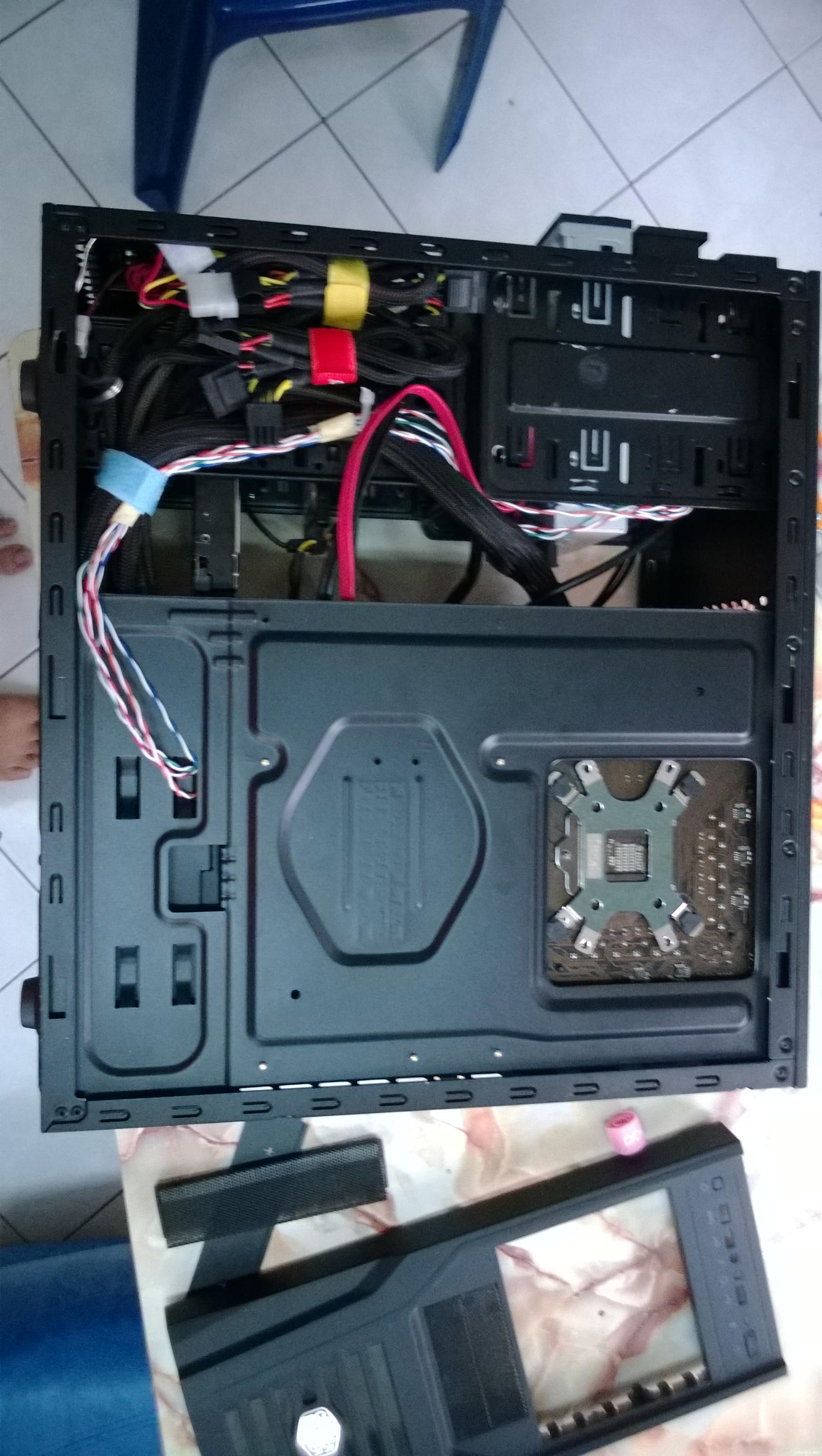
Kinda torn in between in these 2. Is the Rm100 difference worth it?
Casing recommendations thread, What to buy, where to buy, how much?
|
|
 Oct 8 2013, 09:55 AM Oct 8 2013, 09:55 AM
Return to original view | Post
#1
|
 
Senior Member
2,313 posts Joined: May 2009  
|
Hey guys I wanna know what do u guys think about NZXT Phantom 530 n 630? Which is more better for setting up a water cooling system including the GPU wb as well.
Kinda torn in between in these 2. Is the Rm100 difference worth it? |
|
|
|
|
|
Oct 8 2013, 06:34 PM
Return to original view | Post
#2
|
|
Senior Member
2,313 posts Joined: May 2009
|
QUOTE(kueckcinx @ Oct 8 2013, 06:26 PM) so u want to change case? What case u come from same case as u CM Elite 431 Plus lols.. cable management has been headache among all cases that I have ever bought. IMO that 630 has a bigger space for WC   » Click to show Spoiler - click again to hide... « I might go with Phantom 530 with some cable extension. As far I see from review space isn't much issue in both casing as front modular cage can be removed. It's a hundred bucks diff >< This post has been edited by gxthelord: Oct 8 2013, 06:35 PM |
|
|
Oct 8 2013, 06:50 PM
Return to original view | Post
#3
|
|
Senior Member
2,313 posts Joined: May 2009
|
QUOTE(kueckcinx @ Oct 8 2013, 06:44 PM) wow i tot im the only one lol ikr~! such a headache case but oh well u get what u pay for I guess. I'm thinking of 530 cuz one of my mobo pin is needed to be routed from top left of the casing. Aside of that I wanna set up push pull config for my radiator on top. Here's my latest update on my current case. U can see if using push pull config is impossible to mount on top(the Z77 box thingy) is blocking, and if u see closely got one cable beside that box that needed to be routed. For 410 seems to be very tight on top. i gonna change to Phantom 410 SE Gunmetal haha. Cable management sucks in this case. And its pulling my 670 down This post has been edited by gxthelord: Oct 8 2013, 06:51 PM Attached thumbnail(s) 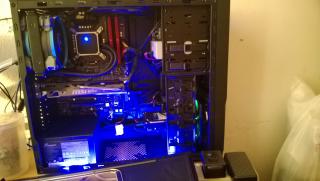
|
|
|
Oct 8 2013, 07:11 PM
Return to original view | Post
#4
|
|
Senior Member
2,313 posts Joined: May 2009
|
QUOTE(kueckcinx @ Oct 8 2013, 06:56 PM) i never planned for WC lol.. Just air cooling with Hyper 212 EVO XD lols basicly right as long ur input>output then okay already(positive pressure). I don't think got much difference and not to say much fan the better. I rmb reading in one test they just have one or two exhaust and a input does the well than other config(need find back that link).Btw how many Celsius drop if i swap case?  And fan config, air pressure really confuse me lol And fan config, air pressure really confuse me lol  As long got good airflow its sufficient imho. Maybe 1C - 3C temp drop but our country so hot so yeahh  Edit: Found one of the linky Tomshardware This post has been edited by gxthelord: Oct 8 2013, 07:13 PM |
|
|
Oct 8 2013, 07:46 PM
Return to original view | Post
#5
|
|
Senior Member
2,313 posts Joined: May 2009
|
QUOTE(kueckcinx @ Oct 8 2013, 07:36 PM) What's gpu with direct heat exhaust? Does our twin frozr is like this? So phantom 410 is suitable for me mah in your opinion? definitely suit u lor~ Most important u like it! ^^I think means like pushing the air to behind coming out. So yeah I think its like our twinfrozr |
|
|
Oct 8 2013, 08:10 PM
Return to original view | Post
#6
|
|
Senior Member
2,313 posts Joined: May 2009
|
QUOTE(kueckcinx @ Oct 8 2013, 08:03 PM) I love the design of phantom 410 wun ba.. u can check the temperature ma. So if positive pressure den will overpressure our twin frozr liao? And can I move my casing with hyper 212 evo? Move upstairs and downstairs cuz I scare heavy heatsink wreak our motherboard lol  See how much diff lo. IMHO maybe won't be much difference. But according to your pic the cables u put on there will block air flow come in from the front of your casing. Try put them behind or below so the air can flow in thru from the front fan See how much diff lo. IMHO maybe won't be much difference. But according to your pic the cables u put on there will block air flow come in from the front of your casing. Try put them behind or below so the air can flow in thru from the front fan |
|
|
|
|
|
Oct 8 2013, 08:19 PM
Return to original view | Post
#7
|
|
Senior Member
2,313 posts Joined: May 2009
|
hmm maybe u can try routing it from on top? like mine in the pics above.
|
|
|
Oct 8 2013, 08:40 PM
Return to original view | Post
#8
|
|
Senior Member
2,313 posts Joined: May 2009
|
QUOTE(kueckcinx @ Oct 8 2013, 08:30 PM) Routing with atx 24pin? So tomoro I need unplug all the site and redo? sort of~ But its up 2 u. If u are getting ur new case soon, can just leave it as it is since u r unplugging everything. It does take some time to think tho |
|
|
Oct 10 2013, 11:41 PM
Return to original view | Post
#9
|
|
Senior Member
2,313 posts Joined: May 2009
|
QUOTE(kueckcinx @ Oct 8 2013, 08:30 PM) Routing with atx 24pin? So tomoro I need unplug all the site and redo? Got my casing already Btw its soo large LOL.. Didn't know it until it arrrived at my door. » Click to show Spoiler - click again to hide... « This post has been edited by gxthelord: Oct 10 2013, 11:41 PM |
|
|
Oct 10 2013, 11:46 PM
Return to original view | Post
#10
|
|
Senior Member
2,313 posts Joined: May 2009
|
QUOTE(kueckcinx @ Oct 10 2013, 11:44 PM) Whoa dude so nice ! hmm u can buy extension~ how come not long enough? U mean the cable from the Motherboard to your DVD ROM or the one from Power Supply to your DVD ROM?Looks like I'm oso gonna take a phantom 410 when idealtech have stock!  I got a question : how to give power to the DVD Rom when the sata power cables are like ribbon and cannot reach to DVD Rom there? |
|
|
Oct 10 2013, 11:58 PM
Return to original view | Post
#11
|
|
Senior Member
2,313 posts Joined: May 2009
|
QUOTE(kueckcinx @ Oct 10 2013, 11:49 PM) Power supply to DVD Rom cuz according to linustechtips it's hard to use ribbon type sata cables unless extension lol. So probably buy a extension. Btw how much u buy this case? Any add ons? haha the price I bought is 499 from a friend. Can do a tutorial about how u install everything into ah ? Erm.. I think linustechtips got teach about setting up everything. Pretty simple actually. So far nvr add anything inside yet, tried to add LED strips but it wasn't that nice. Your first build is it? ^^ |
|
|
Oct 11 2013, 12:06 AM
Return to original view | Post
#12
|
|
Senior Member
2,313 posts Joined: May 2009
|
QUOTE(kueckcinx @ Oct 11 2013, 12:02 AM) I got free led sleeving cable from idt.. it's my 1st build lol (2011 year end build) now saving money to buy lol. With thermal paste rm420(shipping, fan price included) wahh good buy as long u're happy with it. Regarding the cable i think most probaly u'll need an extension then |
|
|
Oct 11 2013, 12:18 AM
Return to original view | Post
#13
|
|
Senior Member
2,313 posts Joined: May 2009
|
QUOTE(kueckcinx @ Oct 11 2013, 12:10 AM) I still wondering how to put hdd and other stuff since it's my 1st time put my cpu into another case haha dun worry laa just be careful and apply force when needed. but I think your new casing don't need much screws cuz mostly are tool-less d. My case also never use until screw except screwing the SSD and PSU only. other don't need screws Refer to user guide  but I scare I use too much strength but if not enough strength to put then not tight but I scare I use too much strength but if not enough strength to put then not tight |
|
|
Oct 11 2013, 12:50 AM
Return to original view | Post
#14
|
|
Senior Member
2,313 posts Joined: May 2009
|
QUOTE(kueckcinx @ Oct 11 2013, 12:21 AM) Gpu, hdd, mobo leh? Lol Ermm only thing that need screw would be the Mobo I guess, GPU mine came with those thumb screw just can unscrew with hand HDD are tool less just snap in, same goes to DVD room. Nowadays casing are so good unlike last time all casings need screws to screw in every component. |
|
Topic ClosedOptions
|
| Change to: |  0.0203sec 0.0203sec
 0.49 0.49
 7 queries 7 queries
 GZIP Disabled GZIP Disabled
Time is now: 6th December 2025 - 02:23 AM |
 Quote
Quote