

 Nov 10 2009, 01:32 PM


-----------------------------------------------
Installation
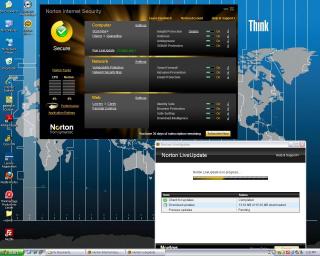
Installation screen was a straight-forward affair, click Agree and Install and it completes in a few minutes.
Features
The amount of options in the Settings screen was mind-bogling at first... It's as if there's a 101 things to check and uncheck.
I made sure I turn on the anti-virus, firewall, anti-phishing and I'm set.
Anti-virus
Scanning took a while due to the amount of files I have on my hard disk. After it completed, it asked me to fix some Tracking Cookies issues.
I noticed that it gave me an option to do Low Priority scanning when I minimised it. With the Low Priority scanning, my computer was still
very responsive and I was able to continue doing my stuff as usual.
Firewall
The Smart Firewall was not instrusive when turned on, although I preferred it let me know when programs are trying to access the Internet
Anti-phishing
NIS 2010 installs plugins in both IE and Firefox. The Norton Site Safety puts a green tick on links to legitimate websites. Nice reminder to
let you know you're looking at a safe website to visit.
Overall
NIS 2010 gave me good impressions on my trial use. I'm happy to recommend it to anyone who's looking for a good anti-virus/firewall software.
Attached thumbnail(s)
 Quote
Quote
 0.0169sec
 0.60
0.60
 7 queries
 GZIP Disabled