QUOTE(Scud_eSpade @ Dec 3 2009, 06:58 PM)
Im an engineer in HDMI industry.
Let me clarify something. Not all HDMI are the same. HDMI are operated at Ghz frequency. It affects the resistance and conductance of the copper. Even loose connector does affect the transmission. To pass the HDMI certification test, manufacturer have to pass the eye pattern/diagram that are determine by the spec.
There are 2 category of the test.
Category 1 - equivalent to 720p or 1080i (74.5 MHz)
Category 2 - more than enough for 1080p (340 MHz)
a cable vendor can designate a cable as Category 1 or 2, but cannot specify a lower bandwidth, and consequently, all HDMI 1.3 compliance testing is done at at least 720p/1080i frequencies.
In case of Category 1 certified cable:
For high qualty cable, u should be able to transmit data without any error on 1080p device.
For a low quality cable, u must be very lucky for it to works on 1080p (yes, it can work)
Why? because no test to certify that the cable able to operate at least 1080p. Those low quality cable might just barely pass the test. You can buy certified category 2 cable to be sure. But of coz, prepare to pay more
hope this help
better you read all these "real world" empirical and business data below before throwing the engineer word in... there are other engineers around as well..
 http://www.audioholics.com/education/cable...testing-results
also about your cat 2 compliance, means nothing, the manufacturer could rate it cat 2 compliance at 2meter length and still make a non verified compliance 10meter version with the same series.....
One can build, for example, a 3-foot long 24 AWG cable with PE dielectric and bare copper conductors, have compliance testing done on it, and then go on to build a cable of a completely different length and design--say, a 25-foot long polyolefin dielectric cable with 28 AWG tinned copper conductors--and do no compliance testing at all. http://www.bluejeanscable.co.uk/articles/c...hdmi-cables.htm» Click to show Spoiler - click again to hide... «
What's a "Certified" HDMI Cable?
HDMI, as we've pointed out elsewhere, is a signal type that's given consumers no end of grief, especially where long runs of cable are concerned. Everyone would like to know, before buying a cable, whether it'll work with his equipment, at the distance involved. What's more (and more difficult), everyone would like to know not only that the cable will work not only with today's equipment, but with equipment likely to be in use in the future. We may be running eight-bit colour at 1080i today, but we'd like to know that it'll handle 16-bit colour, or 1080p, or some other as-yet-unforeseen thing, tomorrow.
The Myth of "1080p Certification":
As a result of this sort of anxiety, we get a lot of questions from customers about whether our HDMI cables are "certified" for 1080p. It's a natural question, especially given that if one shops around for HDMI cables, one will find a lot of cables which are said to be certified for 1080p. The answer to the question, however, is one that no one expects: our HDMI cables aren't certified for 1080p, nor are anyone's; there's no such thing as official 1080p certification.
So, why do so many vendors say their cables are certified for 1080p up to some distance or other? Well, it's hard to say why in every case, but we imagine that it's something like this. Most vendors aren't familiar with the details of the HDMI spec, or of official HDMI compliance testing; they don't know what tests are run, what conclusions are reached, and what formal approvals or certifications are issued as a result. So they ask their Chinese supplier of HDMI cable assemblies. When the question comes through, "are your cables certified for 1080p?" the supplier tries to give a sincere answer to what he thinks is the gist of the question: "will the cable handle 1080p?"; and he says "sure, but I wouldn't run it longer than about X feet." And up on the vendor's site goes: "our HDMI cables are certified for 1080p up to X feet." The "certification" process, in other words, is more or less, "Hey, Joe, how long can I run this cable?" followed by "Ah, I dunno. About ten yards?"
What Does Official HDMI Certification Really Amount To?
I can hear you asking: "but the HDMI organization requires compliance testing, doesn't it?" Indeed it does, but the details of that compliance testing are not what people sometimes expect them to be. To fully understand exactly what the different compliance testing standards mean, it's necessary to stop and talk briefly about some changes that have been made to those testing standards along the way. Before HDMI 1.3, an HDMI Adopter submitting cables for testing had the option of specifying a restricted cable bandwidth; he could say that the testing should be run at 480p rather than at high-def resolutions, and his compliance with the spec would be judged at that lower resolution. This makes an enormous difference to the test result; it is very easy to get a compliant "eye-pattern" result if one can run the signal at 270Mbps (480p) rather than 742.5Mbps (720p or 1080i). Accordingly, it's not always possible to be sure what an HDMI 1.2 certification means; it may mean that the cable is compliant up to 720p and 1080i at the tested length, but it may not.
Under HDMI 1.3, a couple of things changed. There are now two layers of compliance testing possible, one called "Category 1," equivalent to 720p or 1080i, and the other called "Category 2," a higher-bandwidth spec; a cable vendor can designate a cable as Category 1 or 2, but cannot specify a lower bandwidth, and consequently, all HDMI 1.3 compliance testing is done at at least 720p/1080i frequencies. The "Category 2" criterion doesn't correspond neatly to any commonly-used resolution or colour depth, but instead runs the eye-pattern tests at 1.65Gbps and 3.4Gbps, with the latter rate run through a reference "equalizer" formula which corrects some of the signal degradation. The Category 2 test's 1.65Gbps rate exceeds the 1.485Gbps rate of 1080p/60/8 bit colour, so although it isn't really a 1080p test, it's a bit more stringent and is fairly close.
The other element of the test that changed with HDMI 1.3 was that the eye-pattern test became stricter. In particular, the input signal level dropped from 500mv to 400mv, a loss of about 1 dB, while the standard for evaluating the signal at the cable's output did not change. Consequently, a cable that barely passed 1.2 at a given length will not pass 1.3's Category 1 testing. Not surprisingly, most of the relatively long-length compliance certificates we have seen were issued under 1.2.
Now, there's a complicated sort of "kicker" here. The HDMI Adopter Agreement specifies that compliance testing is required only for a manufacturer's first product in a product category. So if one is a manufacturer of cable, all that has to be done is to meet compliance testing, once, for a single batch of cable. After that, no external compliance testing is required by the HDMI Adopter Agreement. One can build, for example, a 3-foot long 24 AWG cable with PE dielectric and bare copper conductors, have compliance testing done on it, and then go on to build a cable of a completely different length and design--say, a 25-foot long polyolefin dielectric cable with 28 AWG tinned copper conductors--and do no compliance testing at all. The HDMI Licensing organization has taken steps toward changing this situation, and has inserted into the Compliance Testing Specification some language indicating that a cable cannot be deemed "compliant" and therefore eligible to bear the HDMI trademarks unless it's been shown compliant up to the length being sold. However, these provisions presently are probably not enforceable because they squarely conflict with the Adopter Agreement, and they are routinely ignored.
A Source of Real Information: Compliance Testing Certificates
To know what a particular manufacturer's compliance with HDMI really means, one needs to see something more than a mere assertion by the seller that the cable is compliant. There is a document which you can ask a seller of HDMI cable for a copy of, and which shows explicitly which version of the spec, and what length of cable were tested and shown compliant. That's the Certification of ATC testing. Here are two of ours: Category 1 Certificate; Category 2 Certificate.
If you're a consumer of HDMI cable, and you write to a supplier asking for a copy of his compliance certificate, you may find that you get some rather odd responses. There are at least a few reasons why this may happen:
* The supplier--even if his brand is on the cable jacket--may have no idea what a compliance certificate is.
* The supplier is not an HDMI Adopter; he sources his cable from a Chinese factory that supplies many different brands, and the factory's name is on the certificate. He will not supply you the certificate because he doesn't want that information to get out.
* The certificate is for a short run of cable, and the cable he's selling is much longer.
Still, it's not a bad idea to ask for a certificate, especially if extraordinary claims are being made about the cable's compliance with spec over long distances.
Certification and Distances:
One of the things that surprised us, when we began to seek out HDMI compliance certificates from vendors seeking to sell us HDMI cable, was that very few suppliers seemed to have certificates for cables at respectable lengths. After considerable search, the longest compliance certificates we've seen, other than our own, are for 40-foot cables, and were issued under HDMI 1.2 or earlier. Our Belden Series-1 Bonded-Pair HDMI has been issued a 45-foot compliance certificate under 1.3 Category 1, and that is the longest we have seen under any version of the spec.
Are there any compliant 50-foot cables (excluding "active" cables with booster/EQ circuitry built in)? Probably not, though the HDMI licensing people don't publish the details of all the certificates they've issued and so it's impossible to be sure without getting certificates from every adopter. But 50-foot cables bearing the HDMI trademarks are very easy to find, despite the fact that every one of them is presumably noncompliant.
What Does That Mean if I Need to Run HDMI Over Distance?
The failure of long cables to meet the HDMI spec is not as bad as it might seem, in practice, because spec compliance and actual function are two different things. The spec is designed so that three devices (a source, a cable, and a display), all of which just barely pass spec, can be hooked together and can still be counted on to work. The source is required to put out a signal no worse than a specified standard; the cable is required to degrade that signal no further than another specified standard; and the display is required just to be able to reconstitute the data from a signal which has reached that precise level of degradation. In pracice, most source and display devices exceed these standards; sources put out better-quality signals than the bare minimum required, and displays are capable of recovering data from signals which fail the spec.
Taking an example from our own experience: our Series-1 cable has been certified as passing the Category 2 spec at 25 feet, and judging from the details of our test results, would pass at something like 28 or 29 feet but not quite make it to 30. Running long samples of this cable between a cheap upconverting DVD player and a 1080p display, we found that it worked perfectly at 125 feet. At 150 feet, it worked quite well, but we could see about one digital dropout per minute of video--eminently watchable, but obviously not perfect. So the cable would pass the spec at 28 feet, but works just fine at 125, over four times as long.
Why is that? Well, there are probably several reasons. First, some receiving circuits are very good at taking in degraded signal and recovering it. Second, it's easier to recover a clean but heavily attenuated signal than to recover a strong but "dirty" signal, and the consistent impedance and low return loss characteristics of the Series-1 cable lend themselves to keeping the signal clean even as its level drops lower and lower. Third, equipment is highly variable; although this worked well on a Toshiba upconverting DVD player feeding a Sony 1080p plasma, one cannot easily know whether it would work just as well on some other combination of equipment.
But that leaves us with a problem: one can say, by setting it up and plugging it in, whether a particular source and load will work with a particular cable under particular settings. But what can one say without plugging it in? Not much, unfortunately. A cable may pass spec and fail in use; it may fail spec and work well; and it may work with some devices and not with others, or at some resolutions and not others. But there's no good way to predict when, or understand why. If one uses the new "Category 2" spec as a surrogate for 1080p testing, it quickly becomes evident thata "compliant" cable length will be restricted; the cable either needs to pass attenuation specs that are fairly tight, or needs to pass "eye-pattern" testing, which becomes extremely difficult for cables of any great length because of impedance control issues. But the relationship between "compliant" cable and actual in-use success is hard to establish and predict.
Will there ever be an answer to this problem? Probably not. The HDMI signal is absurdly fragile, and the inherent limitations on impedance stability in twisted pair cable, coupled with practical cable size-and-weight limits imposed by the need to affix the tiny HDMI connector and keep the cable to a size that won't yank it right out of the jack due to weight or inflexibility, make it unlikely that it will ever be possible to say, categorically, that a cable of significant length will reliably work in all applications. We will continue to work on developing new HDMI products to address this problem, whether they be better-performing cables or booster/EQ adapter units. In the meantime, the best assurance against future failure of your HDMI connections, when new gear places increased demands on the HDMI interface, is to source the highest-quality cable you can.
Added on December 3, 2009, 11:16 pmQUOTE(Ngto @ Dec 3 2009, 10:56 PM)
I think I should buy extremely good quality USB cables so that my '0' and '1' will be boosted with extra juice and suddenly my USB drive DVD quality video become Blu-ray Quality video

nice wish !
anyway bad HDMI image looks like this..
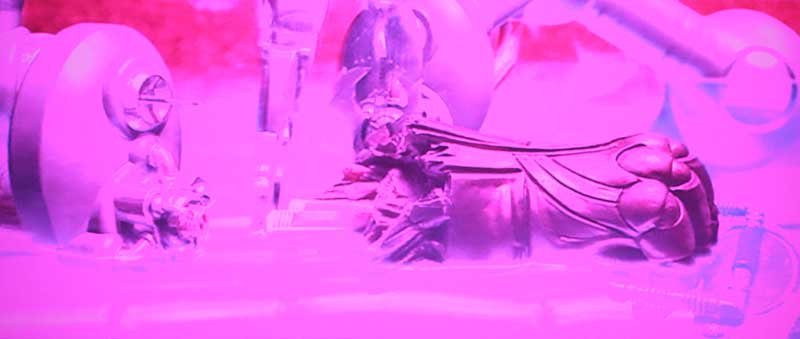
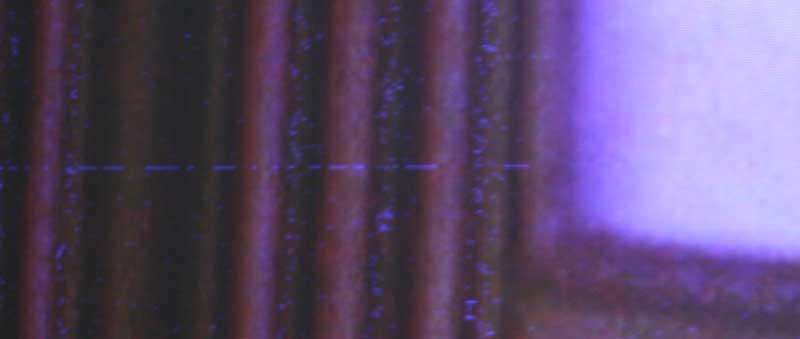
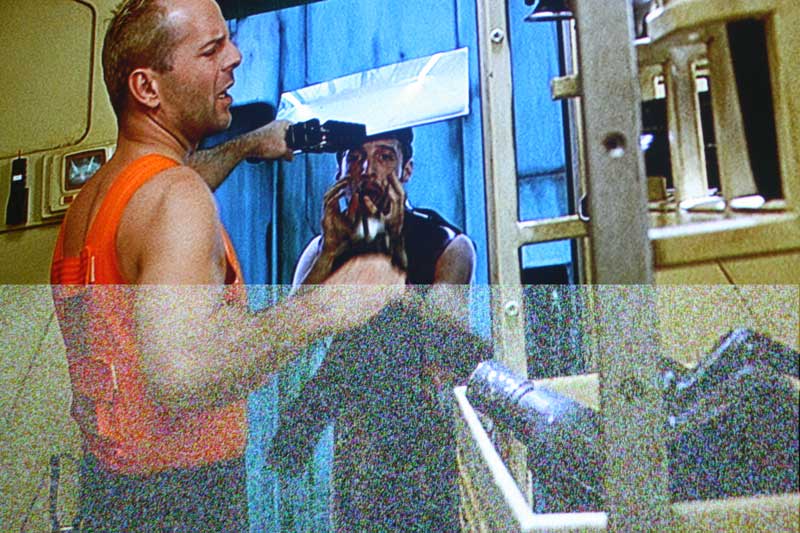
there goes all your less bright, less sharp, blurrer , less vivid image due to upgrading to more expensive brand of HDMI cable nonsense..
This post has been edited by ar188: Dec 3 2009, 11:16 PM 

 Dec 3 2009, 05:14 PM


 Quote
Quote




 :
:

 0.0274sec
 0.78
0.78
 6 queries
 GZIP Disabled