

need some advice about cable management.....

Cable Management Thread V2, Share your cabling tricks here
|
|
 Sep 22 2010, 02:26 PM Sep 22 2010, 02:26 PM
Return to original view | Post
#1
|
 
Junior Member
80 posts Joined: Aug 2009  
|
anyone using USP 100??
need some advice about cable management..... |
|
|
|
|
|
Sep 25 2010, 12:22 PM
Return to original view | Post
#2
|
|
Junior Member
80 posts Joined: Aug 2009
|
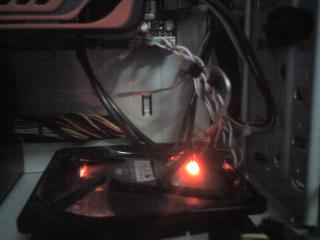
here my usp 100..
need some advice about the cable management... 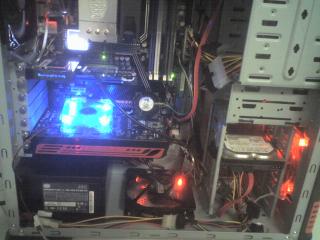


|
|
|
Sep 25 2010, 07:46 PM
Return to original view | Post
#3
|
|
Junior Member
80 posts Joined: Aug 2009
|
QUOTE(k3lvinng007 @ Sep 25 2010, 12:58 PM) quite messy... cannot do that..if i face the HDD into the other side..i cant close my other side side panel..i think u should face ur HHD behind so that the wire at behind sleeve ur fan cable and ur front IO wire.. btw if i am not mistaken u put in a socket 370 HSF de fan?  yeah i put it since my old PC has broken into pieces because of my experiment..hehe  Added on September 25, 2010, 7:49 pm QUOTE(mpstr @ Sep 25 2010, 01:03 PM) bro, if u go tru this thread.. thanks bro...this will give me an idea to re arrange it back...its realy helpful..theres a user using same casing of urs...USP 100.. try to look at his/her cm... i try to search for u... Added on September 25, 2010, 1:06 pmhere it is... http://forum.lowyat.net/topic/1202012/+520# Added on September 25, 2010, 1:11 pm here it is... try to look at how this guy done his cm.. i never done any cm before.. so i dun think i can talk much... sifus and senior member always there for u.. p/s - actually im going to do my cm by this this week...but still havent start yet so just go tru this thread from 1st page..lots of thing about cm u can learn.. Added on September 25, 2010, 7:54 pm QUOTE(deric88 @ Aug 19 2010, 11:32 AM) Kinda love this casing, USP 100. how can ur usp 100 have hole to manage the 24 pin cable for ur psu??Really easy for cable management  not perfect though, but good enough for me my usp100 dont come with that hole....  This post has been edited by lubau: Sep 25 2010, 07:54 PM |
|
|
Sep 26 2010, 11:12 AM
Return to original view | Post
#4
|
|
Junior Member
80 posts Joined: Aug 2009
|
QUOTE(k3lvinng007 @ Sep 25 2010, 08:27 PM) haha dun worry...if u notice ur mobo is bigger than his and ur mobo has covered the hole... i have check it n there no hole back there..i think he do a little modding....try open ur right side panel see to verify... Added on September 26, 2010, 11:14 am QUOTE(ronaldjoe @ Sep 25 2010, 09:27 PM) It's very messy yeah..but i have re arrange it yesterday...i will show it later... There r a lot of areas to be improved.Added on September 26, 2010, 11:17 am QUOTE(mpstr @ Sep 26 2010, 05:30 AM) i just bought a USP 100 for my friend.. it really have the hole?? i check mine n there no extra hole....look at the holes provided by this casing.. i think cm can easily be done.. the prob just now we are facing is the PSU cable not long enuf.. after using the extension then the 4-pin cable can be hide behind the mobo.. currently no pics...sorry.. yeah the PSU cable it not long enough so i just bought the extension.... This post has been edited by lubau: Sep 26 2010, 11:17 AM |
|
|
Sep 28 2010, 12:28 PM
Return to original view | Post
#5
|
|
Junior Member
80 posts Joined: Aug 2009
|
QUOTE(izdihar88 @ Sep 28 2010, 01:54 AM) @lubau:\ thanks dude...one more thing...how do u manage to turn the HDD to the other side...i mean ur HDD sata cable at the other side...i try mine but if i do it i cant close the side panel...yup,im very sure usp100 did come with the hole that can fit the 24 pic cable,n im also using big mobo,didnt cover that square hole pun, sure have punye...here i attach my rig,after so long time didnt update,hehehe... the 1st pic i the latest 1.. the 2nd pic is the old when i buy this.... hope can give u idea for ur CM bro..!!  |
|
|
Sep 28 2010, 12:39 PM
Return to original view | Post
#6
|
|
Junior Member
80 posts Joined: Aug 2009
|
QUOTE(ikan_semilang @ Sep 28 2010, 12:31 PM) U need buy L sata cable.. owh..thank bro...that should help...  |
|
|
|
|
|
Sep 28 2010, 12:51 PM
Return to original view | Post
#7
|
|
Junior Member
80 posts Joined: Aug 2009
|
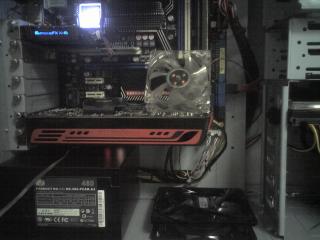
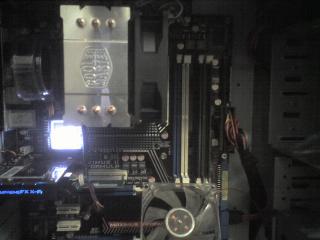
i have re arrange the cable back...look quite good..the only thing left is dont know how to manage the sata cable for HDD..still dont know to figure it out...
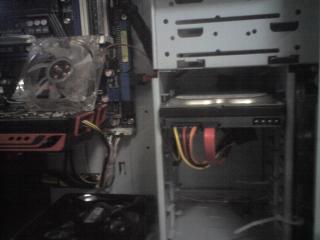
|
|
|
Sep 29 2010, 08:26 AM
Return to original view | Post
#8
|
|
Junior Member
80 posts Joined: Aug 2009
|
QUOTE(mpstr @ Sep 29 2010, 12:08 AM) yeah! thankz dude...i think i should use cable sleeve but the problem is cable sleeve its really hard to find in melaka...nice improvement... next..cable sleeve bro...sure looks nicer and neat! about the HDD, have try the L sata like bro ikan_semilang mentioned? |
|
|
Oct 1 2010, 04:09 PM
Return to original view | Post
#9
|
|
Junior Member
80 posts Joined: Aug 2009
|
dont have money to buy cable sleeve...but get free spiral from office...hehe so just use it for the moment...


|
|
|
Oct 4 2010, 05:23 PM
Return to original view | Post
#10
|
|
Junior Member
80 posts Joined: Aug 2009
|
QUOTE(da drummer @ Oct 1 2010, 12:08 PM) pls give comment to my cable just buy bigger mobo...hehehe  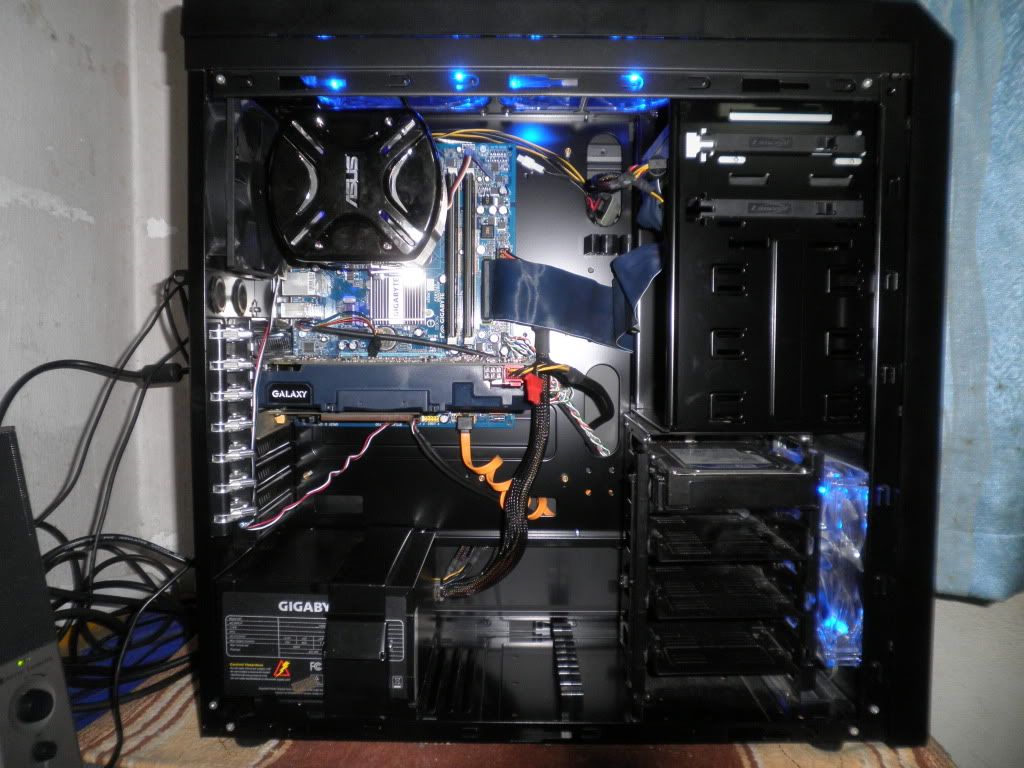 |
|
|
Oct 4 2010, 10:08 PM
Return to original view | Post
#11
|
|
Junior Member
80 posts Joined: Aug 2009
|
QUOTE(da drummer @ Oct 4 2010, 05:54 PM) no money no la...these day sli mobo is realy easy to find n the price not so expensive...  plus im looking for mobo for sli..hard to find plus im looking for mobo for sli..hard to find  |
| Change to: |  0.0397sec 0.0397sec
 0.58 0.58
 7 queries 7 queries
 GZIP Disabled GZIP Disabled
Time is now: 10th December 2025 - 03:43 PM |
 Quote
Quote