Outline ·
[ Standard ] ·
Linear+
Cable Management Thread V2, Share your cabling tricks here
|
gxthelord
|
 Oct 5 2013, 03:11 AM Oct 5 2013, 03:11 AM
|

|
» Click to show Spoiler - click again to hide... « Surprisingly those cheap rm5 ties works well, now just need find black coloured or paint them black. Still can be done more I think gonna use ideas from Ace's case to hide the middle part soon. Case: Cooler Master Elite 431 Plus, been headache for me for this case LOL This post has been edited by gxthelord: Oct 5 2013, 03:11 AM |
|
|
|
|
|
gxthelord
|
Oct 6 2013, 10:02 PM
|
|
|
QUOTE(djlah @ Oct 6 2013, 01:59 PM) very good cable management  looks good. thanks to alot to lyn members especially rav3n82 , lol can check my thread regarding the cm cable management. Took me few weeks and even to an extent a few stitches  Thread >> CM Elite 431 Plus Cable Management |
|
|
|
|
|
gxthelord
|
Oct 6 2013, 10:04 PM
|
|
|
QUOTE(Zzorro @ Oct 6 2013, 03:48 PM) oic but....  y the fan terbalik  |
|
|
|
|
|
gxthelord
|
Feb 14 2014, 04:19 PM
|
|
|
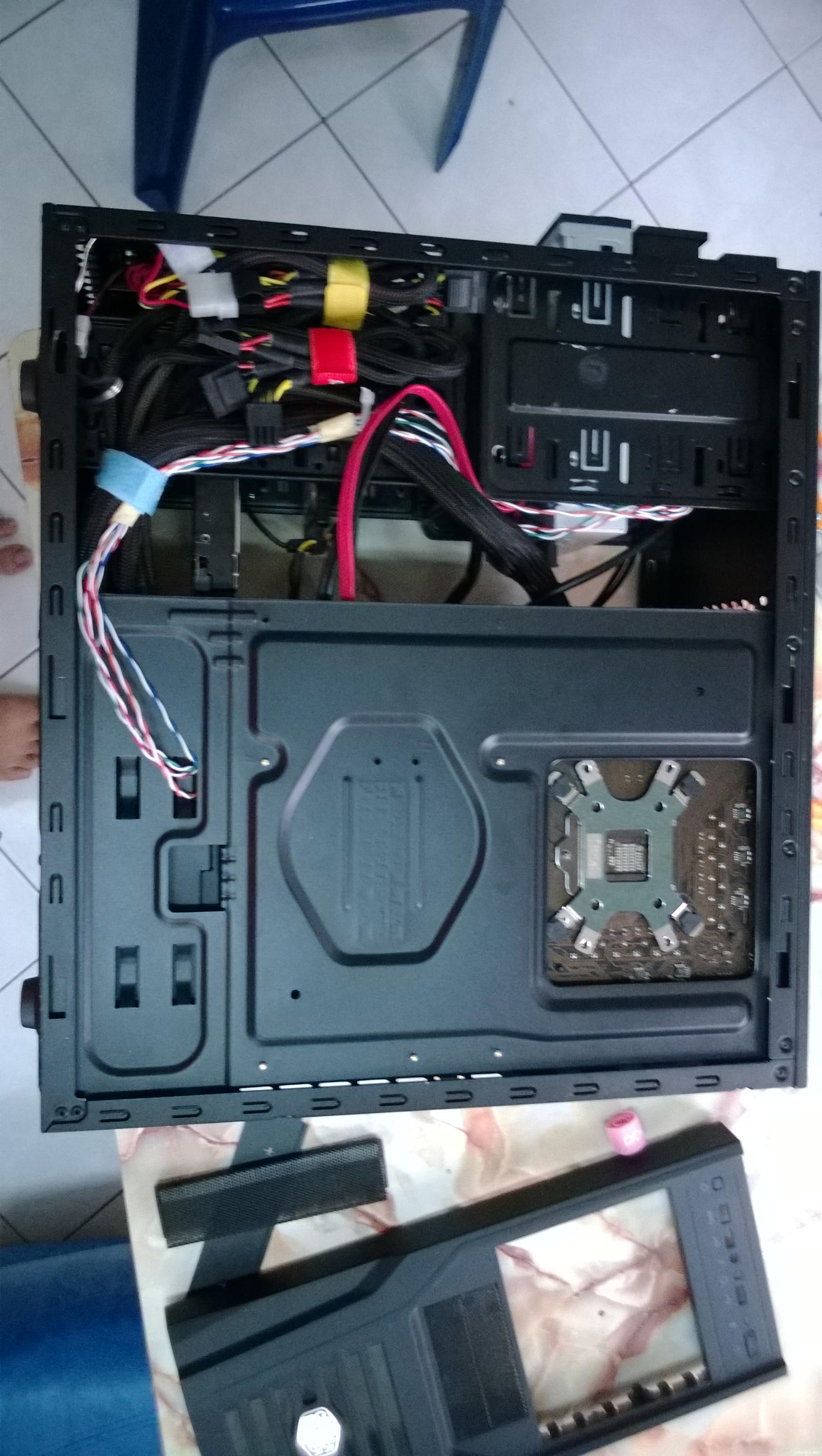
 Newbie in da house. Non Modular on 250D. Tied down yellow cables are for GPU kept for future use where as the other is un-used sata ports. All molex are kept on top. ^^ |
|
|
|
|
|
gxthelord
|
Feb 16 2014, 09:48 PM
|
|
|
QUOTE(muhiann @ Feb 16 2014, 08:59 PM) Masa lapang yang banyak di hari minggu. very hot weekend days.  good for cuci2 and manage cable. Corsair Carbide 500r    banyak cantik wehyy~~ Btw can u give some advise on routing the usb cable for the corsair h100i? Mine just look so weird ._."  |
|
|
|
|
|
gxthelord
|
Feb 16 2014, 11:14 PM
|
|
|
QUOTE(muhiann @ Feb 16 2014, 10:43 PM) tq.your rig also cantik. usb cable tu can route at the back casing by follow the 8pin cpu power cable then out from under the mobo to connect to the usb pin. aiyak totally forgot can route that way ==" ingat terlalu pendek. >< Will try your suggestion and see how it goes. Thanks ya! ^^ |
|
|
|
|



 Quote
Quote

 0.0196sec
 0.77
0.77
 7 queries
 GZIP Disabled