

» Click to show Spoiler - click again to hide... «
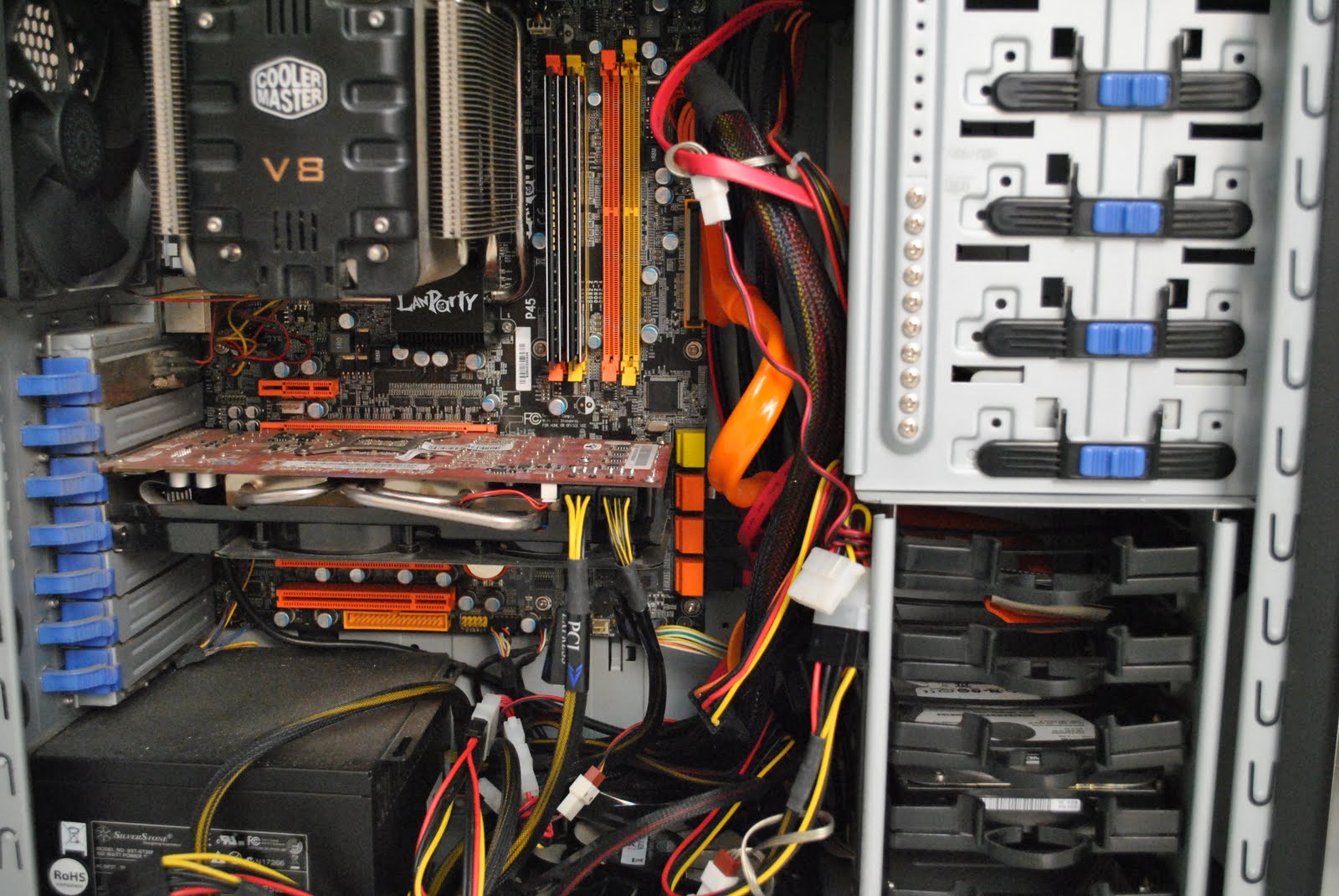
After
» Click to show Spoiler - click again to hide... «
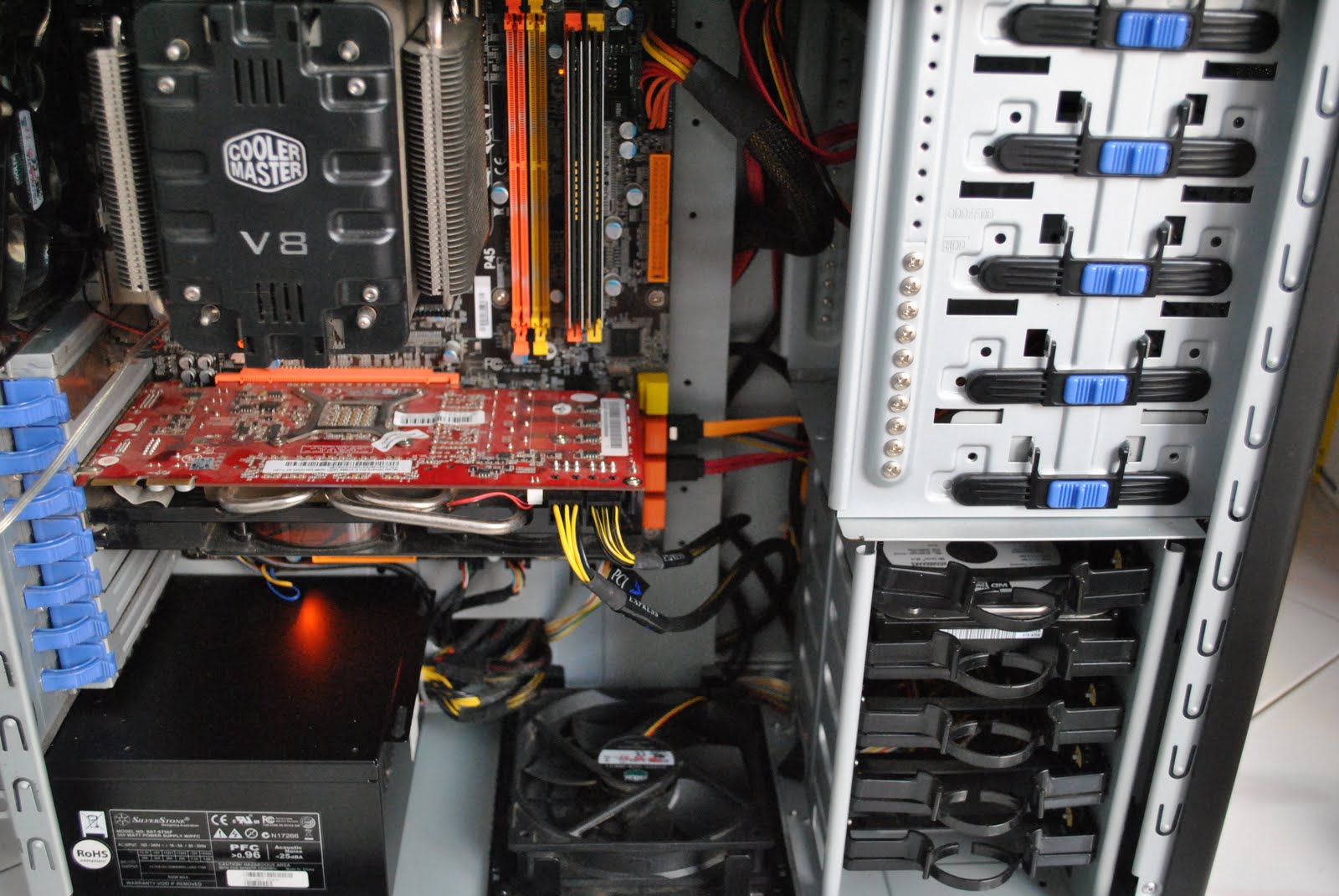
Still dusty

Cable Management Thread V2, Share your cabling tricks here
|
|
 Jul 13 2010, 11:46 AM Jul 13 2010, 11:46 AM
Return to original view | Post
#1
|
 
Junior Member
438 posts Joined: Aug 2008  
|
Before
» Click to show Spoiler - click again to hide... « After » Click to show Spoiler - click again to hide... « Still dusty |
|
|
|
|
|
Jul 13 2010, 09:56 PM
Return to original view | Post
#2
|
|
Junior Member
438 posts Joined: Aug 2008
|
QUOTE(rzs77 @ Jul 13 2010, 08:58 PM) Forgive me if I'm wrong and this is out of topic, but i think your ram is not running dual channel right? Or is it different for intel? I thought to run dual channel, u have to put each ram sticks at the corresponding colored ram slot? I actually dunno bout this.. Again, i could be wrong and feel free to correct me   But i think it just colour... But i think it just colour...Oh wait... i go find Mobo manual... Editted: Manual say it support dual-channel.. Now i change it dual channel, put ram at the corresponding colored slot... This post has been edited by em0ti0n: Jul 13 2010, 10:41 PM |
|
|
Jul 14 2010, 12:11 AM
Return to original view | Post
#3
|
|
Junior Member
438 posts Joined: Aug 2008
|
QUOTE(rzs77 @ Jul 13 2010, 11:53 PM) Huhu! Glad u can now run dual channel thanks for telling me,   i never noticed this b4  |
|
|
Oct 9 2011, 11:13 PM
Return to original view | Post
#4
|
|
Junior Member
438 posts Joined: Aug 2008
|
QUOTE(johnyblaze87 @ Oct 4 2011, 12:56 PM) » Click to show Spoiler - click again to hide... «  Maybe here can help u. Maybe here can help u. |
|
|
Oct 11 2011, 11:11 AM
Return to original view | Post
#5
|
|
Junior Member
438 posts Joined: Aug 2008
|
QUOTE(amduser @ Oct 11 2011, 11:01 AM) here is mine, just assemble it yesterday the 8-pin motherboard connector can't route to the back? if it is not long enough, maybe u should buy sleeved extension cable » Click to show Spoiler - click again to hide... « the 24pin cables has been moved to the front, the 2nd pic is taken earlier on the north bridge power connector is a pain, the cable is too far at the connector is too far away  |
|
|
Oct 11 2011, 02:16 PM
Return to original view | Post
#6
|
|
Junior Member
438 posts Joined: Aug 2008
|
QUOTE(amduser @ Oct 11 2011, 01:48 PM) all the unused cable is already behind mobo, at the other side of the casing to be exact Ur case is 400R is it? Try like this;the PSU cable i already route to the small hole between the mobo and psu, but still a lot is showing, the 24 is too thick and too short to put behind and the 8 pin is way too short, or my casing is too big  If cant reach, u can buy extension cable for it  |
|
|
|
|
|
Oct 17 2011, 02:10 PM
Return to original view | Post
#7
|
|
Junior Member
438 posts Joined: Aug 2008
|
QUOTE(leeborwei @ Oct 17 2011, 12:25 PM) How about my Cable management? still can improve? need some advice
» Click to show Spoiler - click again to hide... « cant see much and cant say much.. need better picture, not too close..btw, HAF 912 Adv? |
|
|
Dec 31 2011, 08:31 PM
Return to original view | Post
#8
|
|
Junior Member
438 posts Joined: Aug 2008
|
QUOTE(isyraq ariff @ Dec 31 2011, 12:16 AM) use unifi la bro.... u talk like unifi is available Malaysia wide.. |
|
|
Feb 15 2015, 12:29 AM
Return to original view | Post
#9
|
|
Junior Member
438 posts Joined: Aug 2008
|
QUOTE(kherel77 @ Feb 14 2015, 10:54 PM) At the back of mobo tray, very messy like instant curry noodle.... where u get/make the psu cover? im looking for one..» Click to show Spoiler - click again to hide... « And the result: » Click to show Spoiler - click again to hide... « |
|
|
Feb 15 2015, 12:45 AM
Return to original view | Post
#10
|
|
Junior Member
438 posts Joined: Aug 2008
|
|
| Change to: |  0.2385sec 0.2385sec
 0.41 0.41
 7 queries 7 queries
 GZIP Disabled GZIP Disabled
Time is now: 4th December 2025 - 10:34 PM |
 Quote
Quote


