Welcome Guest ( Log In | Register )

Outline · [ Standard ] · Linear+

 Cable Management Thread V2, Share your cabling tricks here

views
     
StuartLee2015
post Nov 14 2014, 12:25 AM

Regular
******
Senior Member
1,221 posts

Joined: Sep 2014
From: Malaysia


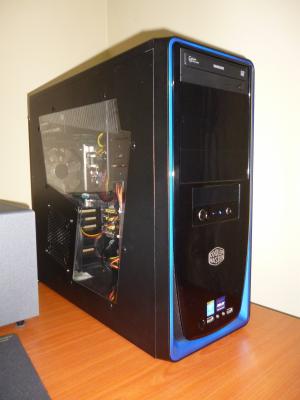
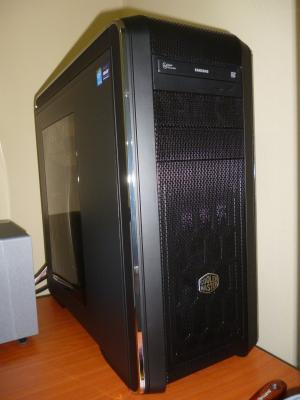
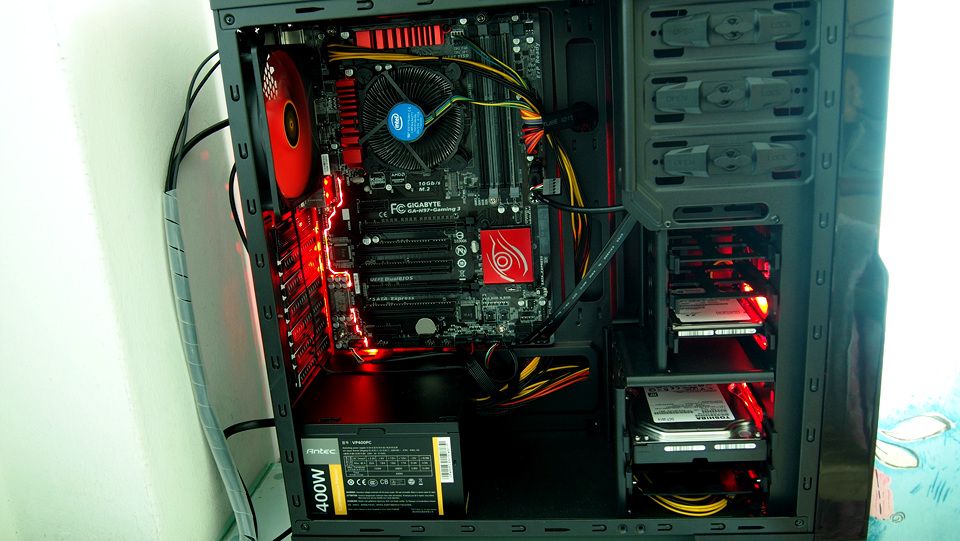
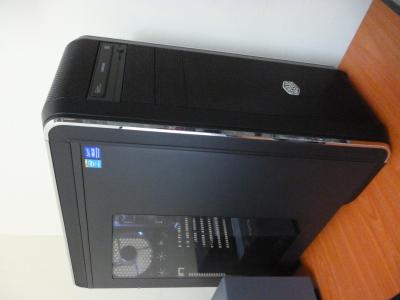
My new casing... CM690 III (2014)

My old casing is elite 310 (2009) used for 5 years.


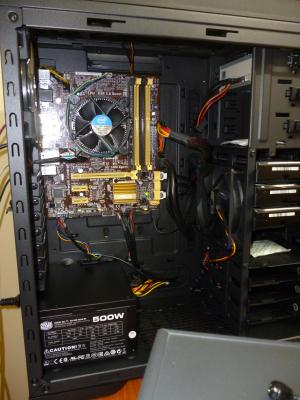
Planing to get Cable extension with colored sleeve. probably black, haha for the 24-pin ATX and 4-pin ATX.

Please comment on my latest rig.


This post has been edited by StuartLee2015: Nov 14 2014, 12:26 AM


Attached thumbnail(s)
Attached Image Attached Image Attached Image Attached Image Attached Image Attached Image Attached Image
StuartLee2015
post Nov 14 2014, 07:45 PM

Regular
******
Senior Member
1,221 posts

Joined: Sep 2014
From: Malaysia


QUOTE(ValityMental @ Nov 14 2014, 07:22 AM)
Bro , route the front I/O Panel cable to the back of the motherboard.

Like mine ,

I'm your brother tho , using CM 690 II Advanced  laugh.gif

[attachmentid=4215925]
*
Bro, i tried my best. smile.gif but could try again.
StuartLee2015
post Nov 15 2014, 08:11 PM

Regular
******
Senior Member
1,221 posts

Joined: Sep 2014
From: Malaysia


QUOTE(ValityMental @ Nov 15 2014, 11:41 AM)
No worry , practice make perfect ! smile.gif

Mine before when i'm still in water-cooling

[attachmentid=4217381]
*
Now you are in water cooling or air cooling?
StuartLee2015
post Nov 19 2014, 12:42 AM

Regular
******
Senior Member
1,221 posts

Joined: Sep 2014
From: Malaysia


i'd like to go for CM water cooling but, my mb have only 2 fan port, 1 is CPU fan and 1 is Chassis fan.
StuartLee2015
post Feb 16 2015, 10:57 PM

Regular
******
Senior Member
1,221 posts

Joined: Sep 2014
From: Malaysia


QUOTE(BOTAK_WAI @ Feb 16 2015, 10:22 AM)
el cheapo rig, long live diy  flex.gif

user posted image

user posted image
*
That red glow on the motherboard , how you do it? O.o
StuartLee2015
post Feb 16 2015, 10:58 PM

Regular
******
Senior Member
1,221 posts

Joined: Sep 2014
From: Malaysia


Here's mine, i sleeve myself, first time sleeve.
tongue.gif

user posted image
user posted image
user posted image

Casing is CM690 III.

All CM Fans. thumbup.gif

I also sleeved the intel's fan multi-color wire... smile.gif much more nicer now...


This is before sleeving.... sweat.gif
user posted image

This post has been edited by StuartLee2015: Feb 16 2015, 11:17 PM
StuartLee2015
post Feb 17 2015, 01:16 AM

Regular
******
Senior Member
1,221 posts

Joined: Sep 2014
From: Malaysia


QUOTE(BOTAK_WAI @ Feb 17 2015, 12:18 AM)
that's stock, built-in motherboard, plenty mobo have this, don't you know this?  shocking.gif
*
Yea, haha, didn't know, first time saw this. my motherboard timeline is ASUS board.

That board is probably high-end one, costing like over RM300+ ?

Oh yes, what's your processor?

mine's i5 4440.

This post has been edited by StuartLee2015: Feb 17 2015, 01:22 AM


Attached thumbnail(s)
Attached Image
StuartLee2015
post Feb 17 2015, 01:20 AM

Regular
******
Senior Member
1,221 posts

Joined: Sep 2014
From: Malaysia


QUOTE(kherel77 @ Feb 17 2015, 12:05 AM)
Nice effort bro....worth it! But small mobo make it quite hard to hide the cable compare ATX mobo in that casing...
*
Thanks bro!!


StuartLee2015
post Feb 17 2015, 04:58 PM

Regular
******
Senior Member
1,221 posts

Joined: Sep 2014
From: Malaysia


QUOTE(BOTAK_WAI @ Feb 17 2015, 06:50 AM)
maybe you can consider to change to this kind of motherboard  biggrin.gif
normally this type of motherboard has better onboard soundcard

It's not a high-end one, just a normal H97 chipset motherboard. H97 chipset motherboard the cheapest one also over RM300  sweat.gif
the processor is just an i3.

btw, your did the sleeve job nice.  thumbup.gif
CM690 III is a nice designed casing, just that the CM690 III is too big for your motherboard  tongue.gif
*
well, i was on tight budget at that time.... Saved money ngam ngam for the core and motherboard. If i get bigger motherboard, i not sure what to do with it's pci slots.... smile.gif

i don't use graphic cards and RARELY gaming.... best is GRID2...

I thought of the ASUS H97M-PLUS.

i3 which model btw?

I like that intel fan.. it's much nicer than mine tongue.gif all blue sticker and sharp and flat edges...

This post has been edited by StuartLee2015: Feb 17 2015, 05:00 PM
StuartLee2015
post Feb 17 2015, 09:39 PM

Regular
******
Senior Member
1,221 posts

Joined: Sep 2014
From: Malaysia


QUOTE(BOTAK_WAI @ Feb 17 2015, 05:41 PM)
i didn't get the small board because it's just RM20 difference. Bigger board I get a M.2 & sata express interface, more pci slots (although I don't give a shit on pci anymore), 2 more sata cables, and better VRM.  smile.gif
The sata cables alone already worth RM20, isn't it?  biggrin.gif

I don't game either. But if you would like to bring the best graphic of of GRID2, I think you should get a graphic card like GeForce GTX750Ti (low power consumption).

Don't waste money changing motherboard, use those budget to add a ssd.

mine is i3-4150. the heatsink fan looks junk to me. even my p4 1.5 old heatsink fan has a better built quality  blush.gif
maybe someday in future i might get a cooler master tx3 cooler for aesthetic purpose  whistling.gif
*
Can i have that intel fan tongue.gif ? haha... when you change to other cooler...


yea... tongue.gif But i kinda like H97M-Plus's additional Chassis Fan and M.2 , a black themed motherboard, no yellow like my B85M-G... haha... Might get the motherboard with SSD...
StuartLee2015
post Feb 17 2015, 10:15 PM

Regular
******
Senior Member
1,221 posts

Joined: Sep 2014
From: Malaysia


QUOTE(BOTAK_WAI @ Feb 17 2015, 10:11 PM)
don't think i will be changing it in short time because i3 doesn't need that sweat.gif
somemore i5 stock heatsink fan is better than i3 due to the heatsink got copper core.

old motherboard has low resale value and the new motherboard's price is ridiculous high due to price hike. not a wise decision to change a motherboard that is functioning well.  sweat.gif

but if you insist, you better upgrade to H97 PRO GAMER rather than H97M Plus. (if you only want Asus, otherwise you can opt for MSI or Gigabyte H97 Gaming 3)

M.2 price now is still freaking expensive.
*
Yea, secondhand value is bound to that low, mostly half or even lower if it's slightly older generation... Hmm... that H97 PRO GAMER is not really my type... i mostly surfing, watch movie and listen music....

I love that H97M-Plus's chipset heatsink and the heatsink design around the cpu... smile.gif
StuartLee2015
post Feb 17 2015, 11:28 PM

Regular
******
Senior Member
1,221 posts

Joined: Sep 2014
From: Malaysia


QUOTE(BOTAK_WAI @ Feb 17 2015, 10:40 PM)
well, design is very subjective. one man's meat is another man's poison biggrin.gif

btw, i doubt you can get the board easily because i think the board is just newly available in Malaysia.

Last month Asus website only has 3 H97 chipset motherboards, which are: H97-PRO GAMER, H97-PLUS, and H97M-E.

I think H97I-PLUS, H97-PRO, and H97M-PLUS are their new boards.

fyi, H97-PRO GAMER and H97-PLUS are currently priced at 445 and 420 respectively, if the H97M-PLUS is higher than RM420, definitely not worth buying.  smile.gif
btw, in order not out of topic, we talk about the cable management. Does this thread only talking about the in-casing cable management? no out-casing cable management discusion?  hmm.gif
*
ahaha... we got carried away... tongue.gif
StuartLee2015
post Mar 12 2015, 10:40 PM

Regular
******
Senior Member
1,221 posts

Joined: Sep 2014
From: Malaysia


QUOTE(kherel77 @ Mar 12 2015, 06:17 PM)
Here's my CM 690 III


Attached thumbnail(s)
Attached Image Attached Image
StuartLee2015
post Mar 13 2015, 09:15 PM

Regular
******
Senior Member
1,221 posts

Joined: Sep 2014
From: Malaysia


QUOTE(limadekad @ Mar 13 2015, 12:05 PM)
» Click to show Spoiler - click again to hide... «


can post picture behind mobo tray?
*
Hi, here smile.gif


Attached thumbnail(s)
Attached Image
StuartLee2015
post Mar 14 2015, 07:59 PM

Regular
******
Senior Member
1,221 posts

Joined: Sep 2014
From: Malaysia


QUOTE(limadekad @ Mar 14 2015, 08:25 AM)
tq  rclxms.gif  notworthy.gif

how wide is the space behind the mobo tray? how would you rate the case overall?
*
The space is 2cm, add to that the side panel indentation and you will have plenty of room for cable management....

The other side panel has large window for viewing pleasure smile.gif but first, must tidy up the cables

The top filter can be removed with just one thumbscrew and cleaned, but the front filter will need you to remove both side panel and then push the whole front panel, and then remove the filter for cleaning.

Just my cleaning routine, I clean all those filter, and brush off dust of my hdd, motherboard, fans, once a week. You can clean them twice a week.
StuartLee2015
post Apr 5 2015, 11:18 PM

Regular
******
Senior Member
1,221 posts

Joined: Sep 2014
From: Malaysia


Current rig cable management.


Attached thumbnail(s)
Attached Image


Change to:
| Lo-Fi Version
0.0256sec    0.46    7 queries    GZIP Disabled
Time is now: 3rd December 2025 - 06:10 PM