Universal Battery Tips
*Follow the laptop battery rules: Your phone's lithium-ion battery benefits from the same best battery practices for a laptop. If your battery is new and decent enough, don't keep it plugged in all the time, or it dies the death of a thousand tiny discharges. Use the battery almost all the way when you use it, charge it when it needs it, and, if necessary, let it completely run down and recharge it every so often to refresh its own sense of longevity.
*Keep it cool and out of pocket: If you're outside, don't leave your phone facing the direct sunlight. If you can pull it off without looking like a hyper-aggressive real estate agent, belt-clip your phone, or generally keep it out of your pocket and away from close quarters with your body heat.
*Switch off 3G when it's unnecessary: It's faster than EDGE or GRPS and can deliver both voice and data in a continuous stream to your phone. It also uses up quite a bit more power. When you've got good coverage and plan to mostly talk, or just get occasional email updates, you don't need such wide wireless pipes. Switch to EDGE/2G usage in your settings, preferably with a widget or shortcut.
*Switch off any unneeded service: Goes without saying for anyone who's learned the hard way. Having your phone constantly look for new Bluetooth devices, Wi-Fi hotspots, GPS positions, and Exchange server emails that don't arrive at 4 a.m. will definitely kill your battery. Find the most convenient way your phone offers to turn these things off, or automate their use, and act on it.
*Be frugal with background applications and notifications: It feels like living in the future when new emails, Twitter messages, Facebook updates, calendar appointments, and other minutiae are delivered minute-by-minute to your phone. Your battery lives in the present, though, and could use a break from your hyper-awareness. If you've got a phone that can keep multiple applications "open" for quicker access (Android, Pre, Windows Mobile), don't feel obligated to keep them present.
*Use a black or dark theme: Except for the iPhone, most phones let you set your own wallpaper, and some give you the ability to "theme" your phone's entire look. It might be a minor point, but using a darker-colored theme doesn't make your backlight and screen work quite so hard, and saves your battery just a bit.
*Fiddle with screen time-outs and brightness: Tweak how long your screen stays lit after a quick time check, modify how bright it must stay during the daylight, and you'll likely pull a bit more use time from your handset.
*Use mobile site versions: Find and bookmark the mobile versions of the sites you always visit (often found at m.sitename.com, mobile.sitename.com, or, occasionally, sitename.com/m), and keep tools like the Google Mobilizer and Bing Mobile handy; they'll automatically pare down a page to its basic elements, and save your phone from having to burn its battery pulling down giant banner ads.
Source :
Gizmodo

 Oct 5 2009, 04:07 PM


 Quote
Quote


 so far normal usage ( moderate sms, less than 30min of calling and 1 hour of UNO game ), the battery is still full.. will test music playback when i have time..
 )
)


 Bare in mind this the first charge.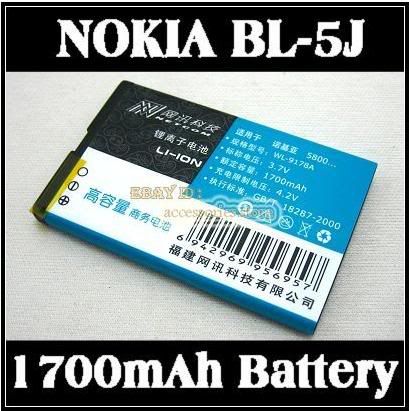

 do pm TS so that he can update your name on the list


 0.0471sec
 0.84
0.84
 7 queries
 GZIP Disabled