» Click to show Spoiler - click again to hide... «
Photography [PIC-A-Day Thread] Post your daily shots here! V4!, A Pictar A Day Keeps Da Fungus Away! XD
|
|
 Sep 28 2009, 10:37 AM Sep 28 2009, 10:37 AM
Return to original view | Post
#1
|
 
Junior Member
196 posts Joined: Apr 2006 From: PJ, Malaysia  
|
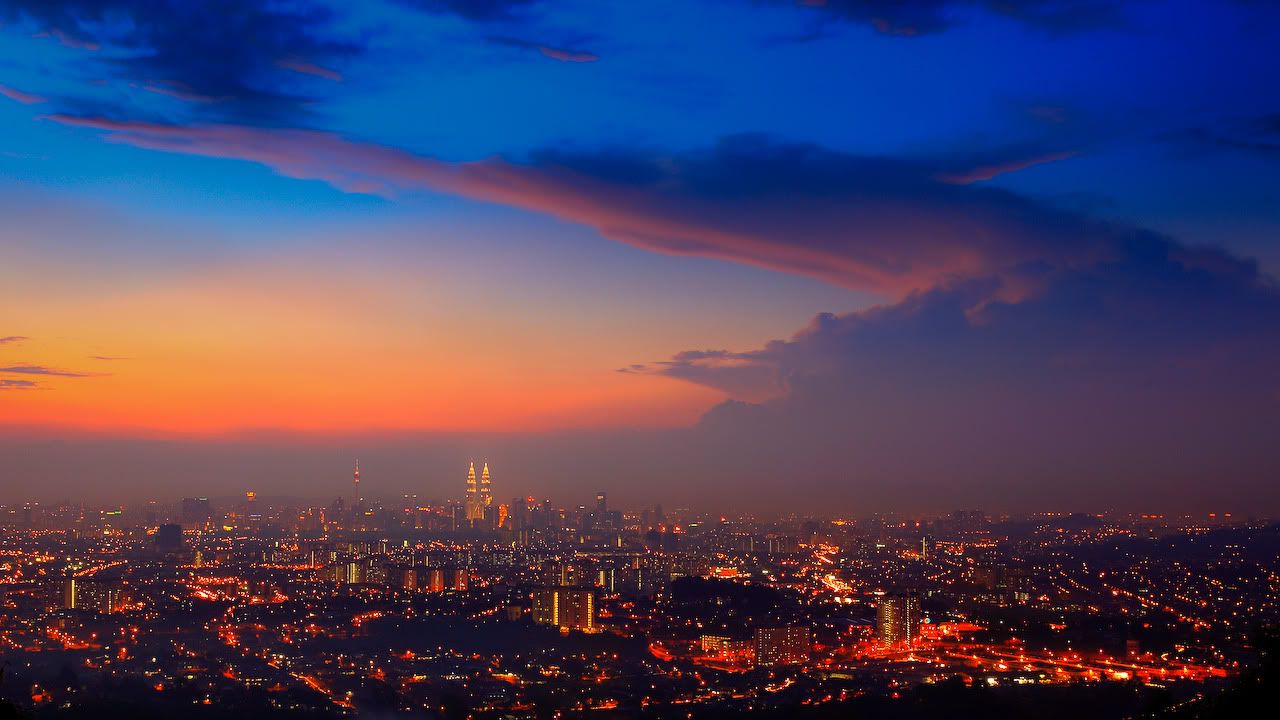
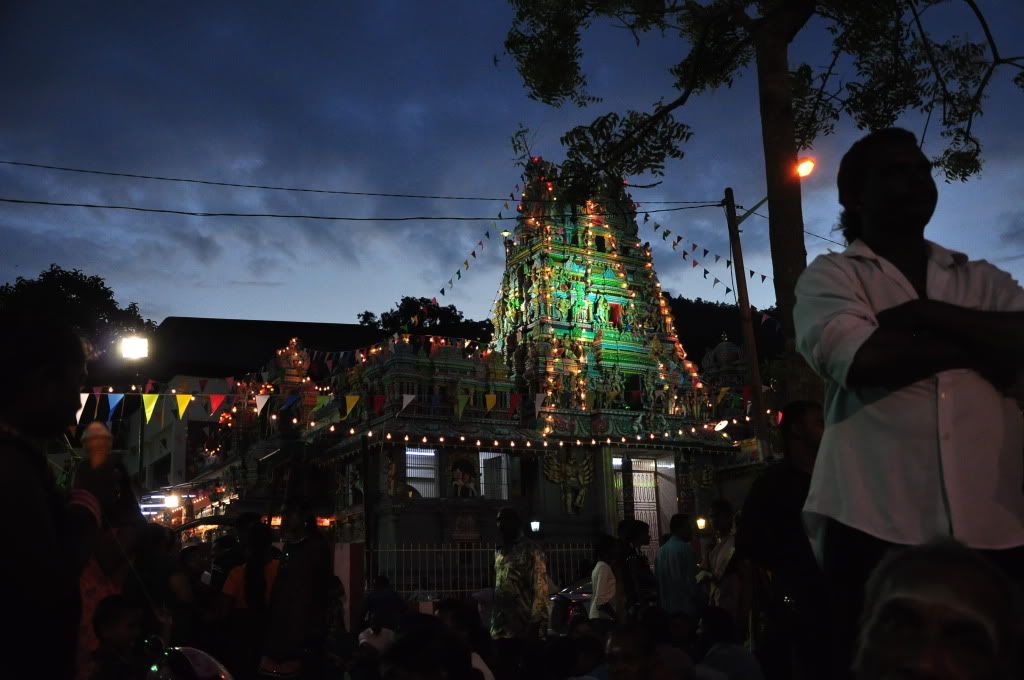
Couple of shots from Singapore last weekend.
» Click to show Spoiler - click again to hide... « |
|
|
|
|
|
Nov 24 2009, 10:44 AM
Return to original view | Post
#2
|
|
Junior Member
196 posts Joined: Apr 2006 From: PJ, Malaysia
|
QUOTE(Uzumaki NaruTo @ Nov 24 2009, 12:16 AM)  |
|
|
Dec 15 2009, 09:43 AM
Return to original view | Post
#3
|
|
Junior Member
196 posts Joined: Apr 2006 From: PJ, Malaysia
|
QUOTE(nicotine @ Dec 14 2009, 12:29 PM) phailed sunset shot There's nothing phailed about this. Awesome work.» Click to show Spoiler - click again to hide... « F13 | ISO50 | 30sec  |
|
|
Dec 22 2009, 04:16 PM
Return to original view | Post
#4
|
|
Junior Member
196 posts Joined: Apr 2006 From: PJ, Malaysia
|
QUOTE(achew @ Dec 22 2009, 03:47 PM) carl zeiss 135mm F1.8.. holy. shit. |
|
|
Dec 27 2009, 01:19 AM
Return to original view | Post
#5
|
|
Junior Member
196 posts Joined: Apr 2006 From: PJ, Malaysia
|
 Exposure: 0.033 sec (1/30) Aperture: f/3.5 Focal Length: 18 mm ISO Speed: 800 |
|
|
Dec 27 2009, 09:05 PM
Return to original view | Post
#6
|
|
Junior Member
196 posts Joined: Apr 2006 From: PJ, Malaysia
|
QUOTE(lwliam @ Dec 27 2009, 02:14 AM) AWESOME image, mind sharing how it is taken? or where is this? how does the light come from? Thanks! That's part of the roof of Orchard Central mall in Singapore. The lights are fluorescent tubes, and the whole bottom surface of the photo is the glass lift enclosure. |
|
|
|
|
|
Dec 29 2009, 01:07 AM
Return to original view | Post
#7
|
|
Junior Member
196 posts Joined: Apr 2006 From: PJ, Malaysia
|
QUOTE(achew @ Dec 27 2009, 09:57 PM) u have a pair of great eyes bro... Thanks! You should definitely pay a visit there when you get the chance. The place looks like it was designed by a madman, but in a good way.  i think orchard central mall there has lots of nice extract stuff to catch...would visit there soon =D  |
|
|
Dec 31 2009, 06:50 PM
Return to original view | Post
#8
|
|
Junior Member
196 posts Joined: Apr 2006 From: PJ, Malaysia
|
:(
 Exposure: 0.02 sec (1/50) Aperture: f/8.0 Focal Length: 42 mm ISO Speed: 500 This post has been edited by foogray: Jan 1 2010, 01:33 AM |
|
|
Jan 21 2010, 11:35 PM
Return to original view | Post
#9
|
|
Junior Member
196 posts Joined: Apr 2006 From: PJ, Malaysia
|
QUOTE(sHin0bi @ Jan 21 2010, 02:13 PM) Camera: Nikon D90 I like it! Interesting composition and subject matter. I would correct the pincushion distortion in photoshop though, it's slightly distracting.Exposure: 0.004 sec (1/250) Aperture: f/20.0 Focal Length: 42 mm ISO Speed: 400 » Click to show Spoiler - click again to hide... « My attempt at shooting water droplets using dark field lighting. There's a bigger version on my flickr page(link through image).  Camera Model: NIKON D90 Flash Used: Yes (Manual, return light not detected) Focal Length: 90.0mm (35mm equivalent: 135mm) Exposure Time: 0.0050 s (1/200) Aperture: f/40.0 ISO equiv: 200 This post has been edited by foogray: Jan 22 2010, 12:06 AM |
|
|
Jan 29 2010, 11:09 PM
Return to original view | Post
#10
|
|
Junior Member
196 posts Joined: Apr 2006 From: PJ, Malaysia
|
QUOTE(Black Bear Blades @ Jan 29 2010, 09:50 PM) Sorry for delay...Looks great to me First one is nice and bright white with no clipping (this can be difficult) They both have nice contrast level as well to my old eyes...lol Do you know what type of spider this is? The four eyes are really creepy to me... I do NOT like spiders in person but pictures of them are very interesting... Lens was a Tammy 90? I see some awesome Macro work with this lens and also some amazing portraits ... A women on Flickr (Deemac) who is quite famous (MANY explored) for her portrait work with this lens (on a D90)... If anyone is interested I can provide a link to her work... It's a jumping spider, family: salticidae. Probably my favourite spiders to shoot, not just because they're cute(as far as spiders can be considered cute) but because they exhibit curiousity towards the shooter and have a fearless tendency to jump towards the camera lens rather than away from it as one would expect. Please do post the link to Deemac's gallery. I love to see macro work done well.Here's one I shot of a jumping spider, also with a Tamron SP 90. The trailing strand of silk isn't a 'shop, but I did darken the background a little to try and make it more visible. 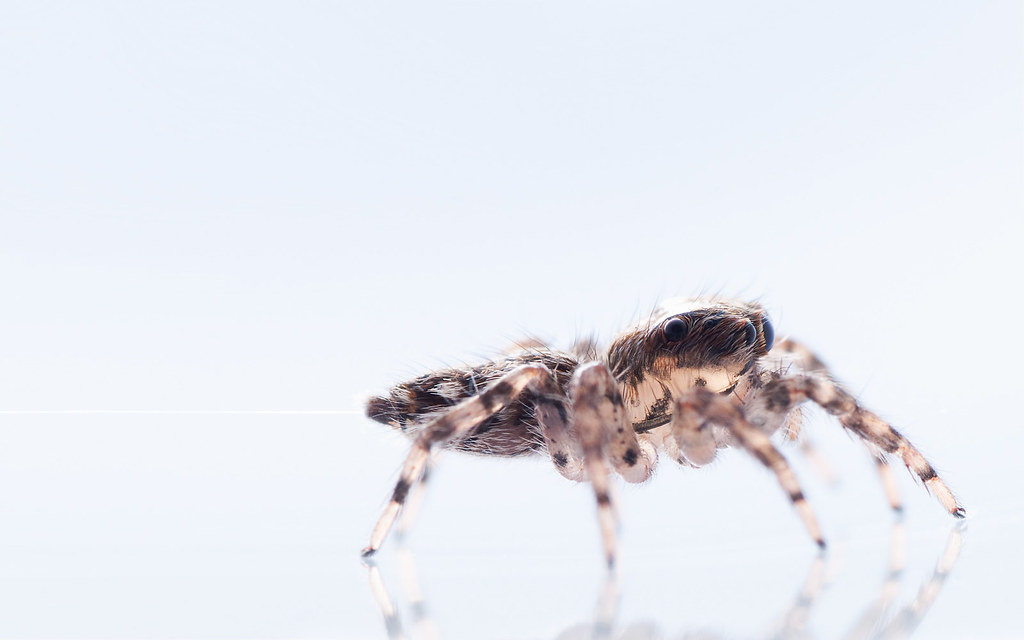 Camera: Nikon D90 Exposure: 0.005 sec (1/200) Aperture: f/32.0 Focal Length: 90 mm ISO Speed: 200 I may have had a little help from my Raynox DCR250 for this one, I can't remember. |
|
|
Jan 30 2010, 01:09 AM
Return to original view | Post
#11
|
|
Junior Member
196 posts Joined: Apr 2006 From: PJ, Malaysia
|
^^^
Mizzy: Very cool, especially that second lynx picture. QUOTE(nicotine @ Jan 29 2010, 11:49 PM) yeah it's taken using tammy 90 stack with a cheap +4 filter I have the +4 hoya too, used it a few times before I got my Raynox, and my main issue with it was the hilarious amounts of distortion and chromatic aberration around the edges. Your photos actually look pretty sharp to me, though I see a slight loss of detail due to noise. Since you're already using flash (can tell from the reflection in its eyes) why not drop the ISO to 100 and up the flash power to compensate?  detail kau kau, it's like heaven and hell when comparing my cheap hoya +4 with ya raynox lol QUOTE(PCHo @ Jan 30 2010, 12:00 AM) The level of detail is staggering....love ya shot! Thanks! I think I got incredibly lucky with this shot. I didn't even realise the silk was there until I had a look at the files on my pc. |
|
|
Jan 31 2010, 05:22 AM
Return to original view | Post
#12
|
|
Junior Member
196 posts Joined: Apr 2006 From: PJ, Malaysia
|
QUOTE(kelvin_hata @ Jan 31 2010, 02:44 AM) » Click to show Spoiler - click again to hide... « This post has been edited by foogray: Jan 31 2010, 05:24 AM |
|
|
Feb 1 2010, 01:58 PM
Return to original view | Post
#13
|
|
Junior Member
196 posts Joined: Apr 2006 From: PJ, Malaysia
|
QUOTE(ReeNz @ Feb 1 2010, 01:45 PM) Thanks..actually it was in the late afternoon..around 330pm, but the sunlight was very nice that time The harsh sunlight makes for a dramatic photo, but some parts of their bodies look to have blown highlights. If you shot in RAW you can use highlight recovery to try and reclaim some detail from the sunlit side of their bodies. Either way, it's a very nice catch. |
|
|
Feb 1 2010, 02:15 PM
Return to original view | Post
#14
|
|
Junior Member
196 posts Joined: Apr 2006 From: PJ, Malaysia
|
QUOTE(ReeNz @ Feb 1 2010, 02:01 PM) Thanks for the tips..indeed i took the shot in RAW, but i'm kinda noob in PP..can i do it using lightroom? Think so. You can probably use this as a guide. The screenshots show a recovery slider, so if it's anything like ACR, just drag it to the right until details become visible, then use the exposure slider to brighten the image again. |
|
Topic ClosedOptions
|
| Change to: |  0.0231sec 0.0231sec
 0.39 0.39
 7 queries 7 queries
 GZIP Disabled GZIP Disabled
Time is now: 21st December 2025 - 10:20 AM |
 Quote
Quote