

 Feb 26 2010, 02:39 PM


QUOTE(Andy214 @ Feb 26 2010, 02:57 AM)
Did you really copy the image out from your N900 to your PC? Or you're editing the file which is still in your N900?
I don't have any problems? Maybe you can try other picture editing software like MS Paint, make an extra copy of the picture, open the picture in MS Paint and simply modify it and try to save?
The N97 Mini ori price is about 2.4K anyway. It's either they plan to price it cheaper or more expensive...
How sure are you that your phone didn't automatically connect to 3G?
Go To Settings --> Internet Connections
Make sure the settings does not connect automatically for 3G Internet.
If there is automatic connection, you might not know when your phone updates automatically using 3G Internet.
If you install any widgets that have auto-update (default settings) and you didn't disable it, it will use the default connection. Even your email and so on does the same. Same goes for Nokia Maps.
Lastly, to check if your phone has used any Data Packets, go to:
Settings --> Phone --> Scroll Down to the end and choose "Data counter"
This will show you the total MB send and received.
Alternatively, you can also install the "Dataplan Monitor" widget.
Good Luck~
Sorry bro, didn't notice which message? Is it same as current you're asking?
If yes, bro kiawin has mentioned about the app "Petrovich" which allows you to send files via Bluetooth, Email, Service.
Added on February 26, 2010, 3:04 am
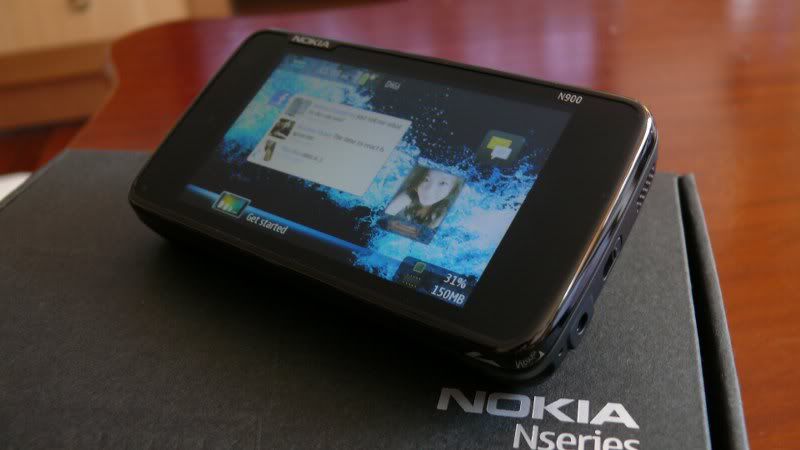
Yo Bro, mind to share where you get that "pouch" and roughly how much?
From the picture, seems it's a nice fit.

No. N97 Mini original is RM1720 only.I don't have any problems? Maybe you can try other picture editing software like MS Paint, make an extra copy of the picture, open the picture in MS Paint and simply modify it and try to save?
The N97 Mini ori price is about 2.4K anyway. It's either they plan to price it cheaper or more expensive...
How sure are you that your phone didn't automatically connect to 3G?
Go To Settings --> Internet Connections
Make sure the settings does not connect automatically for 3G Internet.
If there is automatic connection, you might not know when your phone updates automatically using 3G Internet.
If you install any widgets that have auto-update (default settings) and you didn't disable it, it will use the default connection. Even your email and so on does the same. Same goes for Nokia Maps.
Lastly, to check if your phone has used any Data Packets, go to:
Settings --> Phone --> Scroll Down to the end and choose "Data counter"
This will show you the total MB send and received.
Alternatively, you can also install the "Dataplan Monitor" widget.
Good Luck~
Sorry bro, didn't notice which message? Is it same as current you're asking?
If yes, bro kiawin has mentioned about the app "Petrovich" which allows you to send files via Bluetooth, Email, Service.
Added on February 26, 2010, 3:04 am
Yo Bro, mind to share where you get that "pouch" and roughly how much?
From the picture, seems it's a nice fit.
 Quote
Quote






 0.0263sec
 0.40
0.40
 6 queries
 GZIP Disabled