Welcome Guest ( Log In | Register )

Outline · [ Standard ] · Linear+

 [Review] Akasa Vortexx Neo User Review, With extra modding experiment

views
     
TSCosef
post Aug 8 2009, 02:55 AM, updated 17y ago

Kampung Style
*******
Senior Member
2,293 posts

Joined: Feb 2006
From: Sarawak


user posted image
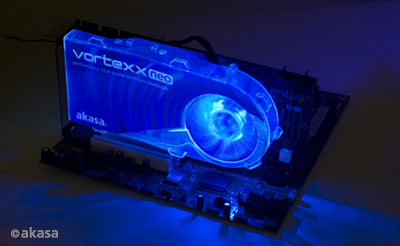
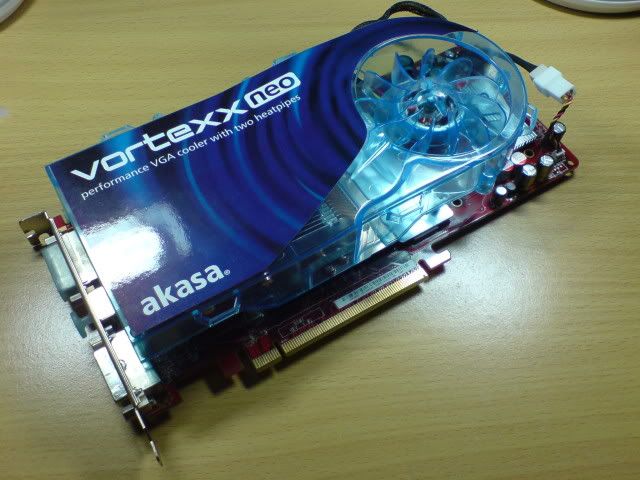
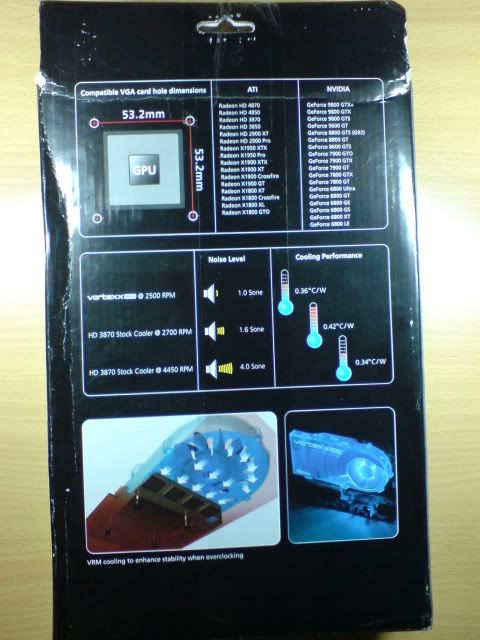
Akasa had release a like most dual slot graphic card cooler called Vortexx Neo, featuring great cooling performance over stock graphic cooler with two copper heat pipes and at the same time producing lower noise.

Specifications:
Cooler Dimension: 213 x 102 x 38mm
GPU heatsink material: Aluminium fins , copper base and heatpipes
RAM heatsink material: Aluminium
Fan dimension: 80 x 80 x25mm
Fan speed: 2500RPM
Noise level : 1.0sone
Fan connector: 3pin
Bearing type: Sleeve
Rated Current: 0.166A
Power consumption: 2.0W
Weight: 290G

Compatibility:
Ati :-
Radeon HD 4890
Radeon HD 4870
Radeon HD 4850
Radeon HD 4830
Radeon HD 3870
Radeon HD 3850
Radeon 2900 XT
Radeon 2900 Pro
Radeon X1950 XTX
Radeon X1950 Pro
Radeon X1900 XTX
Radeon X1900 XT
Radeon X1900 Crossfire
Radeon X1900 GT
Radeon X1800 XT
Radeon X1800 Crossfire
Radeon X1800 XL
Radeon X1800 GTO

Nvidia:-
GeForce 9800 GT
GeForce 9800 GTX
GeForce 9800 GTX
GeForce 9800 GTS
GeForce 9600 GT
GeForce 9600 GSO
GeForce 8800 GTS (G92)
GeForce 8800 GT
GeForce 8600 GTS
GeForce 7900 GTO
GeForce 7800 GTX
GeForce 7900 GT
GeForce 7800 GTX
GeForce 7800 GT
GeForce 6800 Ultra
GeForce 6800 GT
GeForce 6800 GE
GeForce 6800 GS
GeForce 6800 XT
GeForce 6800 LE

Let’s take a look at the actual one
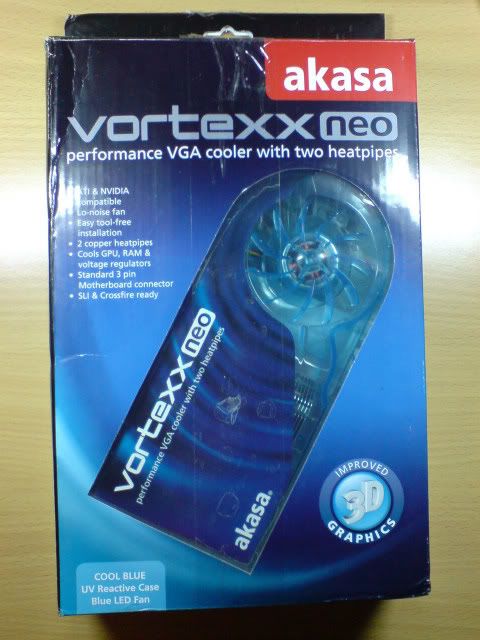
user posted image
This is how the box look like, sorry for the condition because got bad after postage to my place here.
user posted image
This the the back side, the company is comparing with Ati Radeon 3870 stock cooler.
user posted image
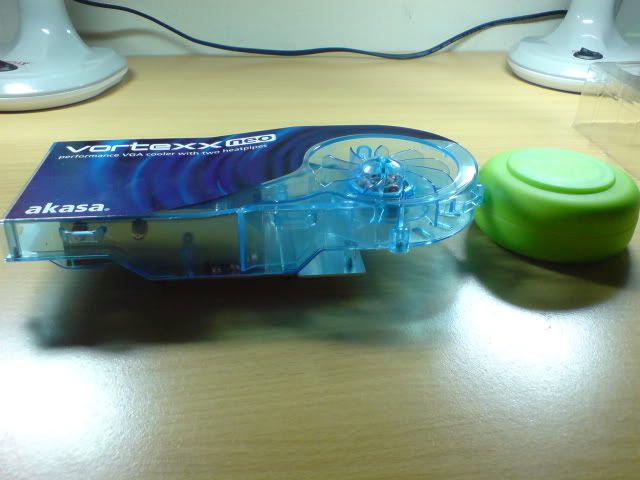
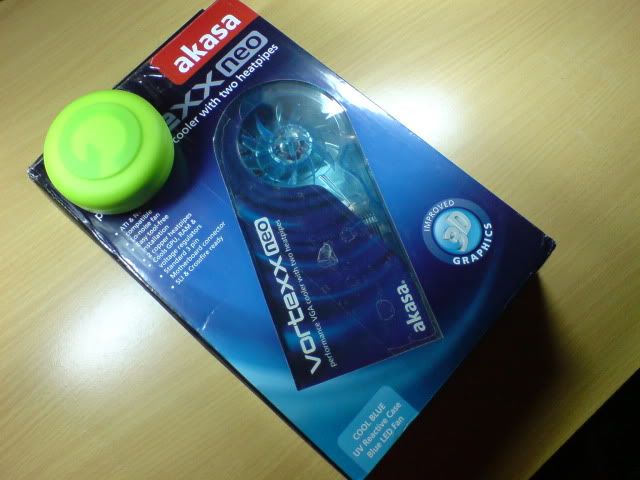
Using my Gatsby Moving Rubber as reference for the size, it is bigger a lot than I imagine.
user posted image
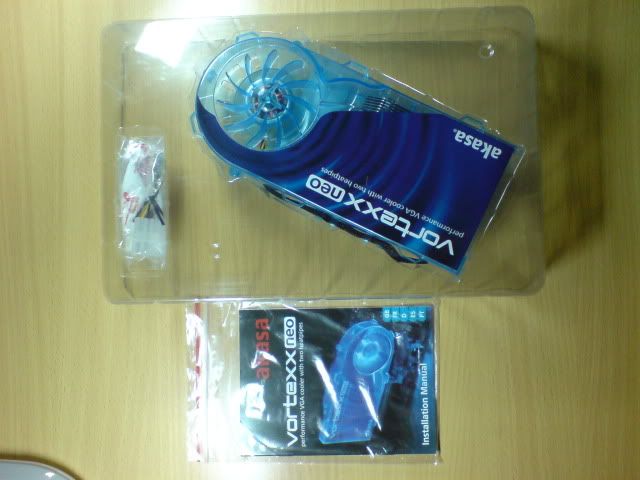
Inside the box, cooler, accessories and manual on the left side.


Closer look
user posted image
user posted image
user posted image
user posted image
user posted image
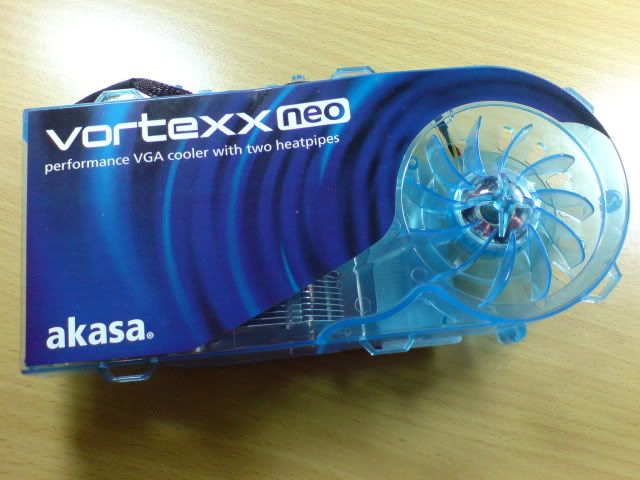
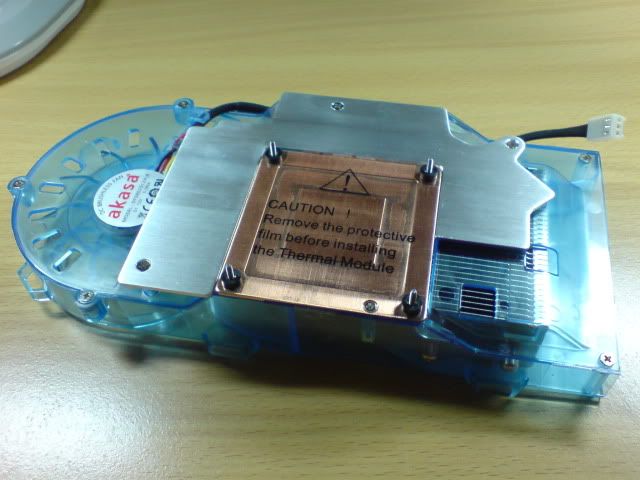
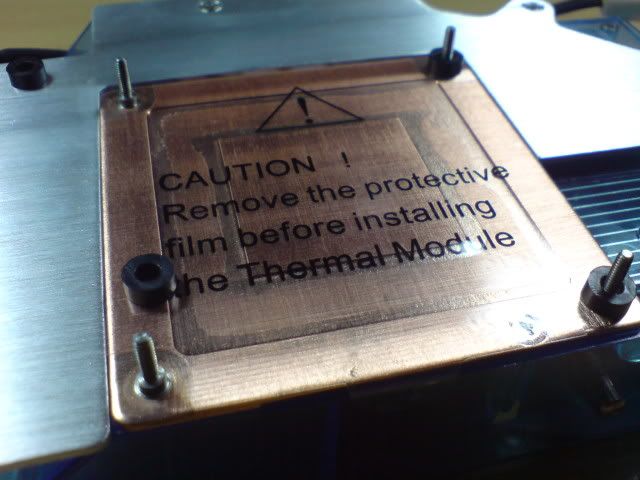
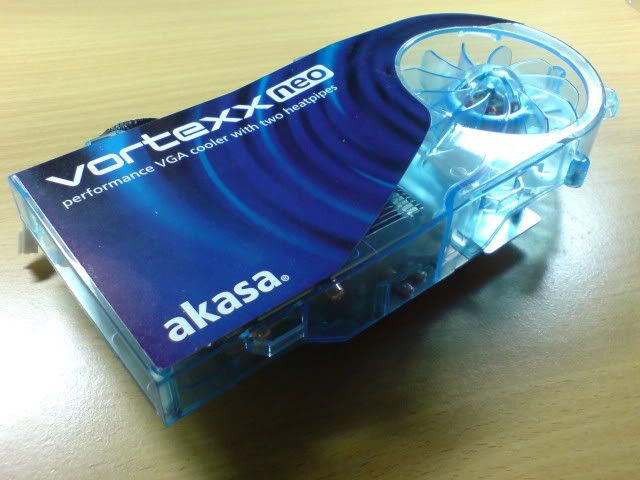
The copper side is for the core cooling and the aluminium plate there for the ram cooling. Vortexx Neo are absorbing the heat from graphic card Core and RAM and exhaust it to the back of casing, work like a system blower.

This post has been edited by Cosef: Aug 8 2009, 03:56 PM
TSCosef
post Aug 8 2009, 02:59 AM

Kampung Style
*******
Senior Member
2,293 posts

Joined: Feb 2006
From: Sarawak


user posted image
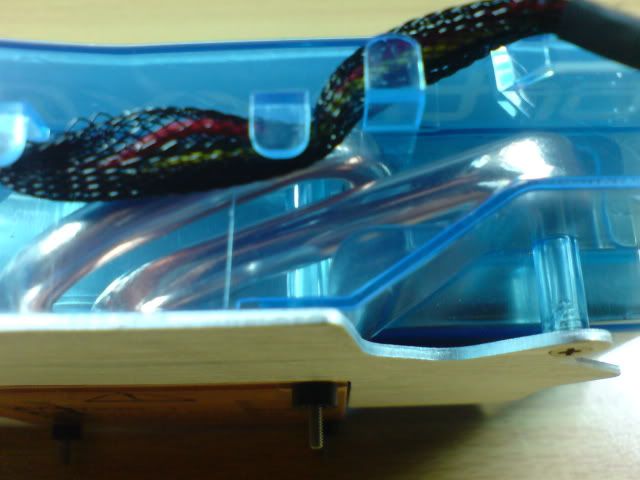
Here you can see clearly the 2 copper heatpipes on the cooler.
user posted image
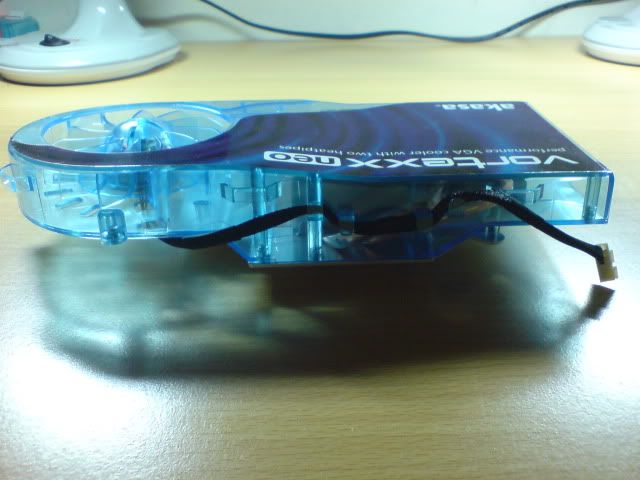
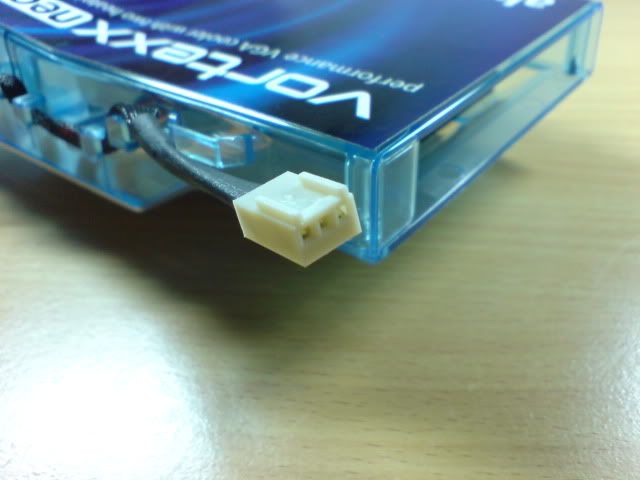
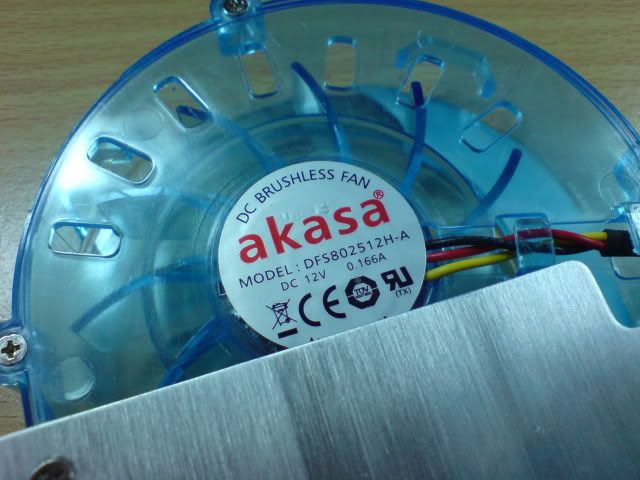
This fan needs 3pin connector, which is same as normal motherboard chasis fan connector.
user posted image
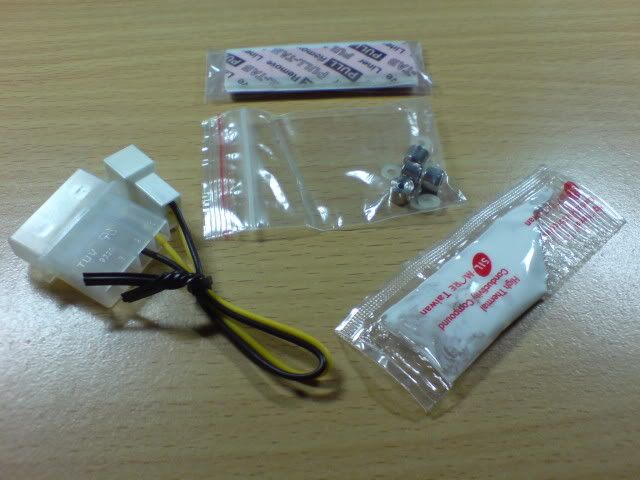
The accessories included.

Installation and some extras modding
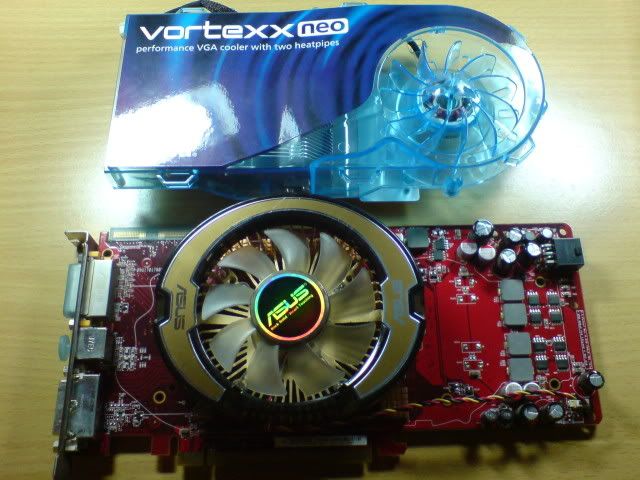
I will get this Vortexx Neo to replace my stock Glaciator Cooler on my Asus EAH4850
user posted image
user posted image

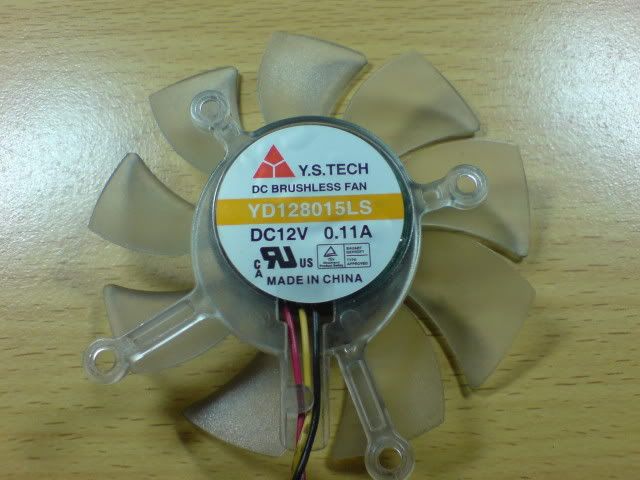
Since the vortexx neo fan rated at 0.166A then I’ll got an idea to do some modding to plug it into graphic card fan connector. Then let’s see how much current consumption is for the stock fan.
user posted image
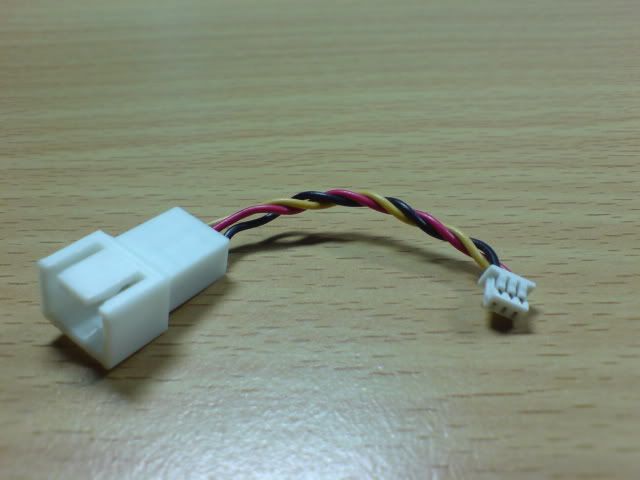
It needs 0.11A, so I think it will be working good. So I try to make a plug by cutting out the mini connector on the stock fan and solder it to a 3pin connector that suits for Vortexx Neo.
user posted image

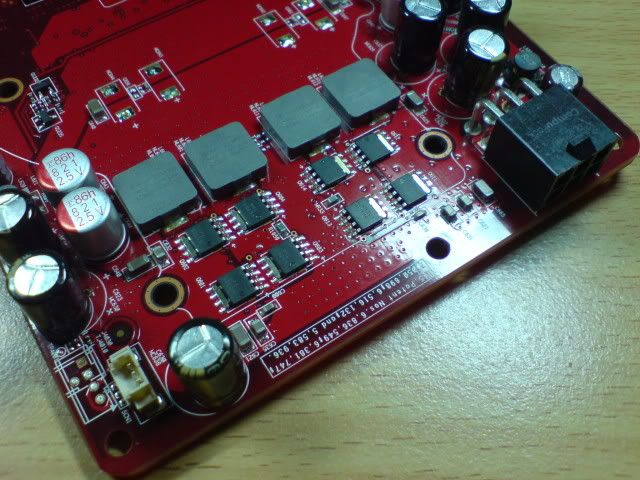
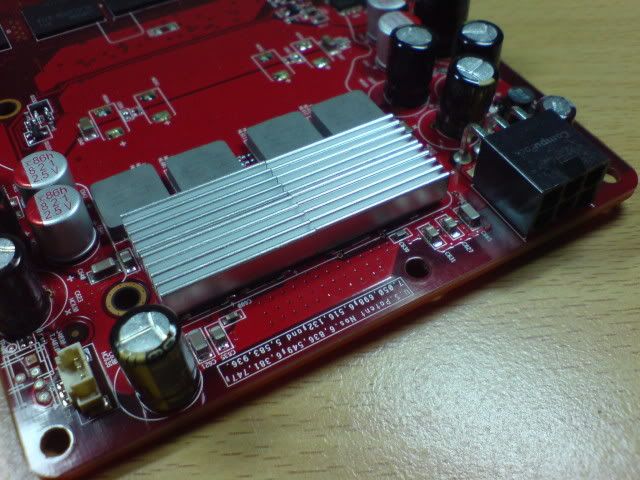
Now begin to install the cooler on that Heat monster 4850. I add some Cooler Master heatsinks on the VRM slots since there are air flowing out to cool the VRM.

Before
user posted image
After
user posted image
Then before put on the cooler, the rubber pad is need to remove out for Radeon 4850 because it space up too much and can’t contact the core, so this is need to be careful or else too happy install and damage the graphic processor.
user posted image

This post has been edited by Cosef: Aug 9 2009, 02:20 AM
TSCosef
post Aug 8 2009, 03:00 AM

Kampung Style
*******
Senior Member
2,293 posts

Joined: Feb 2006
From: Sarawak


After that put on the thermal pad for each ram chips and thermal paste on the graphic processor, tear out protection sticker and screw on it then you’re done.
user posted image
user posted image
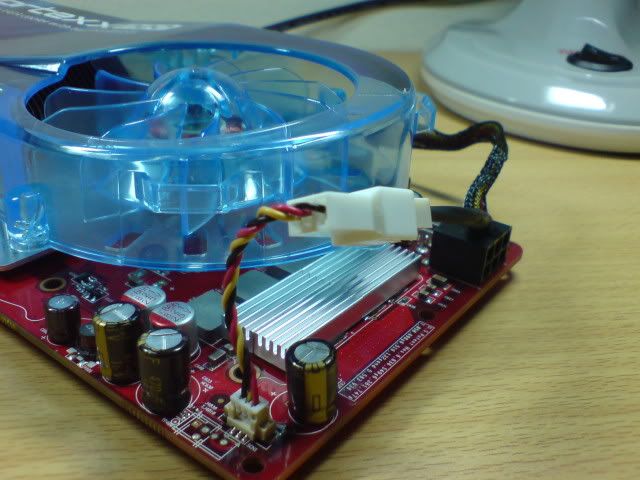
Closer look for modded fan plug adaptor.
user posted image
On the run~!

Test System
Intel Core 2 Duo E8500 3.16Ghz
-Xigmatek Apache Heatsink
4GB Kingston DDR2 800Mhz RAM
Asus P5Q Motherboard
Asus EAH4850 512MB DDR3 Graphic Card
Cooler Master C5 Casing
-Rear: Enermax Magma 120mm@1150RPM, Front: Stock fan 80mm@full speed
Enermax FMA 535W Power Supply
640GB Western Caviar Blue Hard Disk Drive
Thermal paste: Cooler Master Thermalfusion 400

Software used for test
Left 4 Dead Ver 1.0.1.0
-Full Detail, 8XMSAA, 16XAnisotropic, Multicore Rendering: Enabled, V-Sync: Off
OCCT GPU Stress
-320x240 75Hz, Shader Complexity: 1, non-Full Screen
HWMonitor
-Monitor temperature

Test results
OMG this is bad, my experiment failed, I can’t get the Vortexx Neo fan working properly. It is almost hard to spun it up when using the fan power from graphic card, then I tried to use Catalyst Control Center to make the fan speed to 100% and unfortunately it still too slow, can’t feel any air pull out of the casing. So only way is to connect it to motherboard, and it can be controlled by Q-Fan to slow down the fan speed. The fan on full speed, it is a lot noisier than stock fan, Asus Glaciator fan is really silent and inaudible. Vortexx Neo’s fan noise level will be consider noisy for people who playing silent pc, while it is consider silent for some power user which had much noisier case fan or cpu fan to covered the noise. The fan generating humming sound plus slightly high pitch noise, that’s what I can describe.
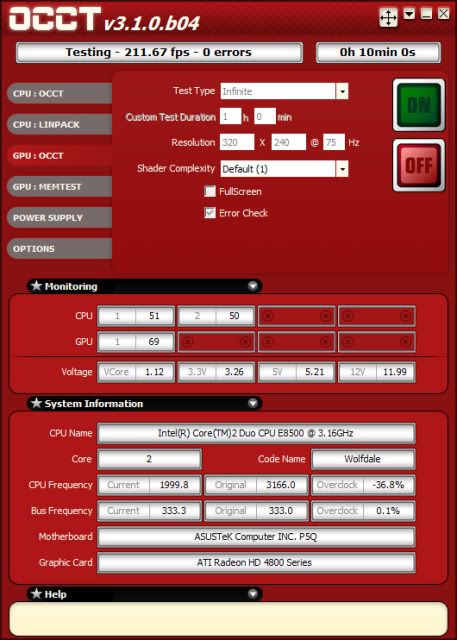
Therefore, what I can do is testing 2 speed on this Vortexx Neo since it is plugged on the motherboard and control using Q-Fan. Under low fan speed, Vortexx Neo fan spins around 1800-1900RPM while full speed will be 2600RPM monitored, but while on full speed I was using 3pin fan connector to molex 4pin to avoid changing the rear case fan speed. Then proceed for the heat test.

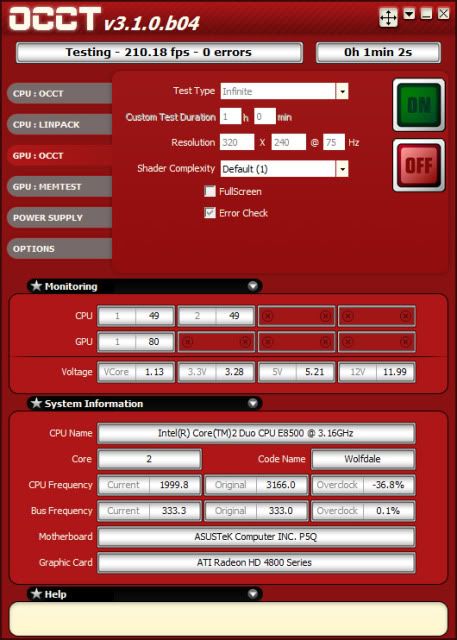
OCCT GPU Stress Test on Stock Asus Glaciator Heatsink
user posted image
Stock cooler took 1mins and 2s to reach 80°C

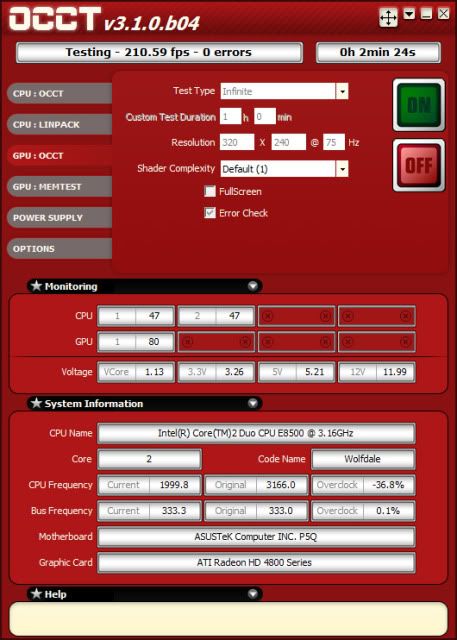
OCCT GPU Stress Test on Akasa Vortexx Neo Q-Fan Low Speed
user posted image
Akasa Vortexx Neo took 2mins and 24s to reach 80°C on Low fan Speed, it is better than stock cooler but the temperature will went higher after that, it is not good at all to have it running at low speed. At this fan speed, Vortexx Neo is almost inaudible on the fan noise, yea good it is silent but sacrifices performance.

OCCT GPU Stress Test on Akasa Vortexx Neo Q-Fan High Speed
user posted image
Now you can see the real performance, stress for 10mins and still maintaining at 69°C and won’t goes up anymore after that, it blows a lot hot air out of the casing when I put my hand at the rear exhaust slot.

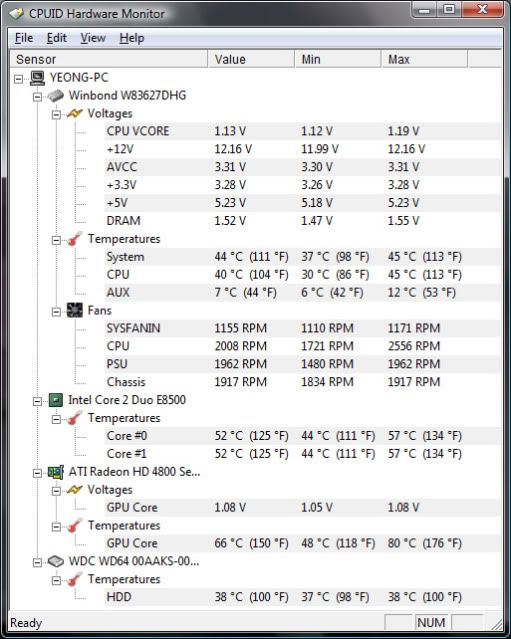
Left 4 Dead 30minutes Stress on Asus Glaciator Heatsink
user posted image
All these results are taken with idle and full 30mins running the game on stock heatsink.

Left 4 Dead 30minutes Stress on Akasa Vortexx Neo Low Speed
user posted image
The idle is got lower than stock heatsink but after the game is 2°C higher, this is not good. But what it done is theres 2°C drop on cpu during game and System temp 2°C lower on idle.

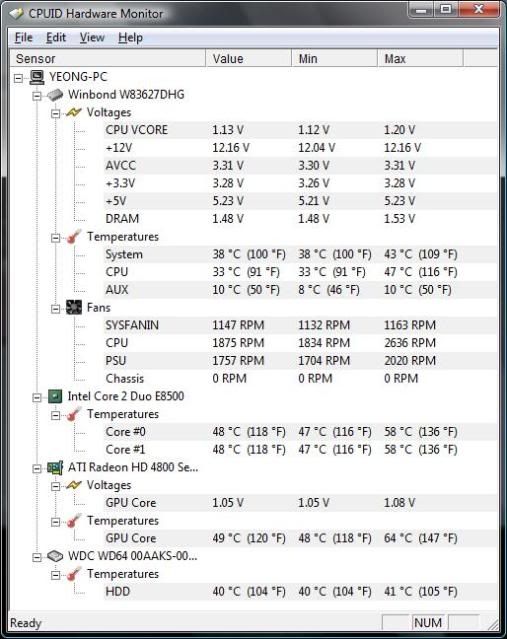
Left 4 Dead 30minutes Stress on Akasa Vortexx Neo High Speed
user posted image
Again Vortexx Neo shows its true power only at high speed, System temp drop another 2°C during the test.

This post has been edited by Cosef: Aug 8 2009, 03:20 AM
TSCosef
post Aug 8 2009, 03:06 AM

Kampung Style
*******
Senior Member
2,293 posts

Joined: Feb 2006
From: Sarawak


Other thoughts
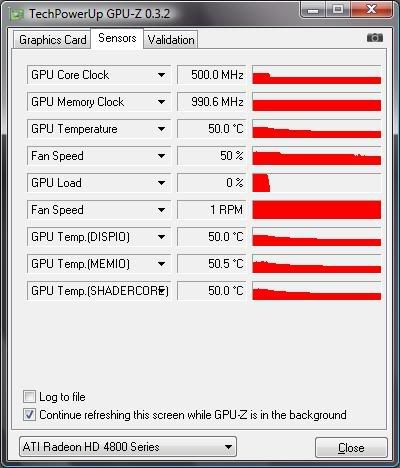
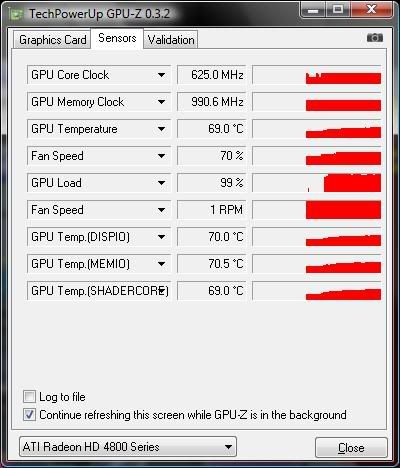
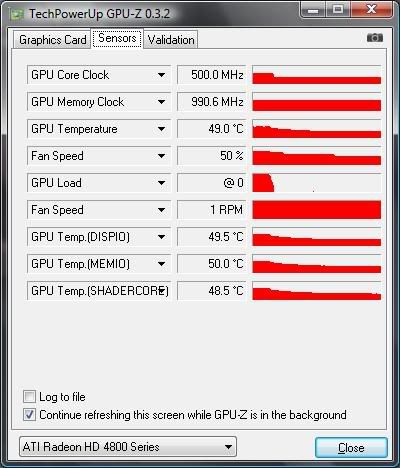
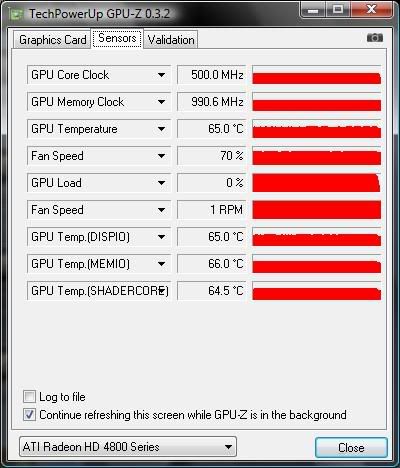
After all this test I tried to think again what makes the Vortexx Neo performance is not that great under low fan speed is because RAM gains more loads of heat to the heatsink while it is not that powerful enough to handle all the heat on core and RAM together. So I do another check again using GPUZ temperature monitor and found that…..the RAM temperature detected is around 2-3°C different from core temperature and I remembered last time was 10°C different. I did not switch back to stock heatsink and test again because I was tired and the fan connector need to fix up again to make it work. The rear exhaust slot it is suggest to leave it empty for better airflow, aeroslot does blocks a lot of air flow. During game test, I try touch the top of the casing and surprisingly it is a lot cooler than before, the power supply exhausting cooler air which is a good thing to prevent power supply overheating.

Conclusion
- Shows its real performance only on high speed
- Good RAM cooling
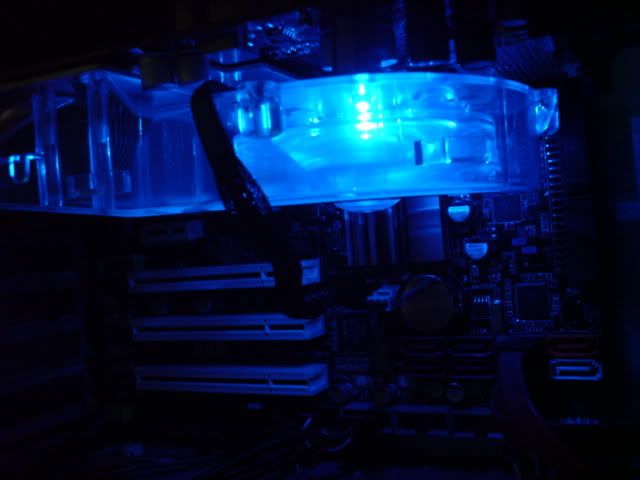
- Nice looking blue LED
- Not silent as expected
- If you can accept the noise or noise is not a too much problem then it is ok
- Screw harder because the RAM thermal pad will makes the GPU core unable to contact properly
- Reduce temperature inside casing

My Rating: 7/10

RAM Cooling Test
Since that i had thought taking off ram thermal pad or not cooling the ram, core cooling performance would be better. Therefore i tried another test to see whether it is work as i expected or not, a quick test.

With RAM Cooling(Thermal pad installed)
user posted image
Idle
user posted image
Load

Without RAM Cooling(Thermal pad unsinstalled)
user posted image
Idle
user posted image
Load

So another conclusion is it does not make any difference or maybe i had doing wrong things? tongue.gif

This post has been edited by Cosef: Aug 10 2009, 08:00 PM
clawhammer
post Aug 8 2009, 10:05 PM

///M
Group Icon
VIP
8,788 posts

Joined: Jan 2003
From: Kuala Lumpur


Wow, very good review biggrin.gif I guess the only drawback is the noise level. Any chances of modding another fan onto it?
TSCosef
post Aug 8 2009, 10:49 PM

Kampung Style
*******
Senior Member
2,293 posts

Joined: Feb 2006
From: Sarawak


QUOTE(clawhammer @ Aug 8 2009, 10:05 PM)
Wow, very good review biggrin.gif I guess the only drawback is the noise level. Any chances of modding another fan onto it?
*
I have no idea modding another fan onto the cooler, but i was thinking that if i leave the RAM cooling it will be better. I searched around those graphic cards came with aftermarket cooler mostly did not cools the RAM like adding ram sinks or maybe they just letting air flow to cool it?
DaRkSyThE
post Aug 10 2009, 07:53 PM

Look at all my stars!!
Group Icon
VIP
4,809 posts

Joined: Jan 2005


QUOTE(Cosef @ Aug 8 2009, 10:49 PM)
I have no idea modding another fan onto the cooler, but i was thinking that if i leave the RAM cooling it will be better. I searched around those graphic cards came with aftermarket cooler mostly did not cools the RAM like adding ram sinks or maybe they just letting air flow to cool it?
*
in most cases the RAM will get enough cooling from the cooler itself.
nothing much to worry i guess
TSCosef
post Aug 10 2009, 08:04 PM

Kampung Style
*******
Senior Member
2,293 posts

Joined: Feb 2006
From: Sarawak


QUOTE(DaRkSyThE @ Aug 10 2009, 07:53 PM)
in most cases the RAM will get enough cooling from the cooler itself.
nothing much to worry i guess
*
I think so after doing another few tests. Even without RAM sink, theres no need to worry about it.
Doom
post Aug 11 2009, 10:02 AM

Doom"s here >_<"
*******
Senior Member
4,496 posts

Joined: Apr 2005
From: KL


I had this before as well, I find the noise level is not within my accepted range as well sweat.gif

things become noisy when the fan cramped up .. cry.gif

but the UV effect is a candid sweet brows.gif

It would be nice if can replace the fan with something quieter ... hmm.gif
RangerRed
post Aug 21 2009, 10:45 AM

Look at all my stars!!
Group Icon
Moderator
2,083 posts

Joined: Jan 2003
From: Penang

I dont notice much noise from the fan.... u sure there is noise?


Added on August 21, 2009, 11:41 amNote on MATX mobos the Neo takes 2 slots n covers a bit of the 3rd pci slot (the fan head area).

This post has been edited by RangerRed: Aug 21 2009, 11:41 AM
TSCosef
post Aug 22 2009, 02:39 PM

Kampung Style
*******
Senior Member
2,293 posts

Joined: Feb 2006
From: Sarawak


QUOTE(RangerRed @ Aug 21 2009, 10:45 AM)
I dont notice much noise from the fan.... u sure there is noise?


Added on August 21, 2009, 11:41 amNote on MATX mobos the Neo takes 2 slots n covers a bit of the 3rd pci slot (the fan head area).
*
Maybe your case fans, psu fans or cpu fans covered up the vortexx neo fan noise....
or your vortexx neo fan didn't run at full speed....

This post has been edited by Cosef: Aug 22 2009, 02:40 PM
RangerRed
post Aug 23 2009, 10:59 PM

Look at all my stars!!
Group Icon
Moderator
2,083 posts

Joined: Jan 2003
From: Penang

Its pretty silent to me... n i got no cpu fan or casing fan noise... i have an open casing so i can hear those suckers if they spin up loud.

If the neo's fan is not on max spin it sure does a hell of a job compared to the ati reference stock cooler.
TSCosef
post Aug 24 2009, 03:50 AM

Kampung Style
*******
Senior Member
2,293 posts

Joined: Feb 2006
From: Sarawak


If your environment noise is high then it should be quite silent. For my place here it is audible at night time coz environment is quiet compare to day time, depends what level you accept it. You can try stop down the neo fan then plug back again to hear the difference.
RangerRed
post Aug 24 2009, 04:58 PM

Look at all my stars!!
Group Icon
Moderator
2,083 posts

Joined: Jan 2003
From: Penang

I could record the fan in operation while running 3dmark i guess..... with my digicam u can tell me if it is loud smile.gif
TSCosef
post Aug 24 2009, 05:57 PM

Kampung Style
*******
Senior Member
2,293 posts

Joined: Feb 2006
From: Sarawak


Why not record the sound instead of moving picture to judge the noise? smile.gif
RangerRed
post Aug 25 2009, 08:38 AM

Look at all my stars!!
Group Icon
Moderator
2,083 posts

Joined: Jan 2003
From: Penang

I thought u kids today love moving pictures with sound? lol
TSCosef
post Aug 25 2009, 12:02 PM

Kampung Style
*******
Senior Member
2,293 posts

Joined: Feb 2006
From: Sarawak


Some of them, but not me laugh.gif


Change to:
| Lo-Fi Version
0.0265sec    0.36    5 queries    GZIP Disabled
Time is now: 20th December 2025 - 10:43 PM