

Does they got any solution on it? My mine think of can I convert component to S-Video or RCA? Does it auto change the progressive to interlace? Too bad I think check it out
 sad
sadNeed Help~!, About progressive to interlace~!
|
|
  Aug 2 2009, 02:39 AM, updated 17y ago Aug 2 2009, 02:39 AM, updated 17y ago
Show posts by this member only | Post
#1
|
 
Junior Member
88 posts Joined: Jan 2003 From: Ipoh  
|
Hi, everyone i need help badly. I just bought a media player tat can play RMVB n so on, but the problems is, this player is output progresive only tat is 720P or 1080P, but my CRT not support progressive, but have component input as well.
Does they got any solution on it? My mine think of can I convert component to S-Video or RCA? Does it auto change the progressive to interlace? Too bad I think check it out sad |
|
|
|
|
|
Aug 2 2009, 11:03 AM
Show posts by this member only | Post
#2
|

Senior Member
4,403 posts Joined: Jan 2007 From: Johor Bahru
|
I think your media player should support SD as well, who on earth design a player that only works with HD output, thats crazy.
Did it come with this:  or this?  |
|
|
Aug 2 2009, 11:07 AM
Show posts by this member only | Post
#3
|

Senior Member
9,206 posts Joined: Jun 2006
|
QUOTE(kicit @ Aug 2 2009, 02:39 AM) Hi, everyone i need help badly. I just bought a media player tat can play RMVB n so on, but the problems is, this player is output progresive only tat is 720P or 1080P, but my CRT not support progressive, but have component input as well. it's strange, I think most media players do have the yellow RCA composite signal out.. which is already interlaced (in NTSC or PAL)Does they got any solution on it? My mine think of can I convert component to S-Video or RCA? Does it auto change the progressive to interlace? Too bad I think check it out sad Added on August 2, 2009, 11:15 am QUOTE(azbro @ Aug 2 2009, 11:03 AM) I think your media player should support SD as well, who on earth design a player that only works with HD output, thats crazy. yeah I was thinking the same.. Did it come with this: or this?  I think it should come with both cables.. rite? or at least yellow RCA and HDMI (if dun have component red/blue/green RCA cableS) This post has been edited by ar188: Aug 2 2009, 11:15 AM |
|
|
Aug 2 2009, 12:22 PM
Show posts by this member only | Post
#4
|
|
Junior Member
88 posts Joined: Jan 2003 From: Ipoh
|
This player only come out component which Red, BLue, green to Red, Blue, Green and HDMI, no RCA composite de, I though my TV can support progressive cause quite new just bought years ago but in CRT. Normally 720P output to tv which will scale down to 480P but too bad it cant support progressive even my samsung home theatre also cant support progressive
.Does there have any cable can convert it? |
|
|
Aug 2 2009, 12:53 PM
Show posts by this member only | Post
#5
|
|
Senior Member
9,206 posts Joined: Jun 2006
|
what model is this? can show pix ar?
|
|
|
Aug 2 2009, 01:12 PM
Show posts by this member only | Post
#6
|
|
Junior Member
88 posts Joined: Jan 2003 From: Ipoh
|
Is clamul P1000, i cant find any picture in internet yet, but show photo i dont think it helps also cause just it looks like normal media player with component and HDMI output.
|
|
|
|
|
|
Aug 2 2009, 01:19 PM
Show posts by this member only | Post
#7
|
|
Senior Member
4,403 posts Joined: Jan 2007 From: Johor Bahru
|
Looks like it got support bro...
Is it this model? 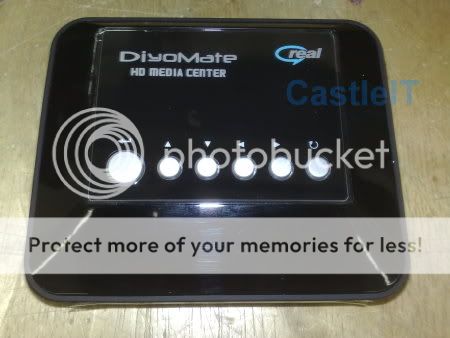 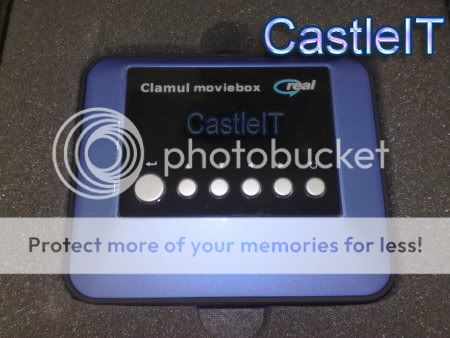 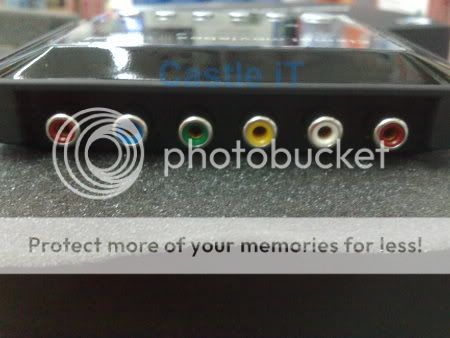 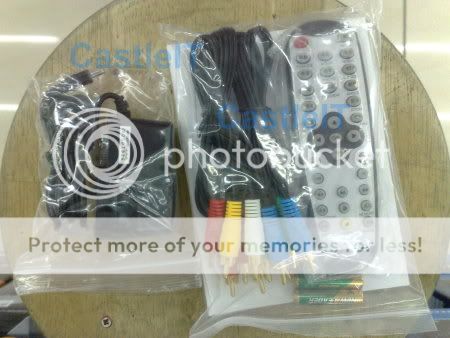 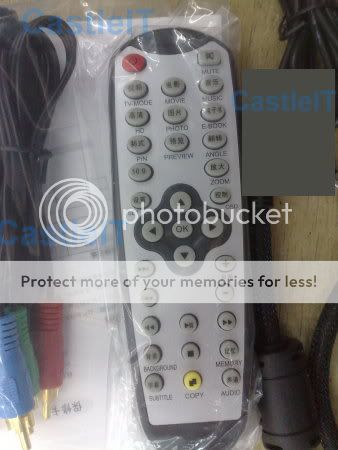 Images taken from Lelong. Thanks Just connect the Yellow, Red and white to the TVlor.... If you dun see anything, here is the trick: Below the red button (power) is a TV mode...press it until got image... Cheers This post has been edited by azbro: Aug 2 2009, 01:22 PM |
|
|
Aug 2 2009, 01:37 PM
Show posts by this member only | Post
#8
|
|
Senior Member
9,206 posts Joined: Jun 2006
|
if its the one azbro mention above, then yellow RCA is the interlace signal lor..
|
|
|
Aug 2 2009, 02:45 PM
Show posts by this member only | Post
#9
|
|
Junior Member
88 posts Joined: Jan 2003 From: Ipoh
|
Ya, i know the yellow is RCA but mine oneo dun have the yellow one, i took some photo already i will post it here later. I want to sell it already cause just now i go ask the technician they said cant do anything on this player to interlace video, by the way this is a really good player indeed, just bought 1 days only
|
|
|
Aug 2 2009, 02:51 PM
|
|
Senior Member
9,206 posts Joined: Jun 2006
|
QUOTE(kicit @ Aug 2 2009, 02:45 PM) Ya, i know the yellow is RCA but mine oneo dun have the yellow one, i took some photo already i will post it here later. I want to sell it already cause just now i go ask the technician they said cant do anything on this player to interlace video, by the way this is a really good player indeed, just bought 1 days only interlace can mean many things, S-video/RCA yellow or even component....you know the player's green/blue/red component can do 480i interlace no problem.. but whether your TV has component (interlace) input is another question???  video transcoders... are costly... probably costs similar to your media player.. |
|
|
Aug 2 2009, 03:11 PM
|
|
Junior Member
88 posts Joined: Jan 2003 From: Ipoh
|
Thats why, I know component can to interlace but too bad my TV cant support progressive and the player only can output progressive, Too sad
anyone interested take away the player from me? Open box condition >.<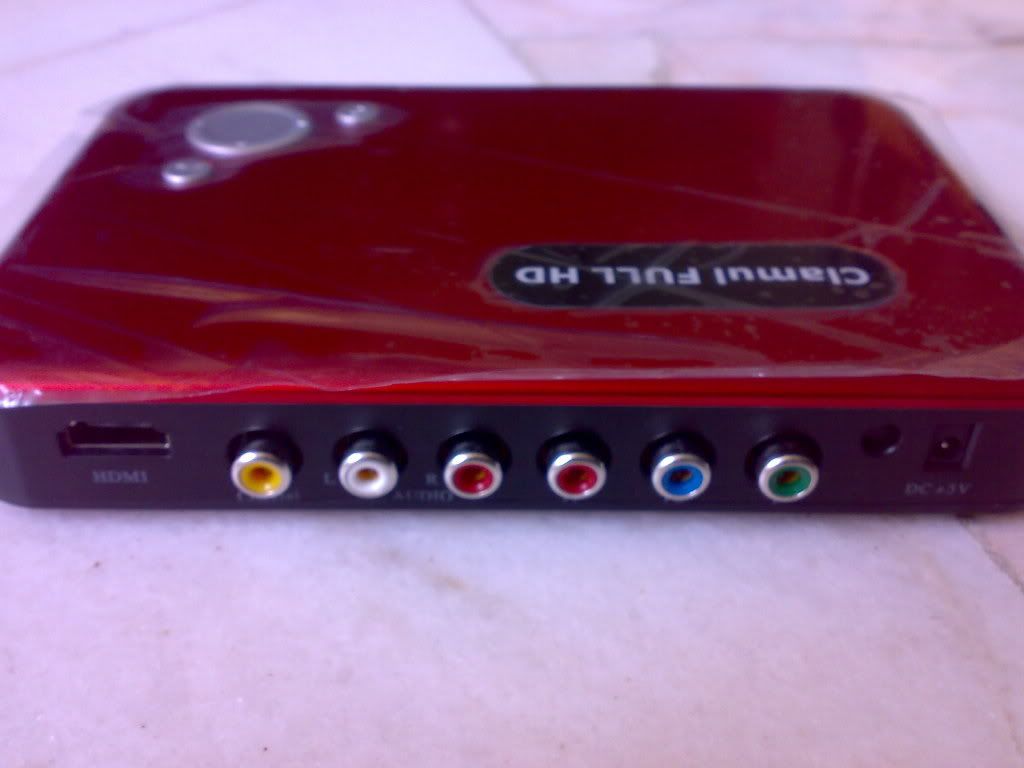 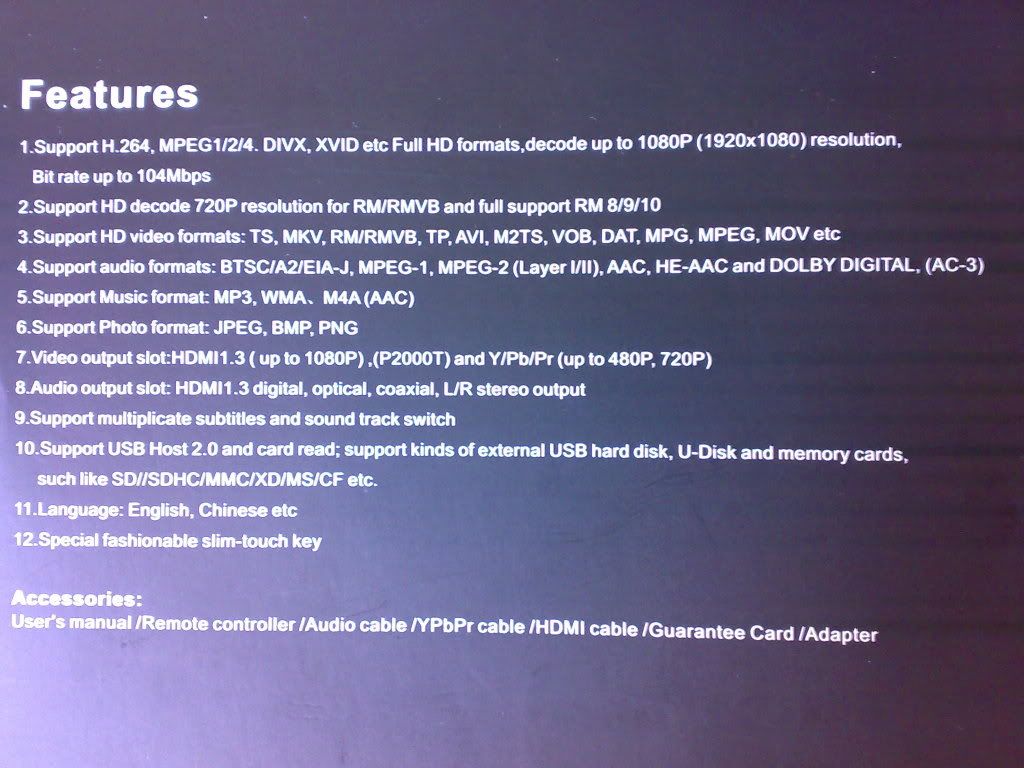 |
|
|
Aug 2 2009, 03:13 PM
|
|
Senior Member
4,403 posts Joined: Jan 2007 From: Johor Bahru
|
Most of the time, 21inch TV or less have only Interlace mode. Happened to me also when I connected a DVD player to a small TV. Had to change the setting of the DVD to interlaced instead of Progressive.
If you media player has no setting for Interlace or Progressive that means its not ngam for you TV set. BUT afaik, almost all media player and DVD player has this option. But since it is one day, maybe you can send it back to the shop to get a different model that support interlace and progressive mode. Of just sell it in the garage sale. This post has been edited by azbro: Aug 2 2009, 03:20 PM |
|
|
Aug 2 2009, 05:08 PM
|
|
Junior Member
88 posts Joined: Jan 2003 From: Ipoh
|
I need a media player that can support MKV format, but i think after i research in lowyat or google, i cant find any player support MKV format and also output as interlace. All is progressive. Those player that have interlace output but cant support MKV. IF i take it back to the shop, it cost me transport fees, somemore if I want to change lower end player they normally wont pay me back money, just need to top up change others products. I dont want have 2 low end player. I no money to change to LCD seems the TV still very new to me. By the way, mine TV is 29" samsung ultra slim CRT that u can see it everywhere in tesco, carrefour or giant. Such new model also cant support, bad.
By the way, I already post it in Garage sale, very sad http://forum.lowyat.net/index.php?showtopic=1116594 Anyone like to grap my sadness away?  This post has been edited by kicit: Aug 2 2009, 05:10 PM |
|
|
|
|
|
Aug 2 2009, 10:36 PM
|
|
Senior Member
4,403 posts Joined: Jan 2007 From: Johor Bahru
|
QUOTE(kicit @ Aug 2 2009, 05:08 PM) I need a media player that can support MKV format, but i think after i research in lowyat or google, i cant find any player support MKV format and also output as interlace. All is progressive. Those player that have interlace output but cant support MKV. IF i take it back to the shop, it cost me transport fees, somemore if I want to change lower end player they normally wont pay me back money, just need to top up change others products. I dont want have 2 low end player. I no money to change to LCD seems the TV still very new to me. By the way, mine TV is 29" samsung ultra slim CRT that u can see it everywhere in tesco, carrefour or giant. Such new model also cant support, bad. Yup, i check the specs, your TV doesn't support progressive...sorry abt your situation bro..By the way, I already post it in Garage sale, very sad http://forum.lowyat.net/index.php?showtopic=1116594 Anyone like to grap my sadness away? Anyway, my portable Sarotech 260x supports 480i ~1080p..with MKV, but I think its out of your budget. |
|
|
Aug 2 2009, 10:42 PM
|
|
Junior Member
88 posts Joined: Jan 2003 From: Ipoh
|
Oh sarotech 260x what is the price around? I saw it selling RM650 @@?? Totally out of my budget >.<, add till RM1000 can get 2nd hand LCD tv to me already.
|
|
|
Aug 2 2009, 11:50 PM
|
|
Senior Member
4,403 posts Joined: Jan 2007 From: Johor Bahru
|
Its still abt that price...but thats not including a hardisk, I even mod it to use a Vantec Docker.
This post has been edited by azbro: Aug 3 2009, 12:11 AM |
|
|
Aug 4 2009, 12:44 AM
|
|
Senior Member
647 posts Joined: Apr 2009
|
QUOTE(kicit @ Aug 2 2009, 05:08 PM) I need a media player that can support MKV format, but i think after i research in lowyat or google, i cant find any player support MKV format and also output as interlace. All is progressive. Those player that have interlace output but cant support MKV. IF i take it back to the shop, it cost me transport fees, somemore if I want to change lower end player they normally wont pay me back money, just need to top up change others products. I dont want have 2 low end player. I no money to change to LCD seems the TV still very new to me. By the way, mine TV is 29" samsung ultra slim CRT that u can see it everywhere in tesco, carrefour or giant. Such new model also cant support, bad. I am surprised that this relatively new model from Samsung doesnt support progressive scan via component cables. Even my 5 year old GC (local Carrefour cheapo brand) can support progressive via component cables.By the way, I already post it in Garage sale, very sad http://forum.lowyat.net/index.php?showtopic=1116594 Anyone like to grap my sadness away? Too bad, i feel your pain bro. Hopes it teaches us all to check the specs and make sure the equipment we buy are compatible AND future proof it to our best financial abilities. This post has been edited by Poadster: Aug 4 2009, 12:45 AM |
|
|
Aug 7 2009, 12:17 PM
|
|
Junior Member
88 posts Joined: Jan 2003 From: Ipoh
|
Thanks for anyone advice, the item had been sold to my colleague seems he have a LCD at home. And end of the story i bought those 160++ player, but still some of subtitle cant read it, i think most of these player is mean to watch RMVB file only haha, what can i do
|
|
Topic ClosedOptions
|
| Change to: |  0.0187sec 0.0187sec
 0.71 0.71
 5 queries 5 queries
 GZIP Disabled GZIP Disabled
Time is now: 23rd December 2025 - 01:57 AM |
 Quote
Quote