

ok here are my scores. will post games soon. i only know crysis ver 0.01 @1280x800 4xAA 25-35fps
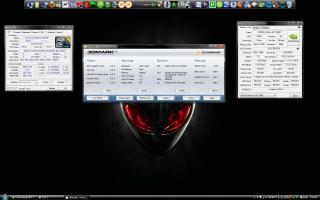

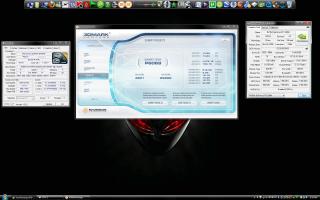
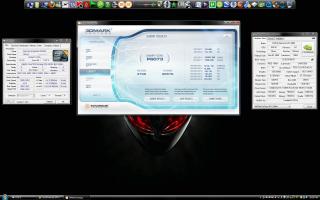
i dont know why my gpu score is low but my cpu score is like high.
This post has been edited by GreaseMonkey90: Oct 14 2009, 04:25 PM
Hardware GPU discussion
|
|
 Oct 14 2009, 02:03 PM Oct 14 2009, 02:03 PM
Return to original view | Post
#1
|
 
Senior Member
563 posts Joined: Feb 2007 From: Alberta, Canada and Alor Setar  
|
Intel Core2 Extreme Quad QX9300 2.93GHz | 6GB Dual Channel DDR3 | 2x GTX 280M 2GB SLi | 640GB (320GB X 2) HDD | 1920x1200
ok here are my scores. will post games soon. i only know crysis ver 0.01 @1280x800 4xAA 25-35fps
i dont know why my gpu score is low but my cpu score is like high. This post has been edited by GreaseMonkey90: Oct 14 2009, 04:25 PM |
|
|
|
|
|
Oct 14 2009, 04:27 PM
Return to original view | Post
#2
|
|
Senior Member
563 posts Joined: Feb 2007 From: Alberta, Canada and Alor Setar
|
QUOTE(putochip123 @ Oct 14 2009, 01:18 AM) please state out ur model and everything.......see above how i post.... lol tht is very painful whn u say its not gtx280 sli. i dont think that urs are GTX280M SLi.....   |
|
|
Oct 14 2009, 04:54 PM
Return to original view | Post
#3
|
|
Senior Member
563 posts Joined: Feb 2007 From: Alberta, Canada and Alor Setar
|
still hav to do lots of tweaking on my gpu.
|
|
|
Oct 14 2009, 05:01 PM
Return to original view | Post
#4
|
|
Senior Member
563 posts Joined: Feb 2007 From: Alberta, Canada and Alor Setar
|
QUOTE(kelvin_hata @ Oct 14 2009, 01:56 AM) yeah... Show more result onur gtx280 sli, cos plan getting 1 soon im gonna fresh install the driver...again. dont know wots wrong. |
|
|
Oct 14 2009, 05:23 PM
Return to original view | Post
#5
|
|
Senior Member
563 posts Joined: Feb 2007 From: Alberta, Canada and Alor Setar
|
QUOTE(putochip123 @ Oct 14 2009, 02:12 AM) Added on October 14, 2009, 5:14 pm Yo bro, waiting u to reinstall and pawn me..... cant wait to know GTX280M SLi with QX9300 |
|
|
Oct 14 2009, 05:32 PM
Return to original view | Post
#6
|
|
Senior Member
563 posts Joined: Feb 2007 From: Alberta, Canada and Alor Setar
|
QUOTE(putochip123 @ Oct 14 2009, 02:28 AM) no pressure u take ur time, lol i might just sent this back for them to upgrade it to i7 n change the mobo + the GPU (if theres a new one)we got Q9000 with GTX280M SLi I cant wait to see the result QX9300 with GTX280M SLi  I think whole malaysia u had the strongest laptop liao lor........  My GTX260M should be low end d..... so many strong laptop coming out...... Later the new ATI mobility 4870x2 2GB Cross fire some more...  this is the default of all setting without overclocking edit. so wot did u use to oc yer card??? i used nvidia system tool This post has been edited by GreaseMonkey90: Oct 14 2009, 05:35 PM |
|
|
|
|
|
Oct 14 2009, 05:56 PM
Return to original view | Post
#7
|
|
Senior Member
563 posts Joined: Feb 2007 From: Alberta, Canada and Alor Setar
|
QUOTE(Mr.Docter @ Oct 14 2009, 02:47 AM) is that possible? it sound like better change a new laptop to me. the price for those process must be real expensive. ok...restarting pc n preparing to benchmark it. thrs only 1 way to find out. to test the i7 itself. trying stuff makes me satisfied. lol and by the way, i7 is not for gaming. you can refer to i7 thread for further info from Astria. same like yours too, Nvidia System Tools.  |
|
|
Oct 14 2009, 06:43 PM
Return to original view | Post
#8
|
|
Senior Member
563 posts Joined: Feb 2007 From: Alberta, Canada and Alor Setar
|
ok done benchmarking. the fresh install of the drivers works alot.


this on i had 4xAA on, trilinear n @1920x1200 |
|
|
Oct 15 2009, 03:54 AM
Return to original view | Post
#9
|
|
Senior Member
563 posts Joined: Feb 2007 From: Alberta, Canada and Alor Setar
|
QUOTE(putochip123 @ Oct 14 2009, 04:51 AM) yo bro, here ur benchmark, nce vantage 12k, only, im only half of it....hahaha yes, the gpu is in stock speed. need to oc it n see the differencenice laptop bro..... QUOTE(Mr.Docter @ Oct 14 2009, 05:10 AM) @GreaseMonkey90 - now try in term of gaming. hope you can reach those FPS. yea. im gonna try crysis 1.21, warhead, CoH, codwaw, cod4, far cry2 n fallout 3.Added on October 14, 2009, 8:11 pm thought so too. |
|
|
Oct 15 2009, 09:12 AM
Return to original view | Post
#10
|
|
Senior Member
563 posts Joined: Feb 2007 From: Alberta, Canada and Alor Setar
|
ok ive done these benchmarkin thing....
Crysis 1.21 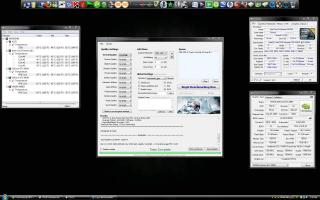
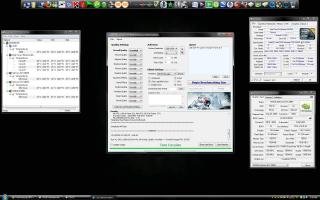
1920x1200 4xAA DX10 very high | 1280x1024 4xAA DX10 very high Crysis Warhead 1.2 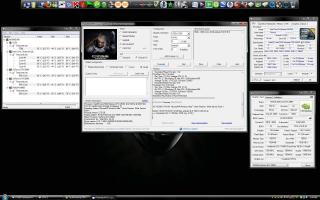
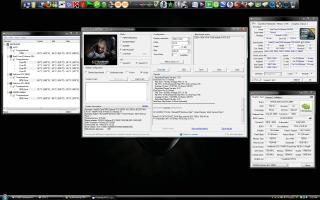
1920x1200 4xAA DX10 enthusiast | 1280x1024 4xAA DX10 enthusiast Company of Heroes 
1920x1200 maxed out 4xAA lol...hav to use cam coz freakin xfire, prtscr wont work on dx10 for this game. World In Conflict 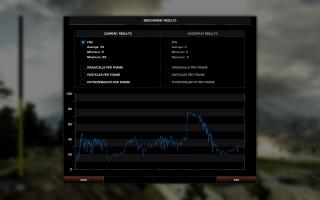
1920x1200 maxed out except for AA @ 4x Call of Duty: World At War 
1920x1200 maxed out 4xAA vsync off depends on where its lookin This post has been edited by GreaseMonkey90: Oct 15 2009, 12:08 PM |
|
|
Oct 15 2009, 11:58 AM
Return to original view | Post
#11
|
|
Senior Member
563 posts Joined: Feb 2007 From: Alberta, Canada and Alor Setar
|
QUOTE(Fantasia @ Oct 14 2009, 08:13 PM) can i know how to display ur tempurature and fps on ur upper left of ur screen for COD4? EVGA precision |
|
|
Oct 15 2009, 12:38 PM
Return to original view | Post
#12
|
|
Senior Member
563 posts Joined: Feb 2007 From: Alberta, Canada and Alor Setar
|
QUOTE(Mr.Docter @ Oct 14 2009, 09:33 PM) does it disturb your FPS like FRAPS did? no. wot astria said. and it only monitors yer tempeature n fps n u can take ss with it. the difference is tht u can monitor yer temp ingame.edit - u can oc yer card with it. This post has been edited by GreaseMonkey90: Oct 15 2009, 12:39 PM |
|
|
Oct 15 2009, 01:03 PM
Return to original view | Post
#13
|
|
Senior Member
563 posts Joined: Feb 2007 From: Alberta, Canada and Alor Setar
|
QUOTE(astria @ Oct 14 2009, 09:41 PM) lemme stress 1 thing... confusing isnt it....actually tht reply was for the doc. i just agreed with ye. lolit works for Nvidia cards only... n yes it works only for nvidia.... thts why its called EVGA precision....lol |
|
|
|
|
|
Oct 15 2009, 10:52 PM
Return to original view | Post
#14
|
|
Senior Member
563 posts Joined: Feb 2007 From: Alberta, Canada and Alor Setar
|
QUOTE(Fantasia @ Oct 15 2009, 05:53 AM) then ati gc use what to monitor temperature in-game? ATi uses ATiTool. not sure if it works for nv too. read some in notebook forums. said it worked with both cards. |
|
|
Oct 16 2009, 02:09 AM
Return to original view | Post
#15
|
|
Senior Member
563 posts Joined: Feb 2007 From: Alberta, Canada and Alor Setar
|
QUOTE(Fantasia @ Oct 15 2009, 08:00 AM) does it affect the fps??i heard some 1 say some programme which have the same function might affect ur fps in-game it wont. only fraps does tht.but the only flaw of using this is tht xfire wont work. ATi tool, evga precision, etc. whn xfire detects these 3rd party it will shut down itself ingame. still hav no idea why xfire doesnt want to fix this prob |
|
|
Oct 17 2009, 05:40 AM
Return to original view | Post
#16
|
|
Senior Member
563 posts Joined: Feb 2007 From: Alberta, Canada and Alor Setar
|
QUOTE(astria @ Oct 16 2009, 04:21 AM) GreaseMonkey: pls take note i only updated ur 11k screenie... as the 14k one has no detail at all... wot details do u need. bsides i just hit 15k yesterday....putochip: srry mate, but we dun encourage overclocking here... the potential of spoiling is higher than desktop parts... |
|
|
Oct 17 2009, 09:00 AM
Return to original view | Post
#17
|
|
Senior Member
563 posts Joined: Feb 2007 From: Alberta, Canada and Alor Setar
|
new score for 3d mark06
m17x | QX9300 @ 2.93 | GTX280m sli | 6gb ram | 640gb hdd 
@ 1280x1024 (default) performance. 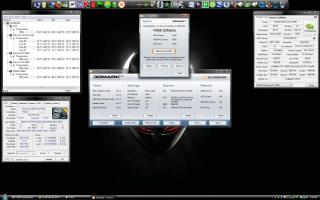
1920x1200 This post has been edited by GreaseMonkey90: Oct 17 2009, 09:44 AM |
|
|
Oct 17 2009, 06:58 PM
Return to original view | Post
#18
|
|
Senior Member
563 posts Joined: Feb 2007 From: Alberta, Canada and Alor Setar
|
QUOTE(Mr.Docter @ Oct 17 2009, 12:16 AM) looks like you overclock a bit your GPU clock on the 15k marks. yea i did. but not too much which will cause the gpu to fail and artifacts will appear ingame. |
|
|
Oct 18 2009, 12:16 PM
Return to original view | Post
#19
|
|
Senior Member
563 posts Joined: Feb 2007 From: Alberta, Canada and Alor Setar
|
QUOTE(zorex @ Oct 17 2009, 07:05 PM) I did another benchmark on win7 x64 compare to vista x86, guess wat? My score still the same, no changes... try updating yer gfx, cccleaner, disk cleanup n defrag. tht shld make it better. i always run these every month. |
|
|
Oct 24 2009, 09:53 AM
Return to original view | Post
#20
|
|
Senior Member
563 posts Joined: Feb 2007 From: Alberta, Canada and Alor Setar
|
QUOTE(Mr.Docter @ Oct 22 2009, 02:38 PM) waiting for Exbear's benchmark his benchmark will pwn mine coz of his i7 |
|
Topic ClosedOptions
|
| Change to: |  0.0429sec 0.0429sec
 1.12 1.12
 7 queries 7 queries
 GZIP Disabled GZIP Disabled
Time is now: 8th December 2025 - 04:30 AM |
 Quote
Quote