Outline ·
[ Standard ] ·
Linear+
Hardware GPU discussion
|
M1X
|
 Dec 6 2009, 12:06 AM Dec 6 2009, 12:06 AM
|

|
You will start complaining when your car hit some objects, anything. The game will lag... Either there's problem with the game or problem with hardwares. But I bet it the problem of the game. If you not patch to latest version, you probably only get GAME CRASH... GAME CRASH... GAME CRASH...
|
|
|
|
|
|
M1X
|
Dec 6 2009, 12:28 AM
|
|
|
Of course it never crash on other machine. I means it will always crash on UL80VT, not believe? Search any review that they ran on UL80VT.
|
|
|
|
|
|
M1X
|
Dec 6 2009, 12:38 AM
|
|
|
Yeah, after the game been patched to 1.02, the visual is displayed properly, the graphics looks nicer, the game run smoother. But still, it lag when hitting something =( Another thing is, the installed gfx driver says version "186.88", but the latest driver I can found on Nividia website was "186.81" ??  This post has been edited by M1X: Dec 6 2009, 12:41 AM This post has been edited by M1X: Dec 6 2009, 12:41 AM |
|
|
|
|
|
M1X
|
Dec 6 2009, 12:44 AM
|
|
|
I can't find that physX option.... T_T
I click the Nvidia PhysX icon in control panel, but the gfx driver settings pop out instead...
And from what I know, PhysX only supported when running over 2 GPU...
|
|
|
|
|
|
M1X
|
Dec 6 2009, 12:48 AM
|
|
|
Nothing related with PhysX in there...... (hmm, maybe I should install PhysX driver DURING my G210M is running? CUz I installed it when running over GMA.....)
|
|
|
|
|
|
M1X
|
Dec 6 2009, 12:58 AM
|
|
|
Is it I just need to download the modified INF file and ... put it where?
|
|
|
|
|
|
M1X
|
Dec 6 2009, 01:19 AM
|
|
|
|
|
|
|
|
|
M1X
|
Dec 6 2009, 01:27 AM
|
|
|
I think it's this one: http://forums.laptopvideo2go.com/topic/257...bit-nvidia-oem/I download and try... Hope nothing blow up later =_= |
|
|
|
|
|
M1X
|
Dec 6 2009, 02:17 AM
|
|
|
My G210M just clocked at 606MHz/790MHz DDR3.... Score were slightly better than yours (1375 SM2, 1336 SM3). So suggest you tweak the memory instead? Of course other hardwares affect too~ First test 195.55... NOT WORKING AT ALL. But ah, wasn't I suppose to use Hybrid Driver?  Go find and download again... This post has been edited by M1X: Dec 6 2009, 02:41 AM |
|
|
|
|
|
M1X
|
Dec 6 2009, 02:47 PM
|
|
|
Hmm, about the modified driver, I can't find any that suitable for my system. The major problem is that I run on hybrid graphic system, thus need special driver from the laptop manufacturer. So I can't just pop in 19X driver and hope it will run... I have to stick on the 186.88 driver provided from Asus.
And... There is no INF file in 186.88 driver... o_O, so no way to tweak it... I scan through the DOX Customized Forceware but unlucky, there are no drivers that support G210M...
Well, guess I just stick back to the original driver... =/
This post has been edited by M1X: Dec 6 2009, 02:48 PM
|
|
|
|
|
|
M1X
|
Dec 8 2009, 01:33 PM
|
|
|
|
|
|
|
|
|
M1X
|
Dec 10 2009, 08:39 PM
|
|
|
QUOTE(Mr.Docter @ Dec 10 2009, 07:10 PM) why we discussing this on NOTEBOOK subforum? did something changed when i was busy with examination?  I'm headach too, what's going on??  |
|
|
|
|
|
M1X
|
Dec 10 2009, 10:05 PM
|
|
|
|
|
|
|
|
|
M1X
|
Dec 10 2009, 11:11 PM
|
|
|
Yes on Turbo mode. Medium graphics, not yet try to turn on AA to 2X see how much the framerate is, hopefully it still playable... lolz
Maybe later try it out, mix match the graphic settings while on 2X AA.
|
|
|
|
|
|
M1X
|
Dec 10 2009, 11:47 PM
|
|
|
Yeah lol I don't demand too much anyway, I not the kind of hardcore players =p As long as I can play with with proper settings then it's OK. I turned up the AA to 2X while maintaining other settings (somewhat medium), the framerate drop to less than 20 FPS. Turn off the shadow and texture resolution oviously didn't help in gaining any framerate at all! So, for users with a laptop scoring 6000 in 3DMark06, suppose can enjoy SHIFT on 2X AA and high settings =) 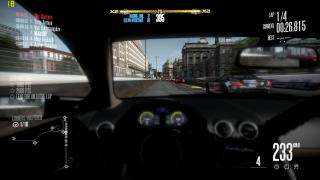
Well, if I plays for competition than I probably going to needs a proper desktop rather than laptop. Or else the laptop is going to break pretty fast...  Too bad I can't handle SHIFT so well unlike previous title like ProStreet, else I want to join competitions too~ This post has been edited by M1X: Dec 10 2009, 11:59 PM |
|
|
|
|
|
M1X
|
Dec 12 2009, 01:05 AM
|
|
|
I guess you're relly sleepy. Hei there are mistakes on the list at first page...
Why G105M GPU is listed under G210M? lol
|
|
|
|
|
|
M1X
|
Jan 18 2010, 02:30 PM
|
|
|
QUOTE(wanttobuylaptop @ Jan 18 2010, 12:24 PM) if sacrifice the hybrid only use 6900 driver, will there a performance boost? Use a standard driver on a hybrid machine? I not sure if that works cuz I tried at on my hybrid laptop, it won't work at all, I have to revert to the outdated hybrid driver provided by manufacturer.  |
|
|
|
|
|
M1X
|
Jan 19 2010, 03:26 AM
|
|
|
Well that is what I using now, the Hybrid (Intel + Nvidia) driver from Asus... Version 186.88  This post has been edited by M1X: Jan 19 2010, 03:28 AM This post has been edited by M1X: Jan 19 2010, 03:28 AM |
|
|
|
|
|
M1X
|
Jan 27 2010, 11:47 PM
|
|
|
|
|
|
|
|
|
M1X
|
Jan 28 2010, 11:53 AM
|
|
|
Saw your name on the FIRST PAGE of the latest dox topic already |
|
|
|
|



 Quote
Quote ??
??
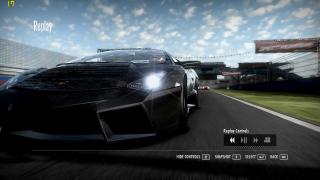


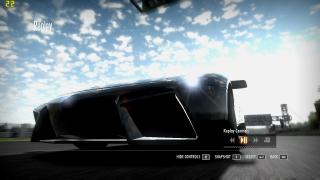


 when will Asus release next batch of new drivers... (just tried the latest DOX mod but...
 0.0471sec
 0.59
0.59
 7 queries
 GZIP Disabled