Welcome Guest ( Log In | Register )

Outline · [ Standard ] · Linear+

 AMD® Socket AM3 Unlocking 4th CORE Thread ~, Those Who Have Tried,Please List it HERE

views
     
chaics85
post Sep 23 2011, 09:09 AM

On my way
****
Senior Member
698 posts

Joined: Mar 2008
From: Oil town @ Miri
guys.. i just change my mobo to msi 990fxa-gd65.. i tried to unlock the core using core unlocker in the bios. after reboot, it went into windows without a prob. and i can see all the 4 cores running. after 2-3 minutes, it crashes and restart. is there anything that i missed out in bios? should disable cool and quiet or other settings? can i try to increase the core voltage? bad core?

my old spec as in siggy, new spec as below:
phenom 2 555
noctua nh-d14
team elite 1300 ddr3
gigabyte odin pro 550watt
640gb hdd
gigabyte 6850

btw, i havent format my hdd after changing mobo. anything to do with it?? even hvt format, i can play games normally with just 2 cores running..

thanks if anyone can assist me..

This post has been edited by chaics85: Sep 23 2011, 02:20 PM
chaics85
post Sep 23 2011, 02:19 PM

On my way
****
Senior Member
698 posts

Joined: Mar 2008
From: Oil town @ Miri
ya.. will definitely going to format the hdd soon. but use curious why it crash after few mins. in to windows.. oh btw, i'm using noctua nh-d14 cooler..
chaics85
post Sep 23 2011, 04:10 PM

On my way
****
Senior Member
698 posts

Joined: Mar 2008
From: Oil town @ Miri
may i know how do i know if its a bad core? totally cant log into windows? any possibility the core is unstable..
chaics85
post Sep 24 2011, 12:47 AM

On my way
****
Senior Member
698 posts

Joined: Mar 2008
From: Oil town @ Miri
after using OC genie II to unlock and OC my proc, i cant seem to see the core temperatures using CPUID hw monitor, coretemps and so on.. why is it like tat?

i manage to find the cpu temperature in the bios and it stated there 50+- celcius and i'm actually using noctua nh-d14. is the temp. acceptable for using such cooler??
chaics85
post Sep 24 2011, 07:57 AM

On my way
****
Senior Member
698 posts

Joined: Mar 2008
From: Oil town @ Miri
QUOTE(haziqk10 @ Sep 24 2011, 01:33 AM)
Is it idle temp or load temp??
*
turning on the pc and straight goes into bios, it stated 40+- celcius. i suppose that would be idle temp. after some gaming, it goes to 50+-celcius. dont dare to stress test yet as i cant see the temps..

QUOTE(DG41 @ Sep 24 2011, 02:08 AM)
hw monitor refer TMPIN1. if gigabyte mobo can refer to ET.
mine xigmatek hdt 1283 for phenom 20 idle at 44. full load ~65. vcore 1.44 3.5ghz
*
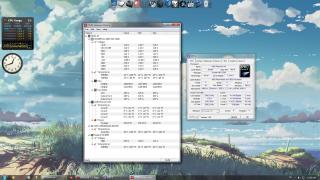
i'm using msi mobo.. there isnt any TMPIN1.. only TMPIN0 and TMPIN2. i'm thinking is the cpu temp refers to TMPIN0 as it is almost the same as the bios.. rclxub.gif

but for idle temp at 40+-celcius on this massive cooler is kinda weird. maybe i have to re-seat the cooler or reapply my thermal paste.. cos i only put a small dot amount of thermal paste (without spreading it all over the proc) and put the cooler on.. is this the correct way??? blurred.

Attached Image

This post has been edited by chaics85: Sep 24 2011, 07:59 AM
chaics85
post Sep 24 2011, 03:43 PM

On my way
****
Senior Member
698 posts

Joined: Mar 2008
From: Oil town @ Miri
sifus... thanks for the guide so far..

aida64 @ everest is stating 45+- on the cpu sensor. and the room temp is quite hot. the pc is in a non a/c room.

is it a normal temp for those who unlock to 4 cores? or it should be lower??
Attached Image
chaics85
post Sep 25 2011, 02:32 AM

On my way
****
Senior Member
698 posts

Joined: Mar 2008
From: Oil town @ Miri
ya.. i was shocked wen i saw the temp. i think i'll definitely reapply and reseat the cooler.
btw, i just finished an hour of OCCT test, no error found and the highest temp i got is only 59C. i'm currently opening all the side panels and top panels of the case.

wow.. urs looks very rock solid.. whats the highest/ maximum safe point vcore a normal phenom proc can achieve? 1.44v wont be too high??


Change to:
| Lo-Fi Version
0.0176sec    0.47    7 queries    GZIP Disabled
Time is now: 3rd December 2025 - 09:45 PM