Sorry to hear that.
I haven't tried transferring files using the card reader, don't know where I placed my micro-SD to SD card adapter.
Anyway I transferred some jpeg pictures (like 200MBs) before using external HDD (USB) without any issues.
I did a quick search on this issue, and this seems to be related to Vista or a combination of Vista plus some hardware issues.
So far 2 kinds of errors are reported,
1. Image files being randomly corrupted when transferred from XP to Vista machine through the use of card reader or USB.
2. Reports of image files already on Vista machine being randomly corrupted over time. <-- this would be really bad if it's true
So far, haven't found anything that can recover those corrupted image files.
Anyway have you updated your Vista and Vaio? Maybe there's a fix already. Sorry can't help much.
Added on May 3, 2009, 3:58 pmFW35 comes with 32bit Vista Home Premium which cannot fully utilized the 4GB. Vista 32bit can probably just used up to ~3.5GB only. I'm not sure about the dynamic shared memory space use by the ATI3470. But ATI3470 already has 256 of dedicated ram and it is not a powerful GPU. It would be wise to research if there'll be significant performance increase by adding more ram to it first before committing to the upgrade.
You cannot use ddr3 on ddr2 mobo. They are different.
ddr2 ram and ddr2 sdram means the same thing, just a short form. SDRAM means Synchronous Dynamic Random Access Memory.
Hi thanks for your info,but there are some who says DDR2 SDRAM and SDRAM are not same.(no hard feelings) some says the DDR2 and DDR3 rams is depending on the chipset but i did seen some mobo can fit either of the ram so im a little confuse and through my understanding and logicaly its not possible.
Please share your knowledge with me. thanks


 May 2 2009, 09:21 PM


 Quote
Quote


 u know la human are normal ma pay already sure expect the best and can do everthing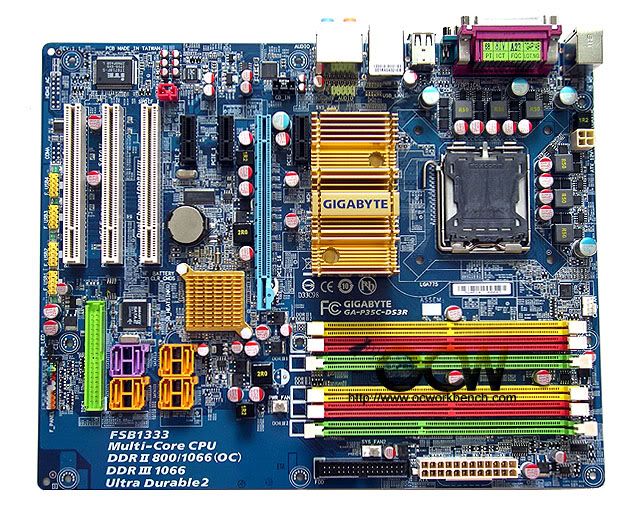


 but 1 thing i know the price for VAIO is kinda HOT

 0.0404sec
 0.65
0.65
 7 queries
 GZIP Disabled